How to Set Up a Free & Private API for SillyTavern Using MegaNova AI 2026
If you're looking to enjoy AI roleplay in SillyTavern without paying for expensive API subscriptions, MegaNova AI provides a free API key that can be connected to SillyTavern as an AI endpoint.
In this quick, step-by-step guide, we will walk you through how to grab a free API key from MegaNova AI and plug it directly into SillyTavern so you can start chatting with your favorite AI models in minutes.
What is SillyTavern and MegaNova AI?
SillyTavern is a locally installed AI chat interface that lets you create and interact with custom AI characters, right on your own device. Developed by Cohee and RossAscends as a refined fork of TavernAI 1.2.8, it’s now a popular choice among AI roleplay enthusiasts and hobbyists.
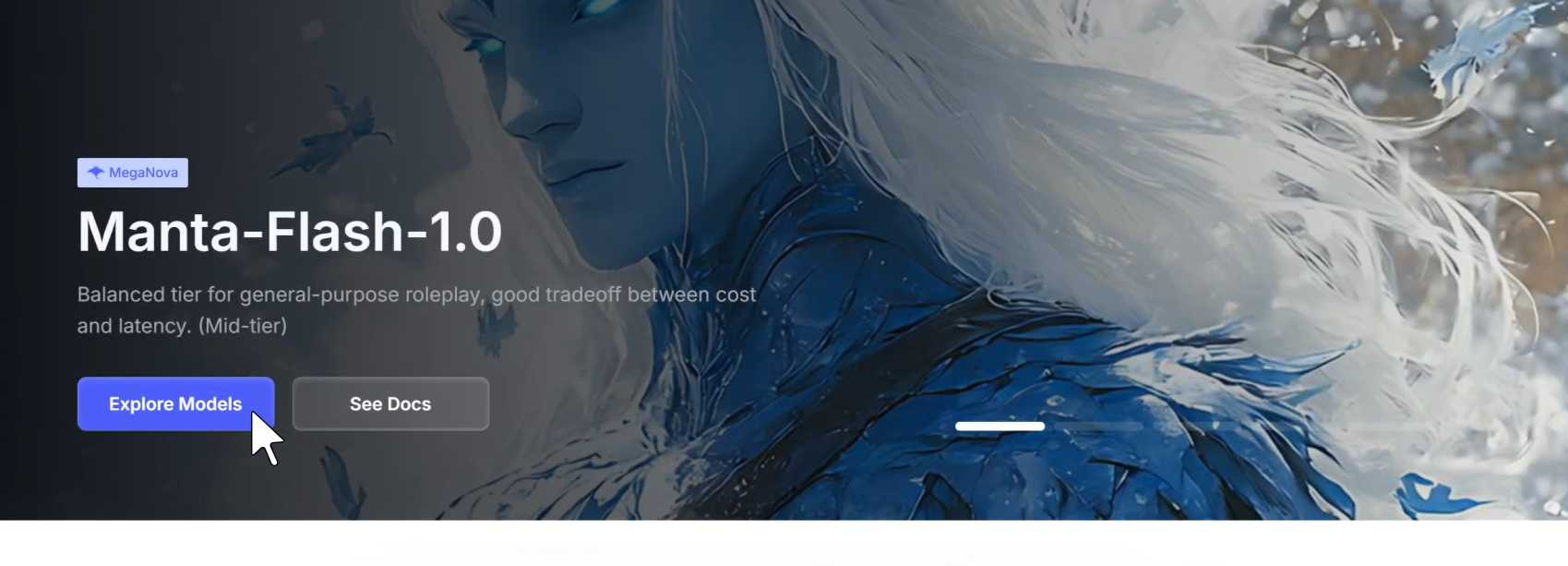
MegaNova AI is a serverless AI inference platform that hosts multiple models — including their own Manta-Flash-1.0, described as a "balanced tier for general-purpose roleplay, good tradeoff between cost and latency." Their API is OpenAI-compatible, making it a plug-and-play drop-in for any app that already supports OpenAI's /v1/chat/completions endpoint.
Key Features:
- Create & Chat with AI Characters: Design unique personalities or import presets and have dynamic conversations.
- Highly Customizable UI: Tailor backgrounds, chat layouts, character behavior, and more.
- Multi-Character Support: Chat with multiple AI characters in group chats simultaneously.
- Broad Model Compatibility: Works with various LLM APIs including DeepSeek, Claude, OpenAI, and open-source models: or even your locally-hosted model.
- Fully Local & Private: Since it runs locally without user tracking, your conversations stay private and secure.
SillyTavern powers immersive, creative interactions with AI — and now, connecting it to MegaNova’s free API takes the experience to the next level, delivering fast, private, Manta-backed roleplay with zero setup headaches.
Step-by-Step Configuration Guide
Step 1: Clone SillyTavern from GitHub
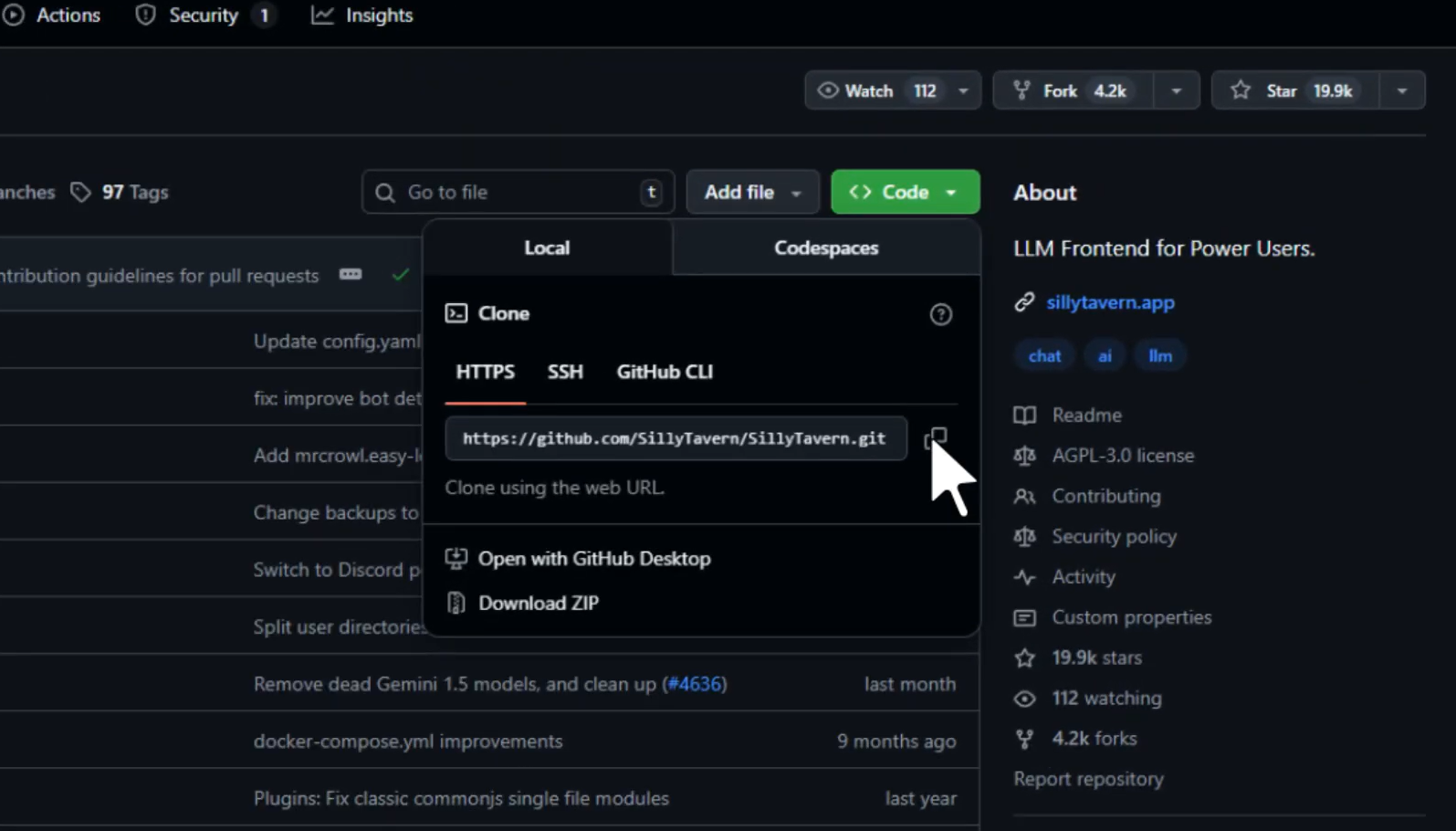
Head to the SillyTavern GitHub repository and copy the clone URL. Click the green Code button, select HTTPS, and copy the URL to your clipboard.
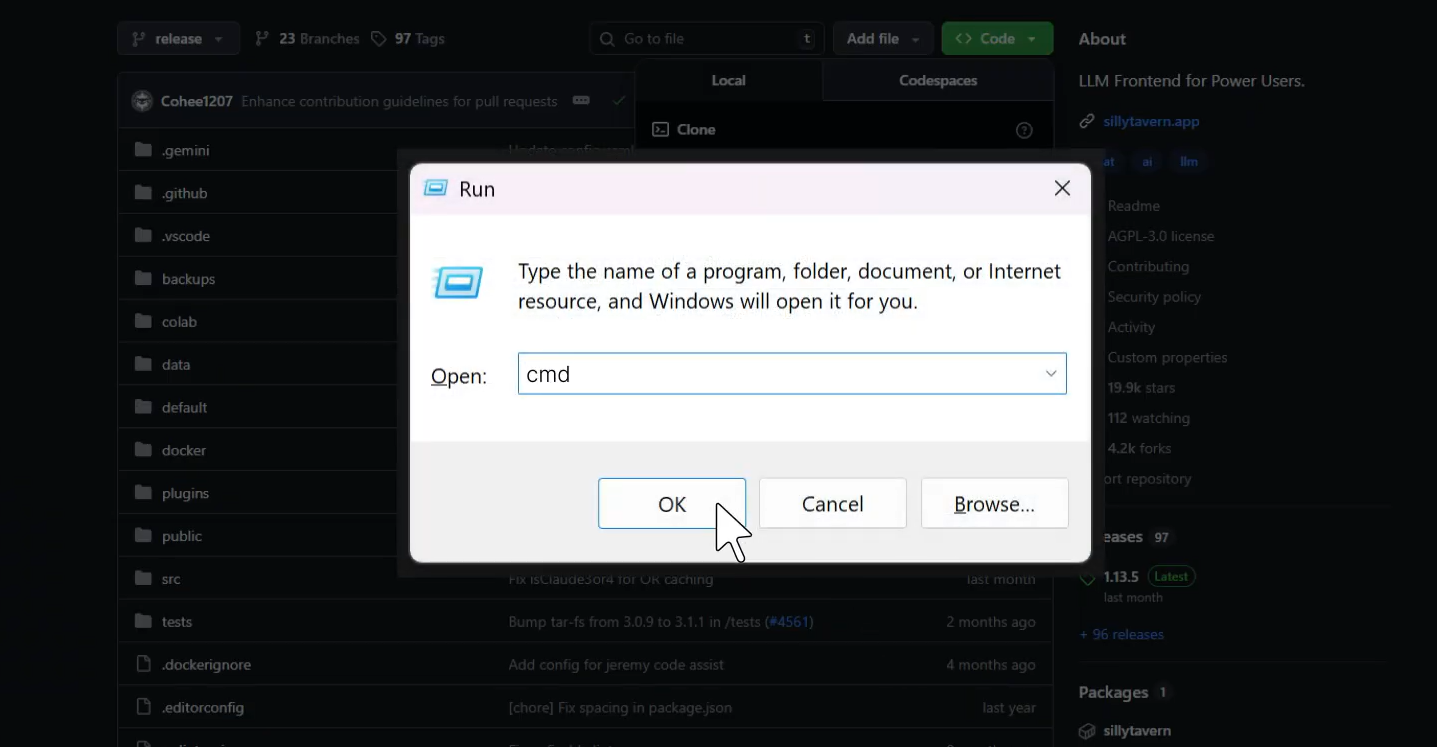
Next, open a terminal (Command Prompt on Windows).
Press Win + R, type cmd, and hit OK.
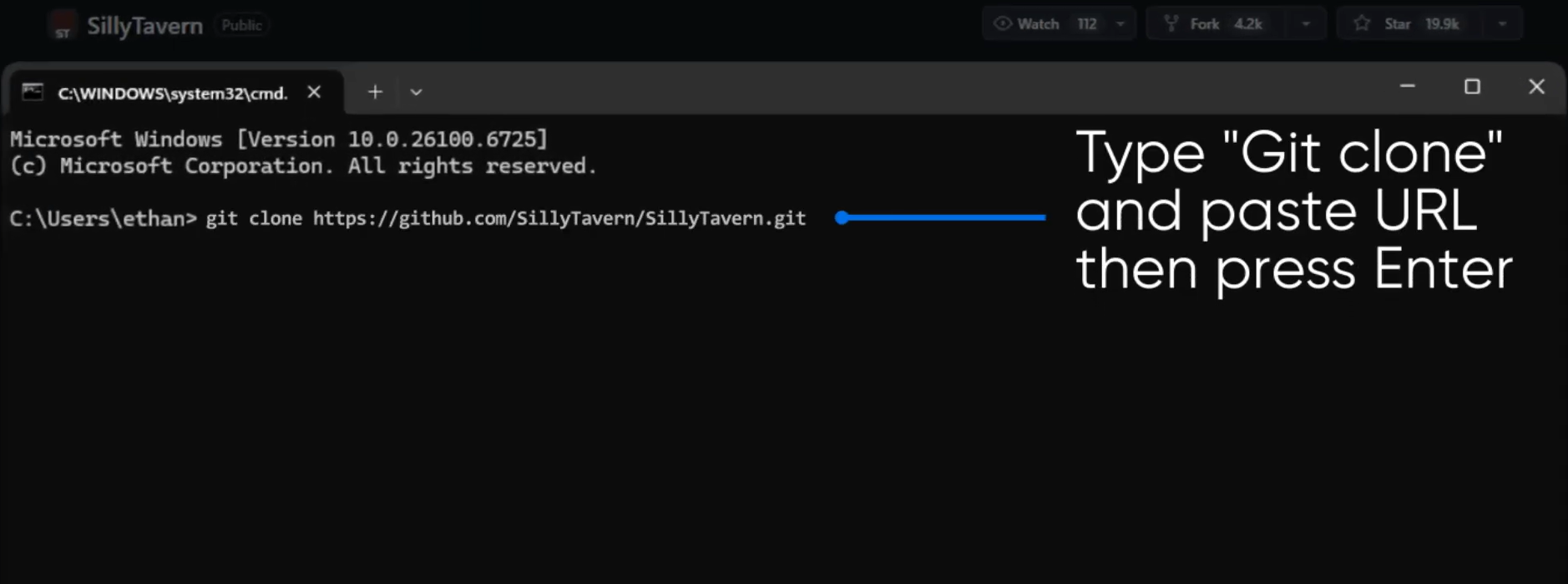
In the terminal, type git clone followed by the URL you copied, then press Enter. Git will download the entire SillyTavern repository to your machine.
Tip: Don't have Git installed? Download it from git-scm.com first. Node.js (v18+) is also required — grab it at nodejs.org.
Step 2: Install Dependencies & Start the Server
Once the clone is complete, cd into the SillyTavern folder and open it in VS Code (or any terminal).
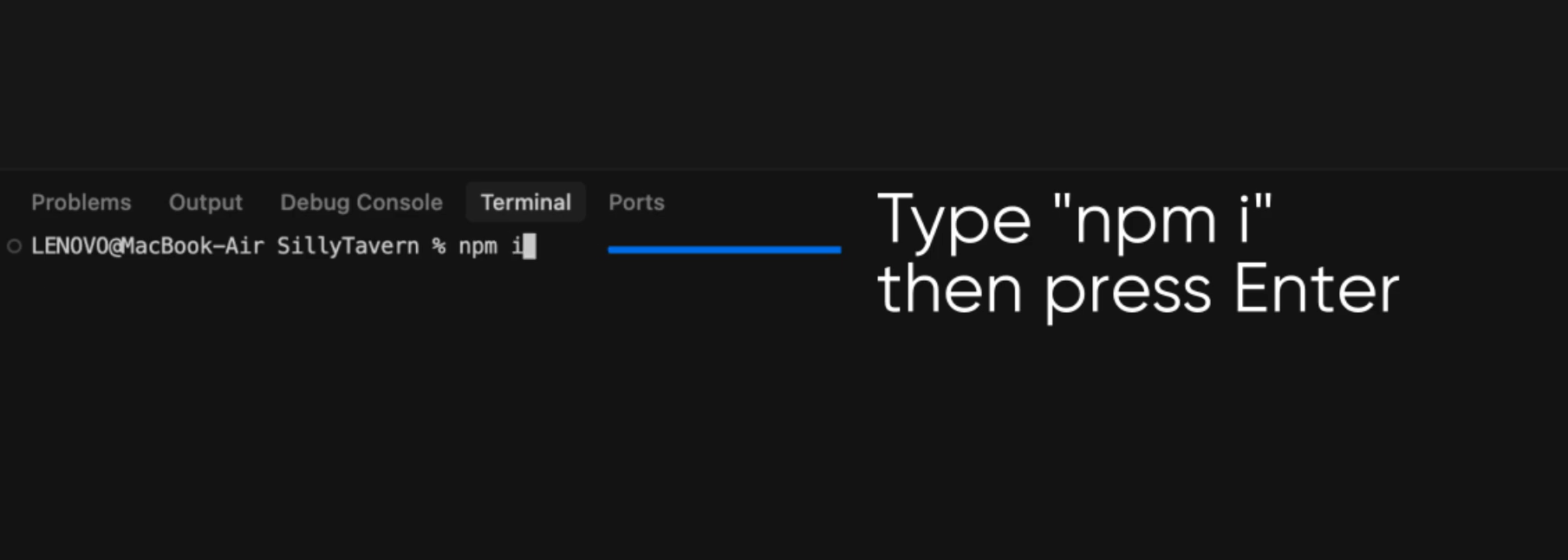
Then install all required packages by running npm i.
Once the installation finishes (you'll see a summary of packages audited), launch the server with npm start.
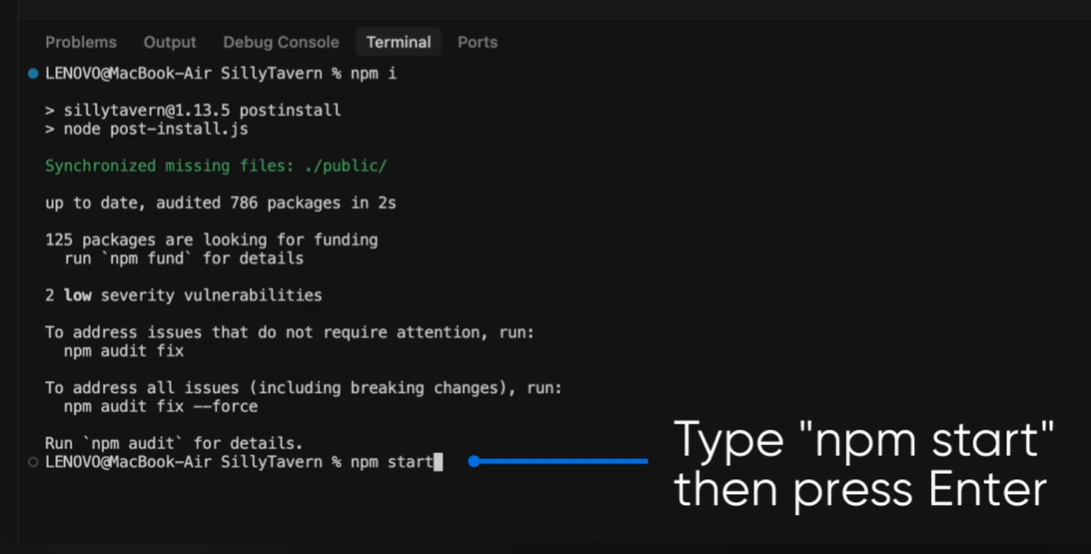
SillyTavern will automatically open in your browser at http://localhost:8000, where you'll find the chat interface ready to use.
Note: Keep this terminal window open while using SillyTavern — closing it will stop the server.
Step 3: Find Your Model & API Info on MegaNova
Sign up at inference.meganova.ai and head to the Serverless Models section. Select the model you want to use — for this guide, we'll use Manta-Flash-1.0, a free mid-tier model tailored for roleplay.
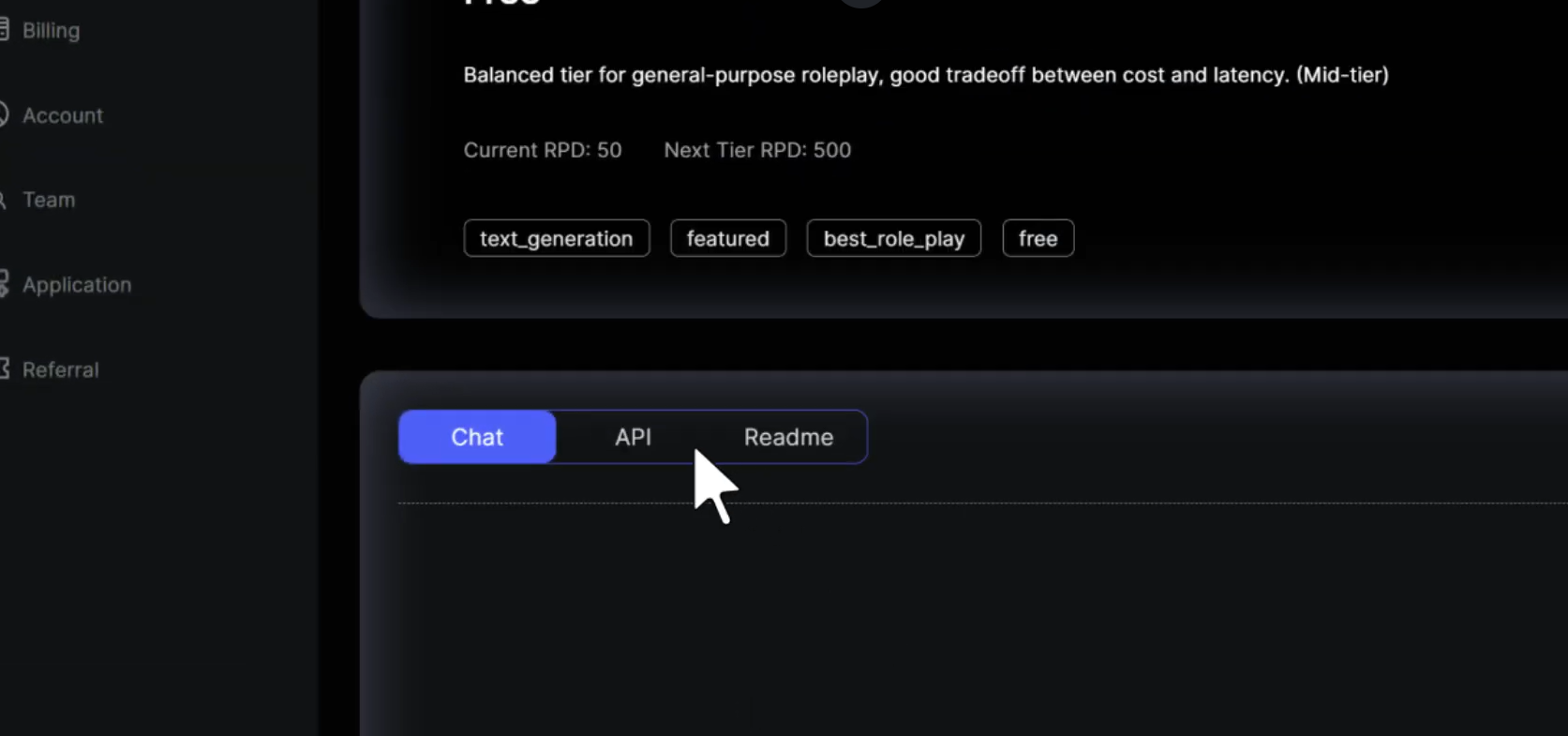
On the model page, you'll see it described as a free-tier option with a current rate of 50 RPD (requests per day), with a next tier of 500 RPD.
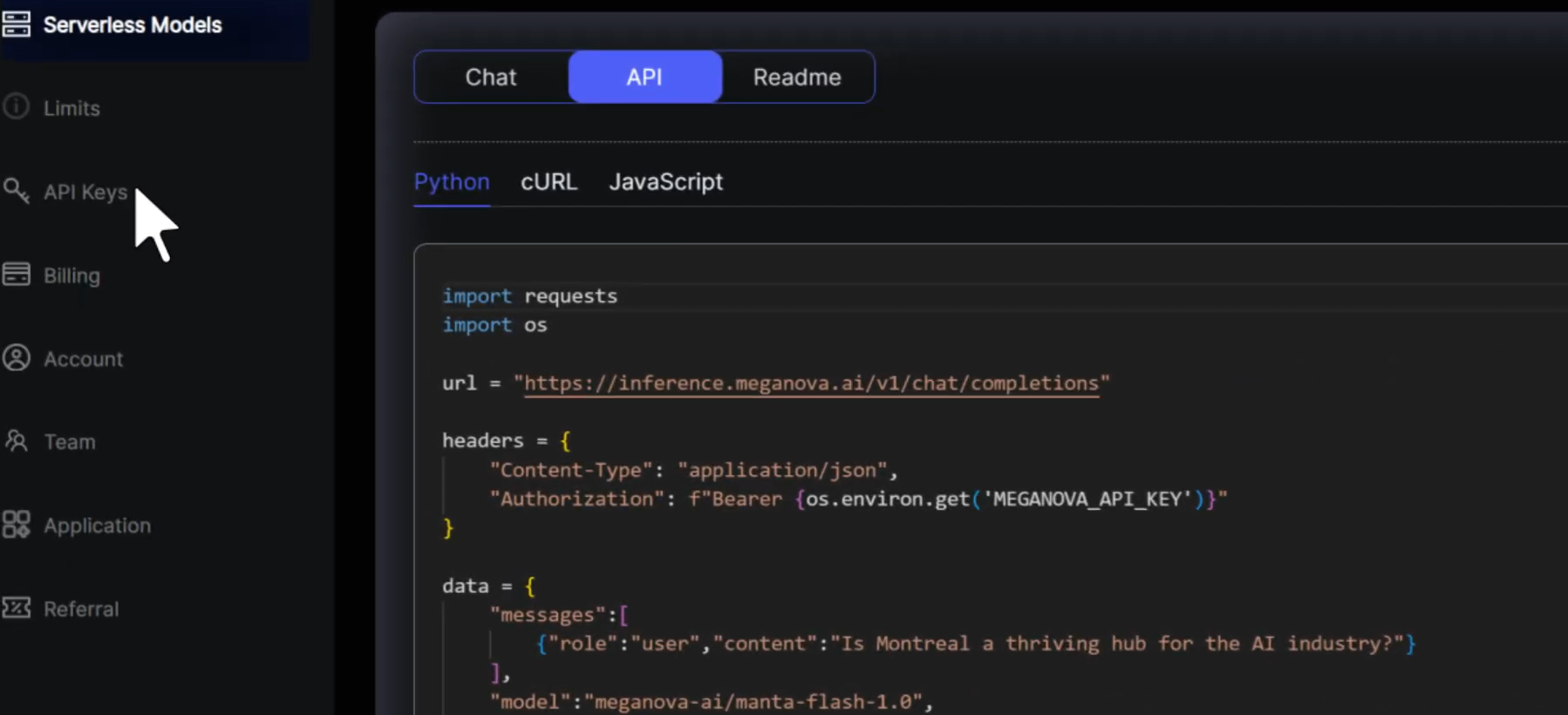
Click the API tab to get the connection details.
Step 4: Copy the Endpoint URL and Model ID
On the API tab (with Python selected), you'll see the full code snippet. You need two pieces of information from here:
1. The base URL: https://inference.meganova.ai/v1 — copy everything up to /v1 (SillyTavern adds /chat/completions automatically)
2. The model ID: meganova-ai/manta-flash-1.0
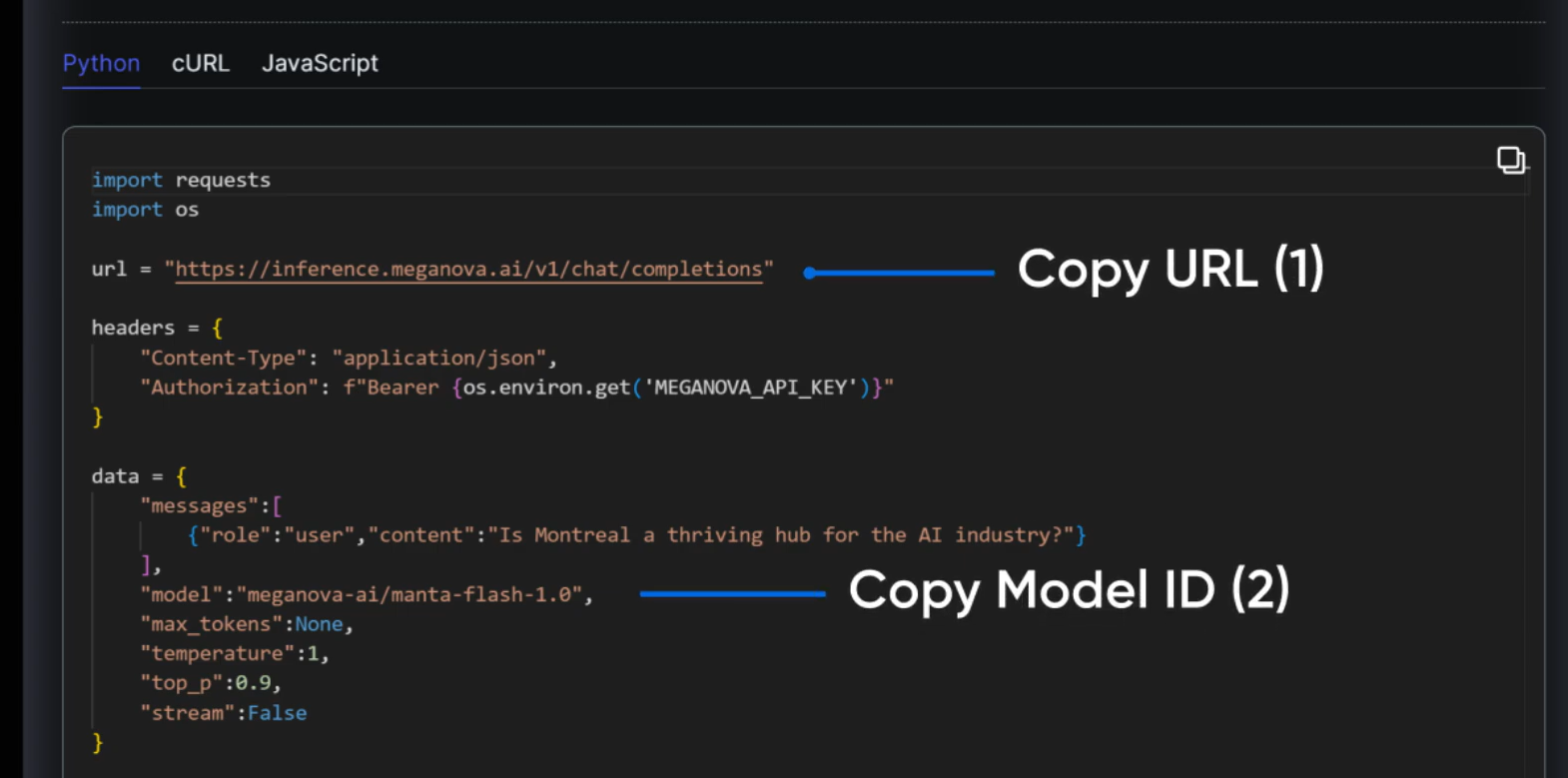
Tip: The base URL you paste into SillyTavern should be https://inference.meganova.ai/v1. SillyTavern will automatically append /chat/completions, so don't include that part.
Step 5: Copy Your MegaNova API Key
In the MegaNova dashboard left sidebar, click API Keys. You'll see your personal key listed with its account type.
Click the copy icon next to your key to copy it to the clipboard.
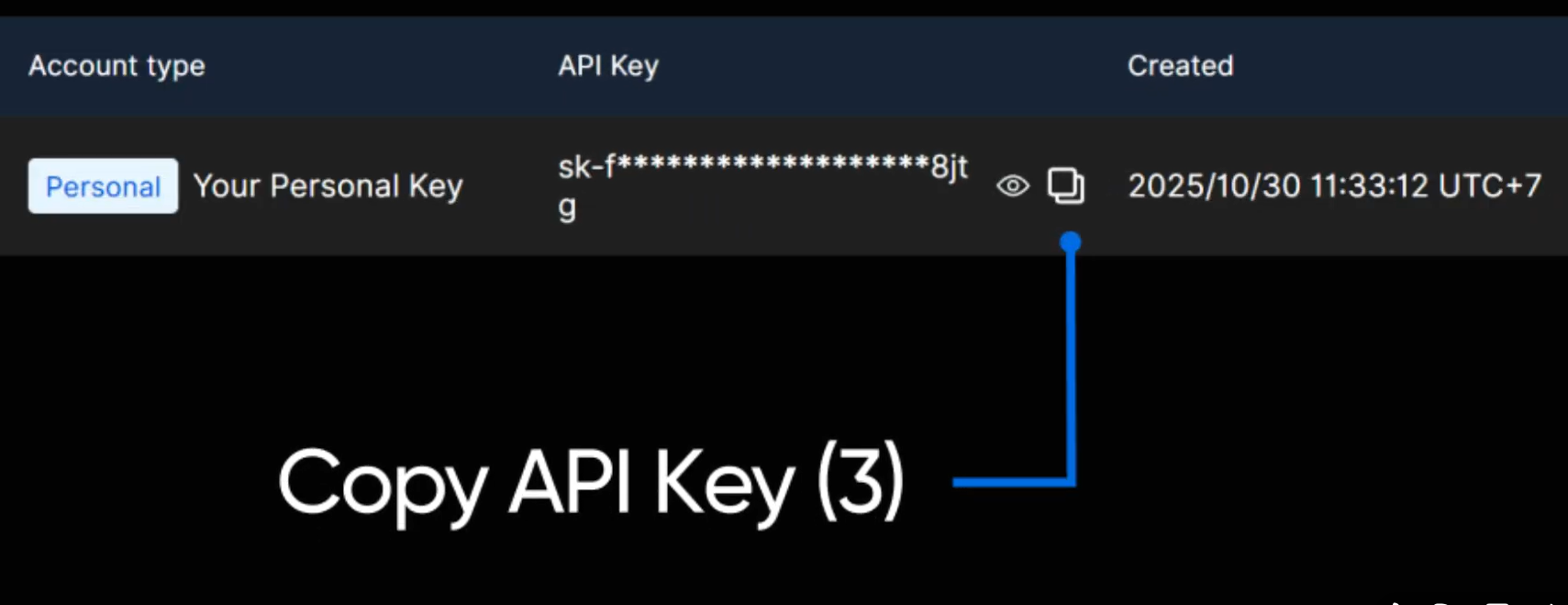
Keep your API key private. Never share it publicly or commit it to a repository. If leaked, regenerate it from the API Keys page immediately.
Step 6 Configure SillyTavern with the API Connection
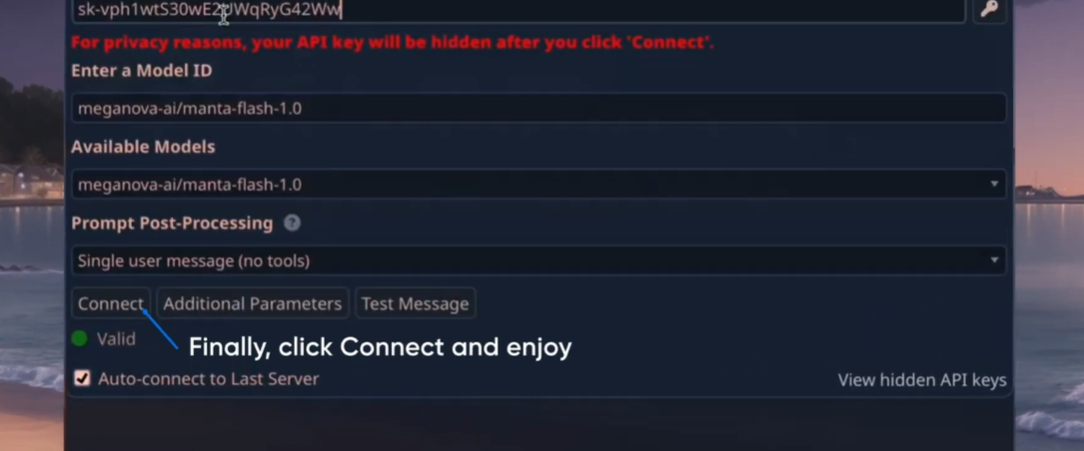
Back in SillyTavern, click the plug icon (API Connection) in the top toolbar. Set the following options:
Custom API Key: Paste your API key
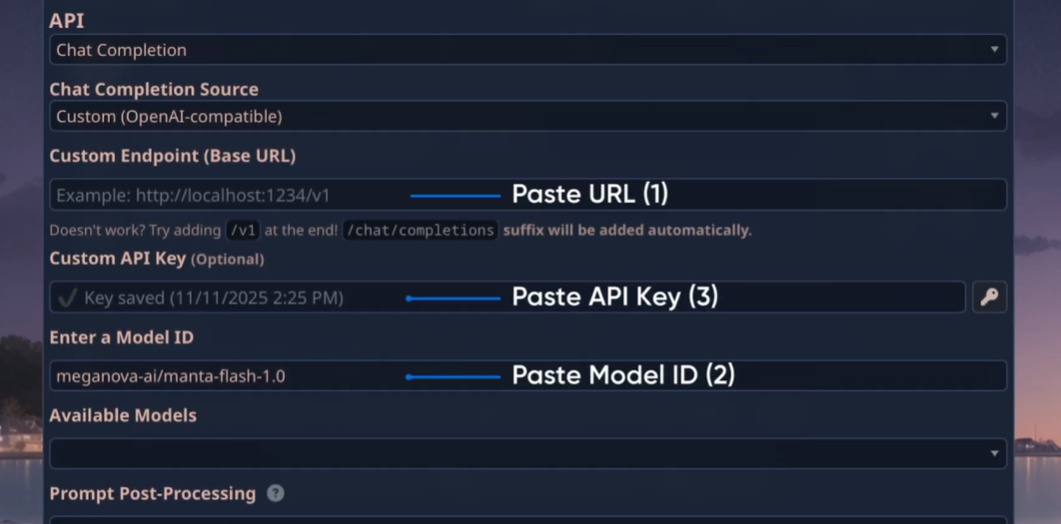
Here's an overview of the full connection panel showing where each field is located. The settings should look exactly like this once filled in correctly.
- Enter a Model ID: Paste meganova-ai/manta-flash-1.0
- Custom Endpoint (Base URL): Paste the URL from MegaNova
- Chat Completion Source: Custom (OpenAI-compatible)
- API: Chat Completion
Once the status shows Valid (green dot), you’re ready to go. Click Connect or press Enter.
Testing Your Connection
If everything is configured correctly, SillyTavern will display a green indicator showing a valid connection. You can then open the Model selection dropdown to choose from the available open-source or proxy-forwarded AI models provided by MegaNova.
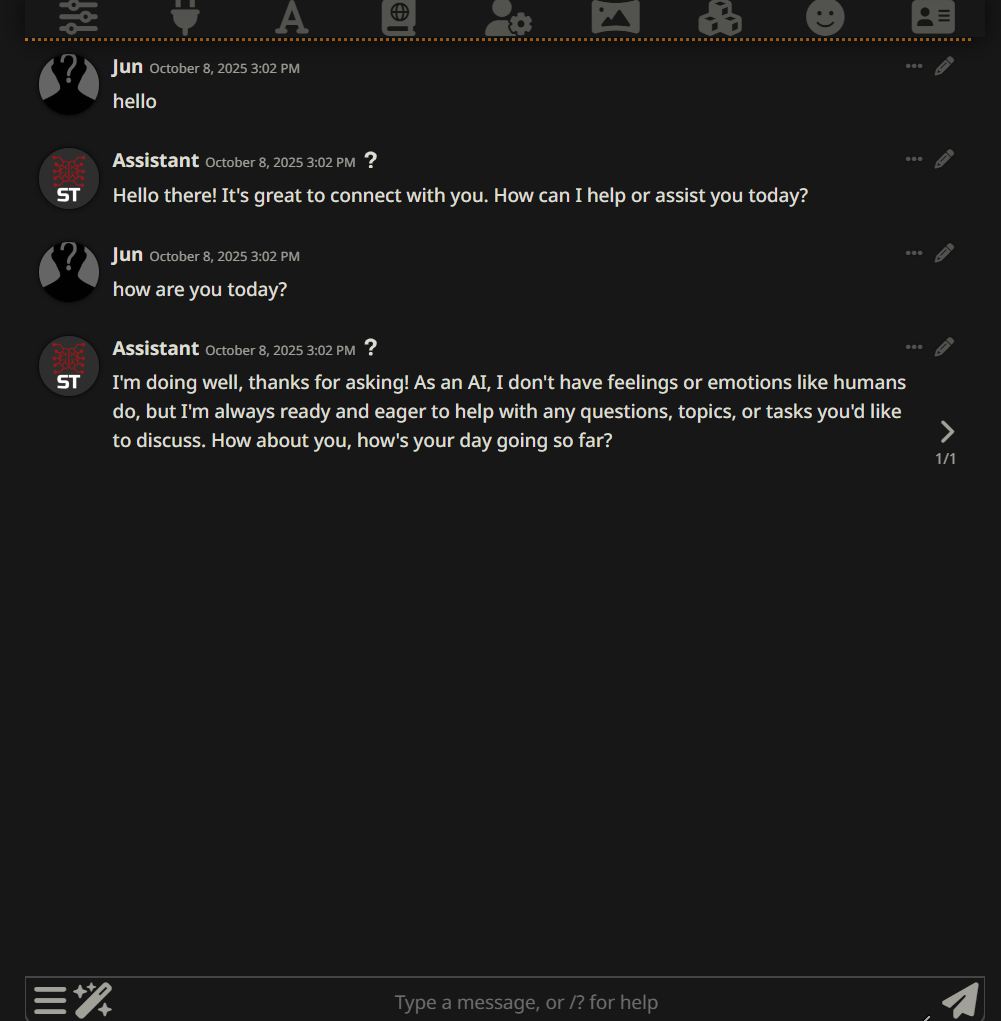
Load up your favorite character card, type a greeting, and you are ready to start roleplaying for free!
What’s Next?
Sign up and explore now.
🔍 Learn more: Visit our blog and documents for more insights or schedule a demo to optimize your search solutions.
Join the MegaNova community for the latest endpoint updates and technical support
Stay Connected
💻 Website: Meganova Studio
🎮 Discord: Join our Discord
👽 Reddit: r/MegaNovaAI
🐦 Twitter: @meganovaai