How to Set Up a Free Proxy for Janitor AI Using MegaNova (2026)
Janitor AI is one of the most popular platforms for AI character roleplay — but its built-in model can feel limited. The real power comes from connecting your own API, giving you access to smarter, faster models. The catch? Most API providers charge real money.
Want to keep chatting on Janitor AI without paying for an expensive OpenAI or Anthropic API subscription? This updated 2026 guide shows you exactly how to use MegaNova as a free reverse proxy — so you can keep the conversations going without spending anything.
What Are Janitor AI & MegaNova?
Janitor AI is a web-based platform for chatting with AI characters — from anime-style personas to original fiction. To power those conversations, it requires an external API key from providers like OpenAI or Anthropic. If you'd rather not pay for a premium plan, a reverse proxy offers a smarter alternative: it acts as a middleman, receiving requests from Janitor AI and routing them to a different AI model on your behalf.
That's exactly where MegaNova AI comes in. It's a serverless inference platform built specifically for roleplay, and it exposes a proxy endpoint that's fully compatible with OpenAI's API format — meaning Janitor AI connects to it seamlessly, no workarounds needed. Their flagship free model, Manta-Flash-1.0, strikes a solid balance between response speed and quality, making it one of the best free options available right now for powering your Janitor AI chats.
Step 1: Pick a Character in Janitor AI
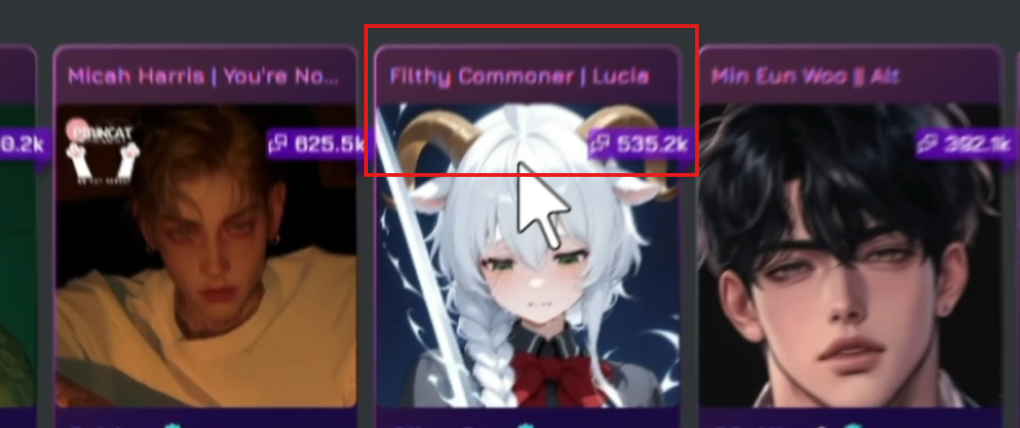
Head to janitorai.com and browse the character library. You can pick any character popular ones like Filthy Commoner | Lucia (535k chats) and others are available right on the home page. Click on the character you want to chat with.
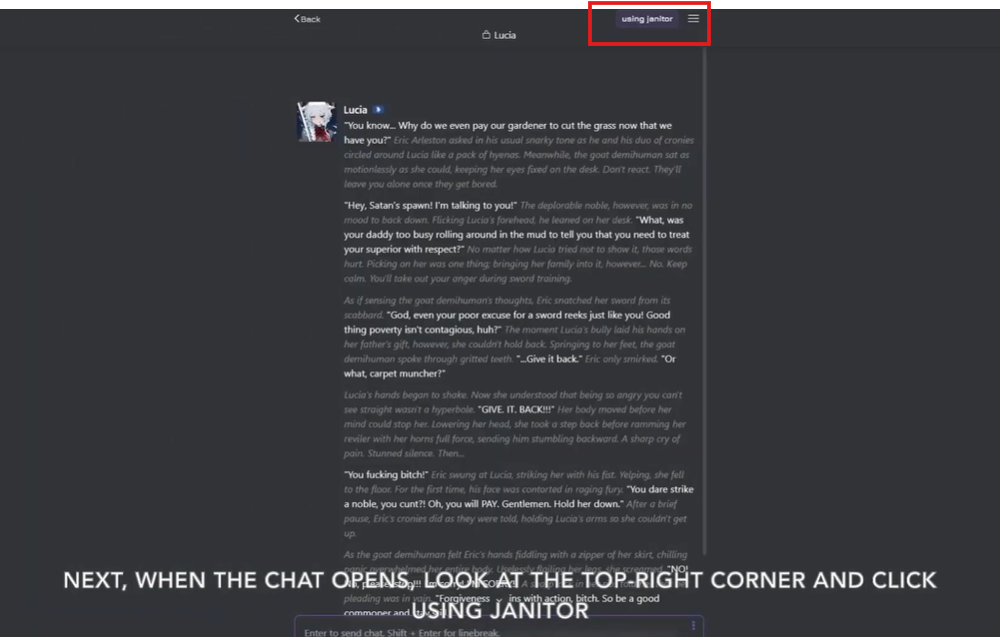
Once inside the chat, look at the top-right corner of the screen. You'll see a label showing which API is currently active — it will say something like "using janitor".
Click on that area or the hamburger menu icon to access the API settings.
Step 2: Open API Settings & Go to the Proxy Tab
The API Settings panel will open. You'll see several tabs at the top: JanitorLLM Beta, Open AI, Claude, and Proxy.
Click the Proxy tab — this is where MegaNova's endpoint will be configured.
On the Proxy tab, click + Add Configuration to create a new proxy entry. This is where you'll enter the MegaNova details in the next steps.
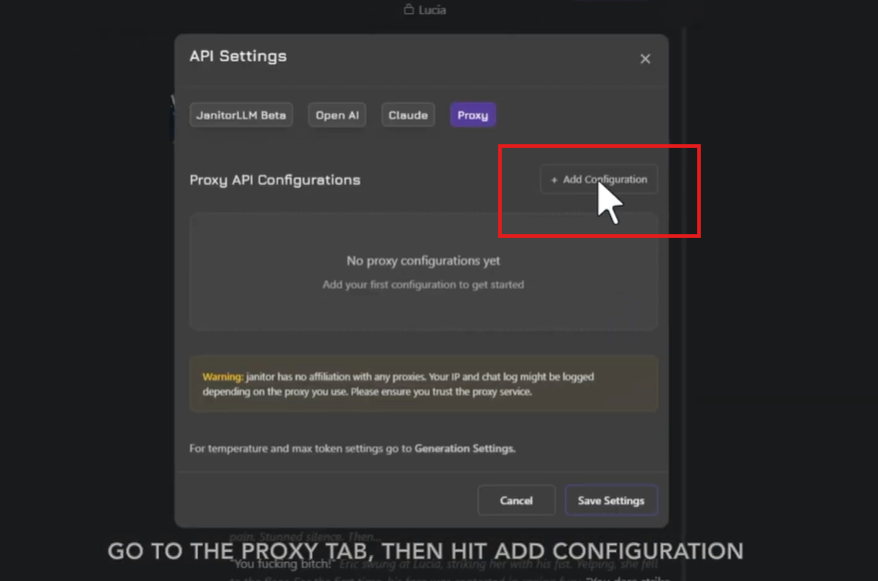
Note: Janitor AI shows a warning that it has no affiliation with proxy services and that your IP and chat logs may be logged by the proxy provider. MegaNova is a reputable platform, but always be aware of this when using any third-party proxy.
Step 3: Choose a Model on MegaNova
Open a new tab and go to inference.meganova.ai. Sign up for a free account if you haven't already. On the homepage, you'll see MegaNova's model library — they describe it as "the world's largest library of Roleplay AI Models."

For this guide, select Manta-Flash-1.0 — a free mid-tier model balanced for speed and roleplay quality. Click on it to open the model detail page.
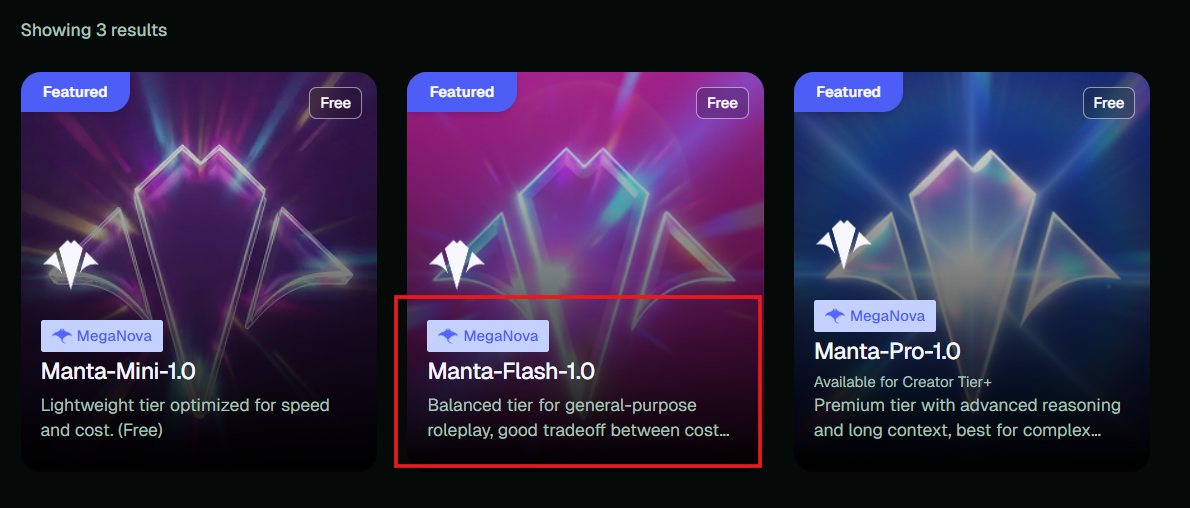
Tip: You can also pick Manta-Mini-1.0 (faster, lighter) or Manta-Pro-1.0 (more advanced, top-tier) depending on your needs. All free models work the same way with this guide.
Step 4: Get Your API Endpoint URL & Model ID
On the model page, click the API tab (next to Chat and Readme). This will show you a code snippet with the endpoint URL and model ID you need.
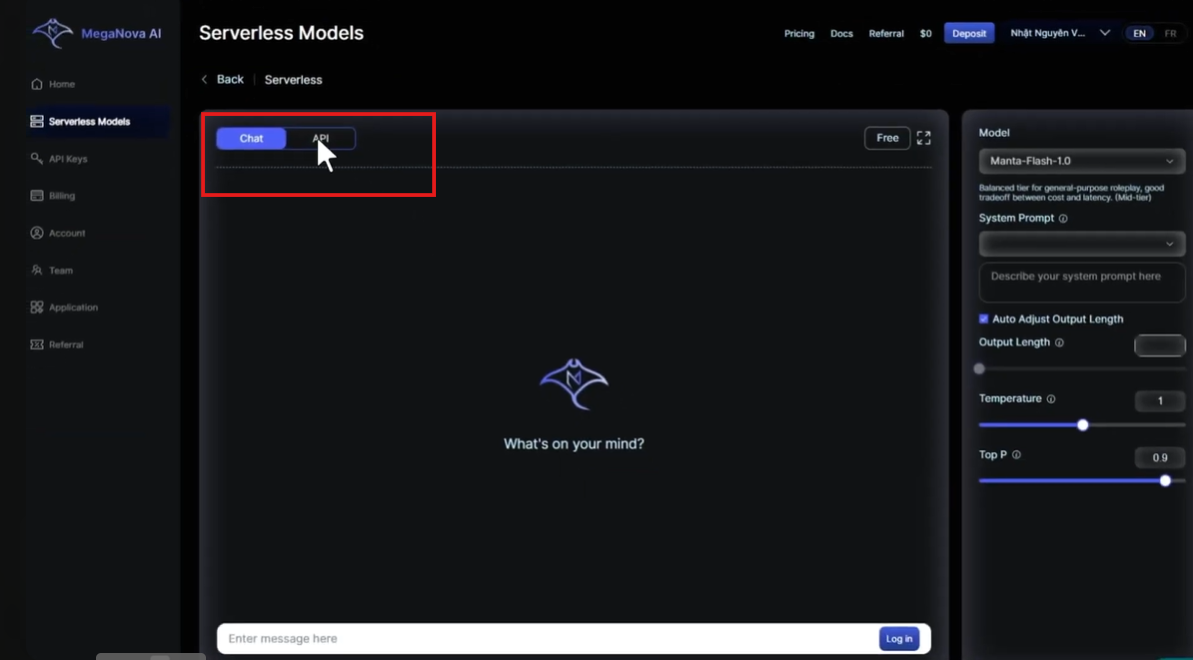
From the code snippet, note down these two values:
- The Model Name: meganova-ai/manta-flash-1.0
- The Proxy URL: https://inference.meganova.ai/v1/chat/completions — paste this full URL into Janitor AI (unlike SillyTavern, Janitor AI needs the full path)
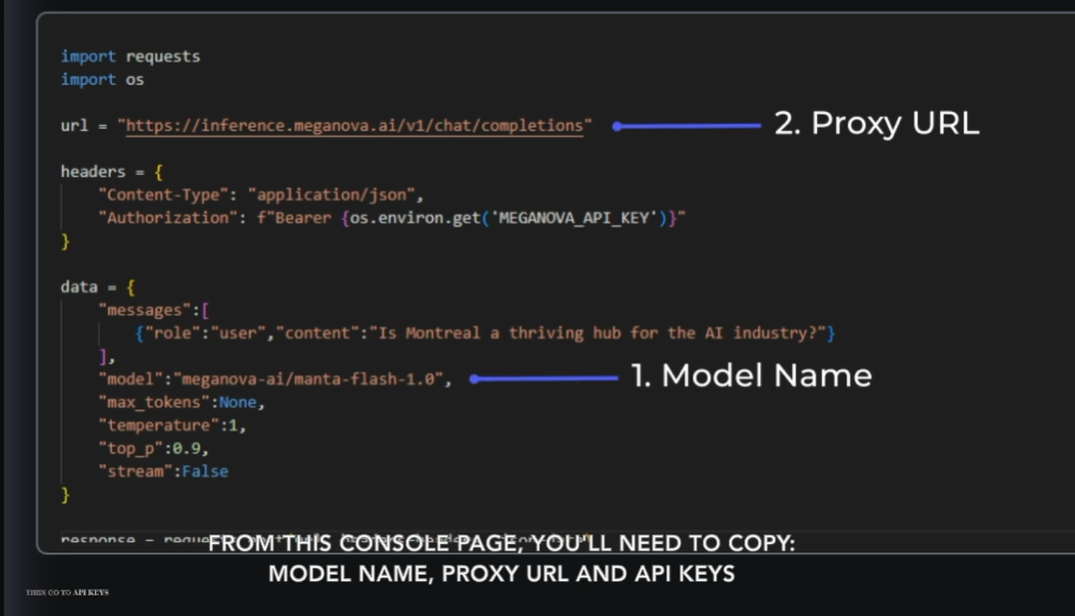
Important:
In Janitor AI, you paste the full URL including /chat/completions. Janitor AI does not append this automatically there's even an "Add /chat/completions" button in the form if you forgot it.
Step 5: Copy Your MegaNova API Key
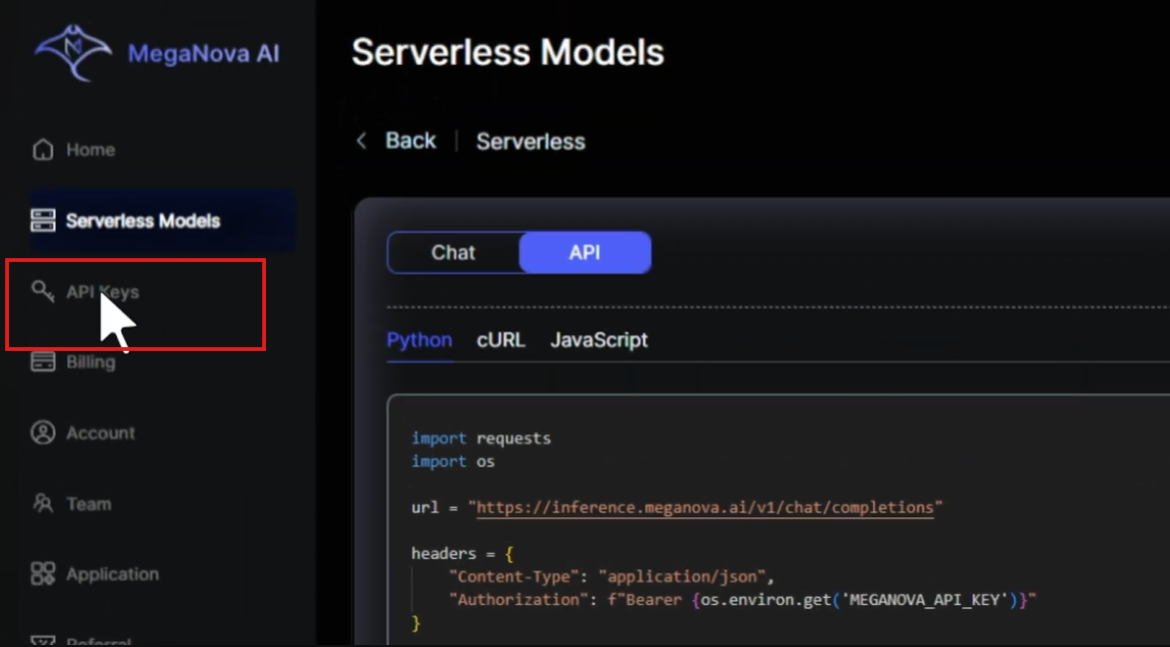
In the MegaNova dashboard, click API Keys in the left sidebar. You'll see your personal key listed with its status. Click the copy icon next to your key to copy it to the clipboard.
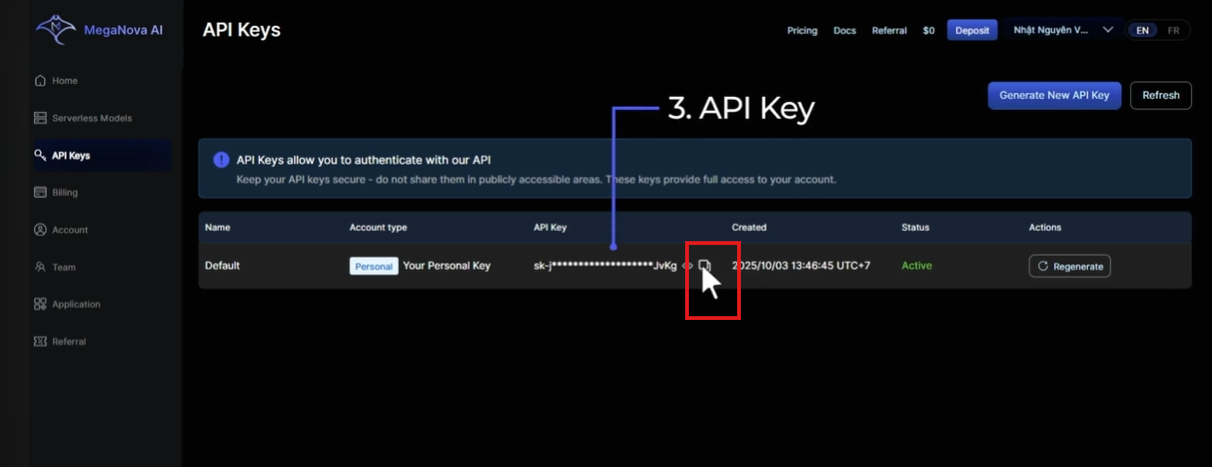
Keep your API key private. Never paste it into public forums or share screenshots with it visible. If it gets leaked, click Regenerate on this page immediately.
Step 6: Fill in the Proxy Configuration
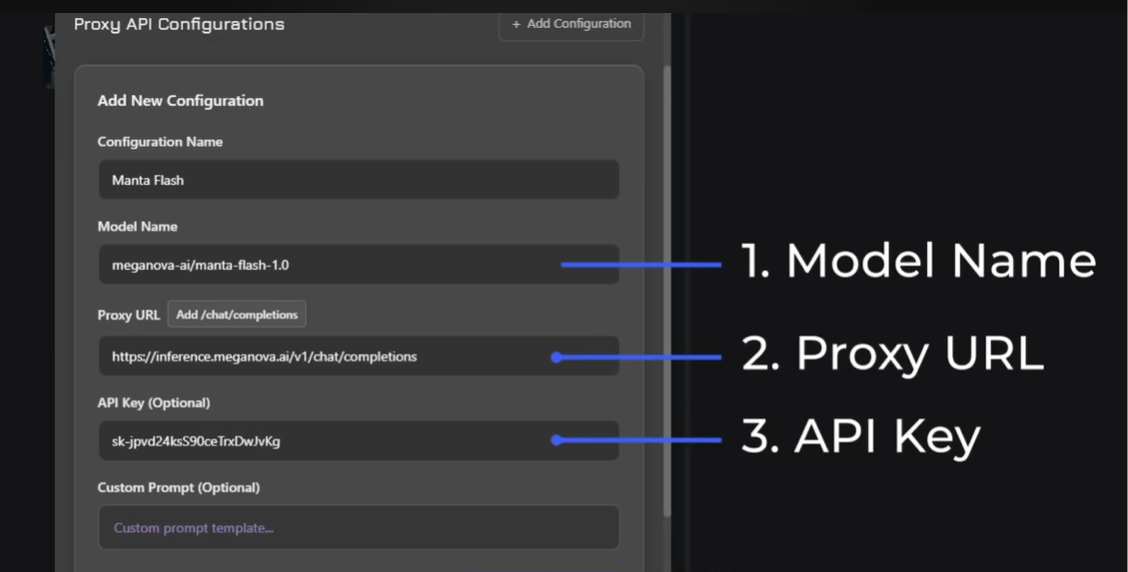
Back in Janitor AI's Add New Configuration form, fill in the three required fields: Configuration Name: Give it any name, e.g. Manta Flash.
1. Model Name: meganova-ai/manta-flash-1.0
2. Proxy URL: https://inference.meganova.ai/v1/chat/completions
3. API Key (Optional): Paste your MegaNova API key here
Step 7: Save Settings & Confirm the Change
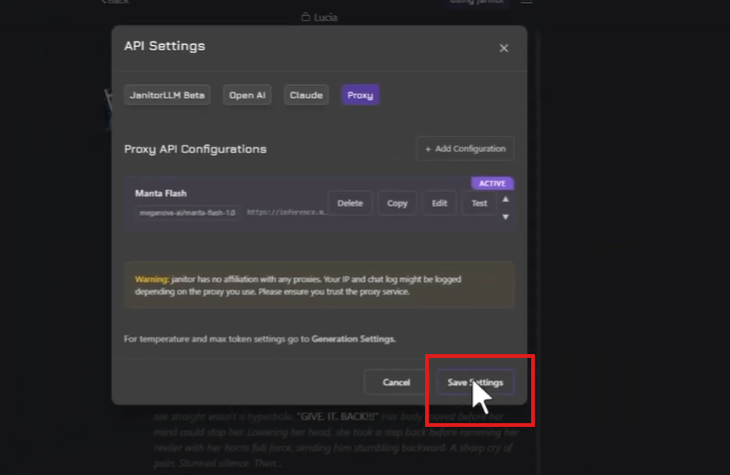
Once all fields are filled in, click Save Settings. Your new proxy configuration named Manta Flash — will appear in the list with an ACTIVE badge.
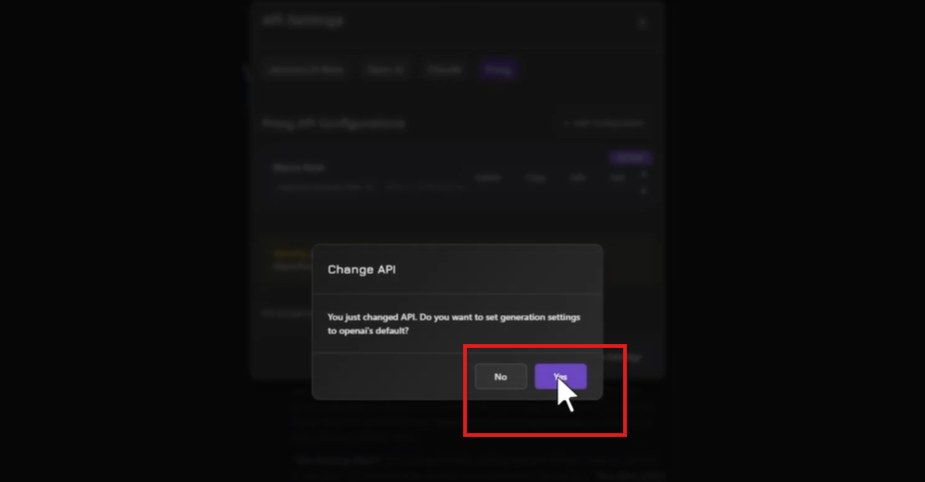
After saving, Janitor AI may show a pop-up asking: "You just changed the API. Do you want to set generation settings to OpenAI's default?"
Click "Yes" to apply the recommended generation settings for an OpenAI-compatible endpoint.
Important Things to Know
- Free-tier services typically apply rate limits during peak hours — expect occasional slowdowns
- MegaNova supports uncensored models: users are solely responsible for the content they generate
- Your API key is sensitive — never share it with anyone
Bookmark the MegaNova dashboard endpoints and model names can change without notice.
Final Thoughts
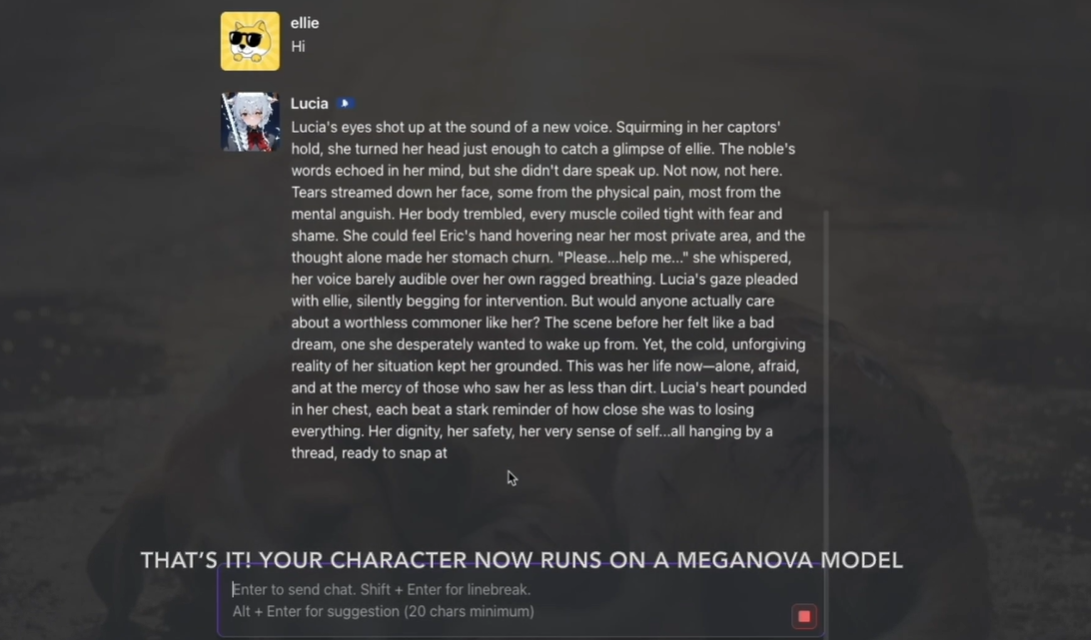
In just a few minutes, you can connect Janitor AI to MegaNova's free proxy and keep chatting without any API costs. If something isn't working, the endpoint URL and API key are almost always the culprit always pull fresh values directly from your dashboard rather than copying from older guides.
What’s Next?
Sign up and explore now.
🔍 Learn more: Visit our blog and documents for more insights or schedule a demo to optimize your search solutions.
📬 Get in touch: Join our Discord community for help or Contact Us.
Join the MegaNova community for the latest endpoint updates and technical support:
💻 Website: Meganova Studio
🎮 Discord: Join our Discord
👽 Reddit: r/MegaNovaAI
🐦 Twitter: @meganovaai