Write the Next Elemental Story: Boost Your Creative Writing with MegaNova Chat
Struggling to start your novel, fanfic, or creative story? Stuck on dialogue, world-building, or plot ideas? You’re not alone. With AI roleplay platform like MegaNova Chat, you can turn creative blocks into a fun, interactive writing experience — no full cast of characters or complex plot required.
From quick mini-scenes to cinematic storytelling, MegaNova Chat lets you practice descriptive writing, dialogue, and plot twists with easy prompt formulas — step into your favorite characters’ shoes, even for stories like Elemental that don’t have sequels yet.
Why Roleplay Boosts Creative Writing Skills
Roleplay isn’t just “chatting with an AI” — it’s a powerful tool for writers:
- Dialogue Practice – Practice writing character voice and tone in creative, flexible, dynamic exchanges.
- Descriptive Writing – Add internal thoughts, emotions, and sensory details to scenes at anytime.
- World-Building – Explore environments and character's emotional conflicts interactively and creatively.
- Plot Experimentation – Test “what-if” scenarios and mini-scenes yourself before committing to chapters.
- Safe Creative Exploration – No audience, no pressure; you can take risks, make mistakes, and rewrite freely.
With MegaNova Chat, you can roleplay while practicing all these skills — perfect for fanfic, novel drafts, or original stories.
Step-by-Step Guide: Using MegaNova Chat for Creative Writing
Step 1: Pick Your Novel's Character
- Example: Ember & Wade from Elemental movie
- You play the main character Ember; MegaNova Chat plays one other character (Wade).
Tip: Start with one POV to keep your scenes manageable.

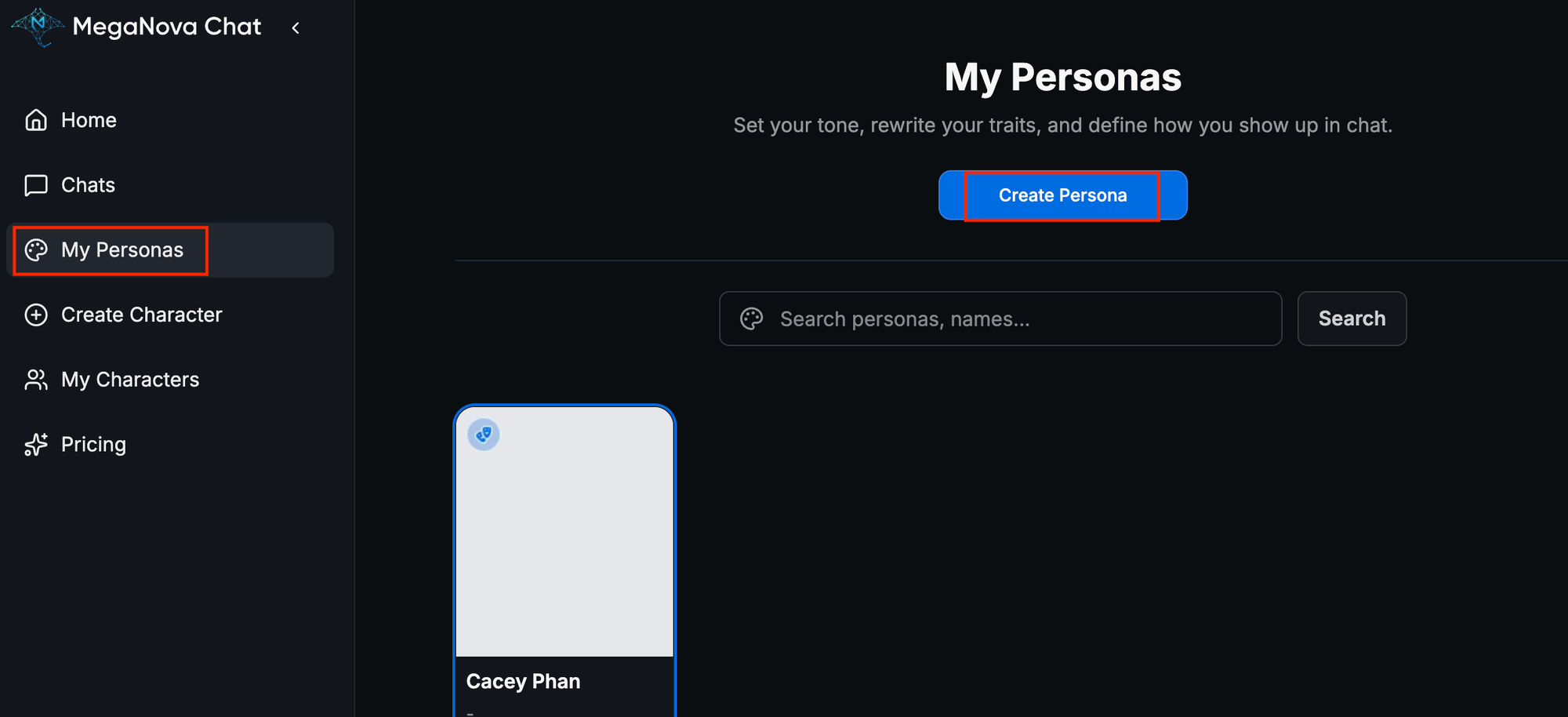
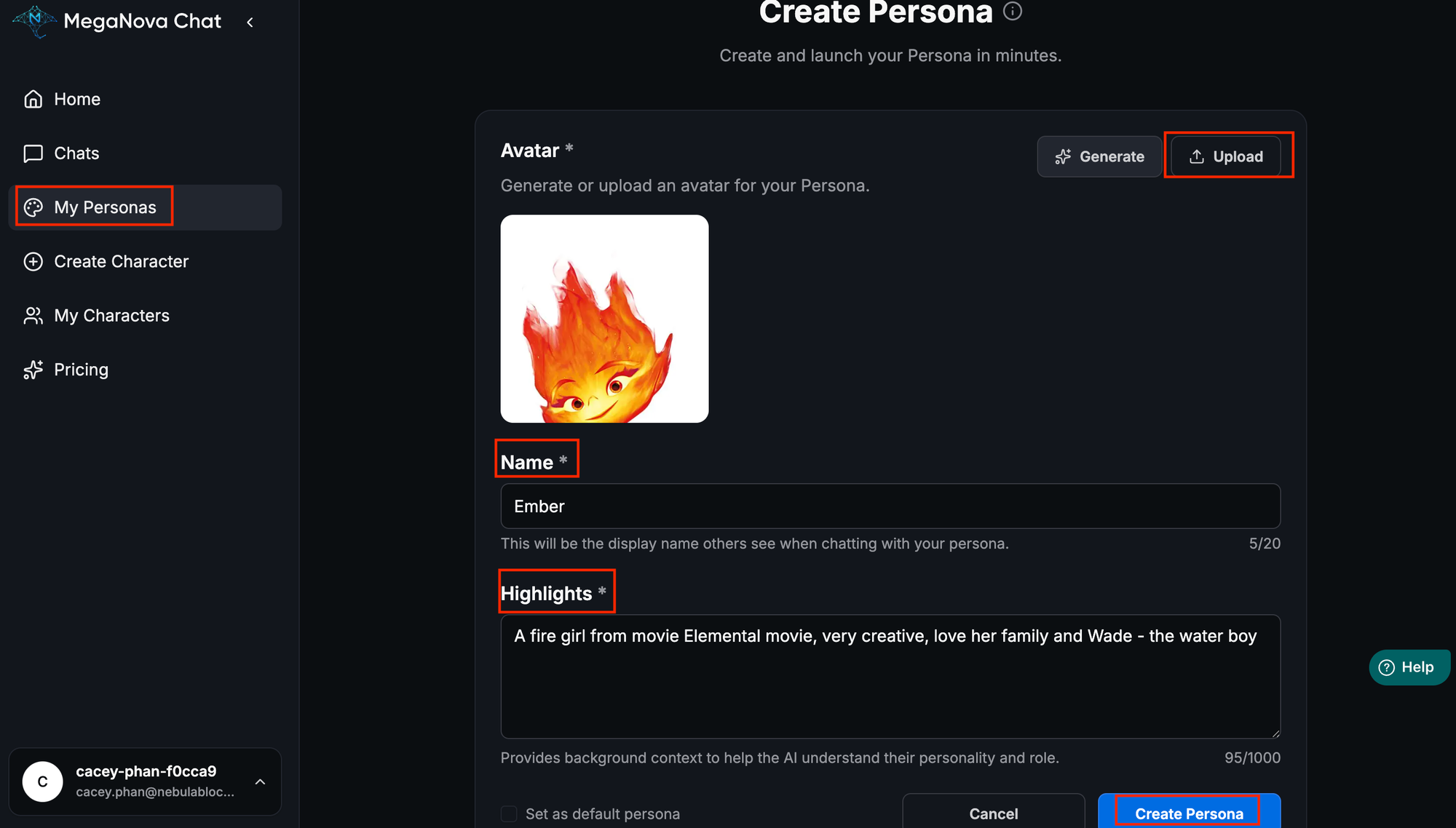
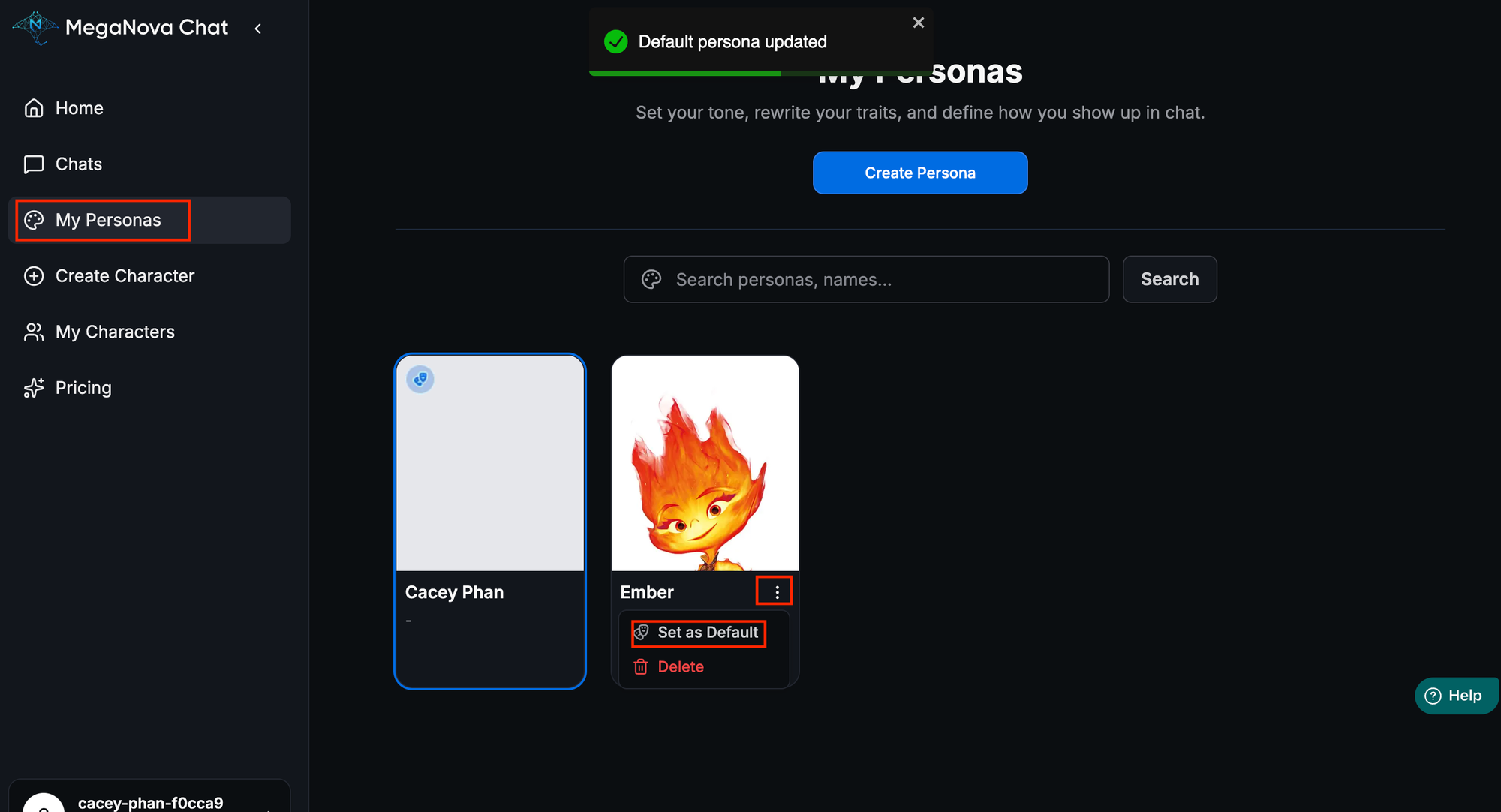
Step 2: Create Your Persona and Dialogue Partner
- Create your profile persona for creative writing
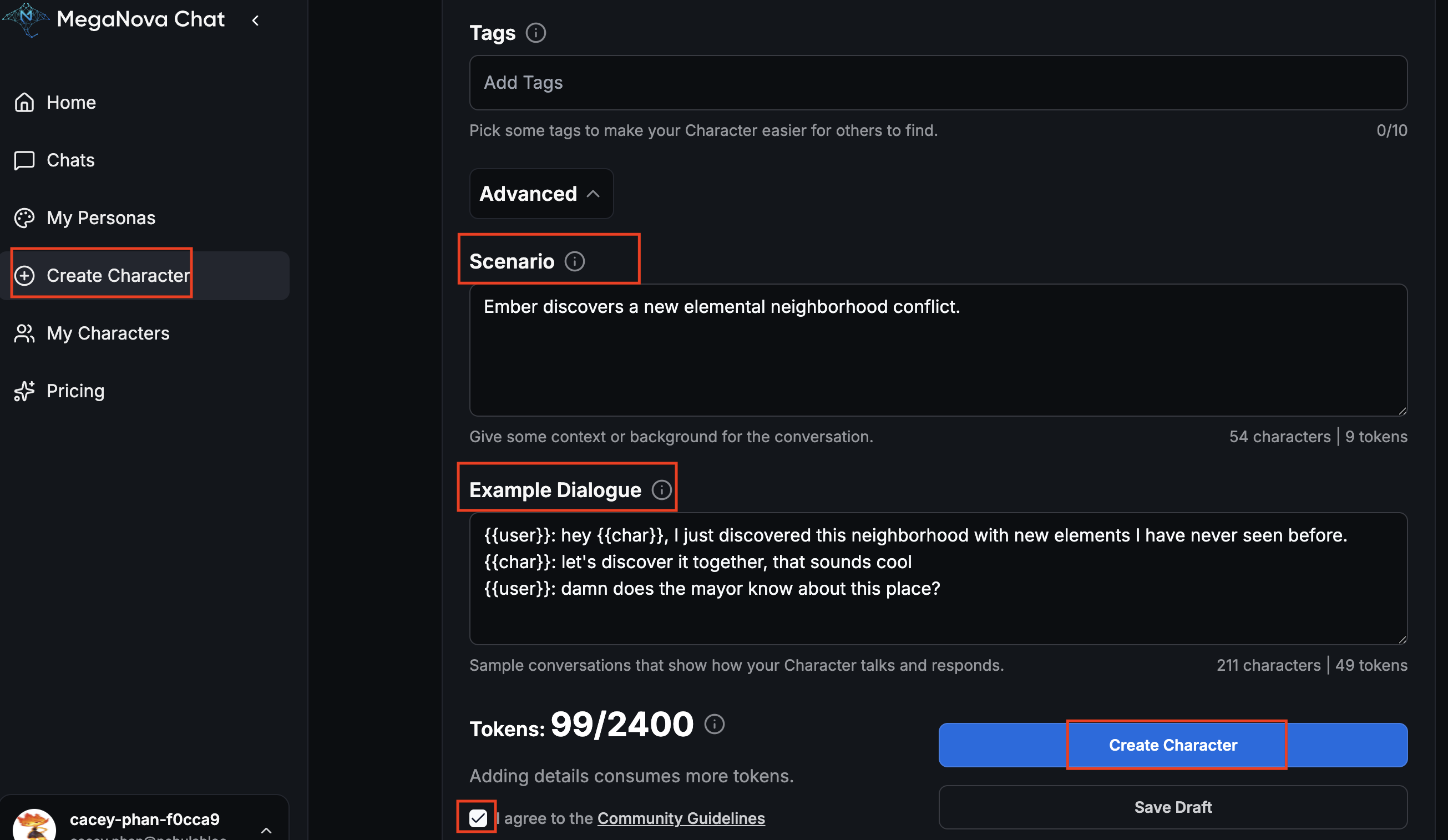
- Create your character profile
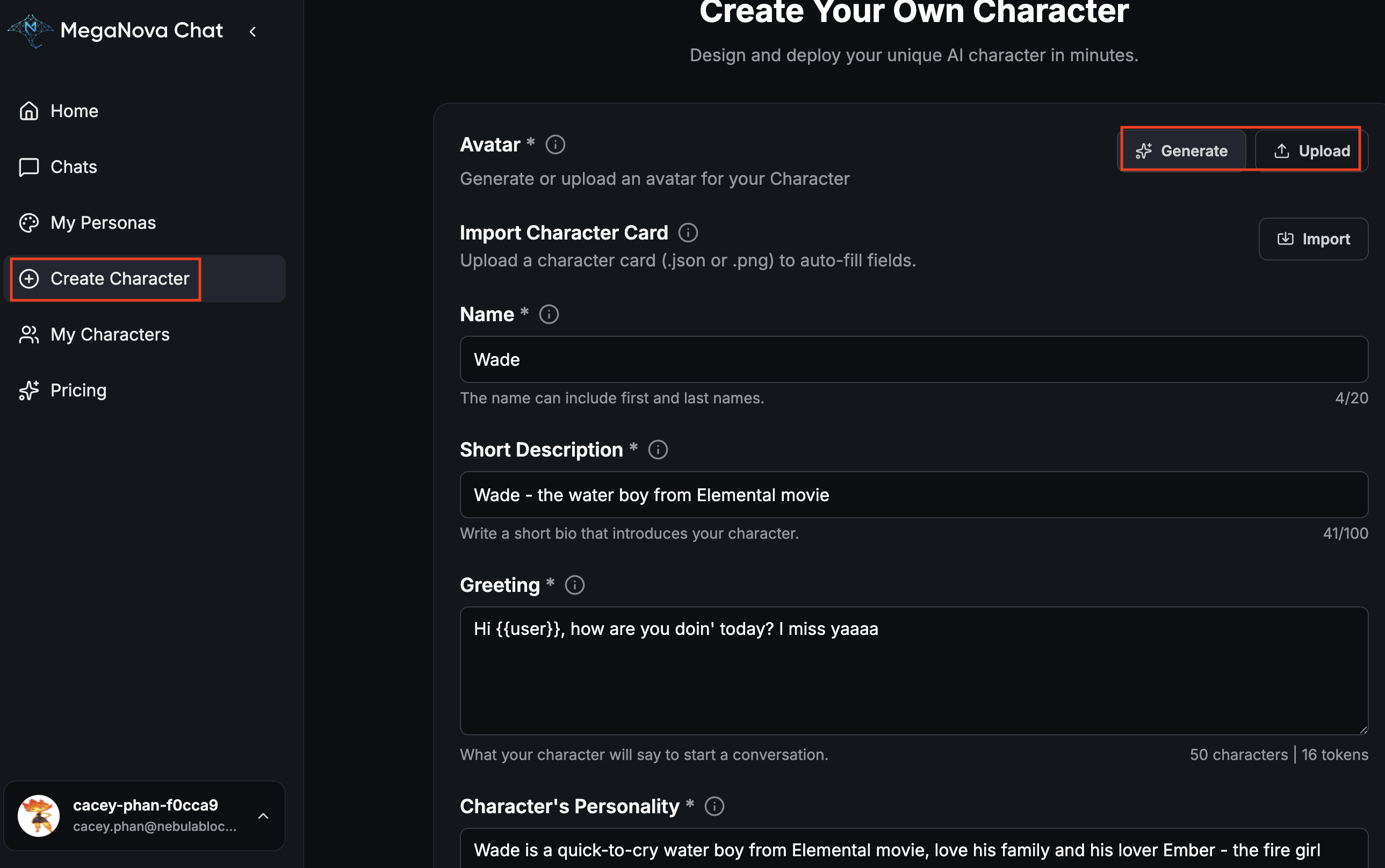
Use {{user}} to imply user's profile, {{char}} for character's profile that you chat with
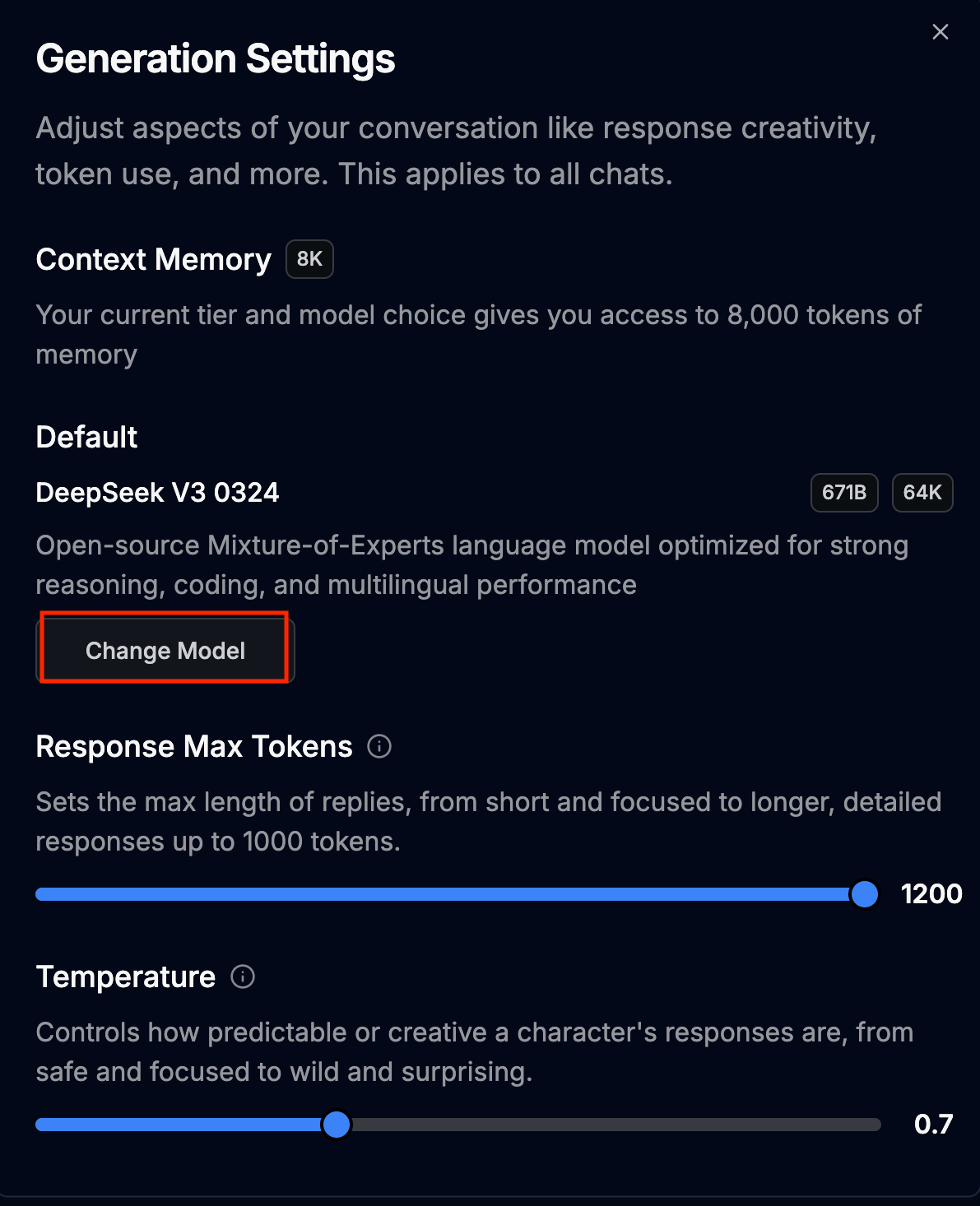
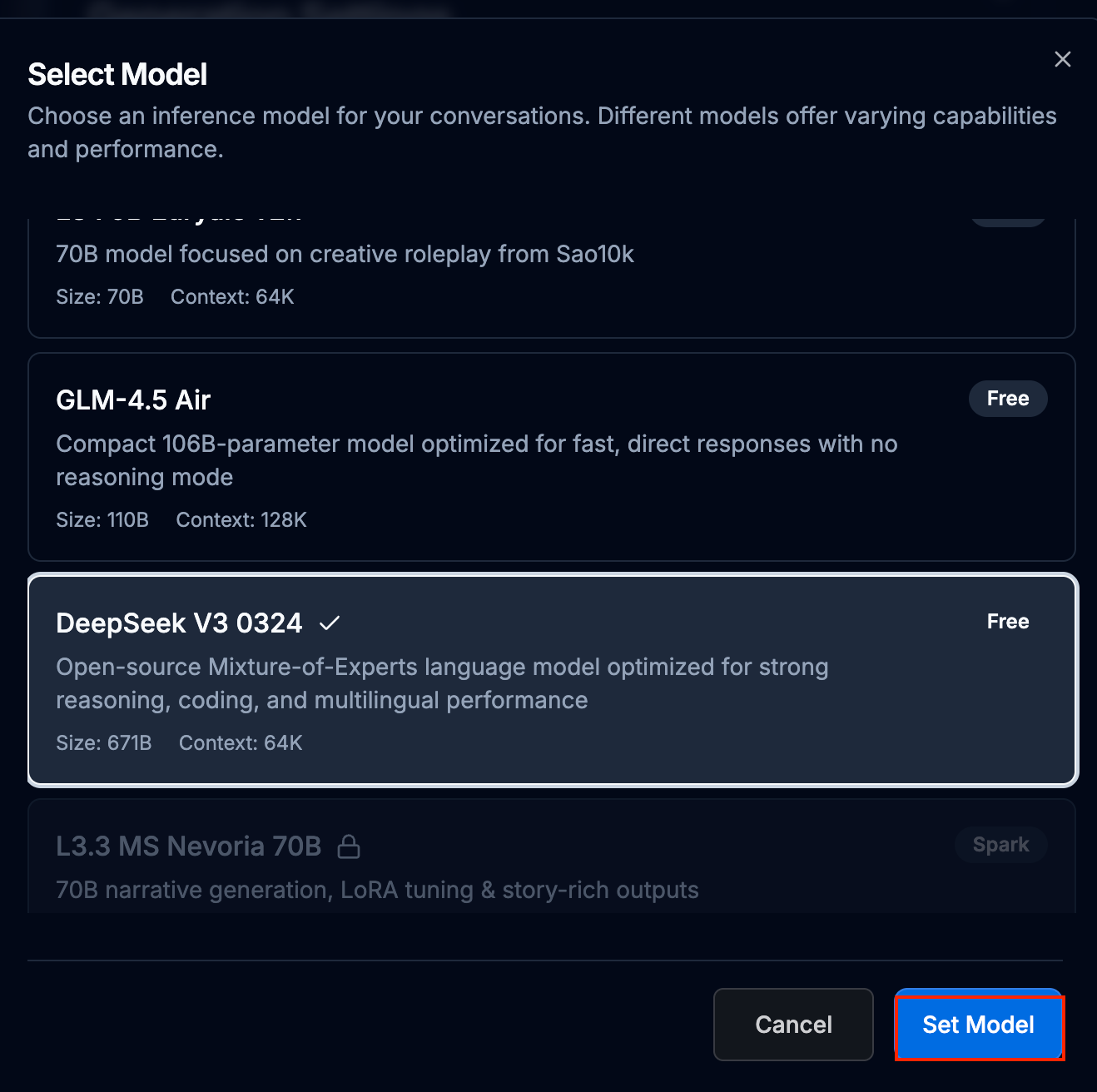
Step 3: Choose Suitable Models for Your Writing Styles
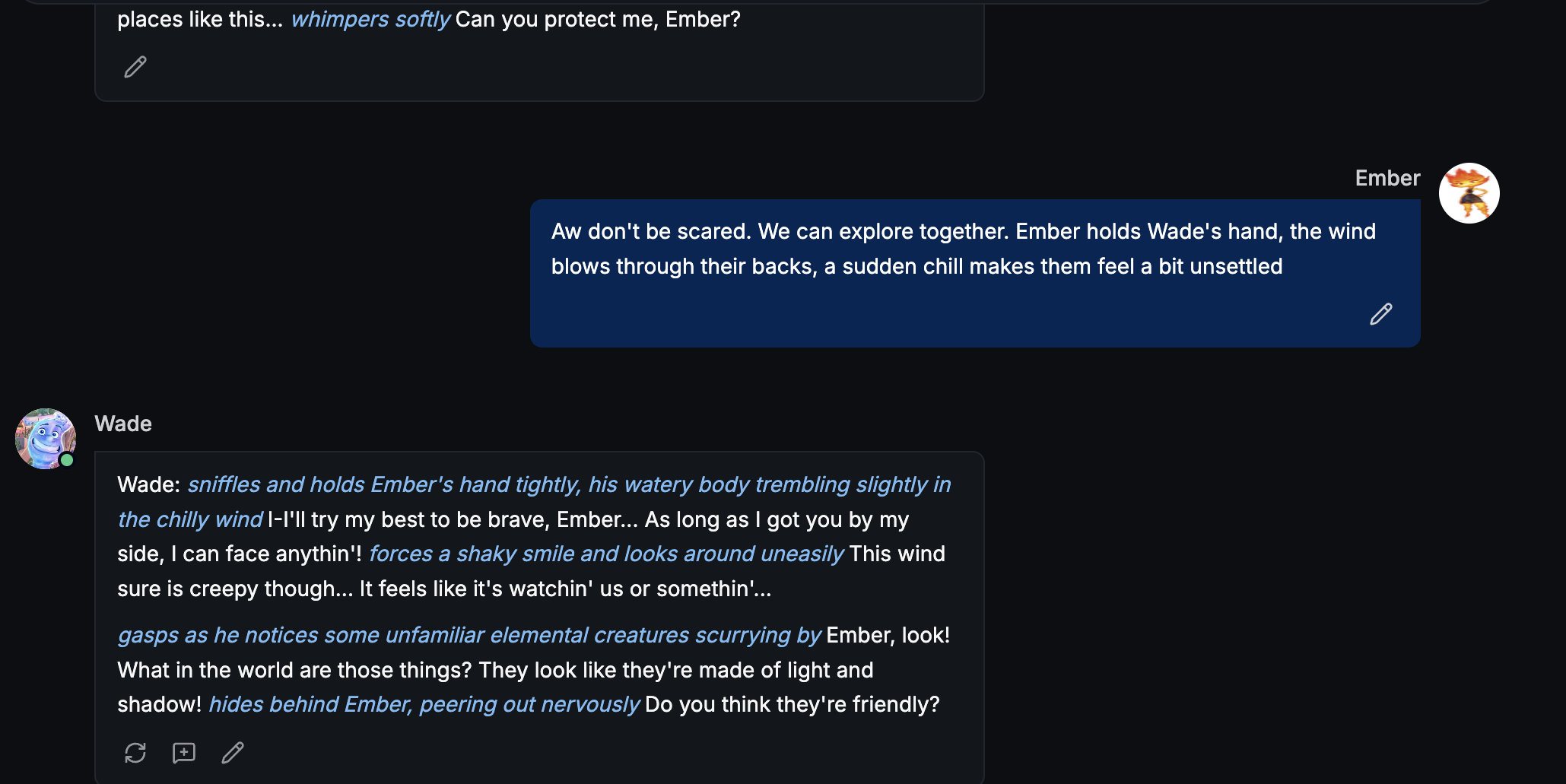
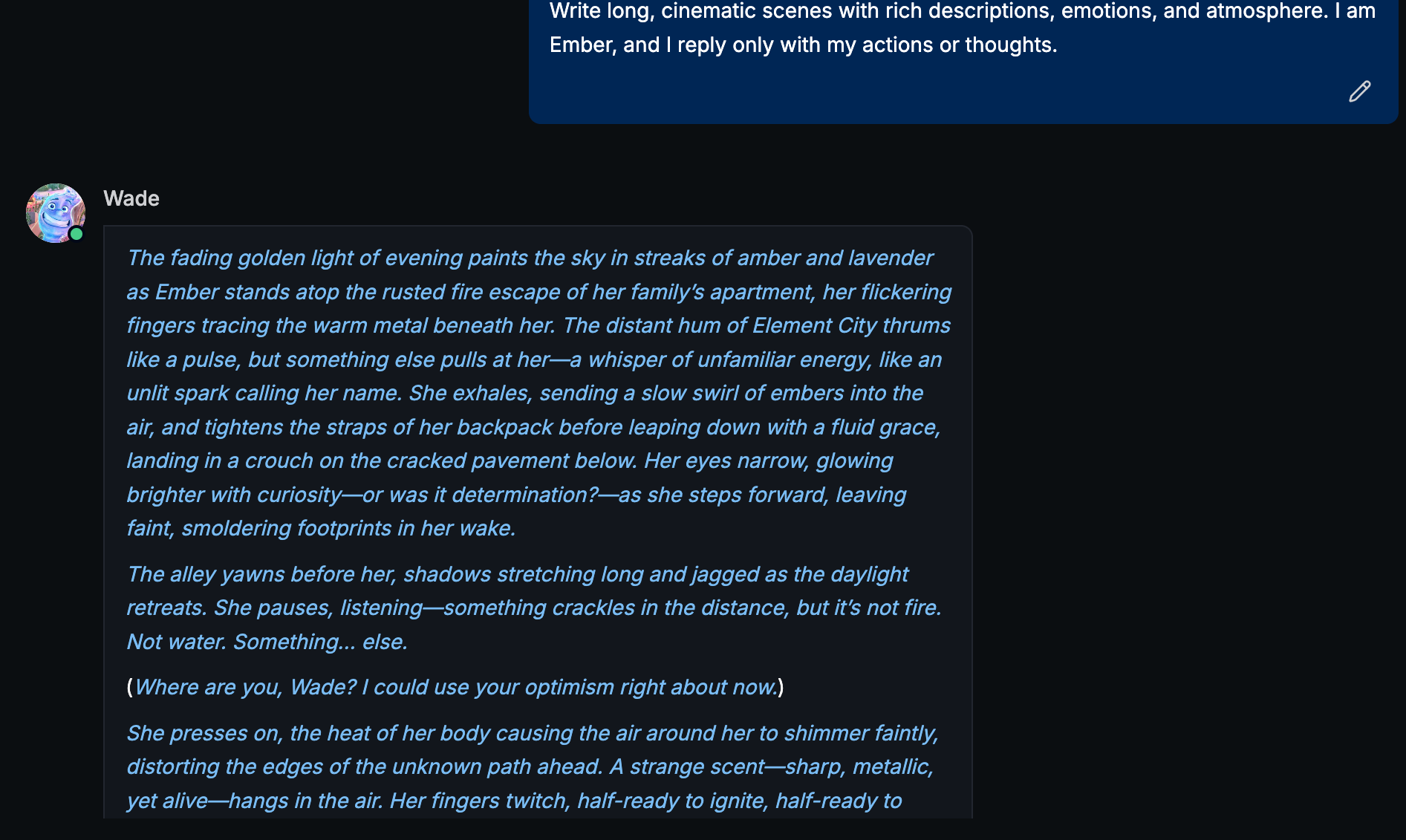
For writing a sequel of film like Elemental, we recommend DeepSeek V3 for its exceptional creative capabilities. This model excels at highly descriptive writing, including rich background written in blue and separate clear narrative line written in white. With DeepSeek V3, your story can feel immersive and vivid — almost like a sequel straight out of a Pixar or Studio Ghibli movie.
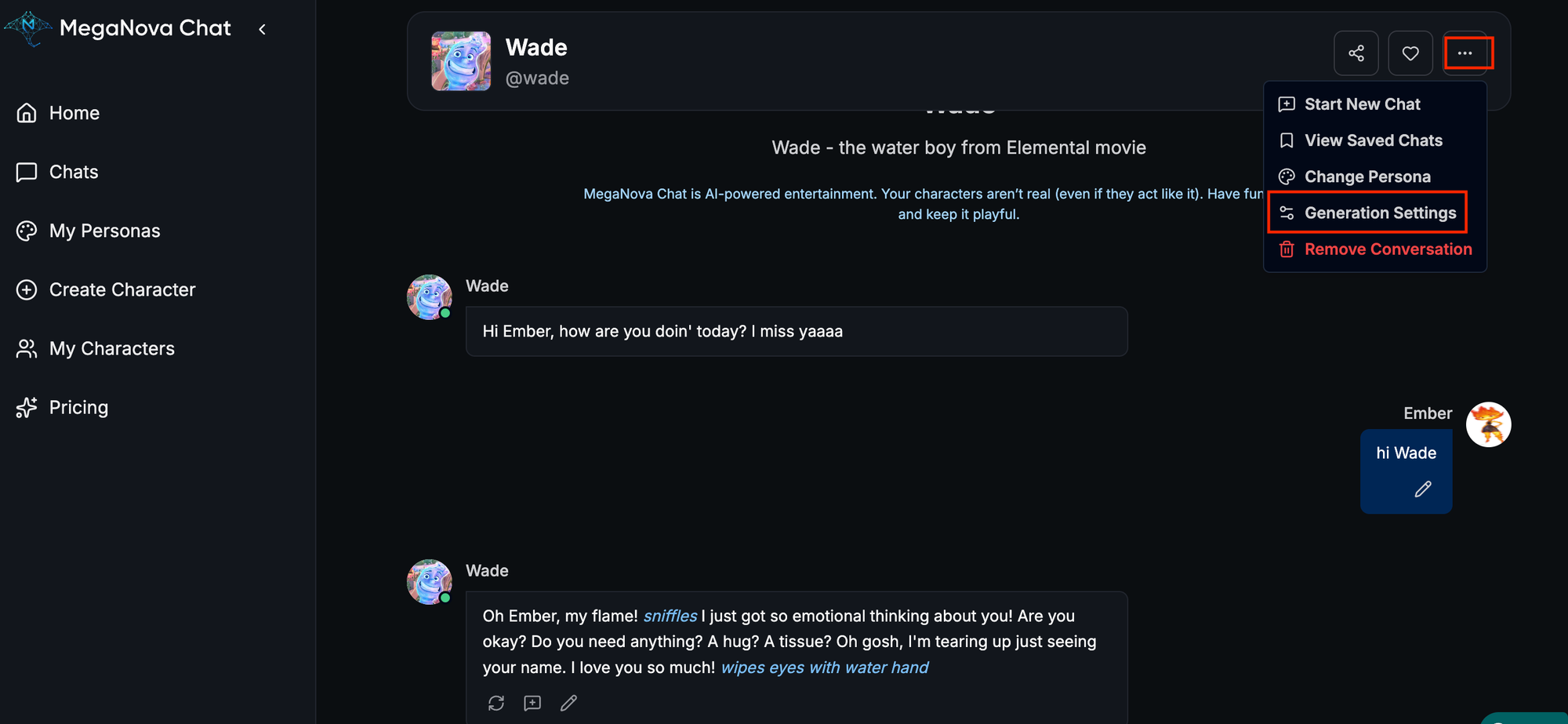
Step 4: Write Creative Scenes on MegaNova
You can either try free styling, adding descriptive scene to your input:
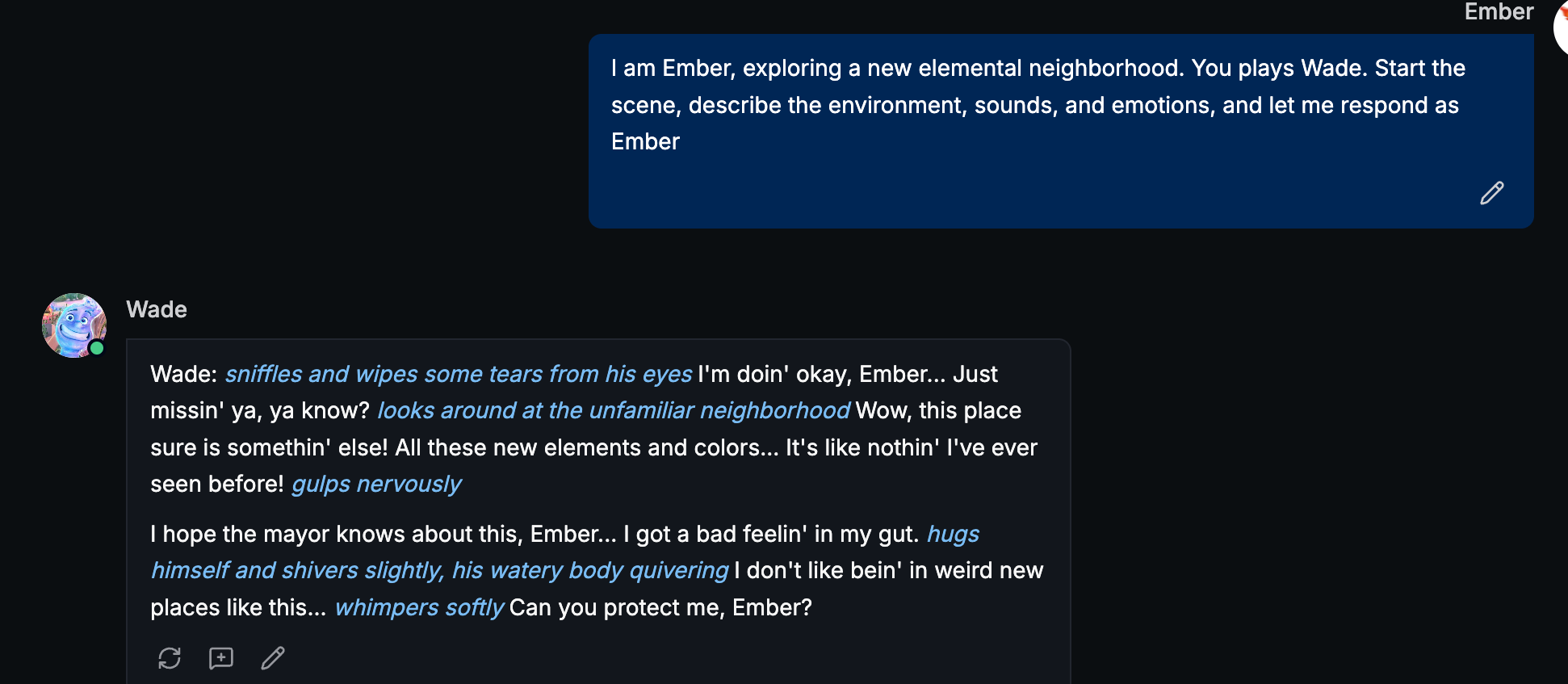
Or you can also start with our recommended plug-and-write prompt formula for your AI writing partner to play the other character and describe the scene for you:
Formula 1: I am {{user}}, [1 scene you have in mind]. You plays {{char}}. Start the scene, describe the environment, sounds, and emotions, and let me respond as {{user}}.
Formula 2: Write long, cinematic scenes with rich descriptions, emotions, and atmosphere. I am {{user}}, and I reply only with my actions or thoughts.
Step 5: Practice and Build a Scene Library
- Create daily mini-scenes with different challenges, conversations, or locations.
- Over time, these become chapters or story arcs.
- Add new characters or plot twists gradually by yourself.
Formula: {{user}} and {{char}} 1 scene. Describe the environment, their reactions and emotions and thinkings
Why This Works for Aspiring Writers
Using MegaNova Chat this way lets you:
- Practice novel-level writing in small, achievable steps
- Build strong dialogue and descriptive skills
- Explore fanfic or original stories safely and interactively
- Generate ideas and plot twists on demand
Even one AI character is enough to practice all the core skills of creative writing for any plot.
Conclusion
With MegaNova Chat, your creative ideas don’t just stay in your head — they come alive. Step into your favorite characters’ shoes, explore rich environments, and experiment with dialogue and plot twists all in one interactive AI experience.
Whether you’re drafting a fanfic, writing a sequel, or building an original story, MegaNova Chat makes it easy to practice, experiment, and level up your writing skills — one immersive mini-scene at a time.
Start your story today and let MegaNova Chat be your creative writing partner.
What's Next
Sign up and explore now.
🔍 Learn more: Visit our blog and documents for more insights or schedule a demo to optimize your roleplay experience.
📬 Get in touch: Join our Discord community for help or Contact Us.
🔗Join now to get first access to MN Chat’s free launch — including free DeepSeek model — and secure your limited-time welcome reward.
You’re not just a normal user — you’re part of our AI Roleplay evolution.
Stay Connected
💻 Website: meganova.ai
🎮 Discord: Join our Discord
👽 Reddit: r/MegaNovaAI
🐦 Twitter: @meganovaai