The "Bring Your Own Key" Revolution: Using MegaNova API with Janitor AI and Silly Tavern
The world of AI roleplay is changing fast. For a long time, users were stuck with whatever built-in models a platform provided. If the model was too filtered or the servers were slow, you just had to deal with it. Not anymore.
The "Bring Your Own Key" (BYOK) revolution has arrived. This means you can take the "brain" of one AI provider and plug it into your favorite chat interface.
At MegaNova, we’ve built an inference cloud specifically for this. By using our OpenAI-compatible API, you can power your stories on platforms like Janitor AI and Silly Tavern with world-class speed and immersion.
Why MegaNova for Your Roleplay Hub?
MegaNova isn't just another generic AI cloud. We focus entirely on character-driven experiences. Our infrastructure is designed for long-form conversations and deep storytelling.
When you use our API, you aren't just getting one model. You get access to a whole library, including our proprietary Manta line. Manta uses smart routing to pick the best model for your specific message, saving you tokens while keeping the chat fluid.
Plus, we host heavy hitters like DeepSeek V3 and Llama 3.3, which are optimized for creative writing.
The best part? Our API is fully OpenAI-compatible. This means that if a platform supports OpenAI, it almost certainly supports MegaNova with just a quick change to the "Base URL."
Step 1: Getting Your MegaNova API Key
Before you can start roleplaying, you need your "key." Think of this as your personal ID card that tells other platforms how to talk to MegaNova.
Here's a step-by-step guide how to get your API key on MegaNova.
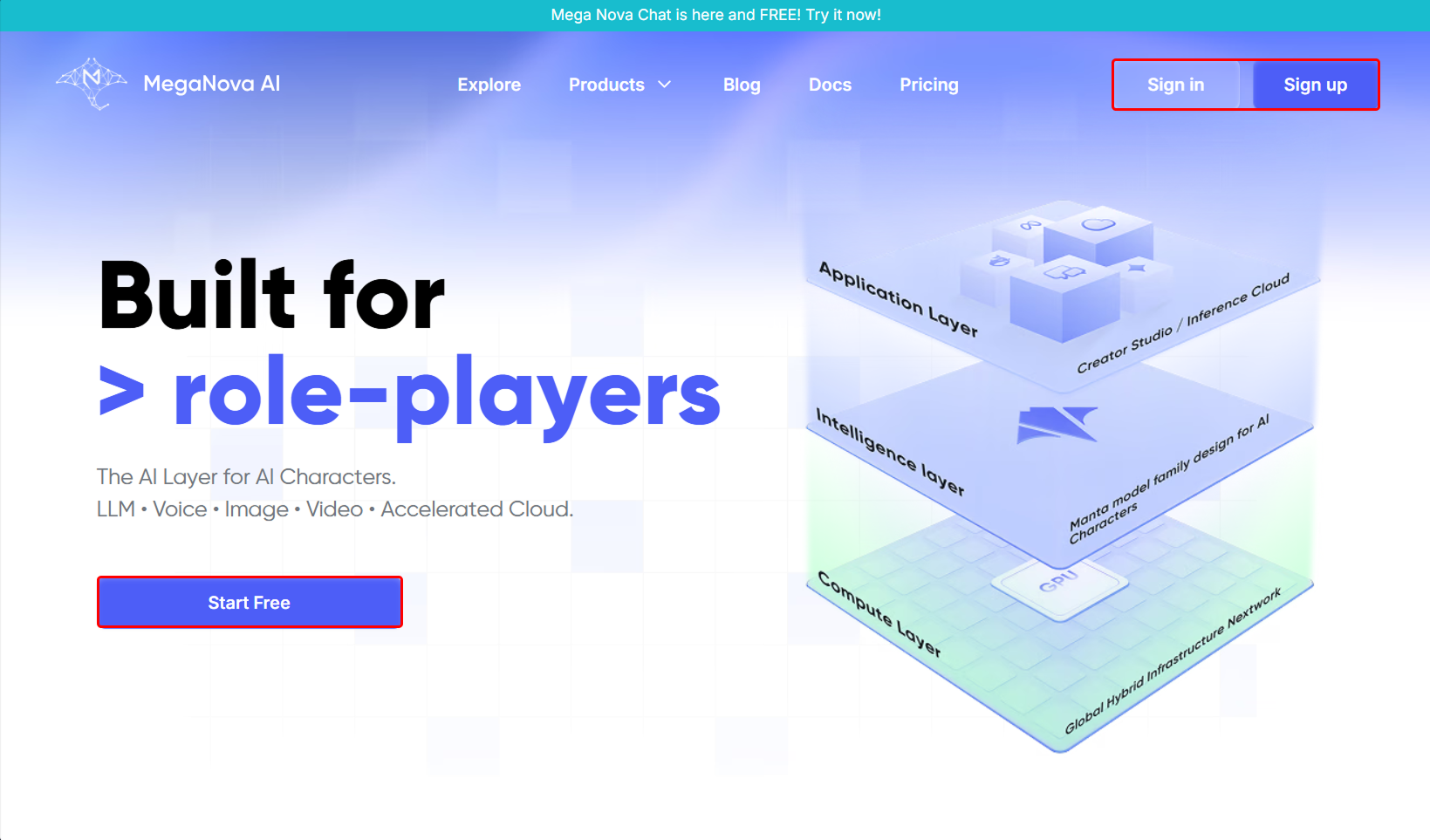
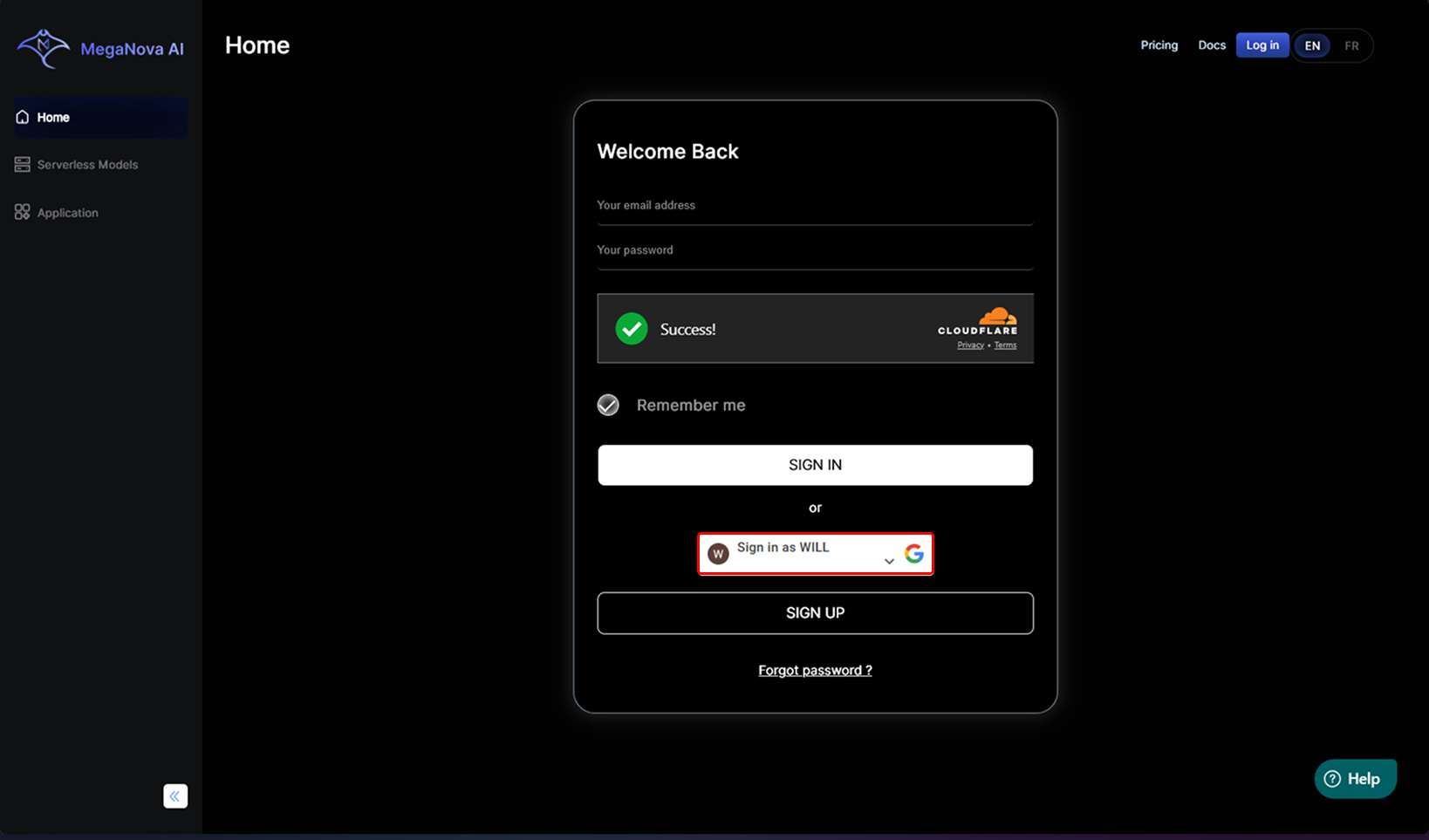
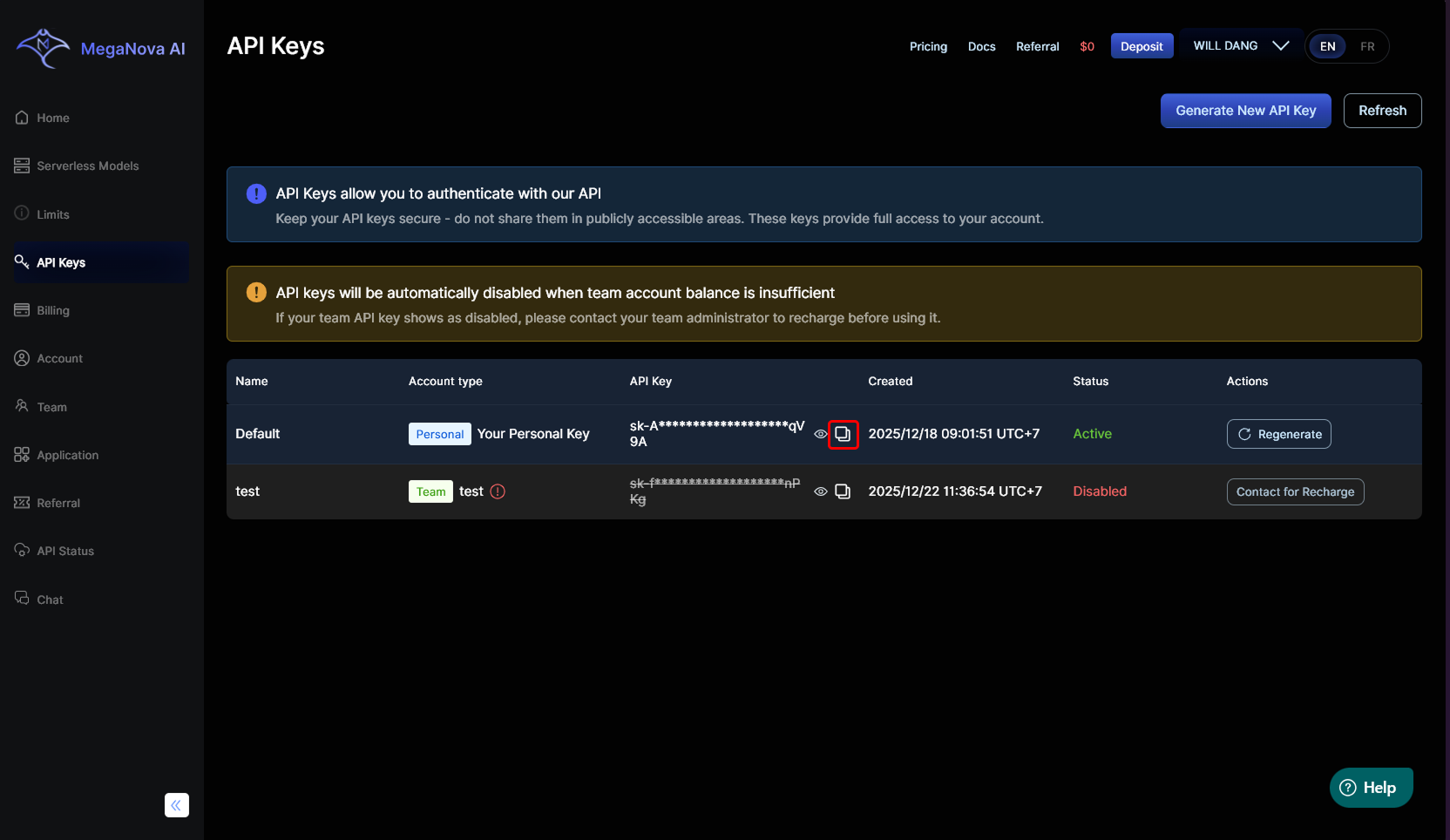
- Go to MegaNova: Head over to the MegaNova website and click Start Free or Sign In/Sign Up.
- Sign in: Sign in MegaNova with your Email/Google account.
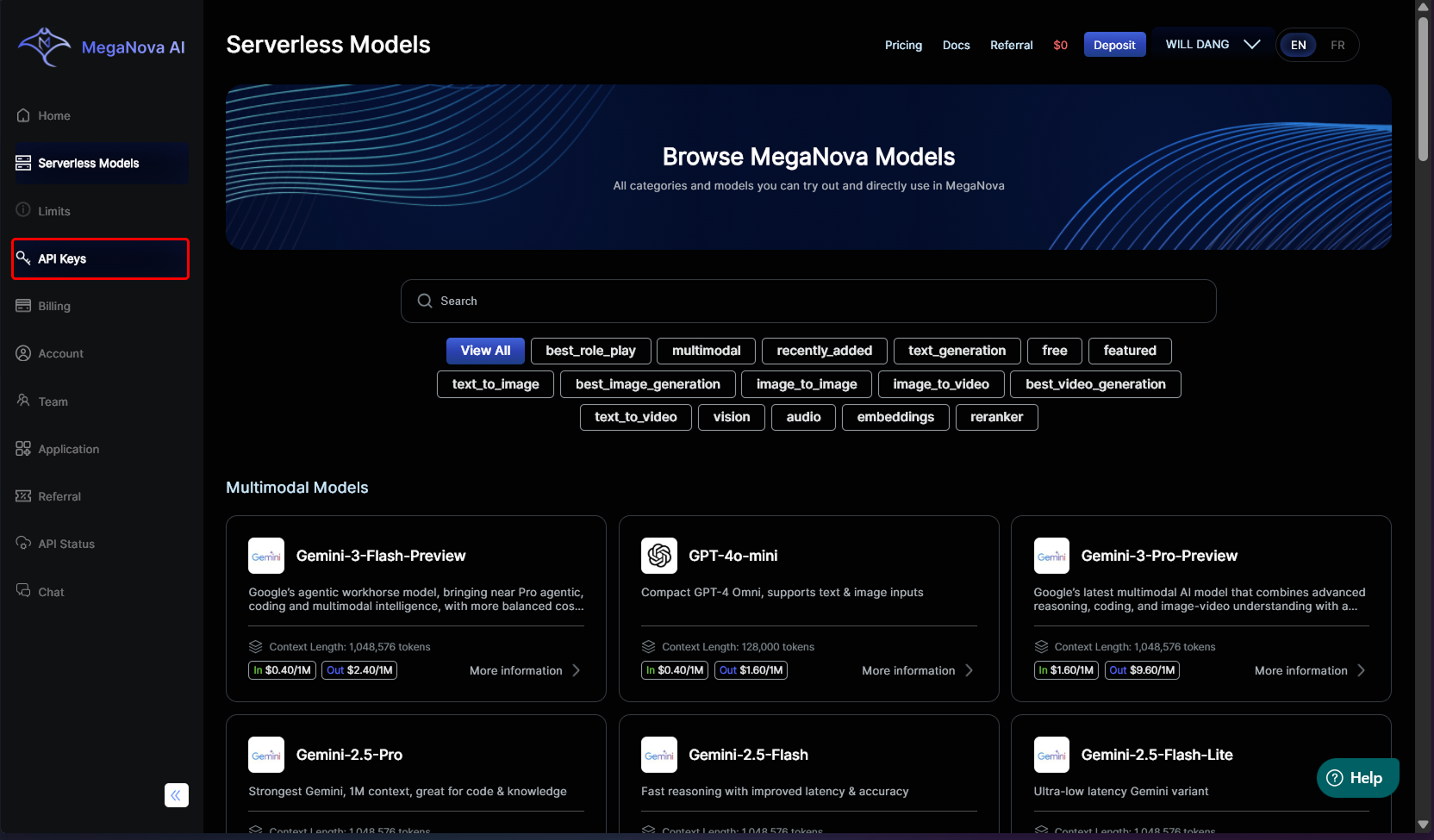
- Find the API key: Once logged in, go to your API page.
- Copy Your Key: Your unique API key is automatically generated. It usually starts with sk_. Copy this and keep it safe!
Step 2: Setting Up Janitor AI
Janitor AI is a favorite for many creators because of its massive character library. Here is how to swap their default engine for MegaNova’s power:
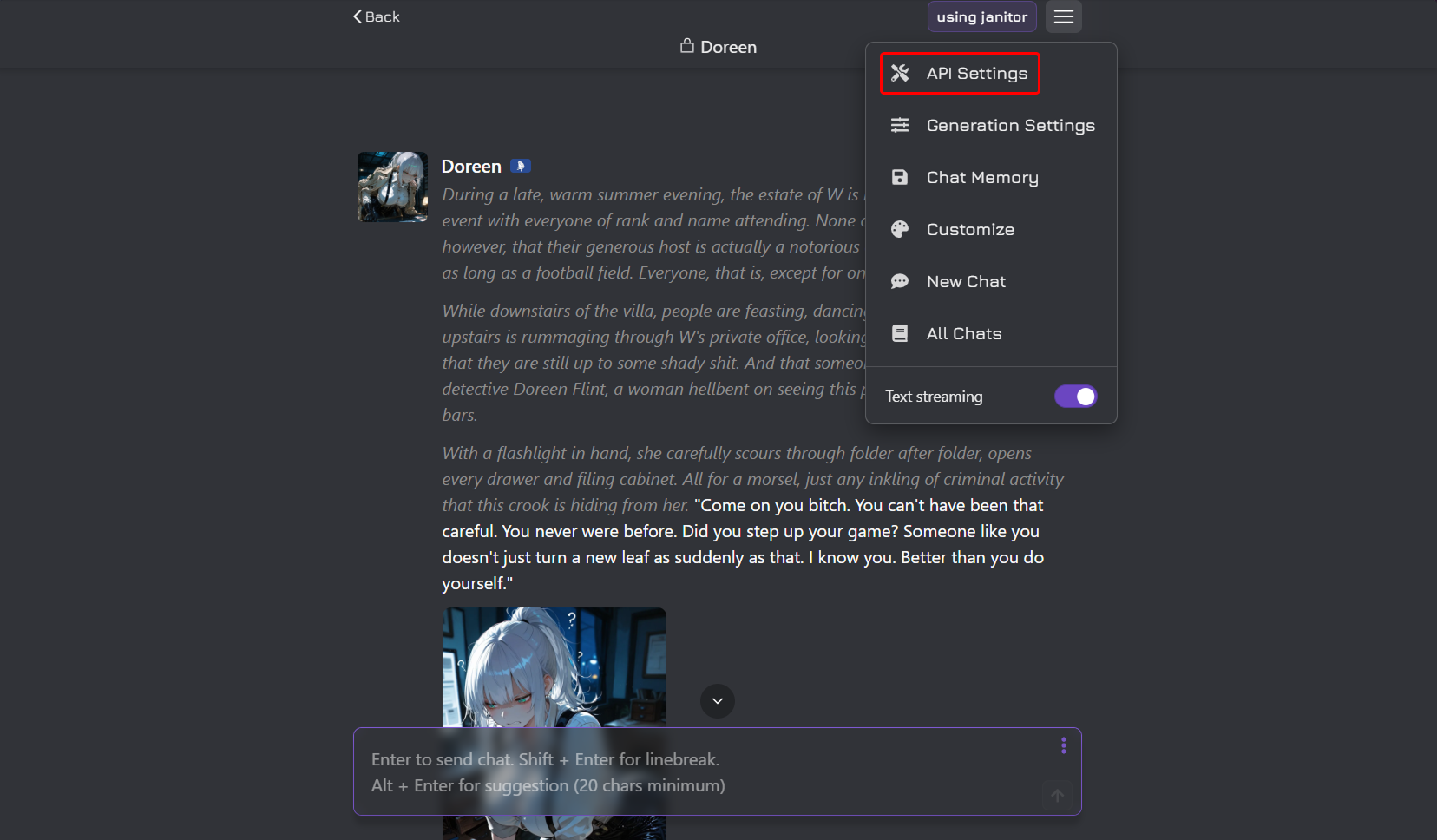
- Open Settings: Go to the Janitor AI website and open your chat settings.
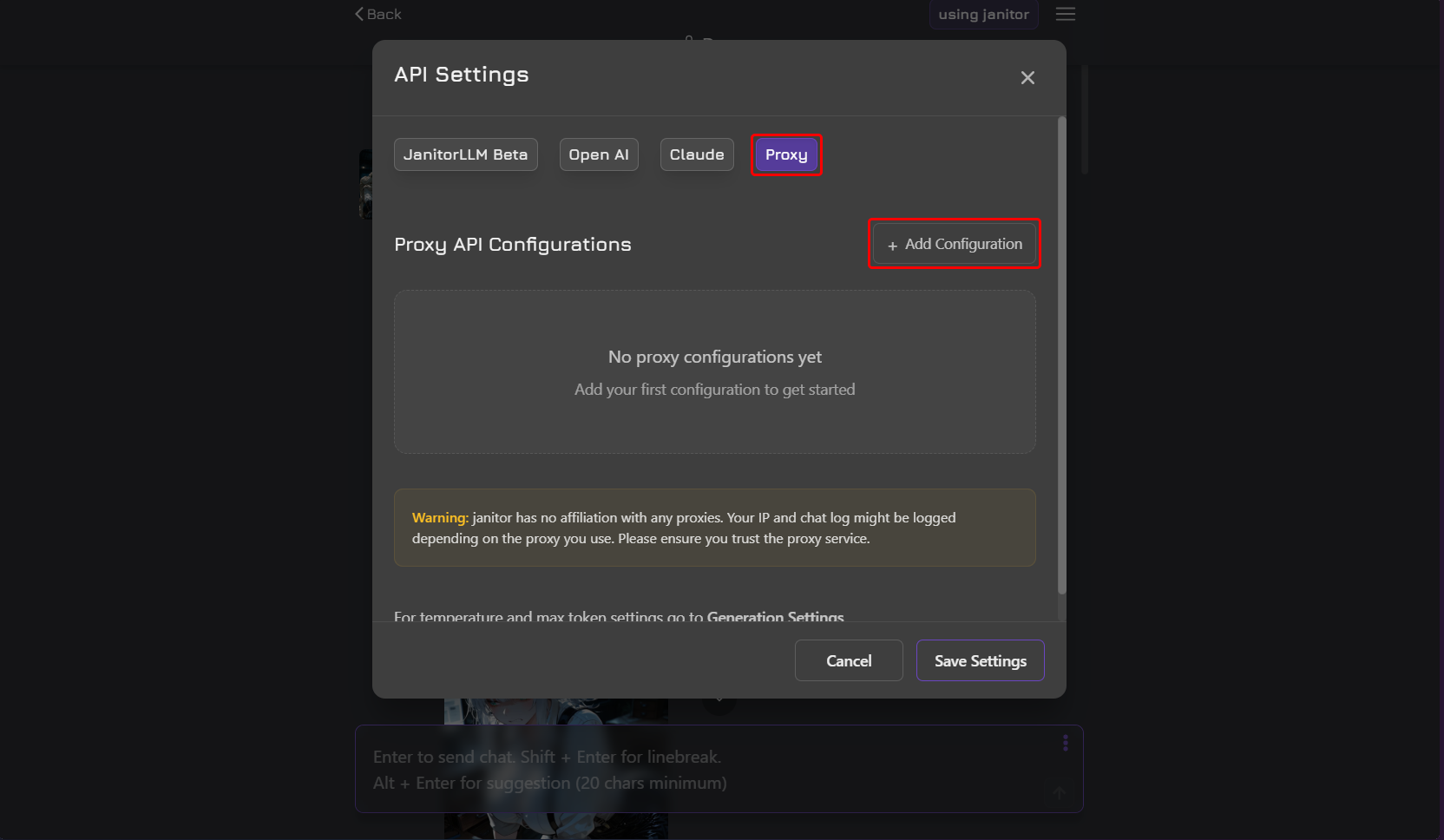
- Select API: Look for the "API Settings". Select “Proxy" as your base.
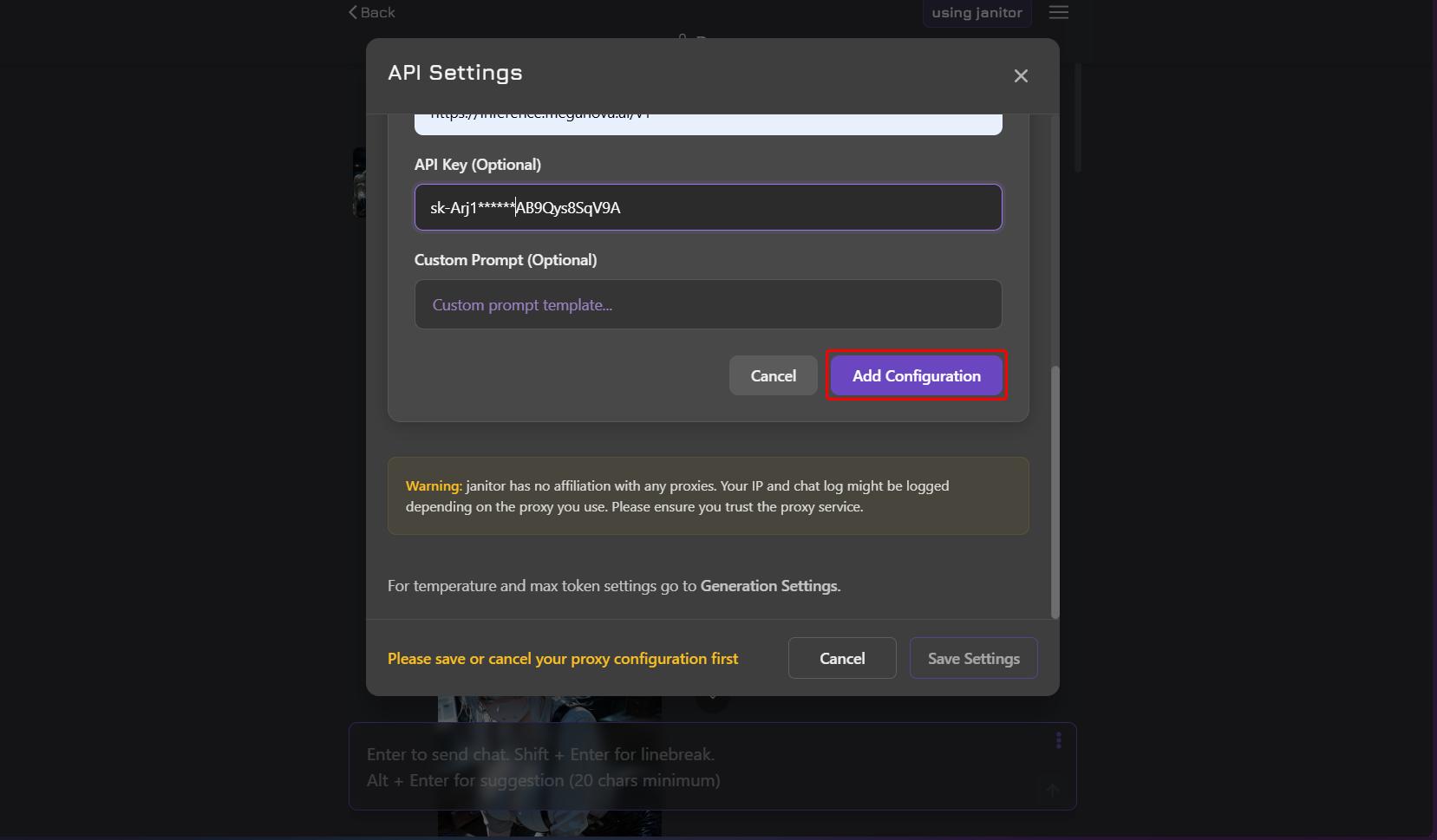
- Proxy AI Configurations: Click on the “Add Configuration” button.
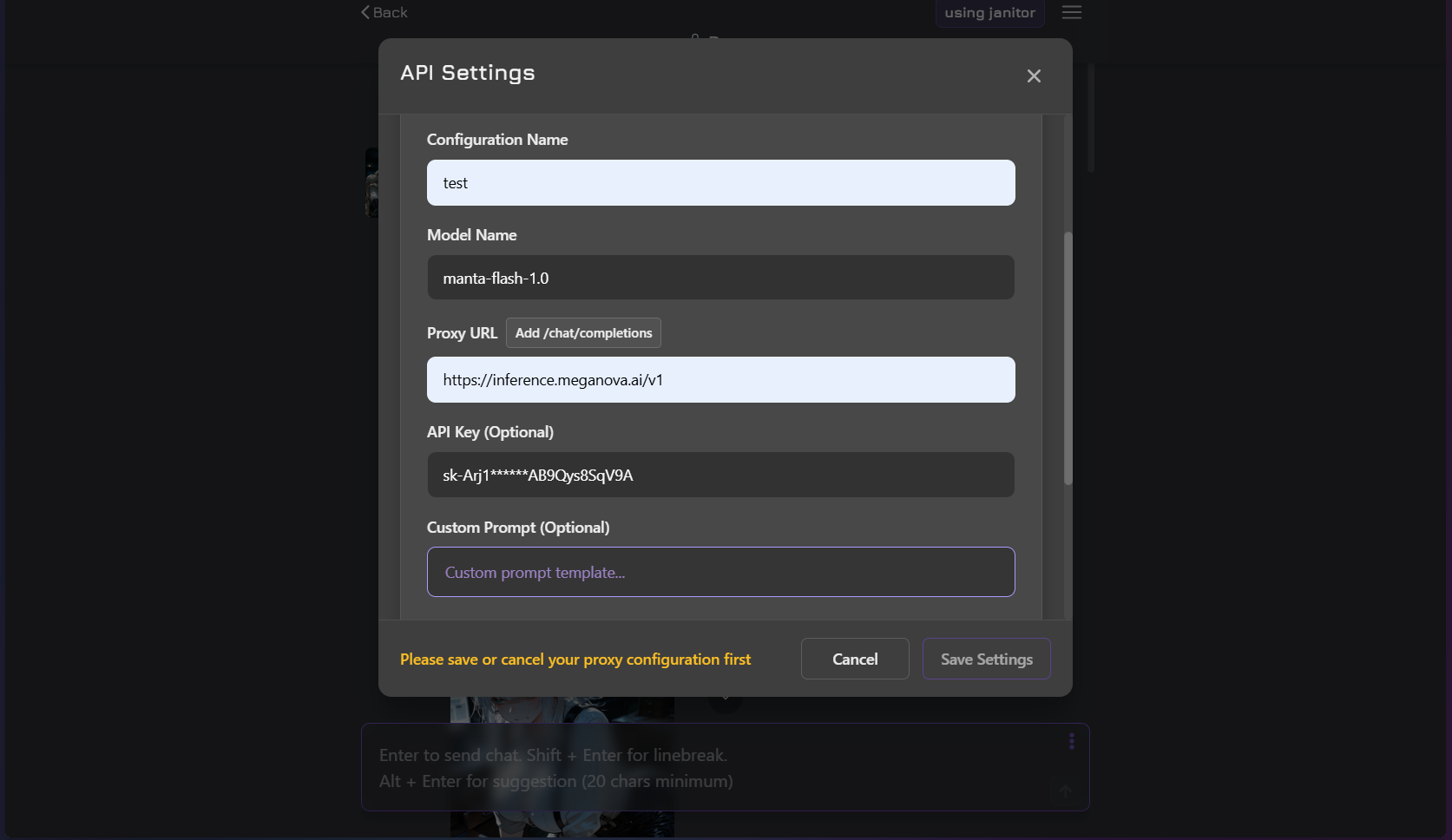
- Enter the Base URL: Replace the standard URL with MegaNova’s endpoint: https://inference.meganova.ai/v1/chat/completions.
- Paste Your Key: Put the sk_ key you copied earlier into the "API Key" field.
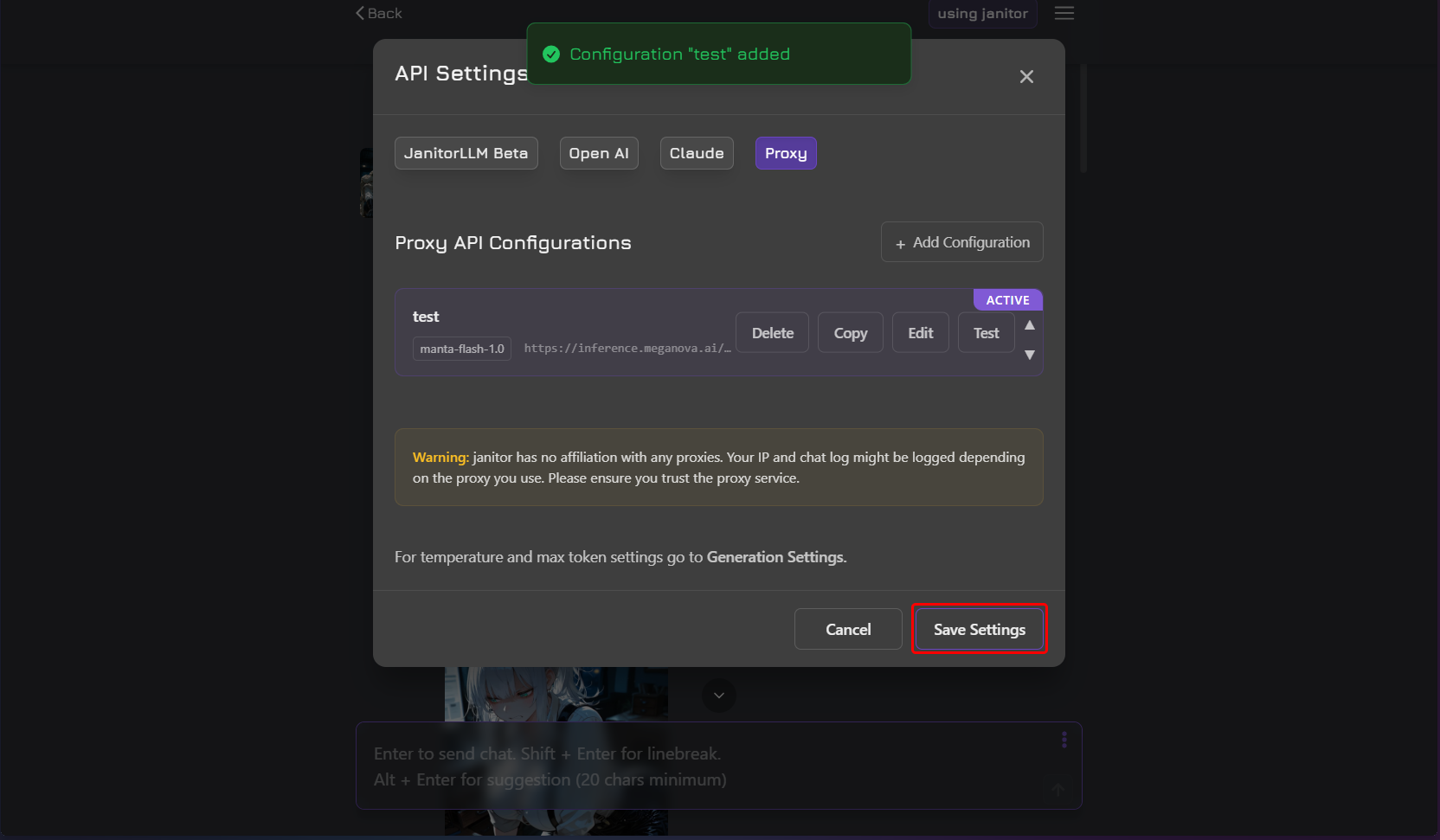
- Choose a Model: In the model field, type the ID of the model you want to use (like manta-flash-1.0 or deepseek-v3-0324).
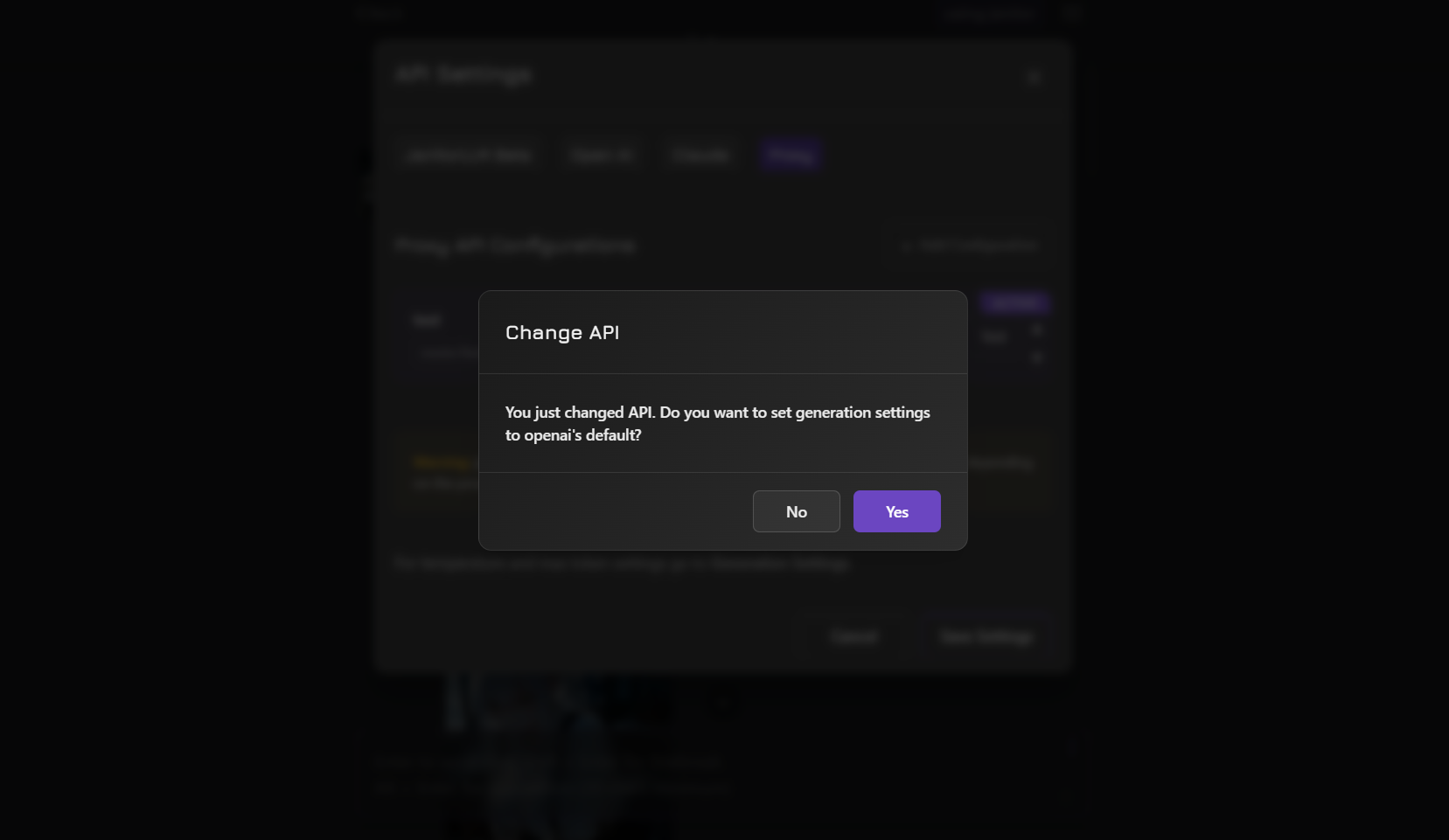
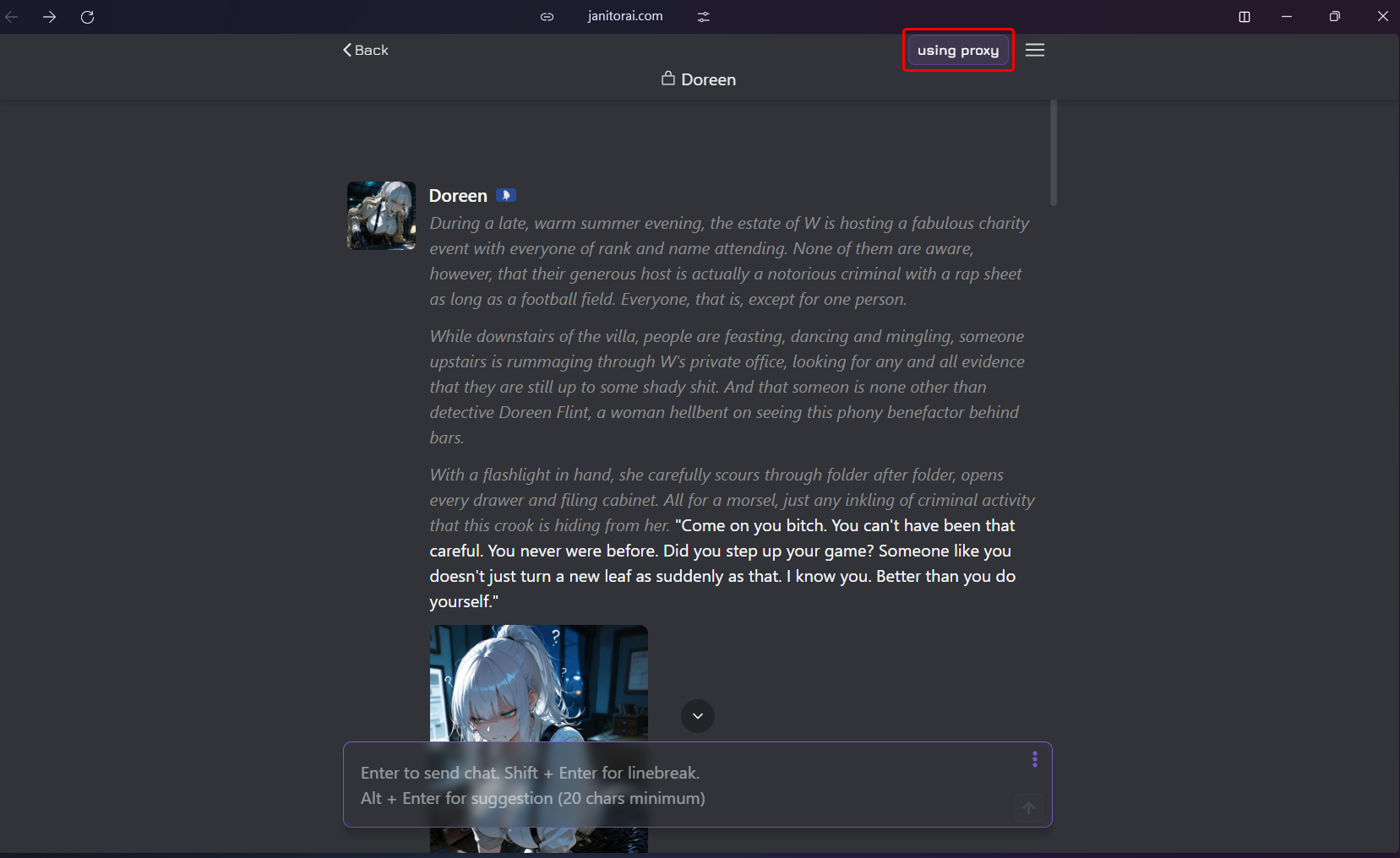
- Save and Refresh: Save your settings and reload the page. Your characters will now be powered by MegaNova.
Here's some screenshots for you to follow to use MegaNova's power on Janitor AI.
Step 3: Setting Up Silly Tavern
Silly Tavern is a powerful local interface that gives you total control over your UI. Connecting it to MegaNova is simple:
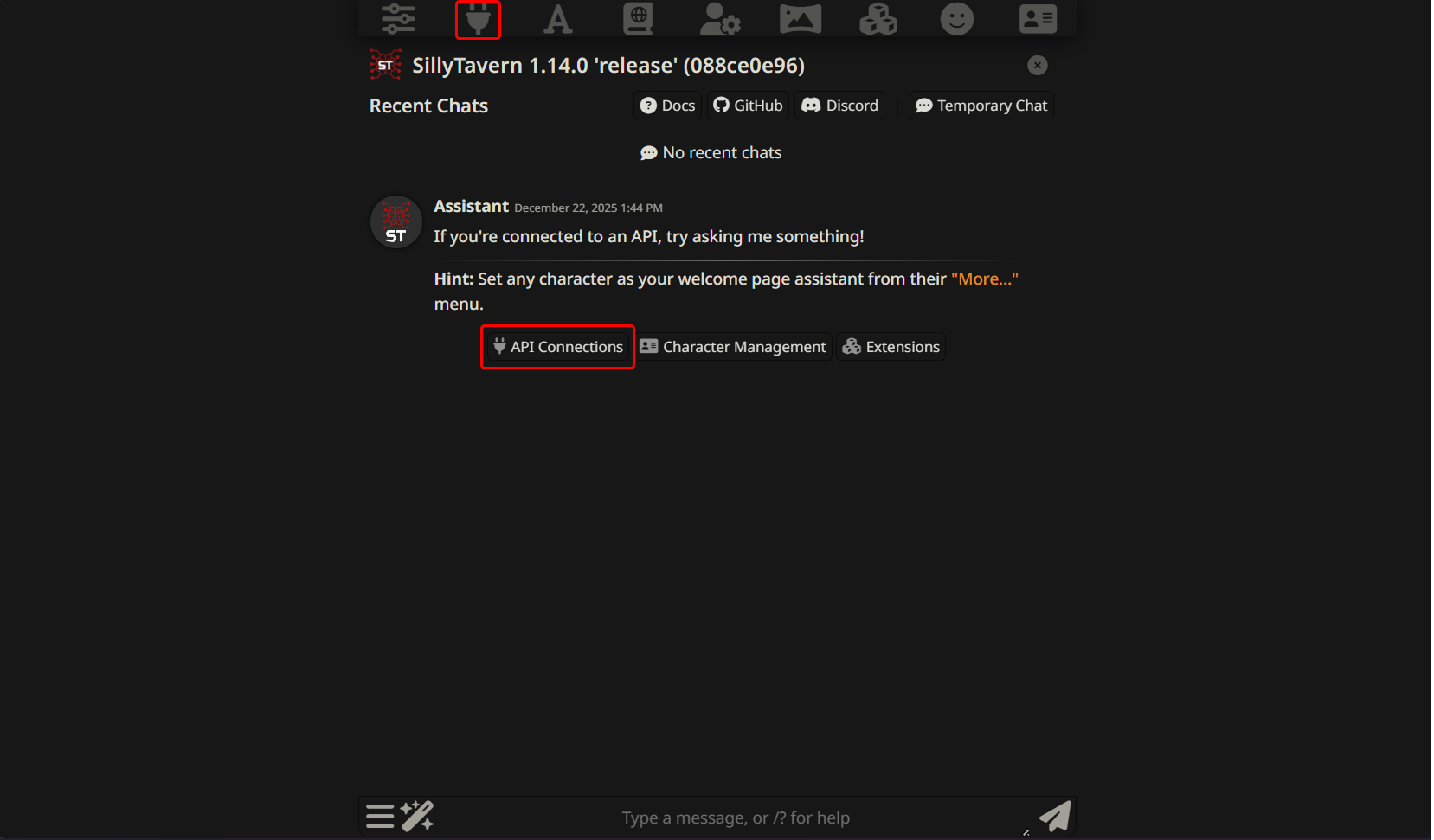
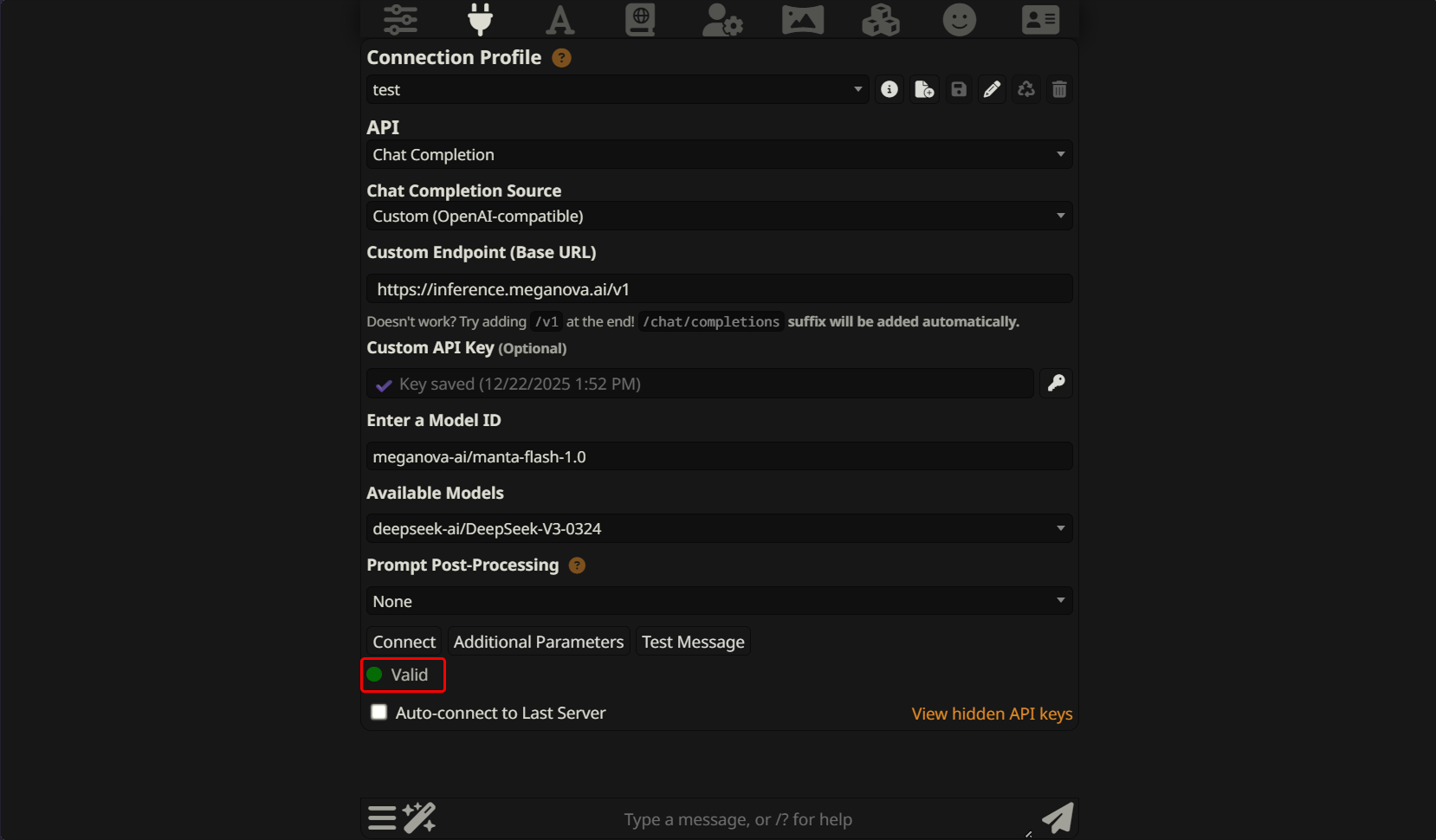
- Open API Connections: Click the "API" (plug) icon at the top of the Silly Tavern interface.
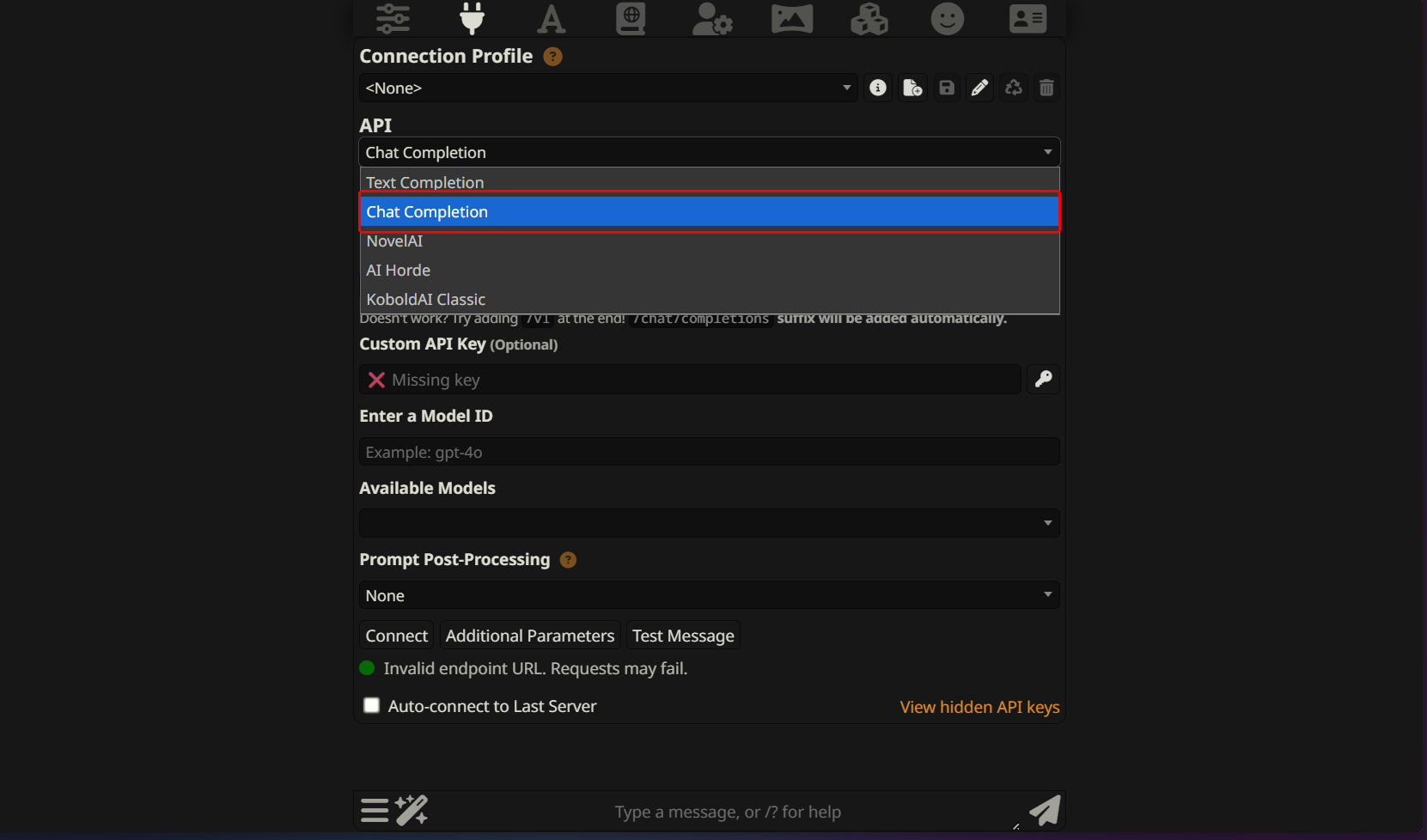
- API: Select Chat Completion
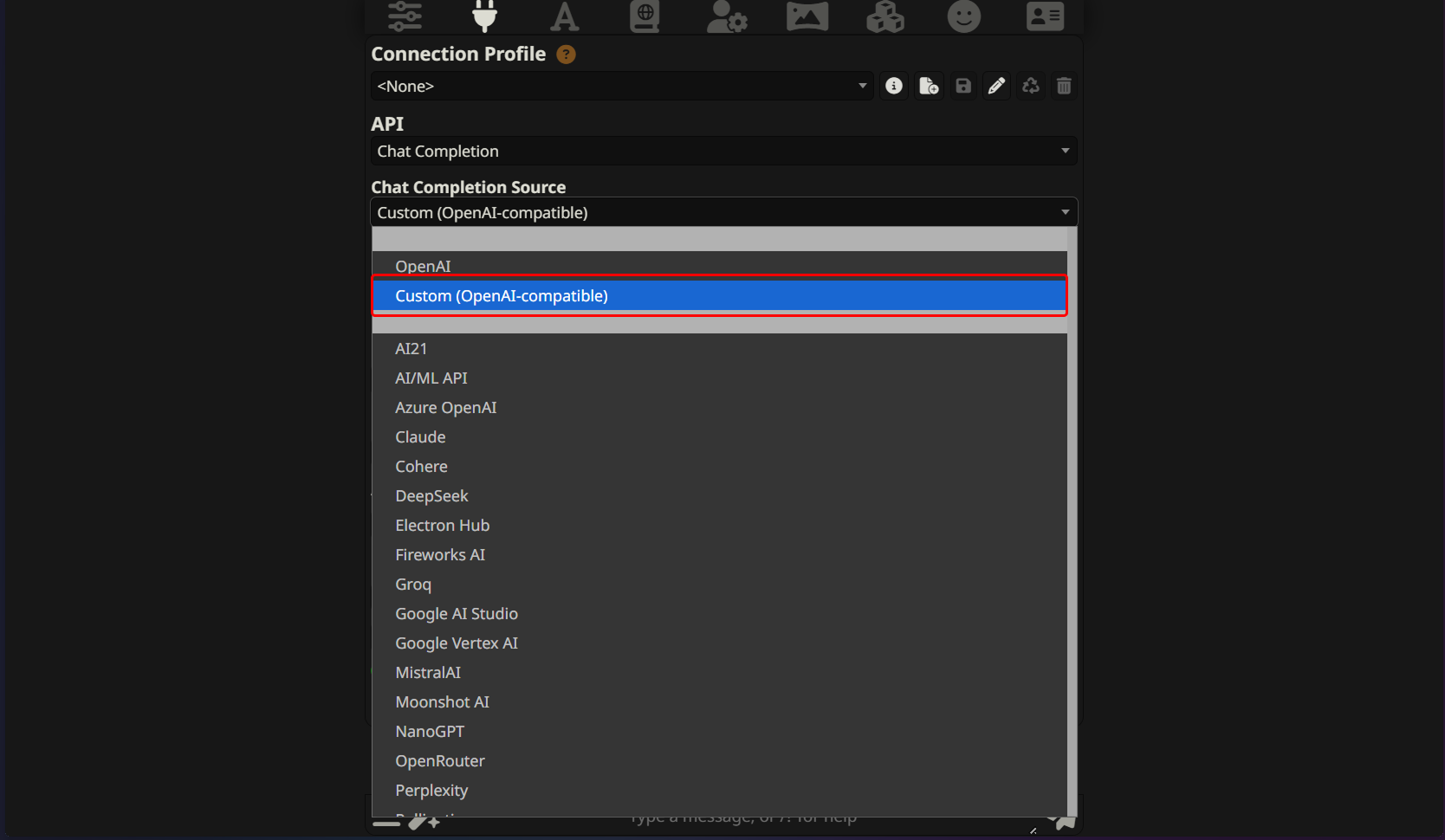
- Chat Completion Source: Even though we aren't OpenAI, our compatible API means you should select Custom (OpenAI-compatible) from the dropdown menu.
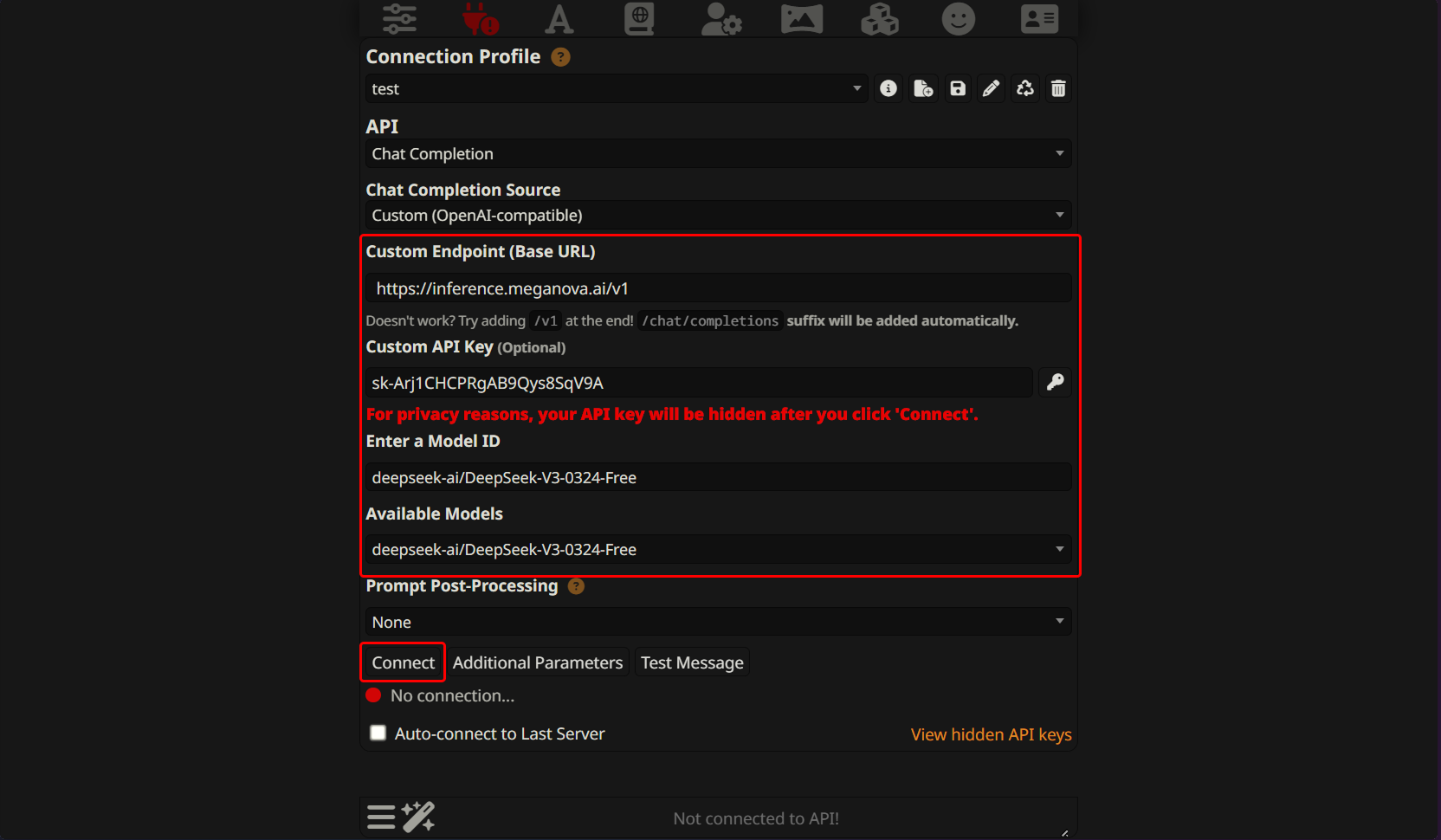
- Reverse Proxy: In the "Base URL" box, enter https://inference.meganova.ai/v1.
- Enter API Key: Paste your MegaNova key into the box.
- Select Model: Use the model selector to pick your preferred engine from the MegaNova list.
- Connect: Click the "Connect" button. If the light turns green, you’re in!
Optimizing Your Experience
To get the most out of this setup, keep an eye on your account tier.
- Tier 1: This is where everyone starts. You get free access to models under 100B parameters, which is perfect for testing.
- Tier 2: By making a small $1 deposit, you unlock premium models and get free access to the 685B giant, DeepSeek V3. This tier also boosts your daily request limits significantly.
If you are a heavy user, moving to Tier 3 or 4 will give you even higher "Requests Per Day" (RPD) limits—up to 50,000 for the biggest storytellers.
Final Thoughts
The BYOK revolution is all about freedom. You shouldn't be locked into one platform’s choices. By connecting MegaNova to Janitor AI or Silly Tavern, you get the best of both worlds: your favorite interface and our specialized roleplay engine.
Ready to upgrade your stories? Grab your API key and start your journey into a more immersive universe today.
What’s Next?
Sign up and explore now.
🔍 Learn more: Visit our blog and documents for more insights or schedule a demo to optimize your roleplay experience.
📬 Get in touch: Join our Discord community for help or Contact Us.
Stay Connected
💻 Website: meganova.ai
🎮 Discord: Join our Discord
👽 Reddit: r/MegaNovaAI
🐦 Twitter: @meganovaai