Step-by-Step Guide: Integrate Free Manta API with Roo Code in VS Code
If you're a developer or researcher embedded in VS Code, Roo Code is a powerhouse extension that pulls LLMs right into your workflow for seamless coding assistance. Even better, connect it to MegaNova AI's serverless inference to harness free models like Manta-Mini-1.0 or DeepSeek-V3-0324 using your own API key with no setup headaches.
In this guide, you'll wire up MegaNova AI with Roo Code in minutes, unlocking uncensored, high-depth roleplay or general AI tasks.
What is Roo Code?
Roo Code is a lightweight VS Code extension for local AI-driven coding, chat, and automation. It supports:
- OpenAI-compatible APIs
- Custom LLMs (e.g., LLaMA, Manta, Mistral)
- Modes like Code Assist, Chat, Agent, and Search
- Offline/self-hosted options
Roo Code frees you from pricey cloud copilots, letting you link any compatible endpoint like MegaNova AI for full control.
Why MegaNova AI with Roo Code?
MegaNova AI delivers fast serverless inference via OpenAI-compatible APIs, with zero infrastructure fuss. Pair it with Roo Code for:
- Free-tier access: no card for starters, powering Manta models optimized for creative depth.
- Plug-and-play endpoints: ideal for roleplay personas or code gen.
- No management overhead: perfect for solos or teams.
- Stable, throttled-free performance: unlike many hosted services.
- Diverse models: From efficient reasoning like Gemini, DeepSeek-V3-0324 to emotional narratives with the Manta series for multimodal tasks.
This combo gives open-model flexibility with enterprise-grade speed.
Step-by-Step Setup: MegaNova AI + Roo Code in VS Code
Step 1: Create a MegaNova AI Account
Visit MegaNova AI and sign up free (email/Google).
Step 2: Save Your API Key
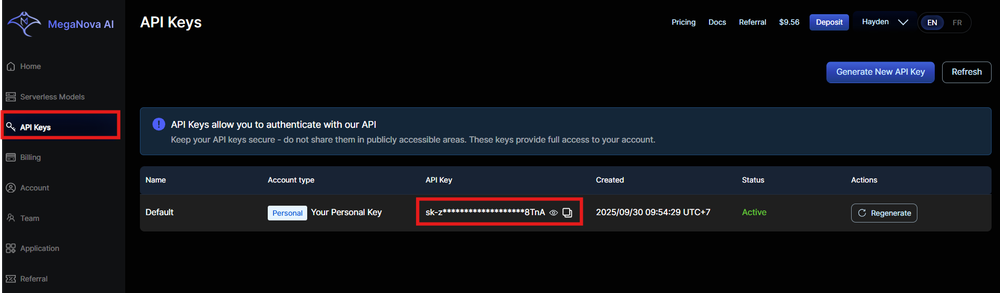
Log in, go to "API Keys" and save it (starts with "sk-"). Copy it securely, one active at a time.
Step 3: Choose a Model & Get the Endpoint
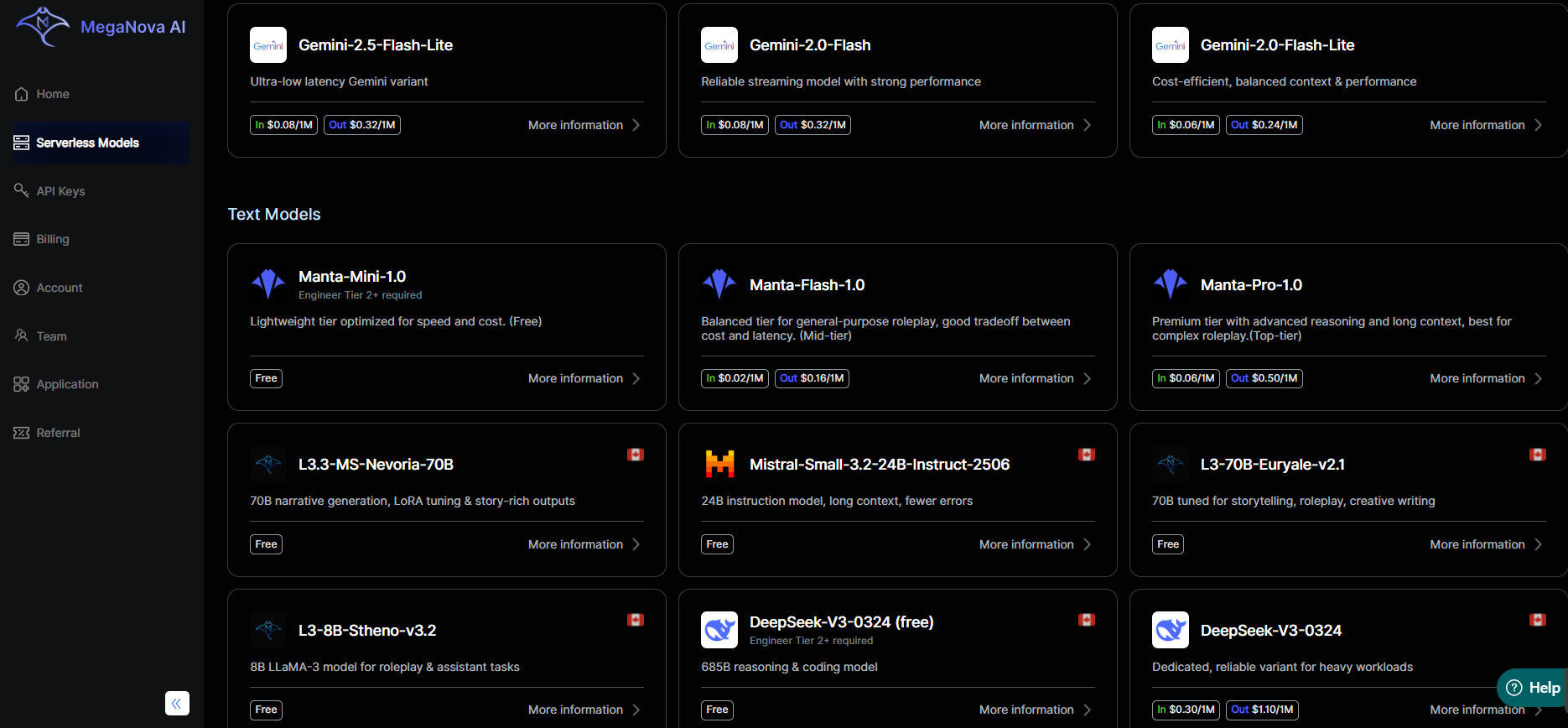
Browse Serverless Models. Recommend:
- Manta-Mini-1.0 (free, quick chats)
- Or Manta-Pro for nuanced depth
Copy:
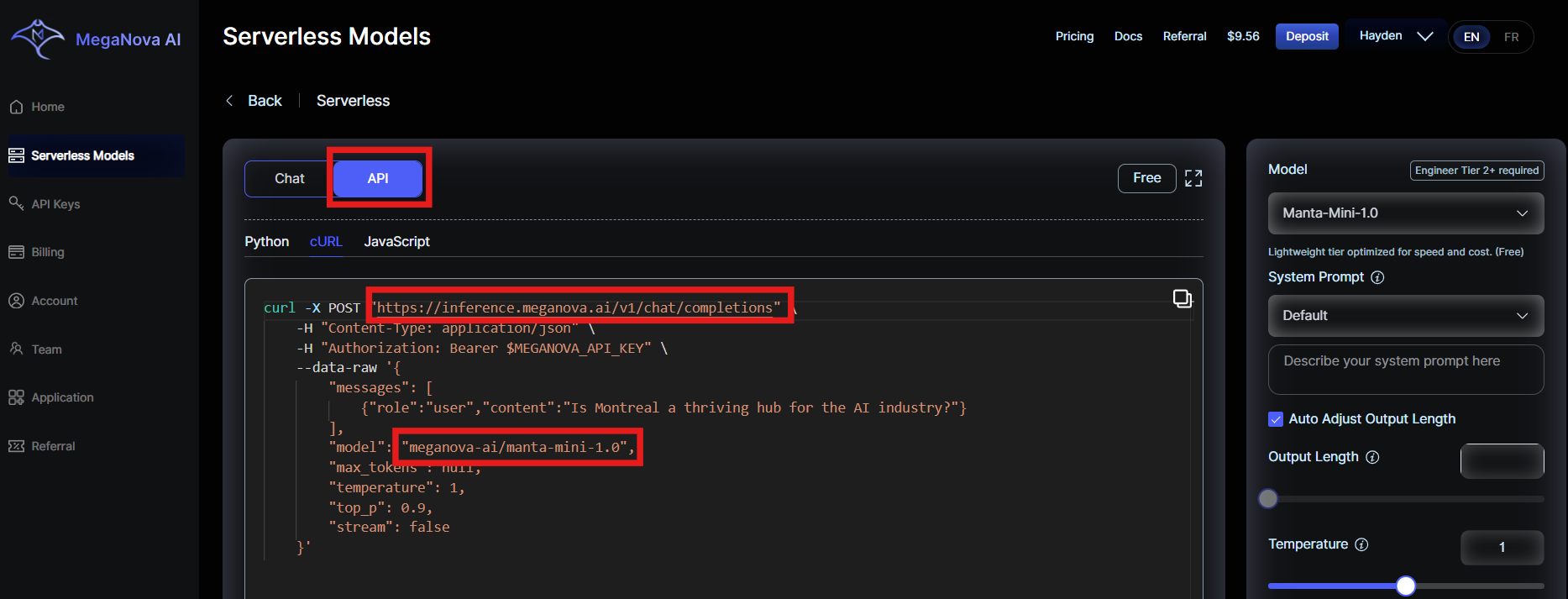
- Model Name: e.g.,
meganova-ai/manta-mini-1.0 - Endpoint:
https://inference.meganova.ai/v1/chat/completions
Note: DeepSeek-V3-0324 and Manta-Pro model requires deposit $1 for free access.
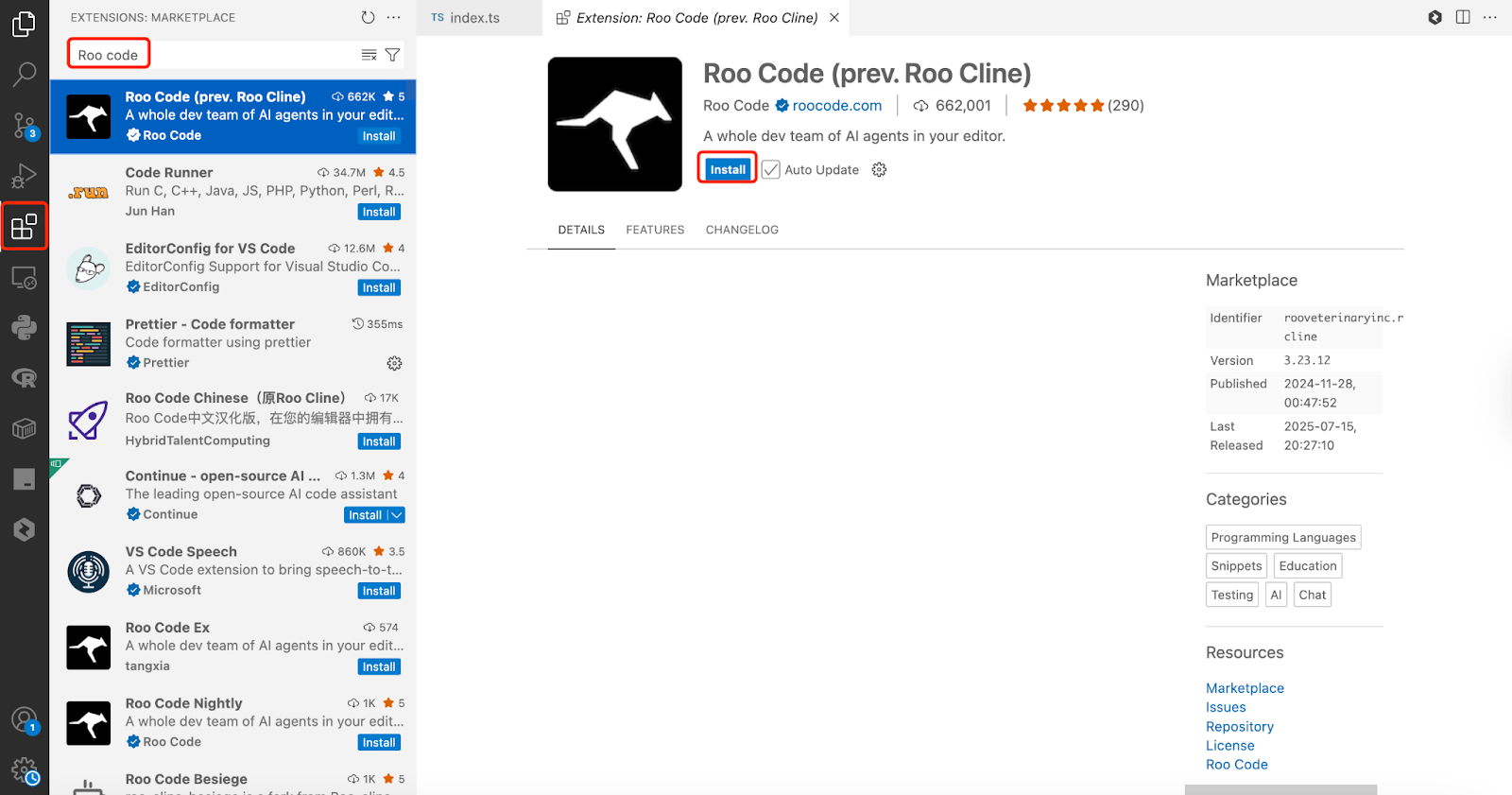
Step 4: Install Roo Code in VS Code
Search "Roo Code" in VS Code Extensions or download here.
Step 5: Configure Roo Code for MegaNova AI
In Roo Code settings:
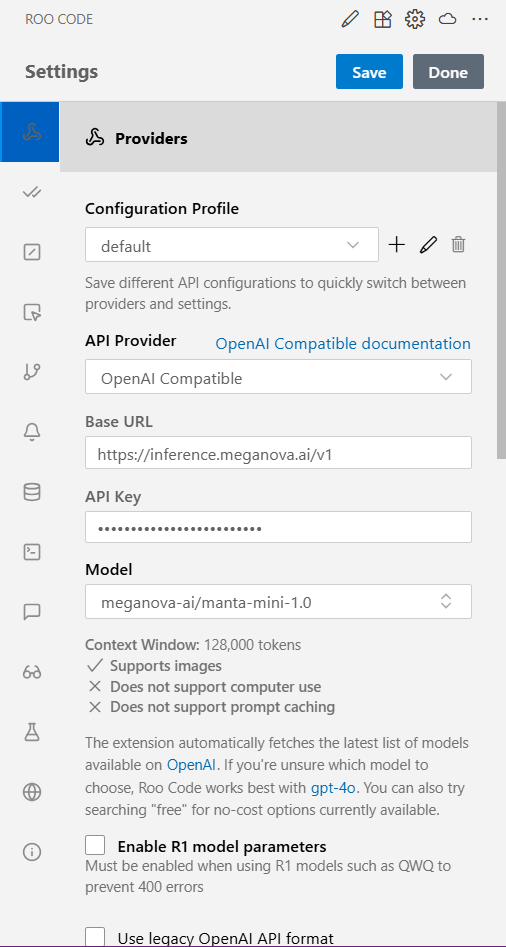
- API Provider: OpenAI Compatible
- Base URL:
https://inference.meganova.ai/v1 - Model: e.g.,
meganova-ai/manta-mini-1.0 - API Key: Your
sk-key on MegaNova AI
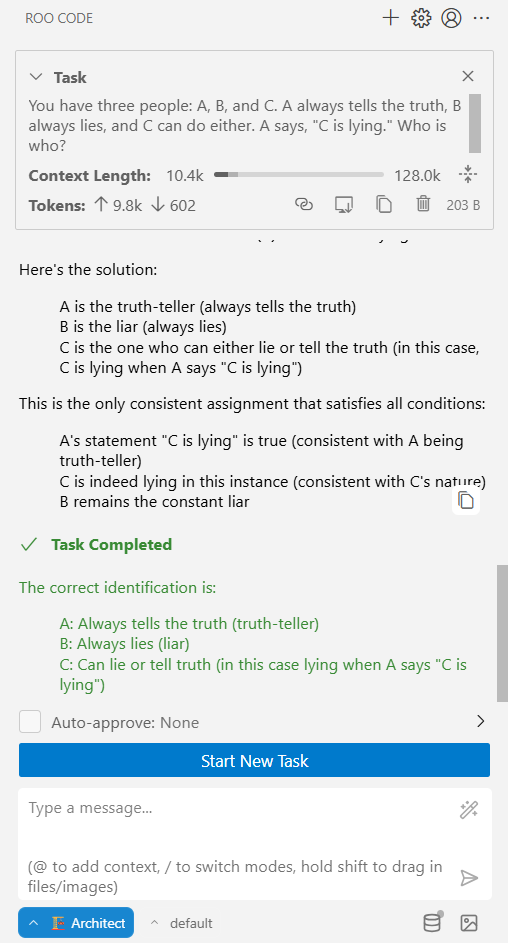
Step 6: Test with a Prompt
Now, try sending a prompt in Roo Code, it should return a response powered by Manta models from MegaNova AI.
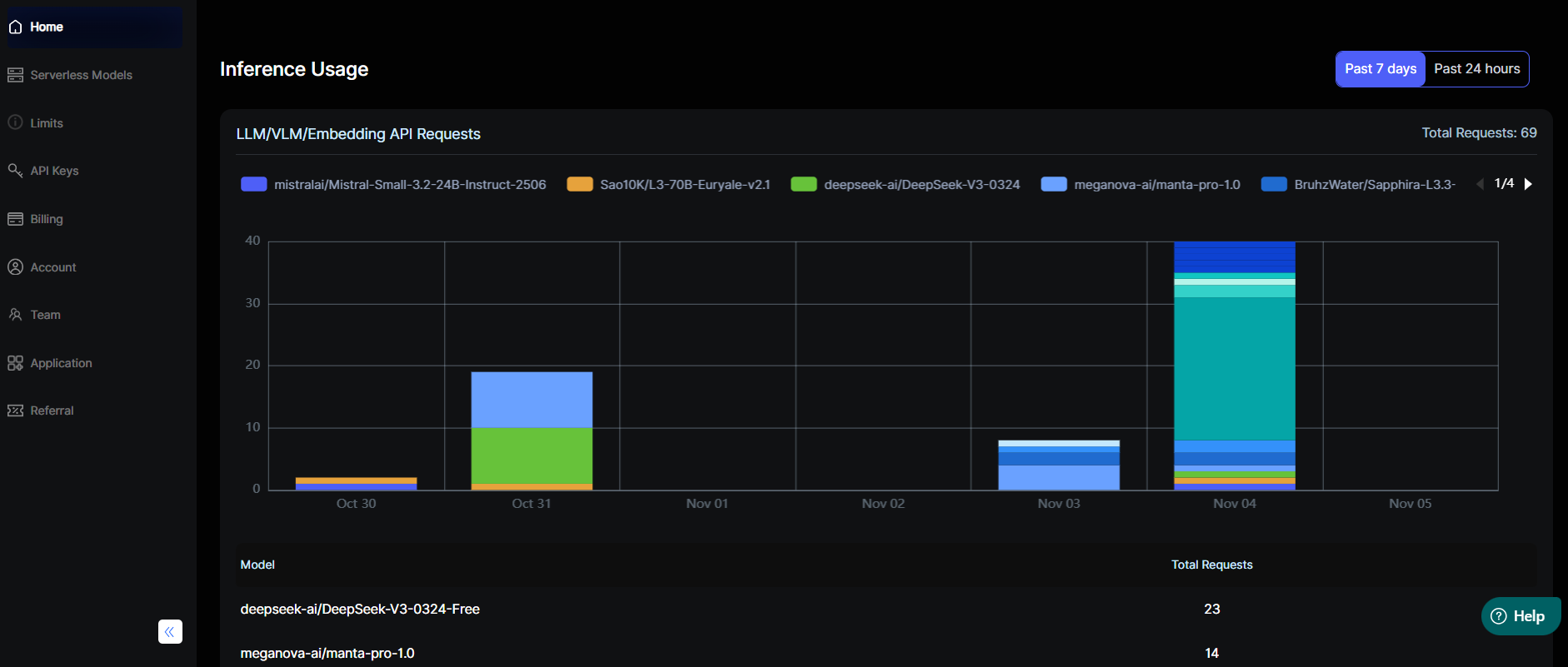
Step 7: Trach Your Usage
You can track:
- Daily free credits (auto-renew every 24h).
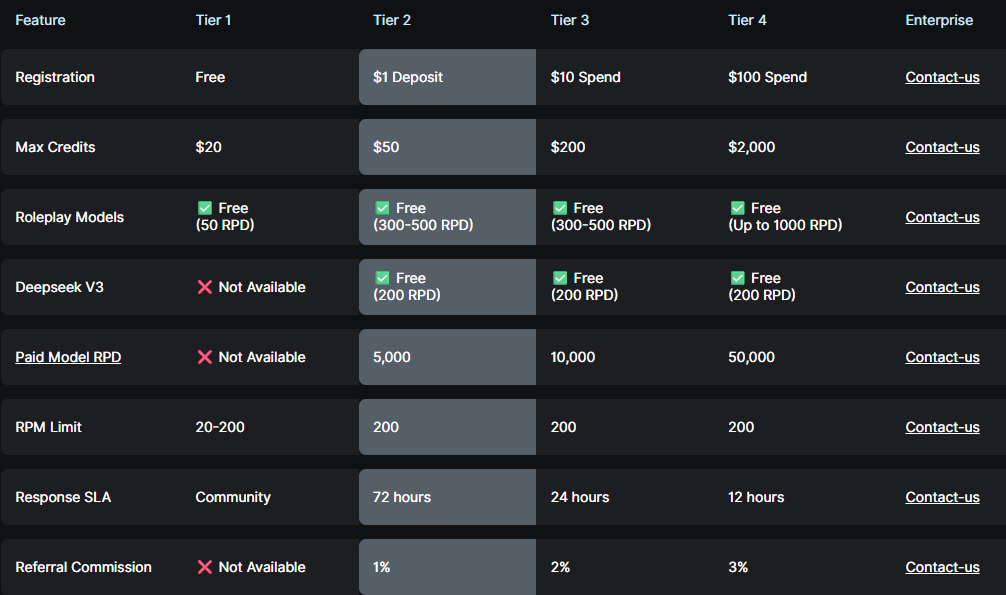
- Model performance stats:
Final Thoughts
This integration turns VS Code into an AI command center with MegaNova AI's free Manta magic, great for roleplay scripting or daily dev. Scale as needed with tiers for more tokens.
Happy coding!
What’s Next?
Sign up and explore now.
🔍 Learn more: Visit our blog and documents for more insights.
📬 Get in touch: Join our Discord community for help or Contact Us.
Stay Connected
💻 Website: meganova.ai
📖 Docs: docs.meganova.ai
✍️ Blog: Read our Blog
🐦 Twitter: @meganovaai
🎮 Discord: Join our Discord
▶️ YouTube: Subscribe on YouTube