SillyTavern x MegaNova AI: Group Chat Setup Guide
PewDiePie’s new “AI Council” video just showed the world how AIs can debate, vote, and collaborate like real people — and now, you can build your own version too.
With MegaNova AI, you’ll learn in 5 minutes how to set up dynamic AI group chats on SillyTavern in just a few minutes — no complex setup required.
What is SillyTavern?
SillyTavern is a locally installed AI chat app that lets you create and talk with custom AI characters on your own device. Originally a refined fork of TavernAI 1.2.8 by Cohee and RossAscends, it’s now a favorite among AI roleplay fans.
Key Highlights:
- Create & Chat: Build or import AI personalities for dynamic conversations.
- Customizable UI: Adjust backgrounds, layouts, and character behavior.
- Group Chats: Interact with multiple AI characters at once.
- Model-Friendly: Supports DeepSeek, Claude, OpenAI, and local LLMs.
- Private & Local: Runs entirely on your device — no tracking, full privacy.
Now with MegaNova’s free API, you get faster, private, Manta-powered roleplay — all with zero setup hassle.
Setting Up AI Group Chat in SillyTavern
Step 1: Clone and Run SillyTavern Source
Go to the official MegaNova repository:
👉 https://github.com/MeganovaAI/SillyTavern
Clone the source code to your local machine and run it according to the provided setup instructions.
Step 2: Configure MegaNova API
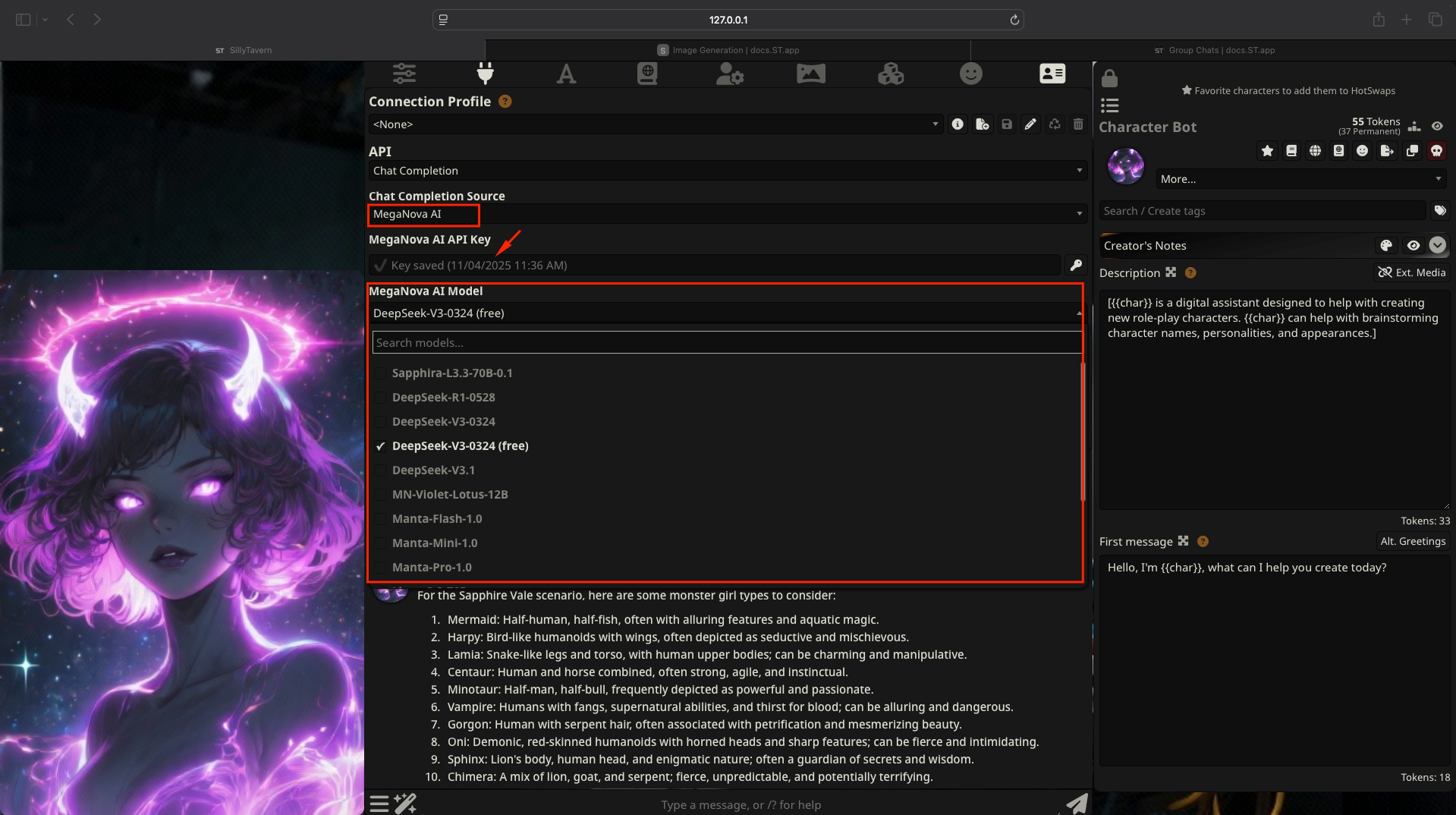
Open the Config in SillyTavern.
- API: Chat Completion
- Chat Completion Source: MegaNova AI
- MegaNova AI Model: Choose any compatible model you like in this list
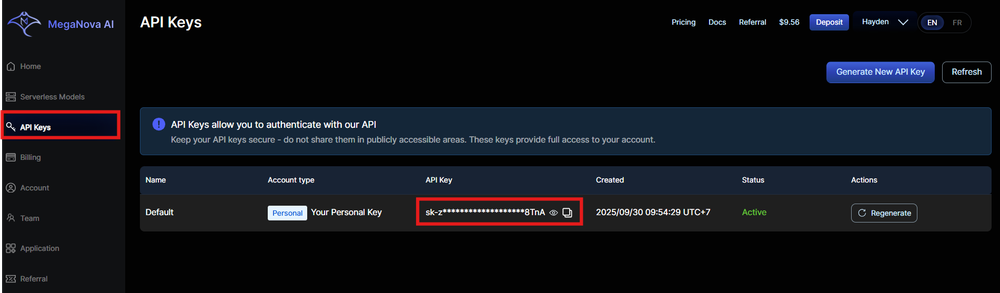
- API Key: you can find it on MegaNova API Key (starts with sk-).
- Click Connect
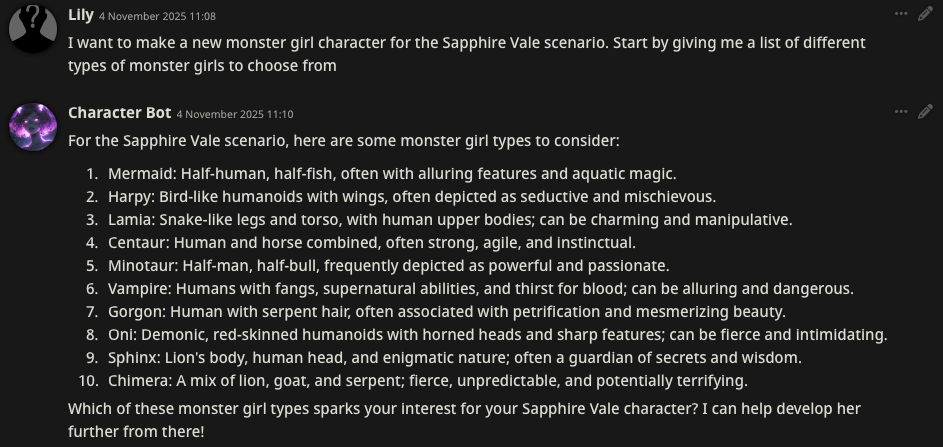
Step 3: Use Character Bot to request character creation
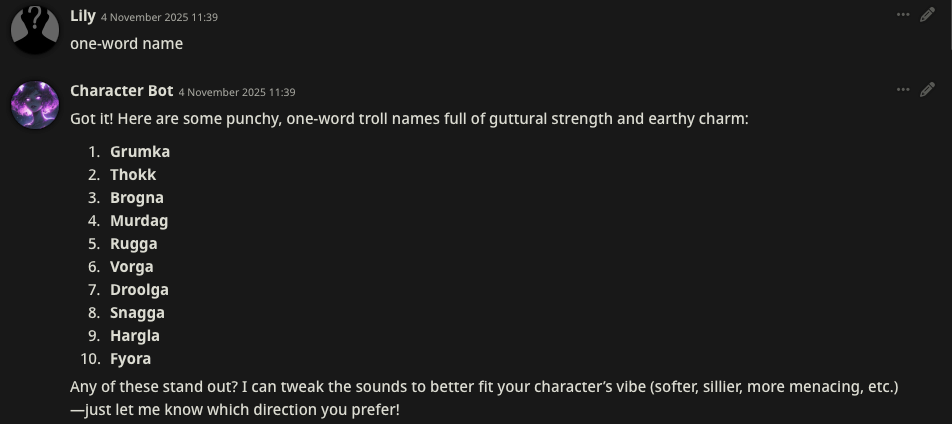
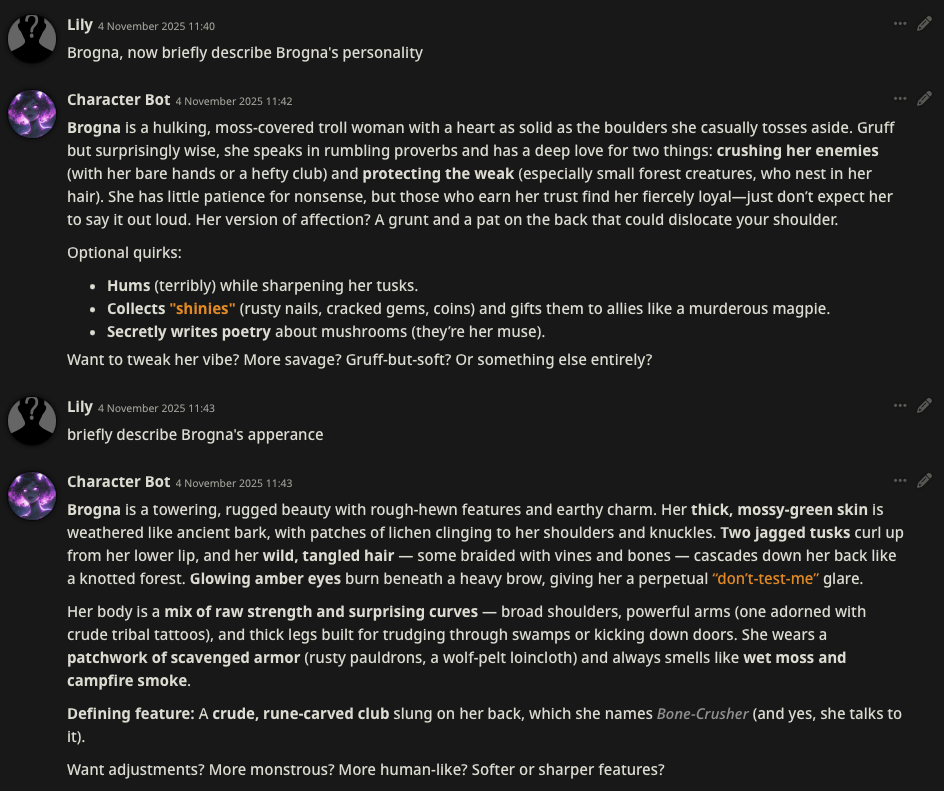
💡 Pro tip: Check out this setup guide to create your realistic AI image characters.
Step 4: Save your character setting
Click this icon to create and save your character’s information
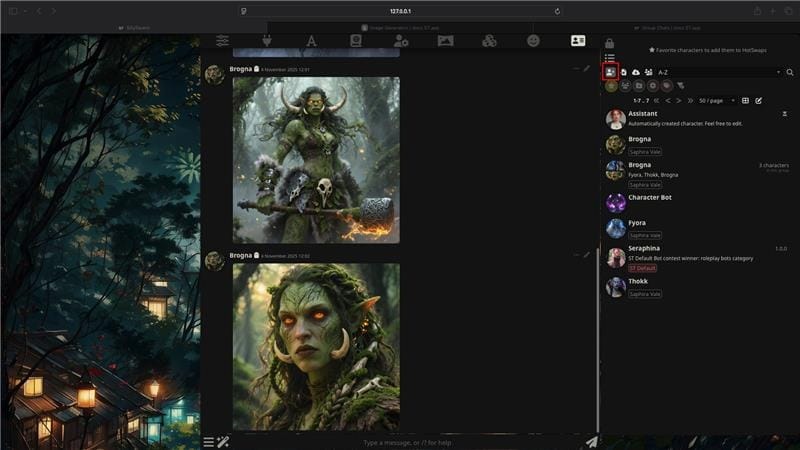
Insert all character's descriptions & information
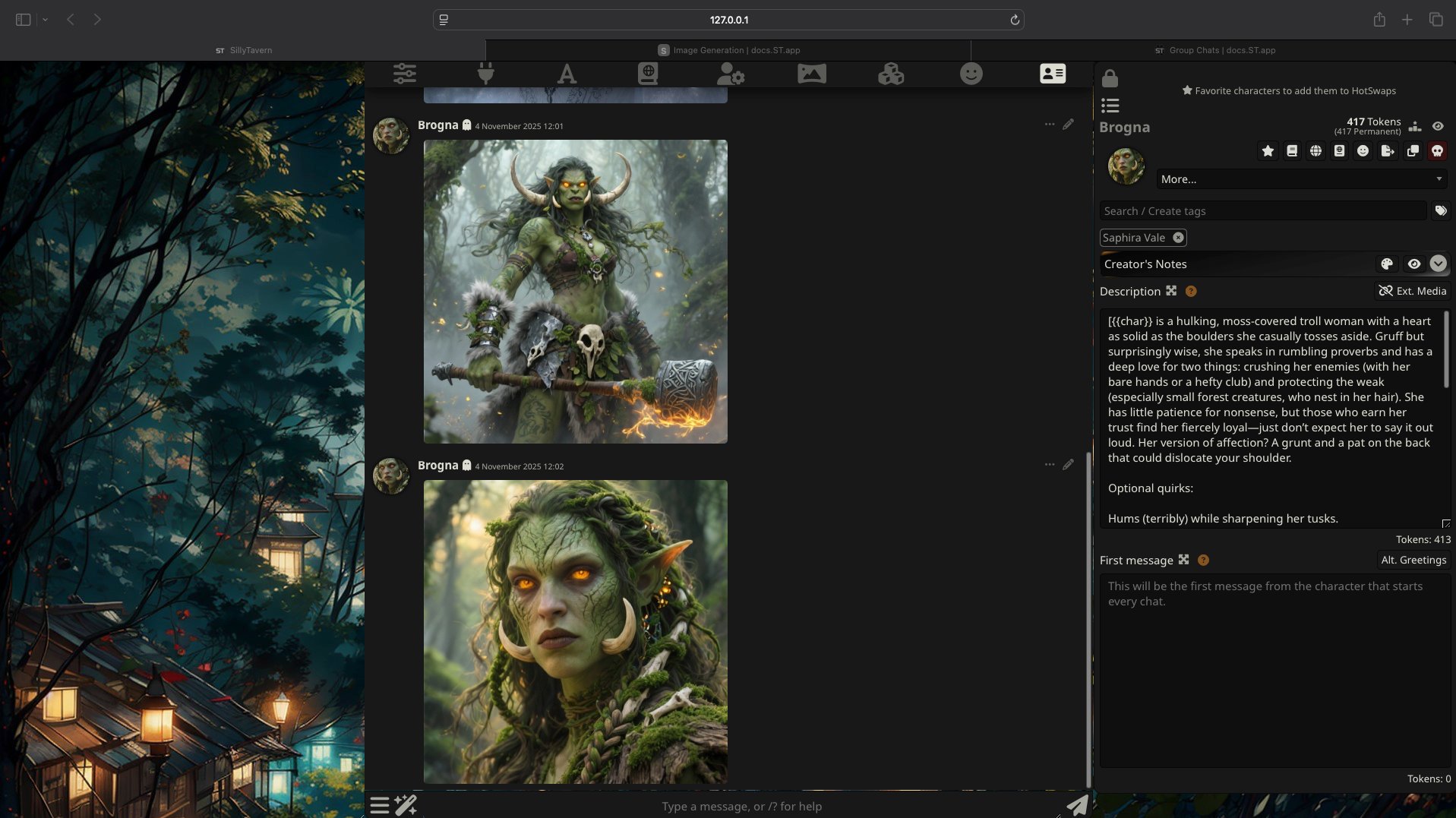
Similarly, create 3 or more characters based on Character Bot’s suggestions about personalities, visuals, etc.
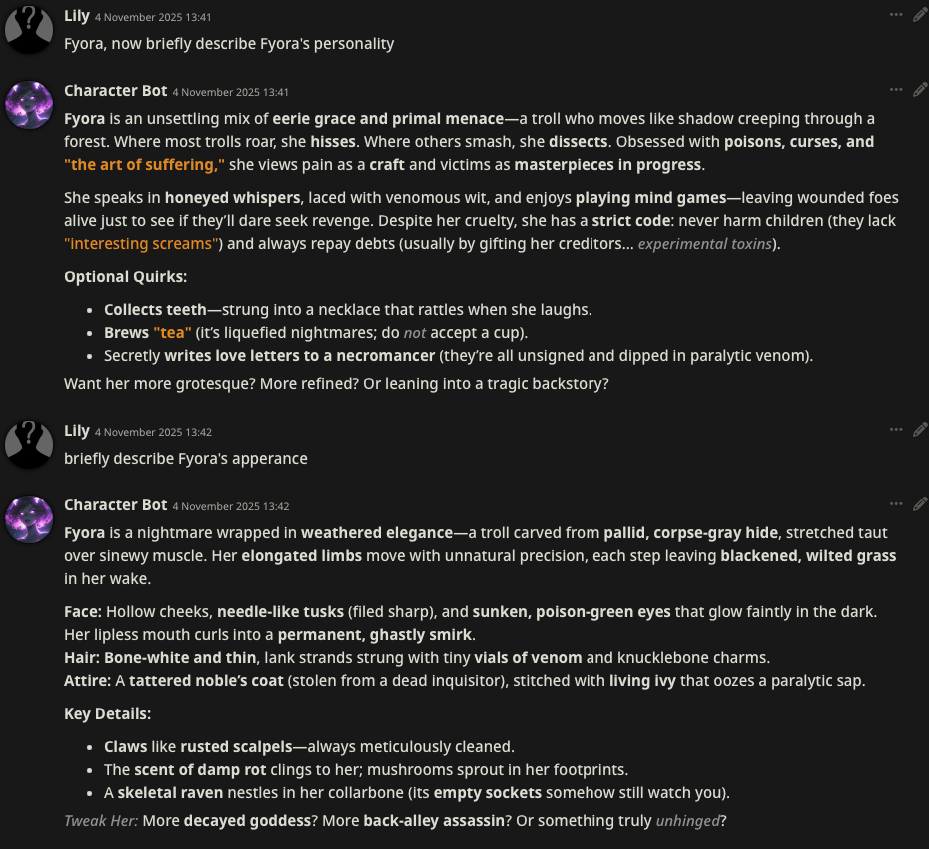
Step 5: Create a group chat following these steps
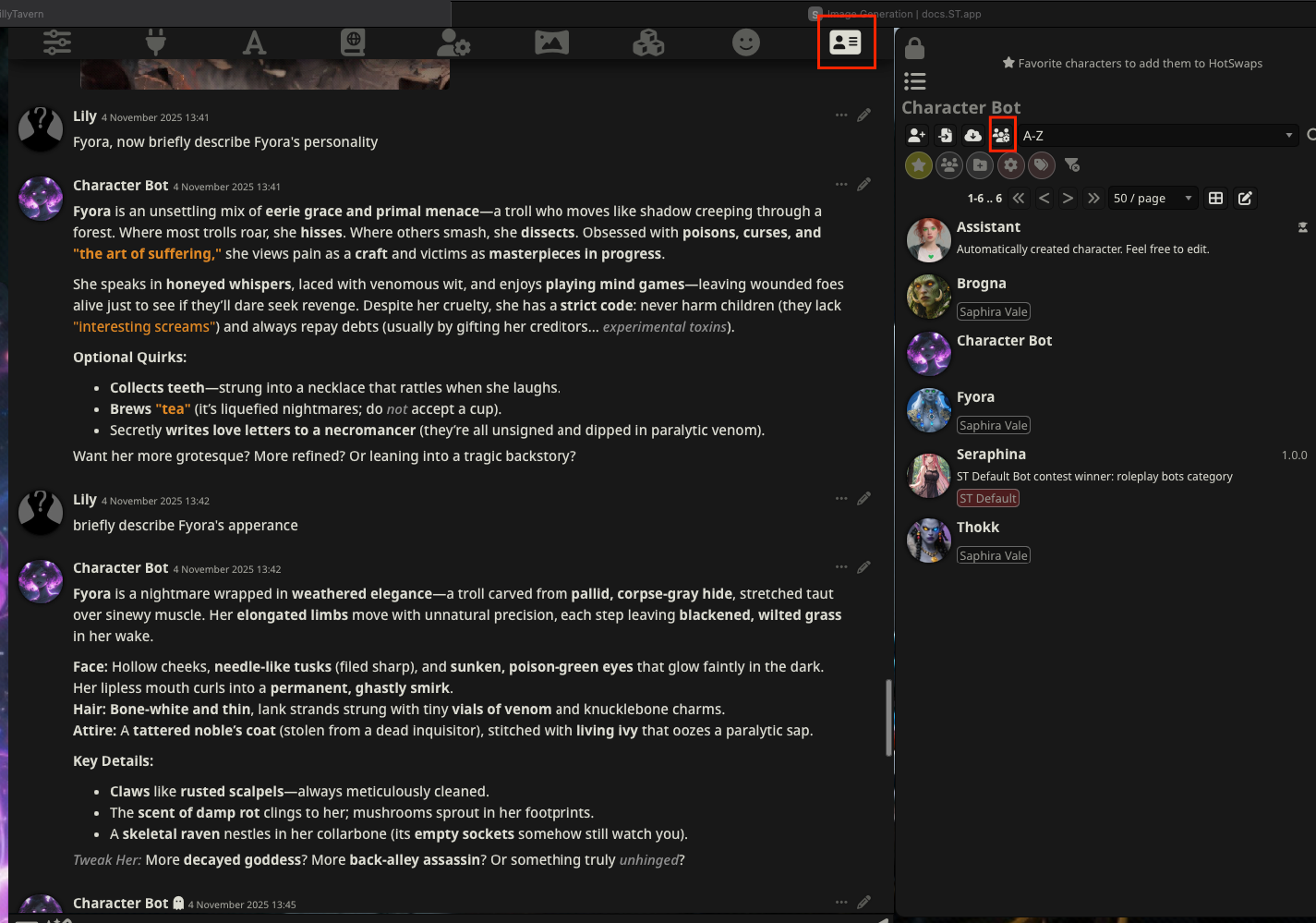
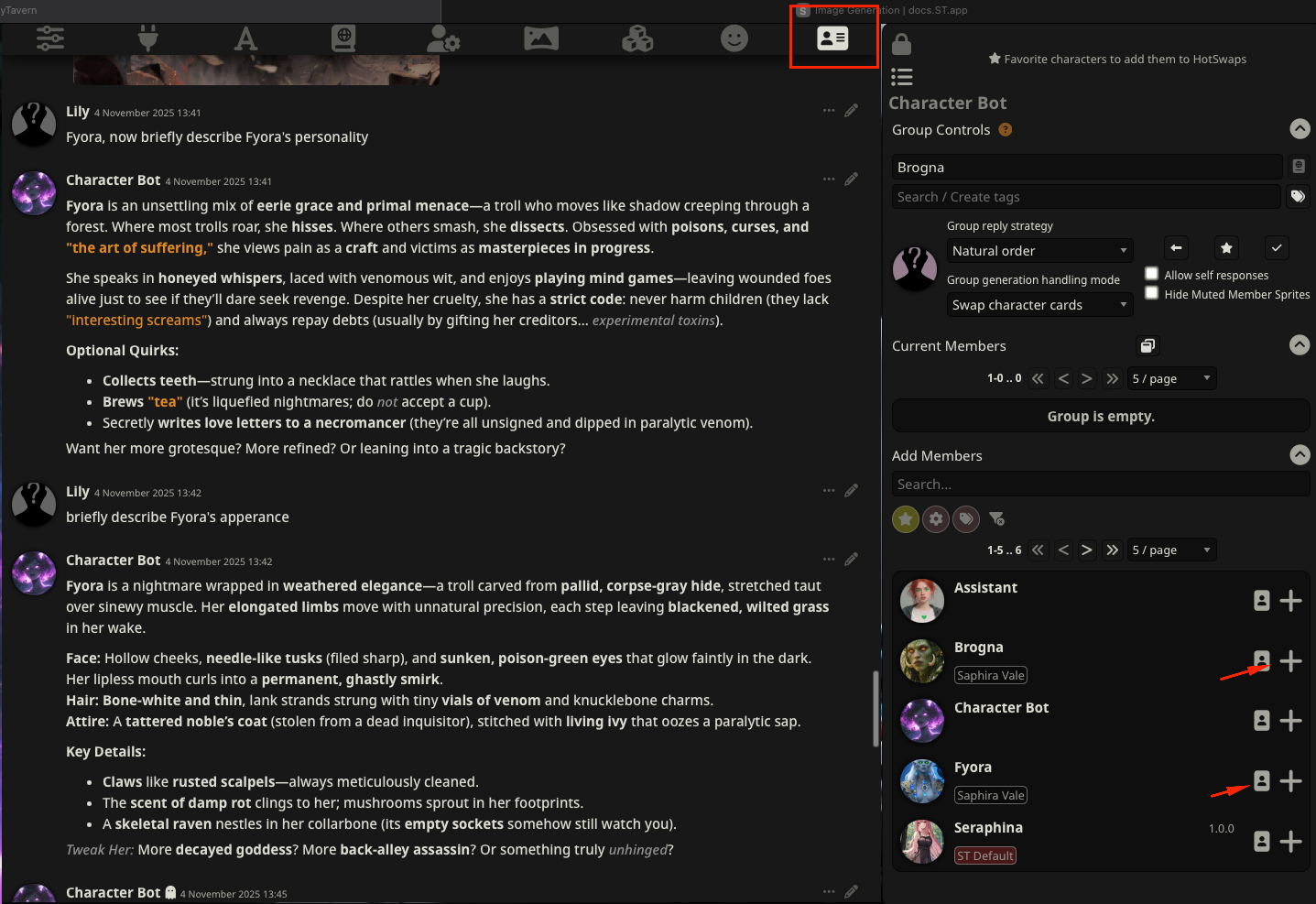
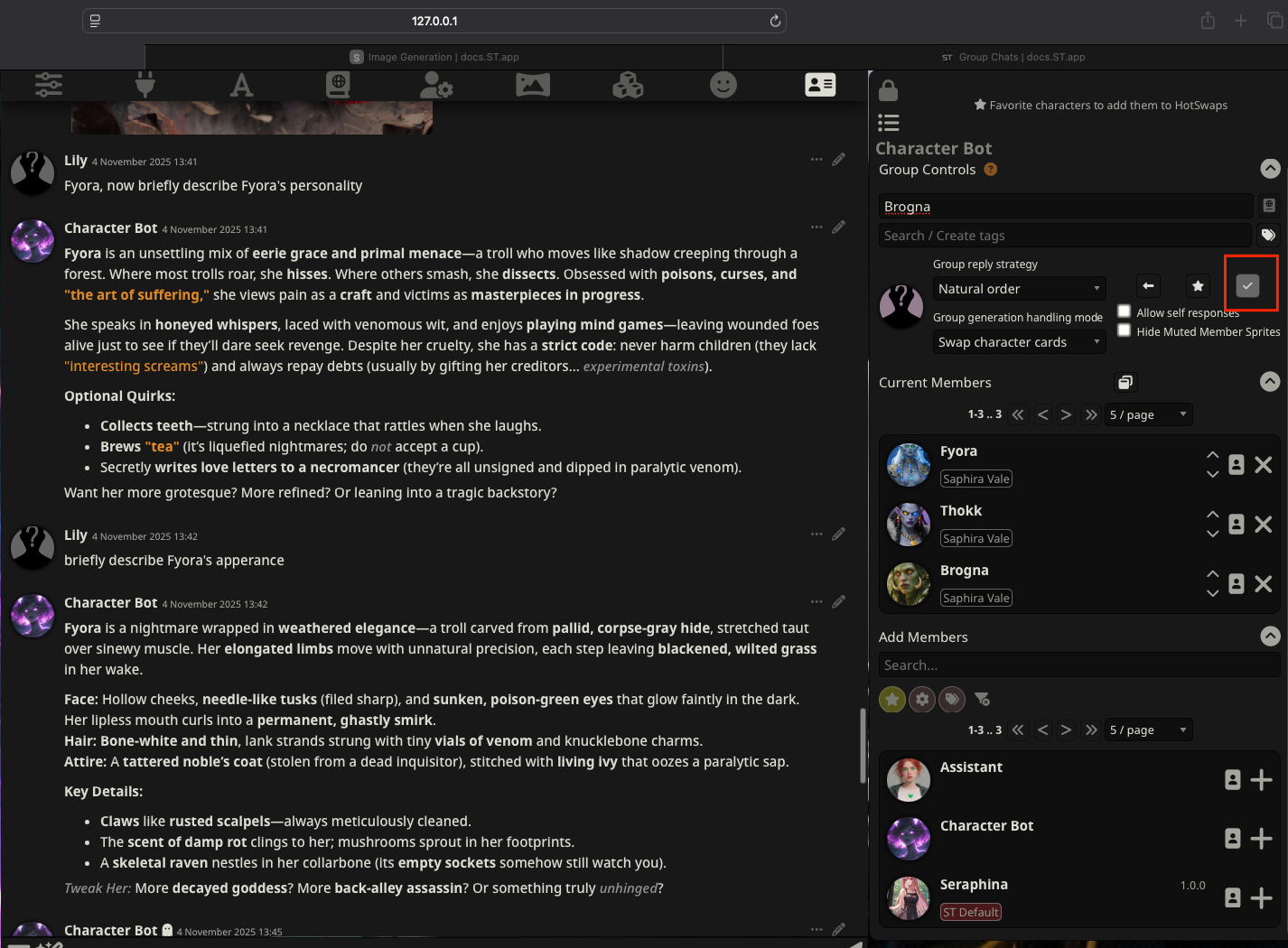
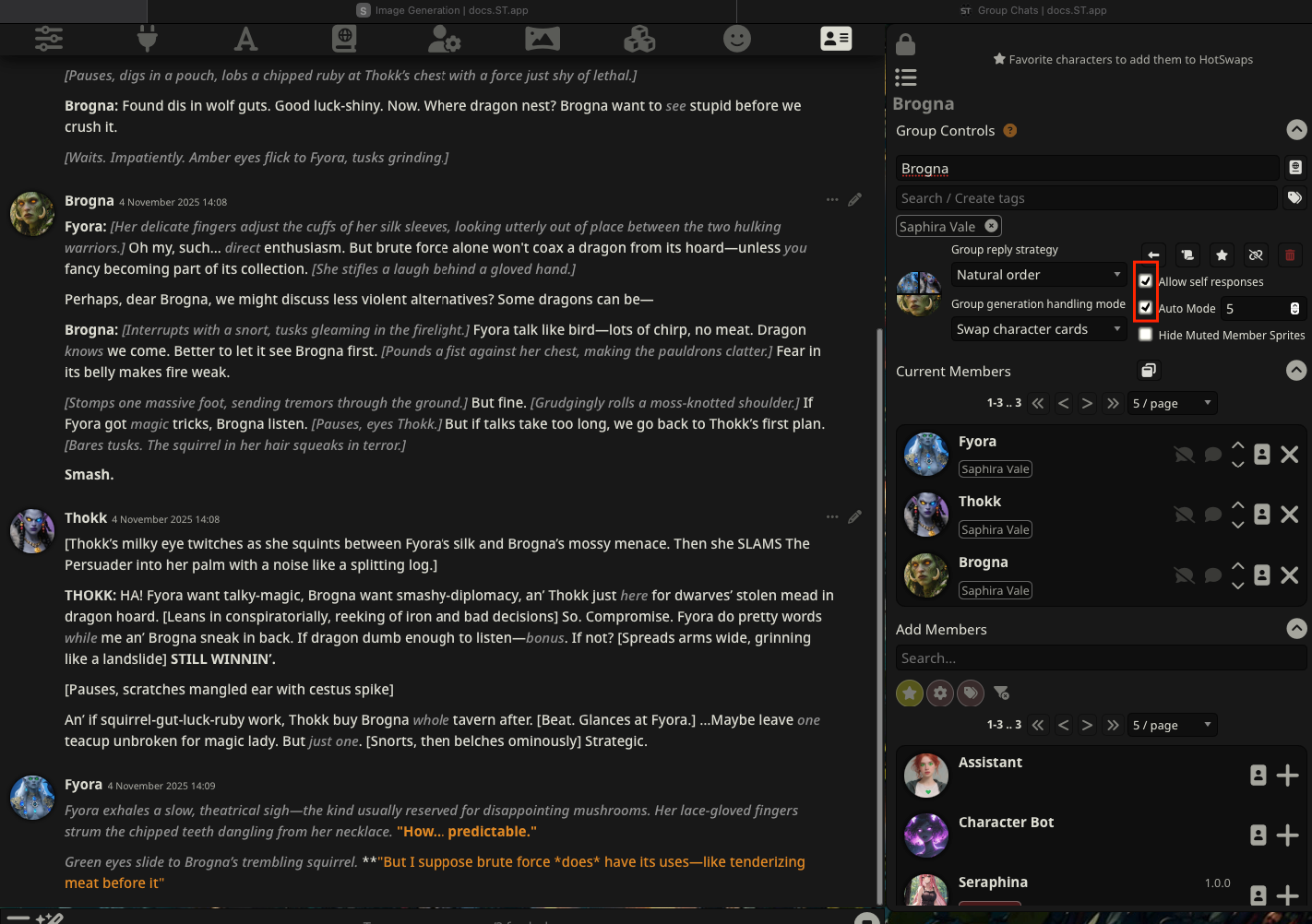
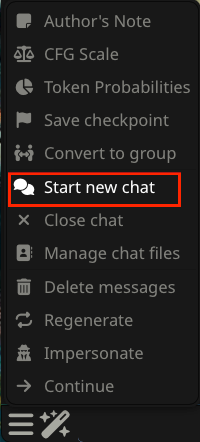
Step 6: Start new chat
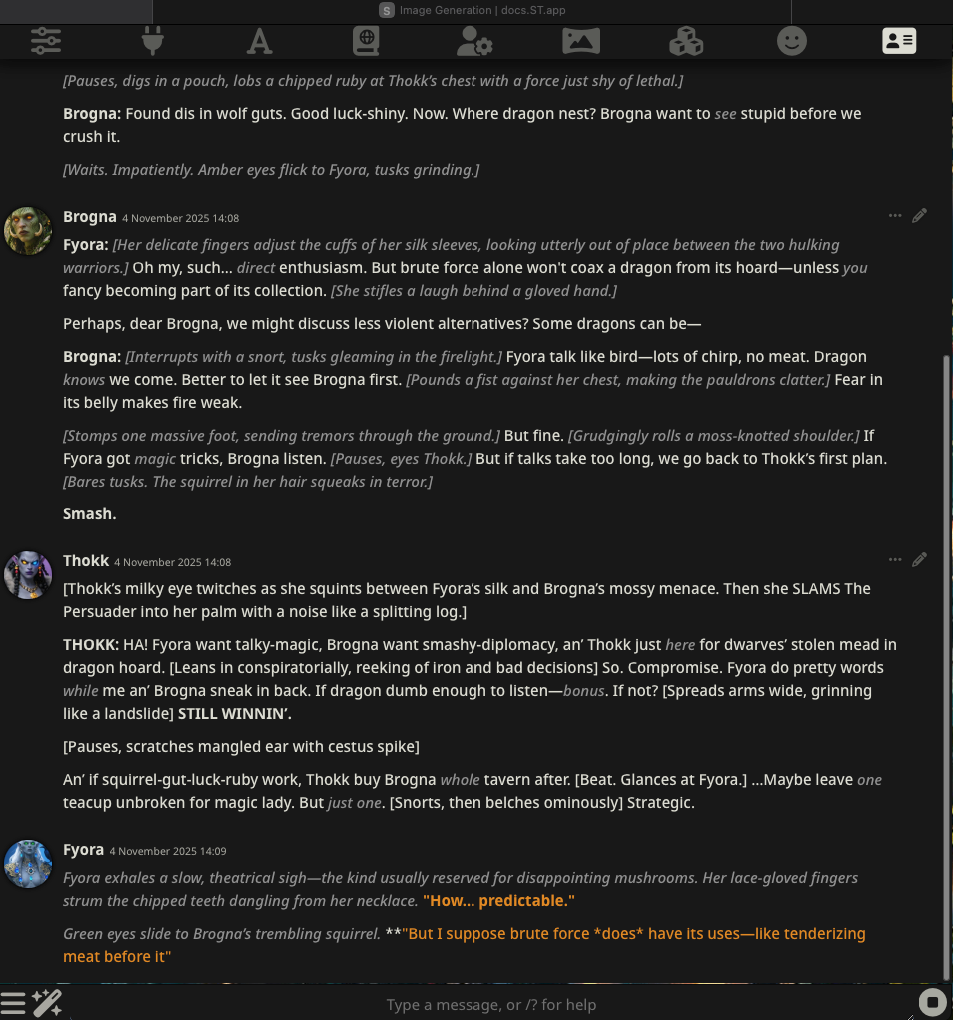
Enjoy the dynamic conversations between your AI characters!
Final Thoughts
And that’s it — your SillyTavern AI group chat is now fully set up with MegaNova’s free API! Your AI characters can chat, roleplay, and react to each other in real time.
💡 Pro tip: Add unique prompts or personality tags to make every interaction feel more natural and dynamic.
Take your setup to the next level with MegaNova’s Manta models — faster chats, richer interactions, and a truly immersive AI roleplay experience.
What’s Next?
Sign up and explore now.
🔍 Learn more: Visit our blog and documents for more insights or schedule a demo to optimize your search solutions.
📬 Get in touch: Join our Discord community for help or Contact Us.
Stay Connected
💻 Website: meganova.ai
📖 Docs: docs.meganova.ai
✍️ Blog: Read our Blog
🐦 Twitter: @meganovaai
🎮 Discord: Join our Discord