How User Personas Change the Way AI Characters See You
Roleplay relies on immersion. You spend hours designing the perfect AI character—from their appearance to their backstory. But there is often one missing piece: You.
With MegaNova Chat powerful new feature - My Personas, you can now craft unique identities for yourself.
Here is how it works and how to use My Personas to deepen your stories.
What Is Persona?
Think of it as your own character sheet.
Instead of just being a blank slate, you can now define exactly who you are in the story. You can set your tone, define your traits, and decide how you show up in the chat.
This feature gives you the flexibility to shape your AI interactions in a way that is unique to you.
Persona Compontents
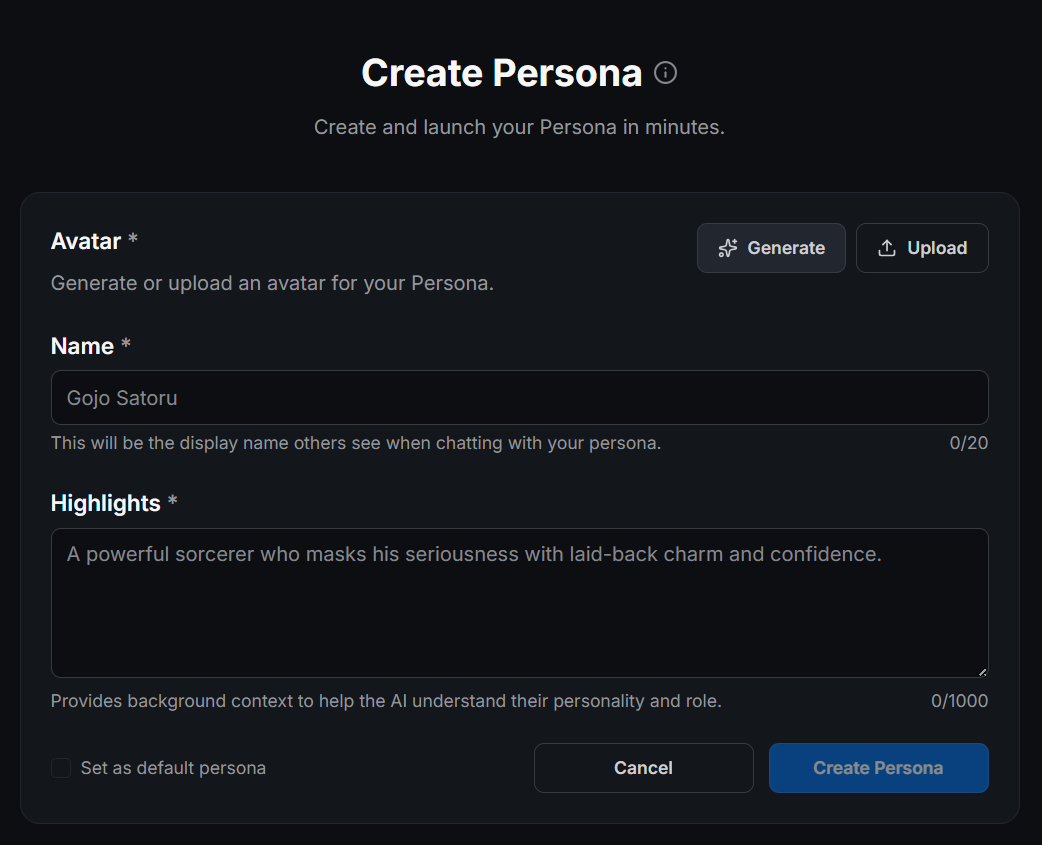
- Name: A unique name for your Persona
- Avatar: Visual representation of your Persona
- Highlights: Brief description of your style, mood, appearance, or role (1-2 sentences recommended)
For example, do you want to be a powerful sorceress in one chat? You can create a persona for that. Do you want to be a shy transfer student in another chat? You can create a separate persona for that, too.
You don't need to juggle different accounts. You can organize different chat styles and experiment with various identities all from one place.
The Magic of the "Highlights" Field
The most important part of your new persona is the Highlights section.
This is a text box where you provide background context to help the AI understand your personality and role. This isn't just a bio for other humans to read. The AI actually reads this to understand who it is talking to.
You can include details such as your style, mood, appearance, or role.
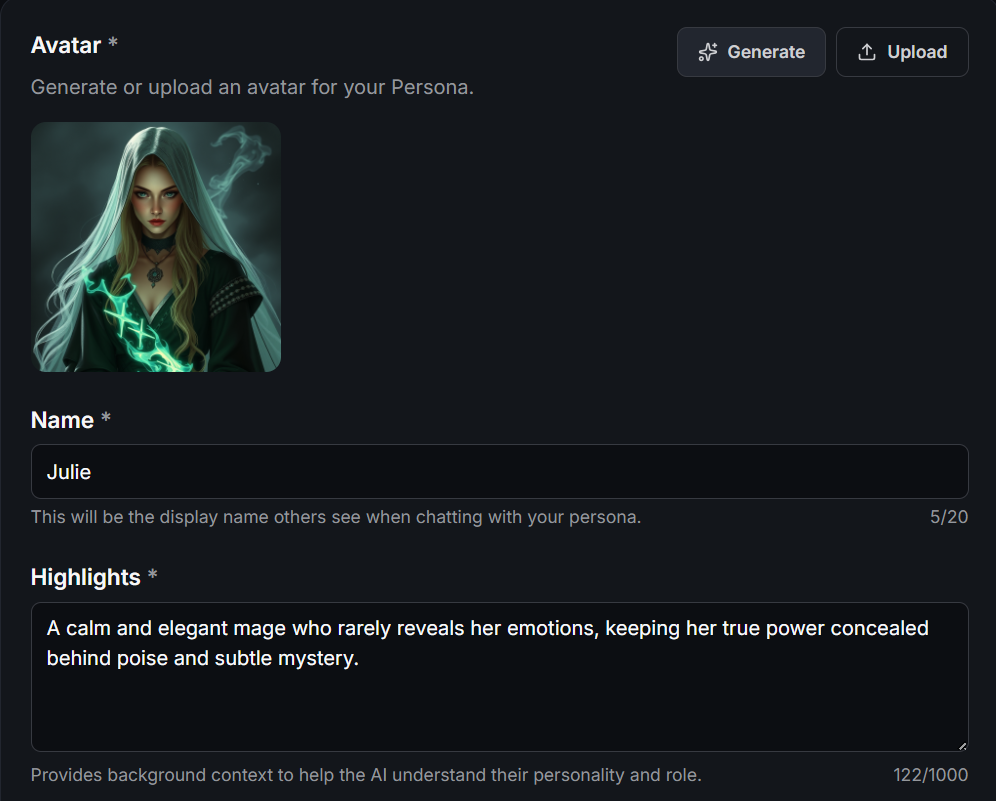
For example, look at the persona "Julie" from our documentation. Her highlights read:
"A calm and elegant mage who rarely reveals her emotions, keeping her true power concealed behind poise and subtle mystery.".
When the AI sees this, it won't treat Julie like a normal human. It might treat her with suspicion, respect, or curiosity about her hidden magic.
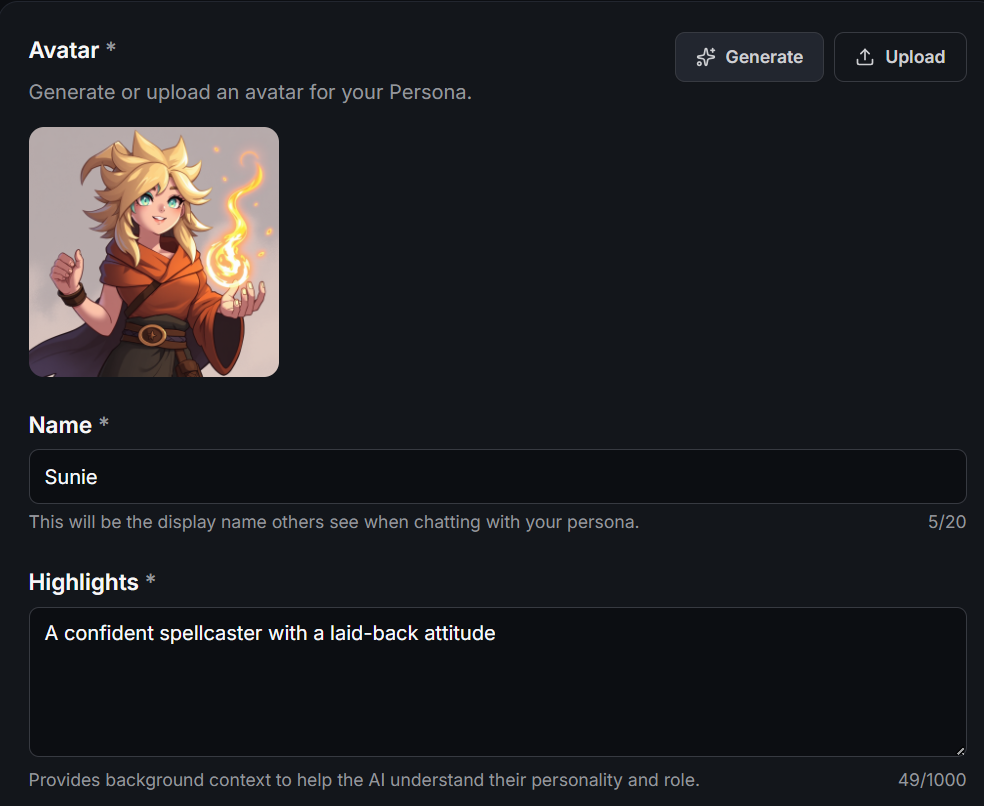
If you change your persona to "Sunie," who is described as "A confident spellcaster with a laid-back attitude," the conversation will feel completely different. The AI might joke around with Sunie, whereas it would be serious with Julie.
We recommend keeping your highlights between 1 and 2 sentences. This ensures the character will accurately refer to you without getting confused by too much information.
Step-by-Step: How to Create Your First Persona
Getting started is incredibly easy. You can create and launch your persona in minutes.
Here is the simple process to build your new identity:
1. Go to the My Personas Menu
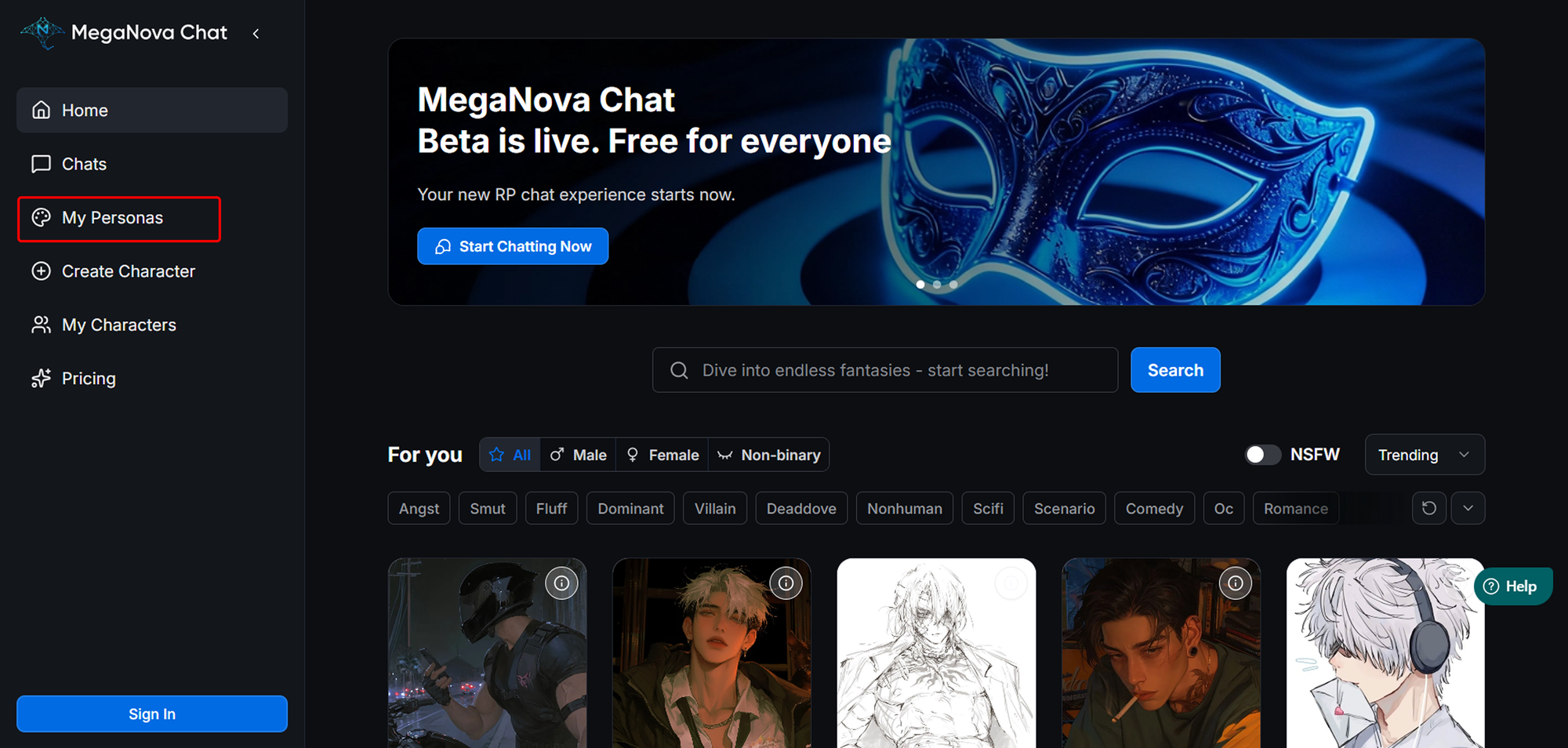
Navigate to the My Personas tab on the left sidebar of MegaNova Chat.
2. Start a New Profile
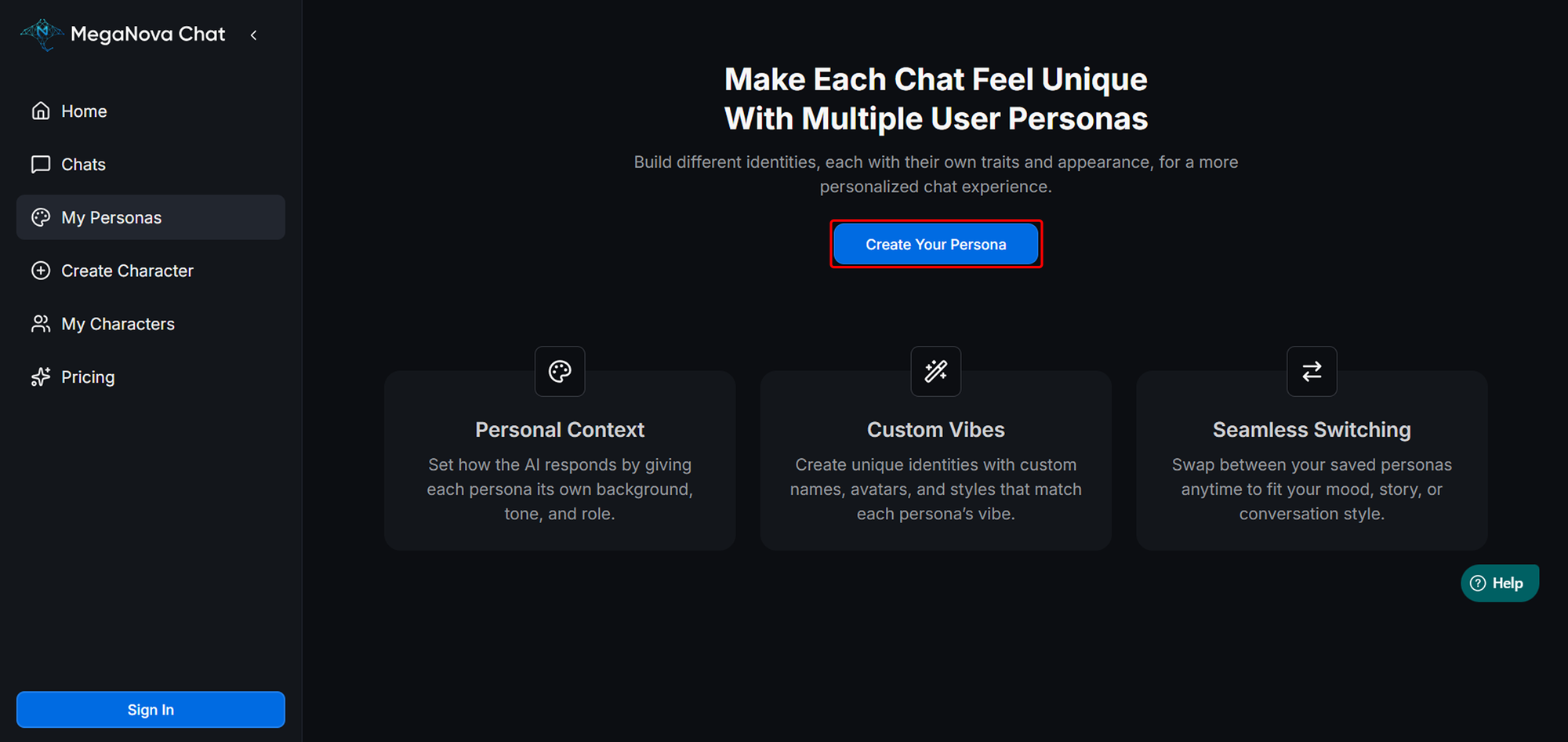
Click on the blue button that says "Create Persona".
But remember to Sign In or Create an free Account first before you start creating.
3. Upload an Avatar
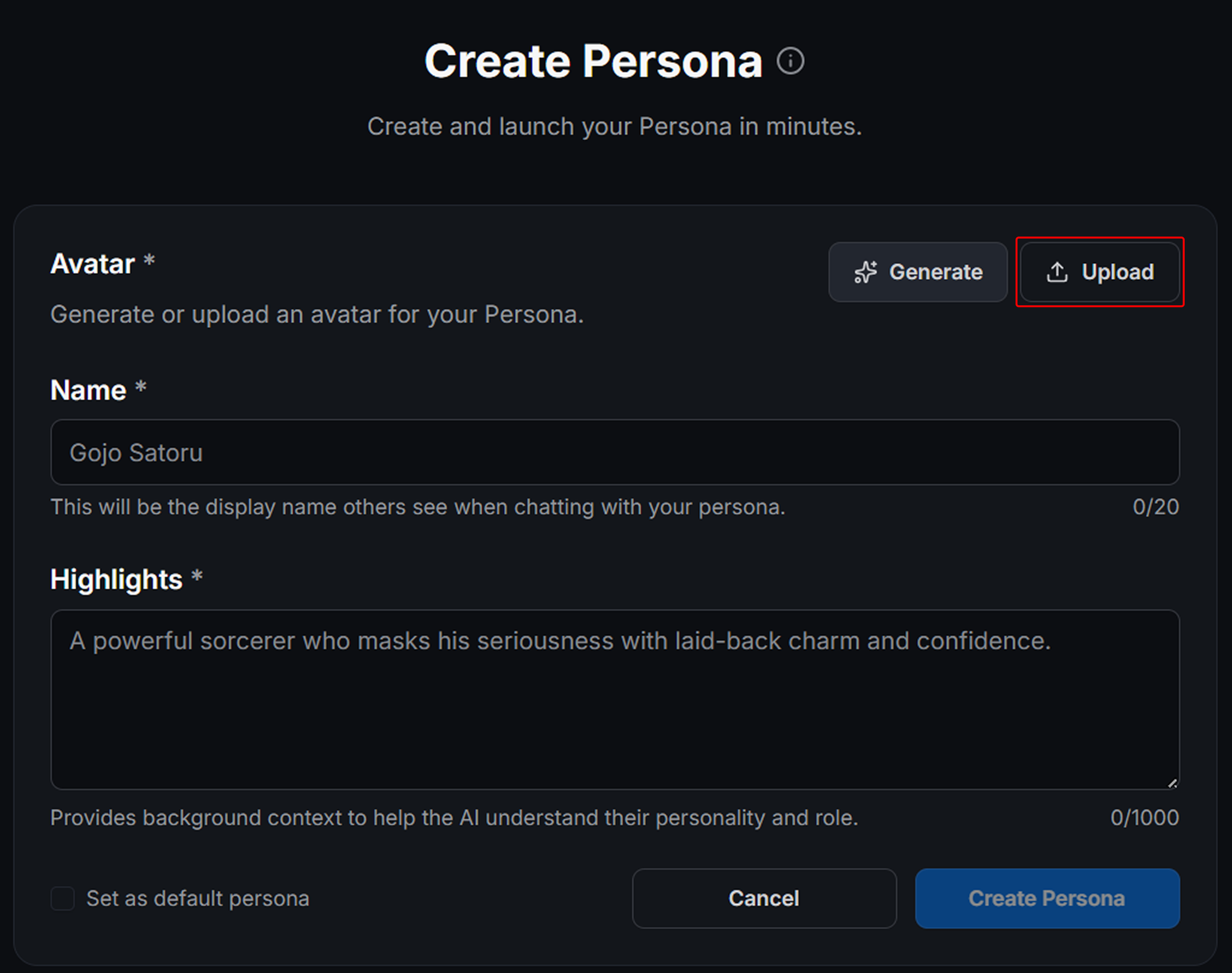
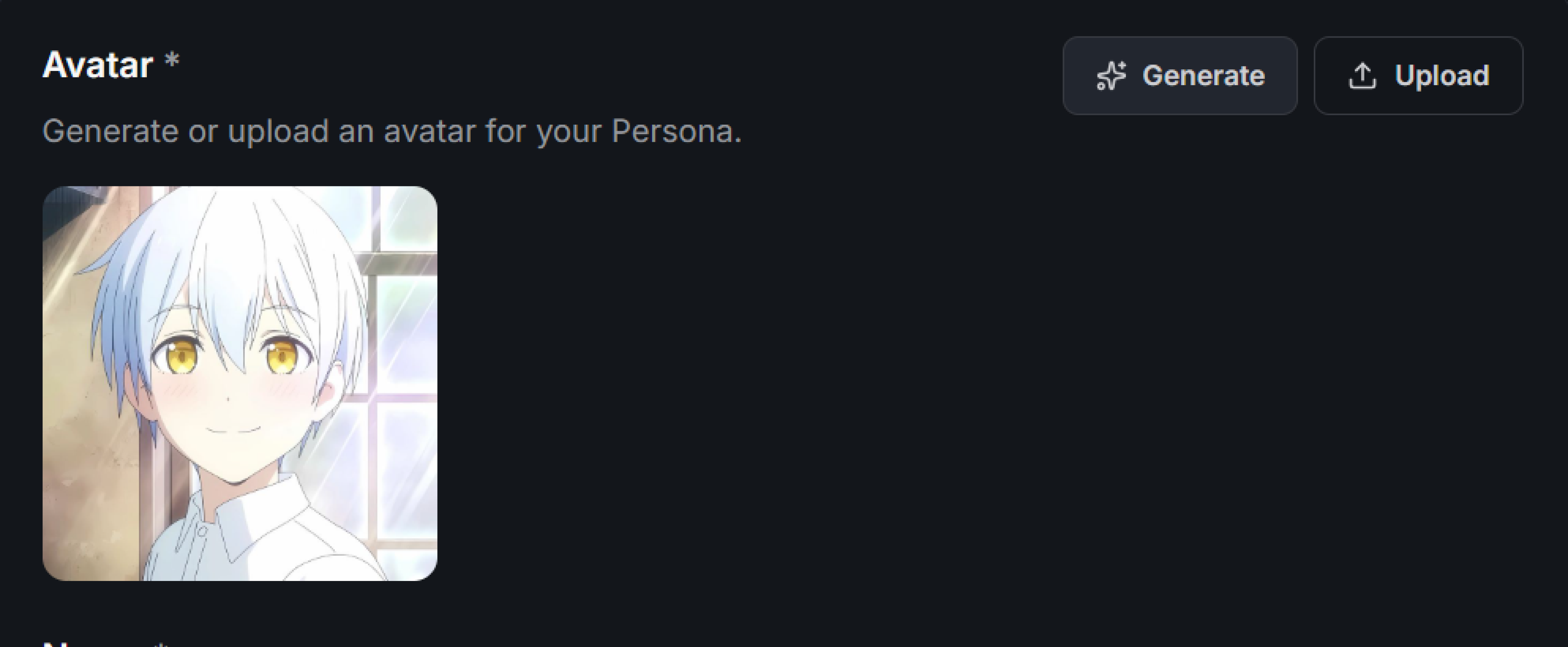
Just like your AI characters, your persona needs a face. You can generate a new image or upload one from your device. This visual representation helps ground the roleplay.
4. Fill out the field
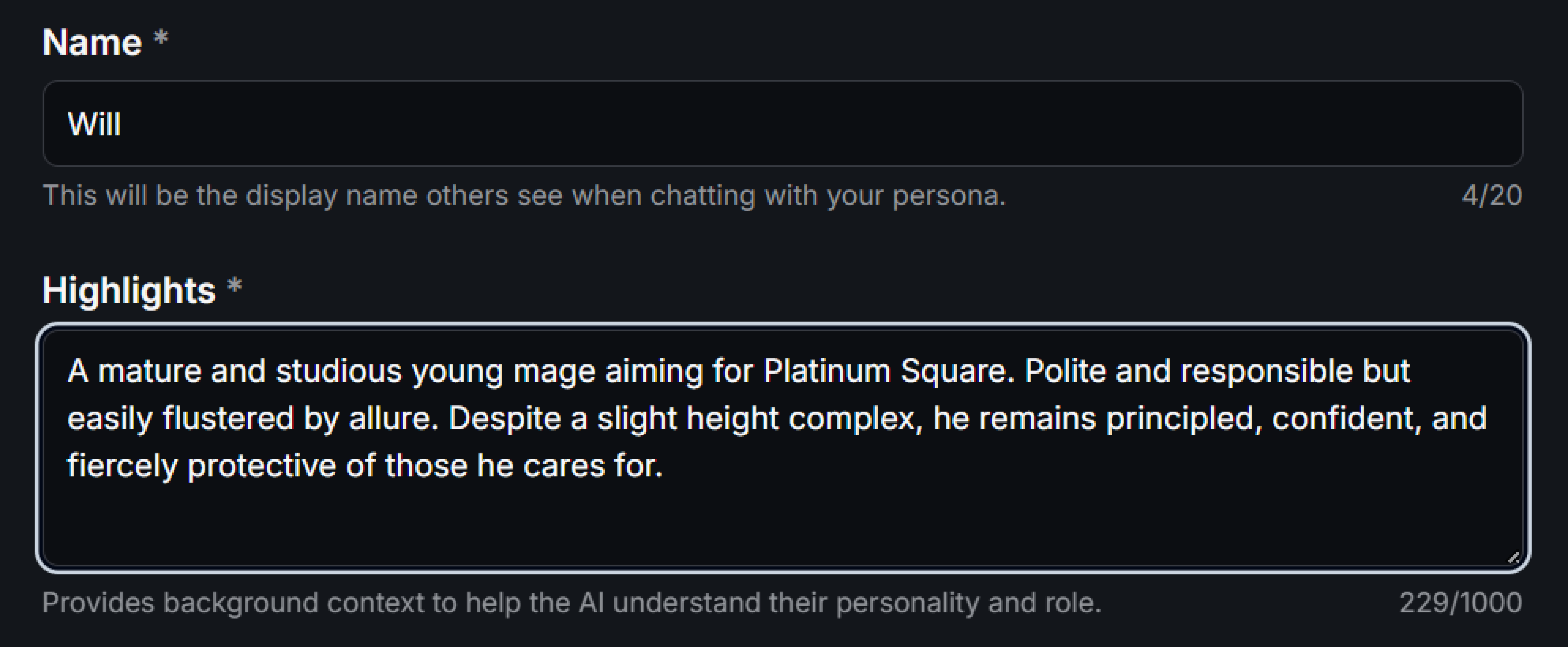
- Name: Enter the name you want to use. This will be the display name the character sees when chatting with you.
- Highlights: Fill in the brief description of who you are. Remember to keep it short and punchy.
6. Save It

Click Create Persona at the bottom of the form.
That’s it! You now have a custom identity ready for roleplay.
Managing Multiple Identities
One of the best things about this feature is that you aren't stuck with just one identity.
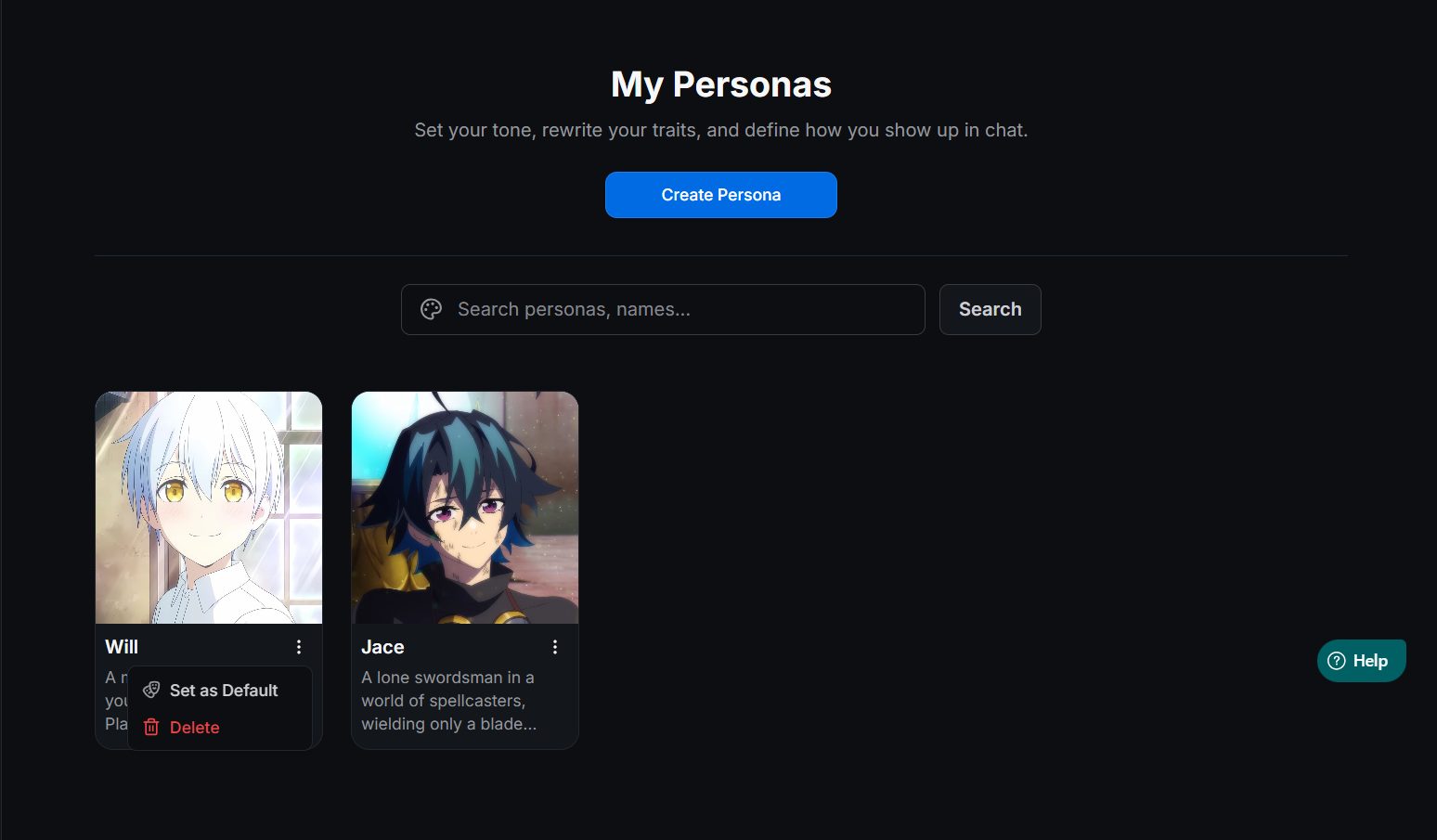
You can add, delete, and modify your personas at any time from the "My Personas" page.
How Switching Works
MegaNova Chat is smart about remembering who you are.
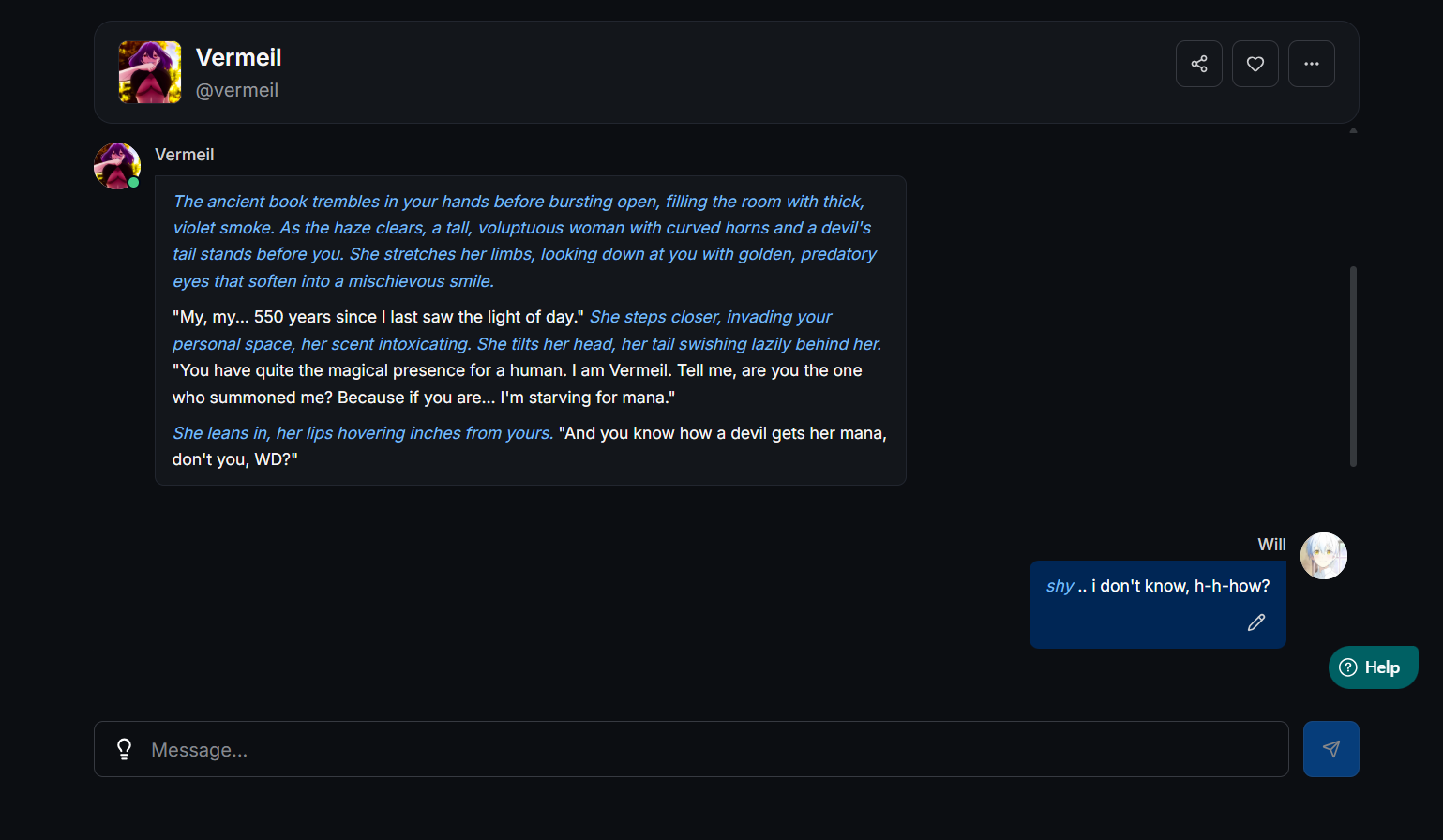
When you start a new conversation with a character you have chatted with before, the system will default to the Persona you used previously.
Your selected Persona will also be displayed in your list of previous conversations. This makes it easy to jump back into a story without forgetting which "version" of yourself you were playing.
How Many Personas Can I Create?
We want everyone to experience this feature, so we have included it in all plans.
The number of Personas you can create depends on your subscription tier:
- Free Users: You can create up to 10 User Personas. This is plenty for most casual users.
- Spark Tier: You get up to 50 Personas.
- Nova Tier: You get up to 100 Personas.
- SuperNova Tier: You get Unlimited Personas.
If you ever decide to downgrade your subscription, don't worry. You will just need to remove enough personas to fit your new limit before you can create new ones.
Start Your New Story Today
My Personas add a layer of depth that was missing from AI roleplay.
They allow you to be inconsistent. You can be brave in one chat and cowardly in another. You can be a villain today and a hero tomorrow.
By defining exactly how you show up in chat, you force the AI to be more creative. The characters will react to you, not just your text.
So, head over to MegaNova Chat, click on the My Personas tab and create your first identity.
Who do you want to be today?
What’s Next?
Sign up and explore now.
🔍 Learn more: Visit our blog and documents for more insights or schedule a demo to optimize your roleplay experience.
📬 Get in touch: Join our Discord community for help or Contact Us.
Stay Connected
💻 Website: meganova.ai
🎮 Discord: Join our Discord
👽 Reddit: r/MegaNovaAI
🐦 Twitter: @meganovaai