How to Use Outfit Tags to Create Consistent Character Visuals Across Sessions

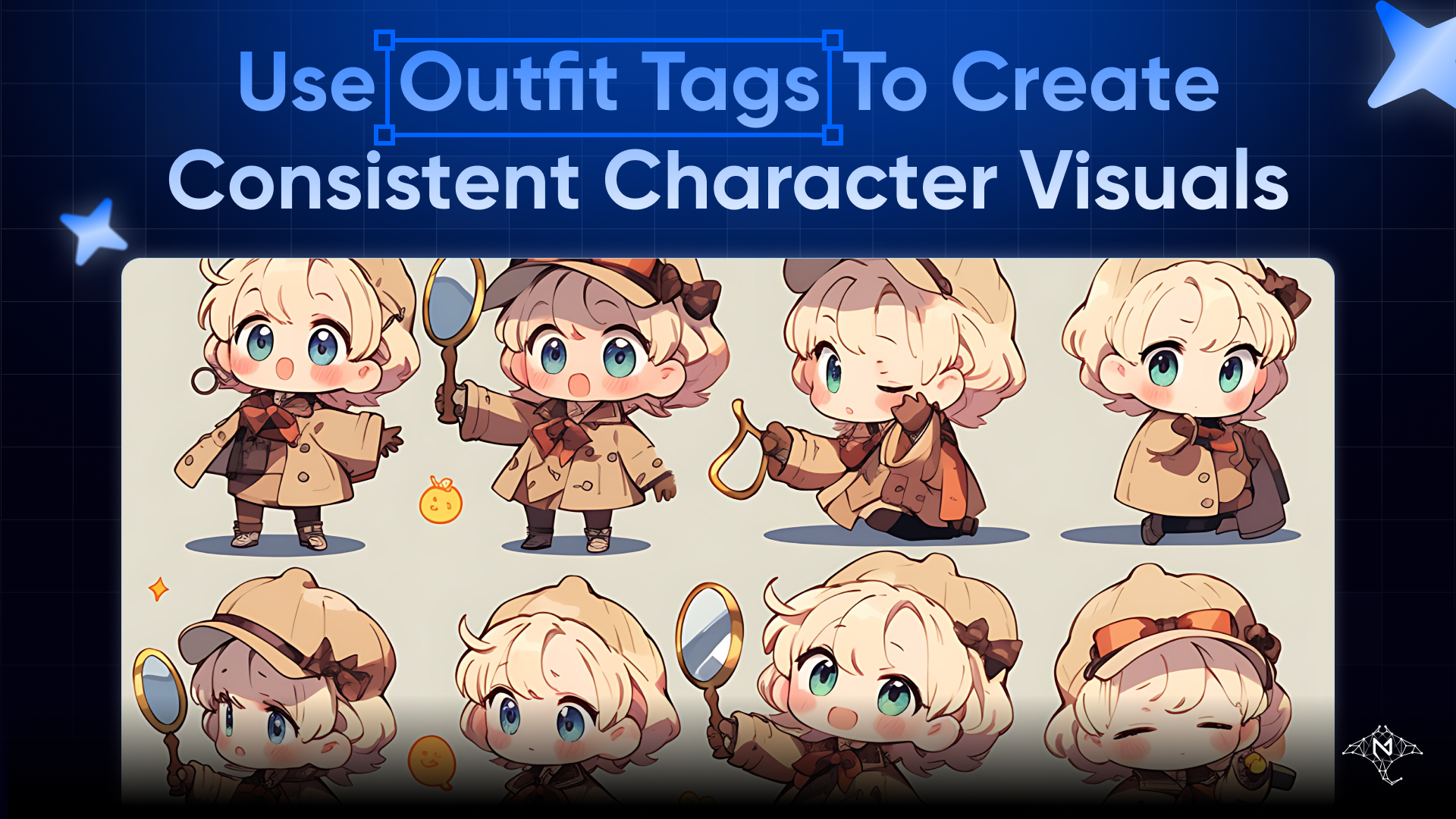
A character's visual identity is built from repetition. When users see the same outfit, palette, and style across multiple images of the same character, they recognize the character as a consistent entity — not a new character in a similar setting.
In MegaNova Studio's image generator, the Outfit tag is the single strongest lever for visual consistency. Painting style and appearance text contribute, but outfit shapes the largest portion of the visual frame — colors, silhouette, texture, and implied context. If the outfit changes between images, the character looks like a different character.
This article covers what each outfit tag produces, how to categorize them by character type, and how to maintain consistency across multiple generation sessions.
How Outfit Tags Enter the Prompt
The outfit tag and pose tag are combined into a single phrase in the generation prompt:
pose and outfit: [Pose Tag], [Outfit Tag]
This phrase sits between the style/gender declaration and the appearance text block. For a male character in Realistic style with "Standing Confidently" and "Business Suit":
photorealistic portrait, high detail. male. pose and outfit: Standing Confidently, Business Suit. character portrait, centered subject, 9:16
The outfit tag is not just a label — the image model interprets it as a visual category with associated colors, materials, silhouette, and styling conventions. "Gothic Lolita" produces a specific visual vocabulary (dark fabrics, lace, ruffles, structured proportions) that the model applies consistently. "Cyberpunk" implies neon accents, synthetic materials, and layered technical gear. The tag is doing substantial compositional work.
Female Outfit Tags — Categories and Character Types
Professional / workplace:
| Tag | Visual Identity |
|---|---|
| Office Lady Outfit | Blazer, fitted skirt or trousers, professional palette |
| Flight Attendant Uniform | Structured jacket, pencil skirt, formal accessories |
| Medical Uniform | Scrubs or white coat, clinical context |
| Nurse Uniform | Classic white dress with cap or scrubs variant |
Use these for business characters, workplace companions, or characters in institutional roles. The shared characteristic is structured, role-coded clothing that signals professional function.
School / youth:
| Tag | Visual Identity |
|---|---|
| JK Uniform | Japanese high school uniform — blazer or sailor-collar variant |
| Sailor Suit | Sailor-collar dress or blouse, youth context |
| Cheerleader Uniform | Short skirt, team colors, energetic context |
These produce a youthful, school-adjacent visual. JK Uniform and Sailor Suit both reference Japanese school aesthetics; Sailor Suit is slightly more formal.
Fantasy / role / genre:
| Tag | Visual Identity |
|---|---|
| Knight Uniform | Armor elements, structured, medieval context |
| Magician Robe | Long flowing robe, mystical palette, accessories |
| Interstellar Battle Suit | Sci-fi armor or fitted tech suit, futuristic context |
| Cowboy Western Style | Denim, leather, Western accessories |
| Gothic Lolita | Dark fabrics, lace, ruffles, structured Victorian-gothic silhouette |
| Cyberpunk | Technical layers, neon accents, synthetic materials |
These produce the strongest visual distinctiveness. A character in Gothic Lolita looks unmistakably Gothic Lolita. Use these when the character's identity is tied to a genre or archetype — the outfit communicates the world the character inhabits.
Lifestyle / casual:
| Tag | Visual Identity |
|---|---|
| Boyfriend Shirt | Oversized button-up shirt, relaxed domestic context |
| Y2K Style | Early-2000s aesthetics, low-rise, metallic or colorful palette |
| Lace Attire | Delicate lace fabric, romantic or intimate register |
| Gorgeous Evening Dress | Formal floor-length gown, elegant occasion |
| Idol Performance Costume | Stage outfit, colorful, performance-ready |
| Maid Costume | Classic maid uniform, distinctive black-and-white |
Cultural:
| Tag | Visual Identity |
|---|---|
| Japanese Kimono | Traditional Japanese formal dress, specific silhouette and fabric pattern |
| British Trench Coat | Classic long coat, structured, often neutral tones |
Male Outfit Tags — Categories and Character Types
Formal / professional:
| Tag | Visual Identity |
|---|---|
| Business Suit | Classic two-piece suit, tie, formal professional |
| Tuxedo | Formal black-tie, white shirt, bow tie or similar |
| Victorian Gentleman | Waistcoat, frock coat, period-accurate formal elements |
| Lab Coat | White coat over clothing, scientific context |
| Pilot Uniform | Flight suit or formal aviation uniform |
| Chef Uniform | White double-breasted jacket, chef's context |
Casual:
| Tag | Visual Identity |
|---|---|
| Casual Streetwear | Relaxed contemporary — joggers, graphic tees, sneakers |
| Hoodie and Jeans | Understated everyday casual |
| Casual Home Clothes | Loose, comfortable, informal domestic context |
| School Uniform | Blazer-and-tie or sport uniform, youth setting |
| Sportswear | Athletic gear, active context |
Fantasy / role / genre:
| Tag | Visual Identity |
|---|---|
| Knight Armor | Full armor or partial plate, medieval combat context |
| Samurai Outfit | Traditional Japanese warrior dress, hakama and kimono layers |
| Military Uniform | Modern or historical military — structured, insignia context |
| Assassin Cloak | Dark, hooded, layered clothing, concealment aesthetic |
| Royal Prince Attire | Formal regalia, crown or medallion, elevated status |
| Cyberpunk Outfit | Technical layers, synthetic materials, neon context |
| Leather Jacket | Modern casual-edge — jacket over clothing, urban context |
Cultural:
| Tag | Visual Identity |
|---|---|
| Traditional Hanbok | Korean formal dress, distinctive silhouette and fabric |
| Japanese Yukata | Casual cotton kimono, summer/informal context |
| Cowboy Western Style | Denim, leather, hat, Western setting |
Building a Consistent Visual Identity
The key insight for session-to-session consistency: the same outfit tag + same painting style + same appearance text produces recognizably the same character across different pose selections.
This is because the outfit, style, and appearance text are the fixed elements. The pose changes the composition. The seed randomness adds variation in facial expression, exact fabric detail, and background. But the visual category remains stable.
Standard practice for a consistent character series:
- Choose one outfit tag and treat it as canonical for that character
- Choose one painting style and don't change it
- Keep the appearance text constant between sessions — save it somewhere you can paste back
- Change only the pose when generating new images for variety
A character that always appears in "Office Lady Outfit," Realistic style, with "dark brown hair, sharp eyes, minimal makeup" in the appearance field will produce a recognizable series of images regardless of whether the pose is "Arms Crossed," "Half-Body Close-up," or "Thinking Pose."
When to Use Multiple Outfit Tags (and When Not To)
There are legitimate reasons to generate images with different outfits for the same character:
Scene or context variation: A character might have a "work" outfit and a "casual" outfit. "Business Suit" for professional interactions, "Casual Streetwear" for informal scenes. This works when you're building a character with a documented set of canonical looks.
Avatar options: Generate multiple images across different outfits, then pick the one that best fits the character's personality for the primary avatar.
Testing visual fit: Before committing to an outfit as canonical, generate 4 images across a few different options to see which reads best at the character's typical face size and framing.
What to avoid: using different outfit tags randomly across generation sessions without intent. If you use "Gothic Lolita" in one session and "Idol Performance Costume" in the next, you have two characters that happen to share a face — not one coherent visual identity.
Outfit Tags and Painting Style Interactions
Some outfits read differently across painting styles:
Anime style softens and stylizes everything. Gothic Lolita in Anime gets exaggerated lace detail and expressive eyes. Gothic Lolita in Realistic gets muted, textured fabric and more subdued execution. Neither is wrong — they're different character registers.
Chibi style compresses proportions significantly. Outfits with complex silhouettes (Magician Robe, Interstellar Battle Suit, Knight Armor) can become difficult to read in Chibi because the body area is small. Simple outfits (Sailor Suit, School Uniform, Hoodie and Jeans) read more clearly at chibi proportions.
Realistic style amplifies material differences. "Lace Attire" in Realistic shows actual fabric texture; in Anime it's a stylized pattern. If material authenticity matters for the character's visual identity, Realistic will deliver it more precisely.
Outfit Tags in the Appearance Text Field
Outfit tags set the category. Appearance text can add specifics the tag won't control:
- Color: "Navy blue Business Suit" or "deep red Evening Dress" — the tag picks the outfit type, appearance text specifies the color
- Condition or wear: "slightly worn Knight Armor with battle damage"
- Accessories: "with a pocket watch" or "carrying a briefcase" added to Business Suit
- Layering: "Victorian Gentleman wearing a top hat" — the hat isn't in the tag, but the appearance text will incorporate it
Combining outfit tag + appearance text customization is how you get from "a character in a Gothic Lolita dress" (tag alone) to "a character in a white Gothic Lolita dress with gold trim and a parasol" (tag + appearance text). The tag provides the base; the appearance text makes it specific to the character.
Saving Your Configuration for Reuse
The image generator doesn't have a "save configuration" feature — each session starts fresh. To reproduce exact settings across sessions:
- Note the painting style, gender, pose tag, and outfit tag
- Save the appearance text in the character's blueprint or a separate document
- The appearance text from Quick Create is pre-filled into the field if it's available — keep the character's appearance description in the blueprint detailed enough to serve as generation input
When generating additional images for an existing character, pull the appearance text from whatever source you used originally rather than retyping it. Even small variations in wording can shift the model's output. The outfit tag stays constant; the appearance text should too.
Open the image generator and establish your character's visual identity →
Stay Connected
💻 Website: Meganova Studio
🎮 Discord: Join our Discord
👽 Reddit: r/MegaNovaAI
🐦 Twitter: @meganovaai