How to Use MegaNova Image Generation in SillyTavern (Step-by-Step Guide)
If you've successfully connected MegaNova AI to SillyTavern for chat but image generation keeps returning 404 Not Found, you're not alone.
The good news is that your MegaNova API is probably working correctly.
The issue is caused by how SillyTavern currently handles image generation.
Why Chat Works but Image Generation Doesn't
MegaNova exposes an OpenAI-compatible API, allowing applications to connect using the same interface as OpenAI.
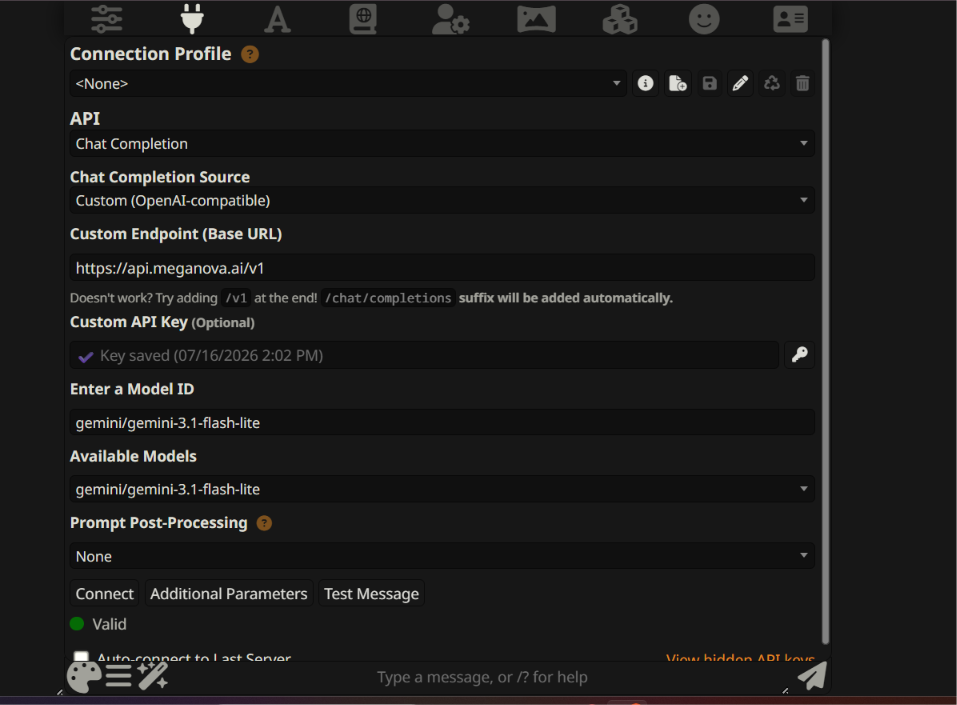
For chat completions, SillyTavern supports custom OpenAI-compatible endpoints. You can simply point it to:
https://api.meganova.ai/v1
and use your MegaNova API key and model ID.
However, image generation is different.
At the time of writing, SillyTavern's built-in image provider does not provide a generic OpenAI-compatible image endpoint. However, community-developed extensions such as sillytavern-image-gen add support for OpenAI-compatible reverse proxies.
Instead, the image providers are implemented as predefined integrations (such as OpenAI/DALL·E, ComfyUI, Stable Diffusion, FLUX, etc.). As a result, you cannot simply replace OpenAI's image endpoint with your own OpenAI-compatible endpoint.
This means that when you attempt to use MegaNova through the built-in OpenAI image provider, the request never reaches MegaNova.
Symptoms
You may experience one or more of these:
- ✅ Chat works perfectly
- ✅ Models appear correctly
- ❌ Image generation returns 404
- ❌ No image is produced
- ❌ MegaNova server logs show no incoming image request
If this sounds familiar, the issue is almost certainly on the SillyTavern integration side rather than your MegaNova account.
Is This a MegaNova Bug?
- No.
MegaNova exposes an OpenAI-compatible API for image generation.
The limitation is that SillyTavern's current image integration doesn't let users configure a custom OpenAI-compatible image endpoint in the same way it does for chat. Community discussions have highlighted the same limitation, with some users resorting to modifying SillyTavern's source code to add additional providers.
Current Options
Option 1 (Recommended): Use Chat with MegaNova
Chat, roleplay, tool calling, and reasoning models work normally through the OpenAI-compatible Chat Completion interface.
This is the officially supported configuration today.
Option 2: Use Another Supported Image Backend
SillyTavern officially supports several image providers, including:
- ComfyUI
- Stable Diffusion WebUI
- FLUX-compatible backends
- OpenAI (official)
- Other built-in image sources
If your workflow depends heavily on image generation today, using one of these supported providers is currently the most reliable option.
Option 3: Community Extensions (Verified)
Some community-developed extensions add support for custom OpenAI-compatible image endpoints.
One example is sillytavern-image-gen, which supports image generation through an OpenAI-compatible reverse proxy.
If you choose this route, be prepared to test:
- endpoint configuration
- authentication
- model IDs
- returned image format
- streaming behavior
We performed an end-to-end verification using the sillytavern-image-gen extension with MegaNova. Images were generated and rendered successfully inside SillyTavern. Future updates to either project may affect compatibility, so we recommend checking the latest documentation if you encounter issues.
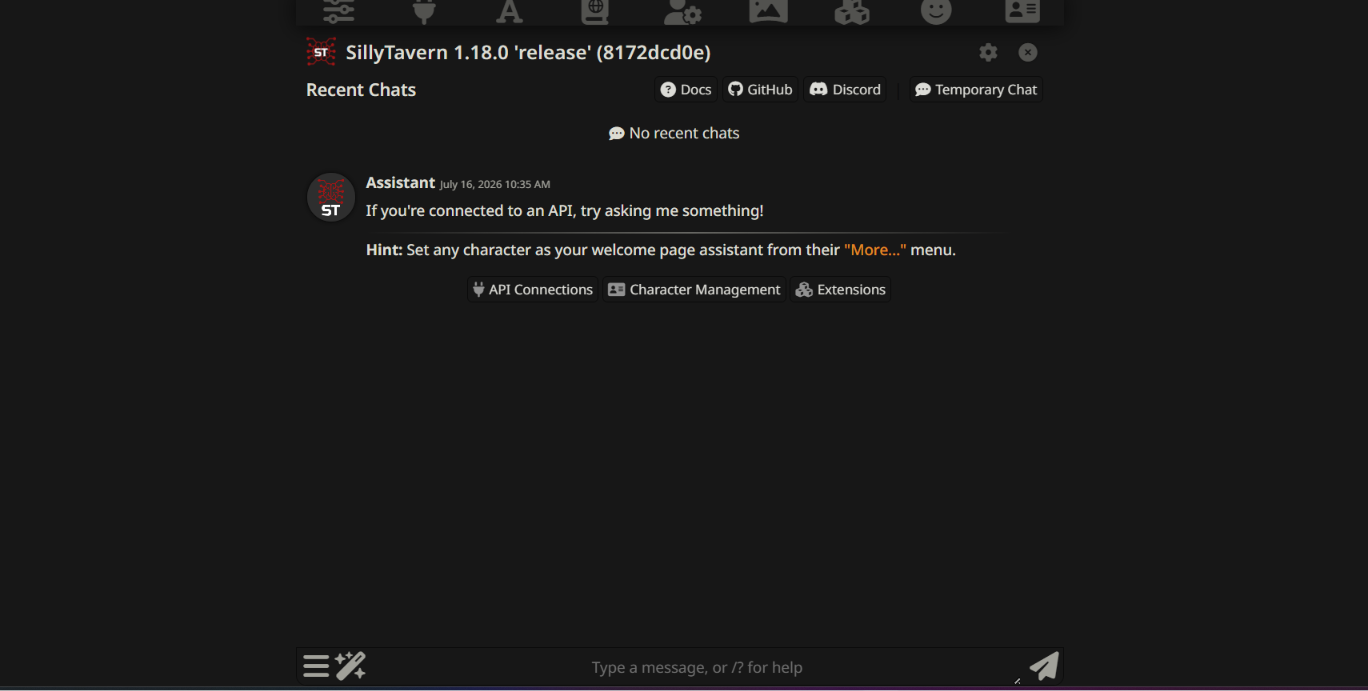
Step 1. Install SillyTavern (Skip if Already Installed)
The easiest way to install and manage SillyTavern is with SillyTavern Launcher.
- Install Git:
winget install -e --id Git.Git
- Create a folder (e.g. D:\SillyTavern).
Note: Avoid installing under C:\Windows or C:\Program Files to prevent permission issues.
- Open Command Prompt inside the folder and run:
git clone https://github.com/SillyTavern/SillyTavern-Launcher.git
cd SillyTavern-Launcher
start installer.bat
The launcher will automatically download SillyTavern, install dependencies, and start the local server.
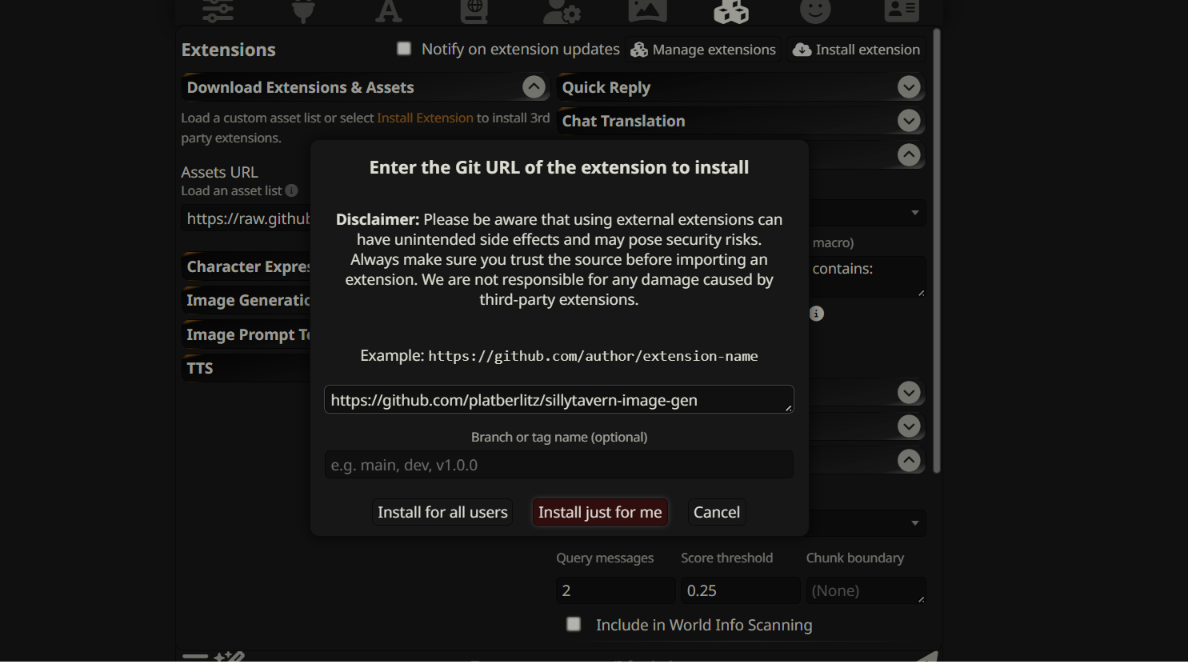
Step 2. Install the Image Generation Extension
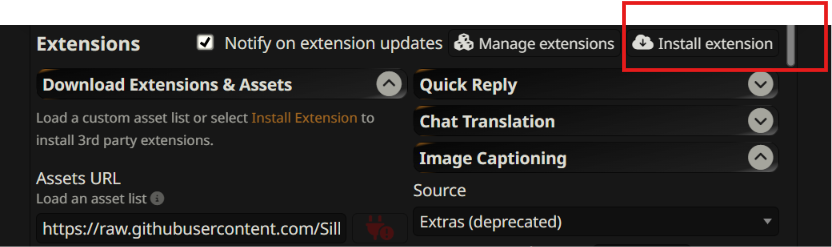
The built-in OpenAI Image provider in SillyTavern doesn't support custom OpenAI-compatible endpoints. Instead, install the sillytavern-image-gen extension.
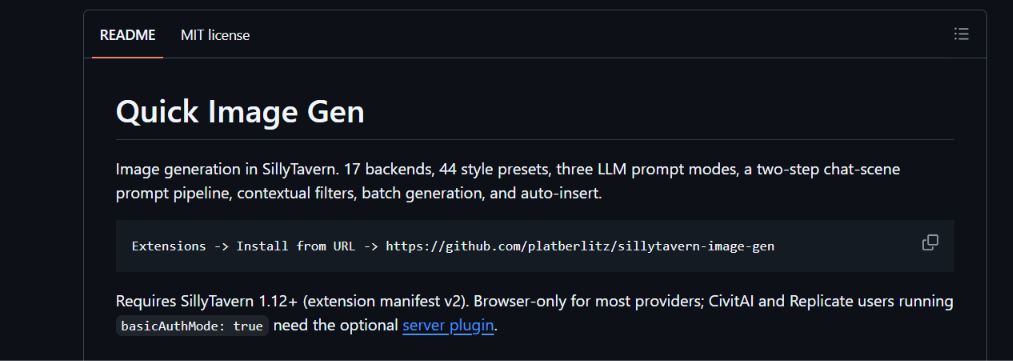
Repository:
https://github.com/platberlitz/sillytavern-image-gen
Install the extension following the README, then restart SillyTavern.
Open Extensions and confirm the extension is installed and active.
Step 3. Open Image Generation Settings
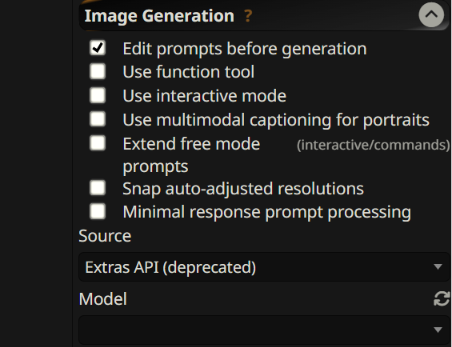
Click the Image Generation icon in the toolbar.
On first launch:
- Complete the Quick Setup, or click Skip.
- Open Setup & Advanced to access the full configuration panel.
Step 4. Configure MegaNova
Under Active Provider Settings, configure:
Step 5. Generate Your First Image
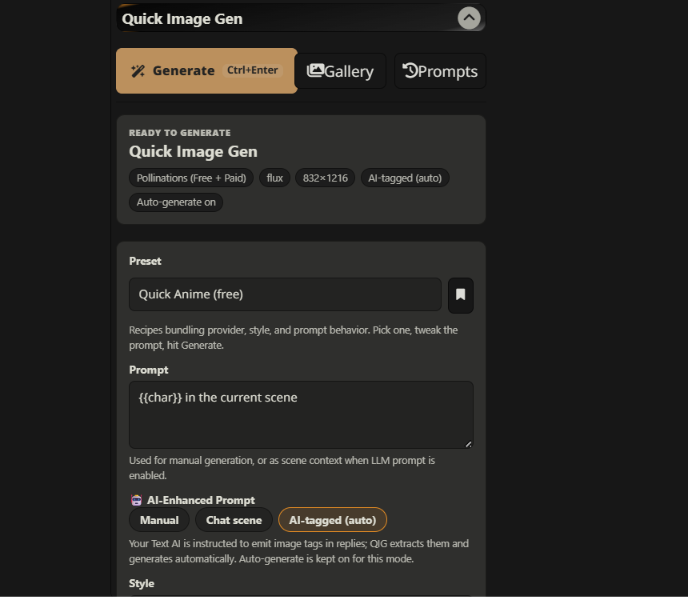
Enter a prompt such as:
"A cyberpunk cat in Tokyo at night, cinematic lighting"
or
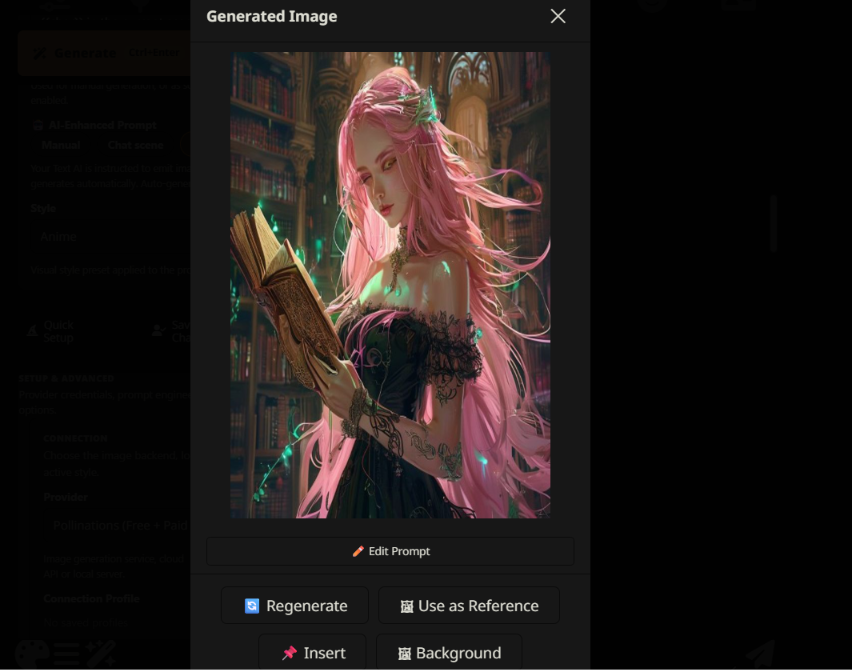
"A fantasy elf reading an ancient book in a magical library"
or just use the auto setting
Click Generate.
Step 6. Verify the Request (Recommended)
To confirm the extension is using MegaNova:
- Press F12
- Open the Network tab
- Generate an image
- Verify the request is sent to:
https://api.meganova.ai/v1
If applicable, confirm the request targets the expected image generation endpoint.
Step 7. Verify the Result
If everything is configured correctly and your account has sufficient credits, the generated image will appear inside SillyTavern.
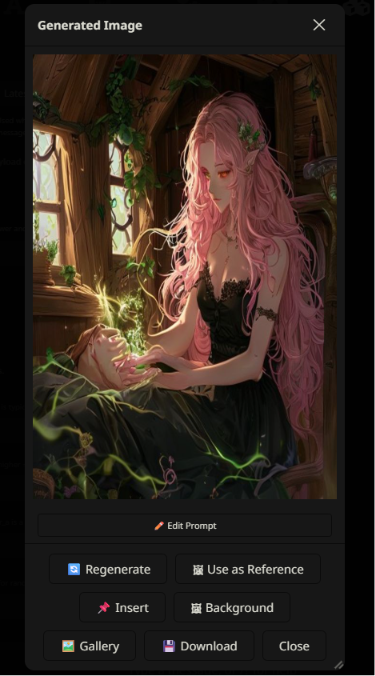
You can then:
- Regenerate
- Use as Reference
- Insert
- Set as Background
Common Issues
- 401 Unauthorized
Cause: Invalid API key.
Solution: Verify your MegaNova API key.
- Model Not Found
Example: Requested model is unavailable
Cause: Incorrect model ID.
Solution: Use a valid image model ID supported by MegaNova.
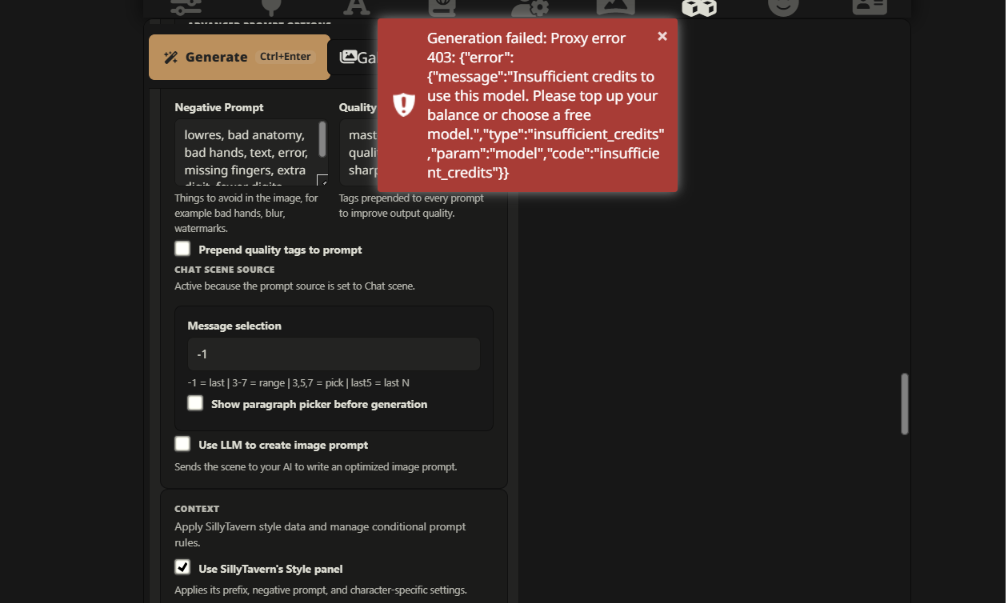
- Insufficient Credits
Example: Insufficient credits to use this model
Cause: Your account doesn't have enough credits.
Solution: Top up your account or choose another available model.
- No Image in Response
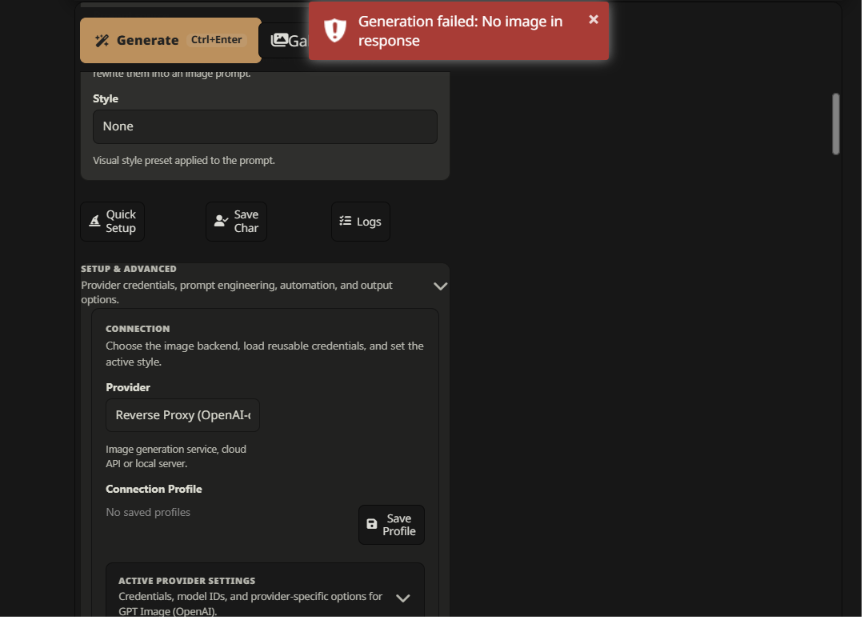
If you encounter this error:
- Verify the selected Provider
- Check the Model ID
- Confirm the Proxy URL
- Inspect the Network response in Developer Tools
During our testing, this error was caused by an incorrect provider or model configuration. After configuring the extension correctly, image generation completed successfully.
Frequently Asked Questions
Why do I get 404?
Because the built-in OpenAI image integration in SillyTavern isn't sending requests to your MegaNova endpoint.
Does MegaNova support OpenAI-compatible image APIs?
Yes.
Applications that allow configuring a custom OpenAI-compatible image endpoint can use MegaNova normally.
Can I simply change the Base URL?
Using SillyTavern's built-in image provider: No.
Using the sillytavern-image-gen extension: Yes.
Will this change in the future?
Possibly.
If SillyTavern adds a generic Custom (OpenAI-compatible) image provider, MegaNova should work without any special integration, just as it already does for chat.
Conclusion
MegaNova supports OpenAI-compatible APIs for both chat and image generation.
SillyTavern's built-in OpenAI image provider currently does not support configurable OpenAI-compatible image endpoints, so it cannot be used directly with MegaNova for image generation.
Our testing confirmed that the third-party sillytavern-image-gen extension successfully works with MegaNova by using an OpenAI-compatible reverse proxy. After configuring the extension with the MegaNova API endpoint, a valid API key, and a supported image model, images were generated and rendered successfully inside SillyTavern.
If SillyTavern adds native support for configurable OpenAI-compatible image endpoints in the future, this guide will be updated accordingly. Until then, sillytavern-image-gen is the recommended solution for using MegaNova image generation within SillyTavern.
What’s Next?
Enjoy our blogs? Stay connected!
- Sign up and explore now.
- 🔍 Learn more: Visit our blog and documents for more insights or schedule a demo to optimize your search solutions.
- Join the MegaNova community for the latest endpoint updates and technical support
Stay Connected
💻 Website: meganova.ai
📖 Docs: docs.meganova.ai
🎮 Discord: Join our Discord
👽 Reddit: r/MegaNovaAI
𝕏 X: @meganovaai