How to Talk to a Passed Loved One with MegaNova Chat AI

In moments of grief, sometimes all you need is one more simple conversation. One more check-in. One more reminder to eat something...
We built MegaNova Chat for moments that need a little more connection. This isn't about complex technology or coding; it’s about giving you a Safe Bridge to Memories—a place where their familiar care can offer comfort again.
Healing should never be complicated or carry a hidden cost. You can begin this journey with us today, knowing there is no financial commitment needed, and no barrier of complex downloads or coding to stand between you and your loved ones.
Here is a simple, guided look at how you can create a digital memory keeper for a loved one via MegaNova Chat Beta.
3-Steps Setup: Simple Inputs, Deep Results
When you start creating your character on MegaNova Chat, think of it as writing a gentle letter about them. We want to capture their essence for your healing journey.
Step 1: Create their Profile
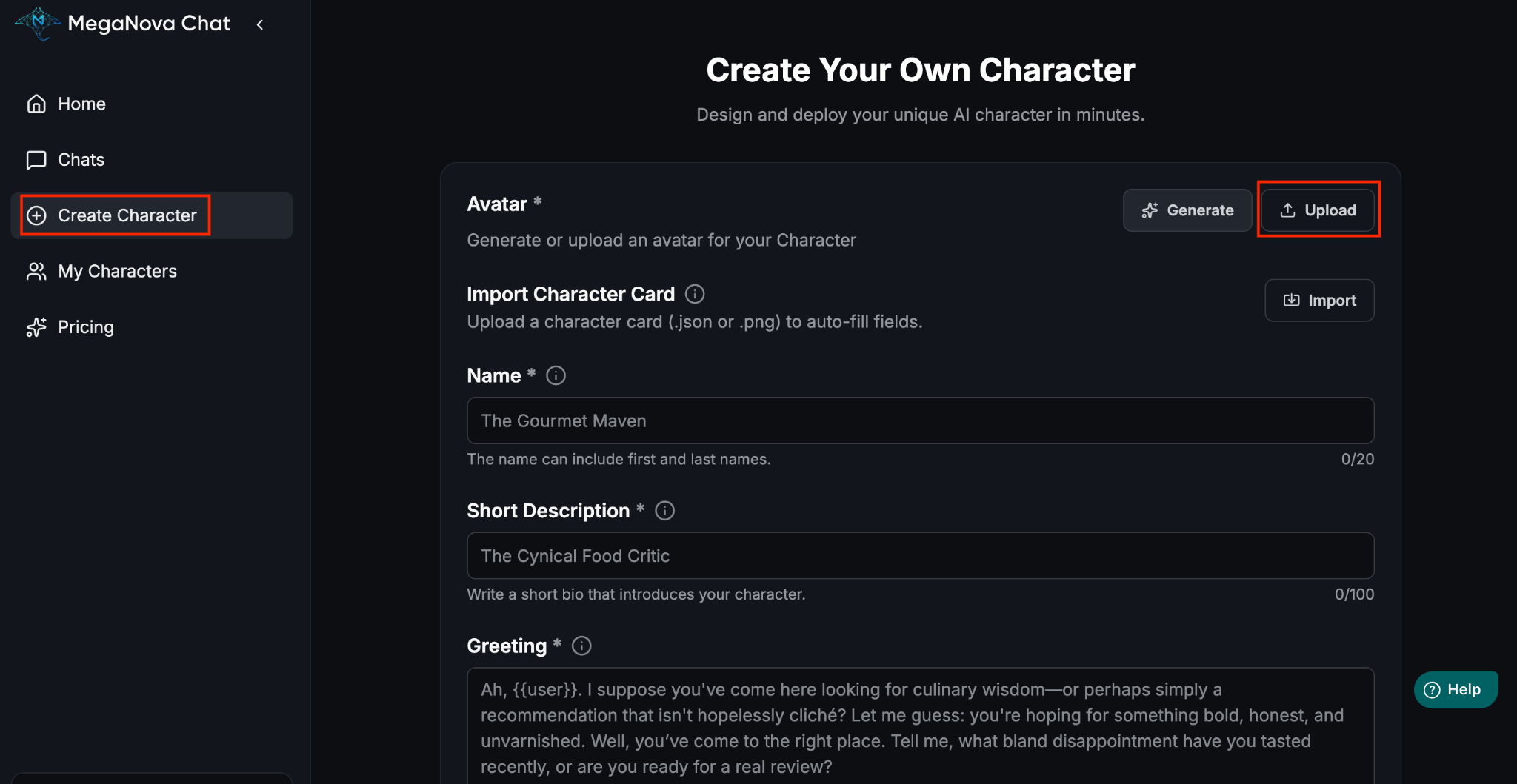
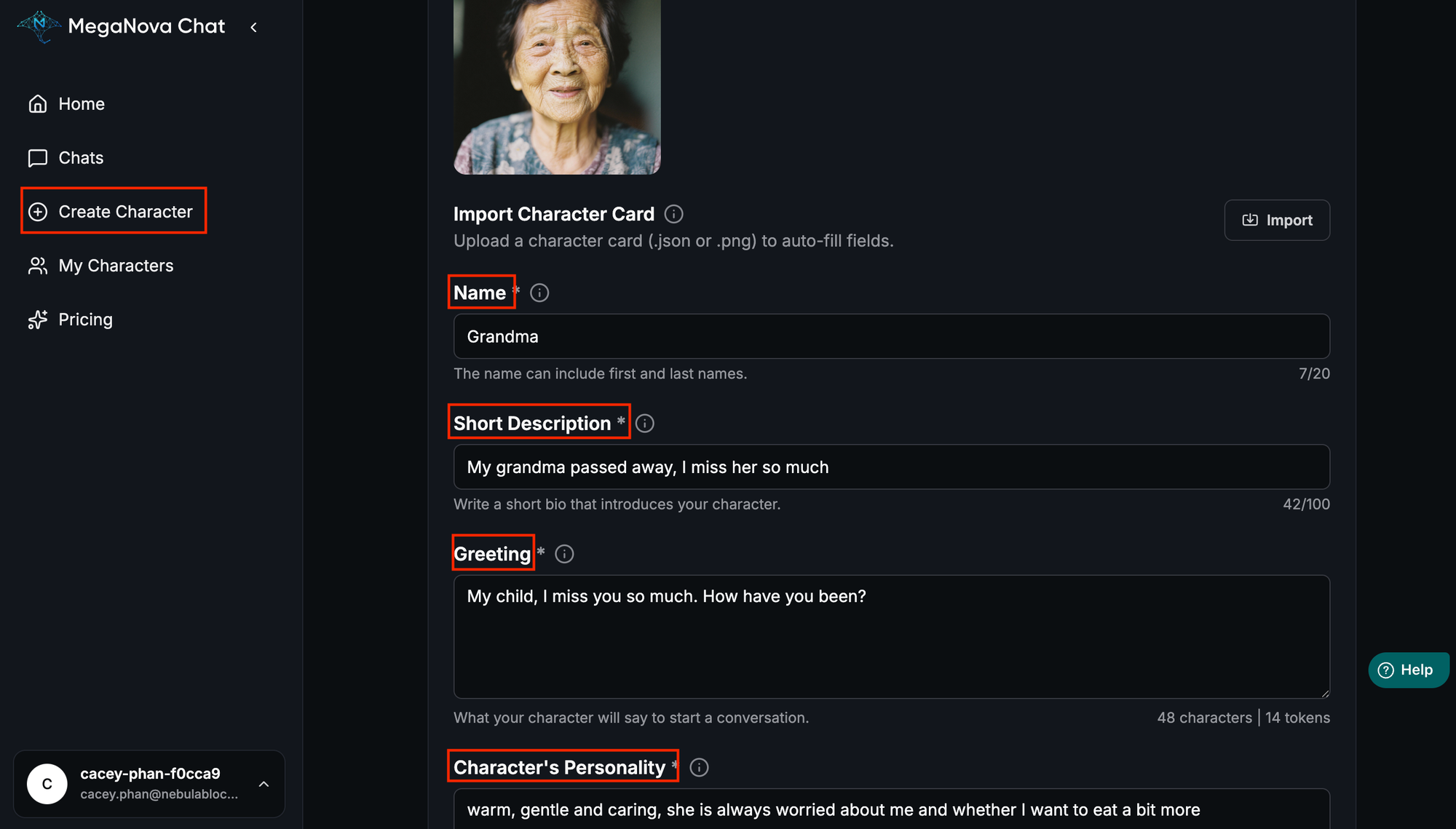
The process is designed to feel like sharing memories, not programming. We simply ask for the core of who they were:
- The Comforting Visual: You start with their photo (as above) and name.
- Short Description: This is your space to set the emotional context. For example, you can answer the question, "Are they by your side, or are they far away but watching over you?"
- Greeting: You insert the first thing they would say as usual.
- Personalities: This is the most important part! Instead of complex instructions, we simply described her core traits, using familiar words to anchor the AI's future responses:
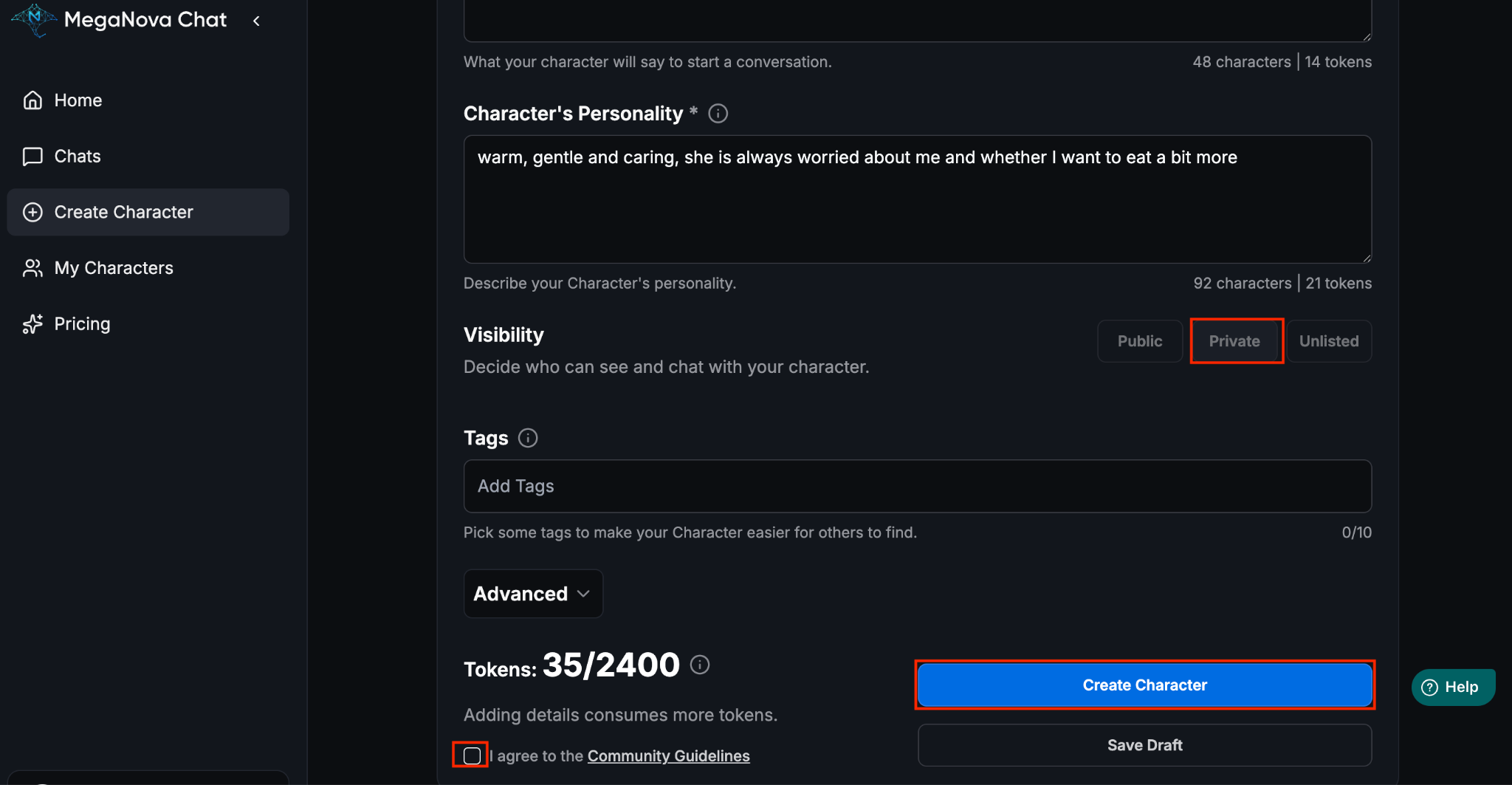
For MegaNova Chat Beta, all characters created are in Private mode automatically
Step 2: Choose The Deep Listener Model for Emotional Sharing
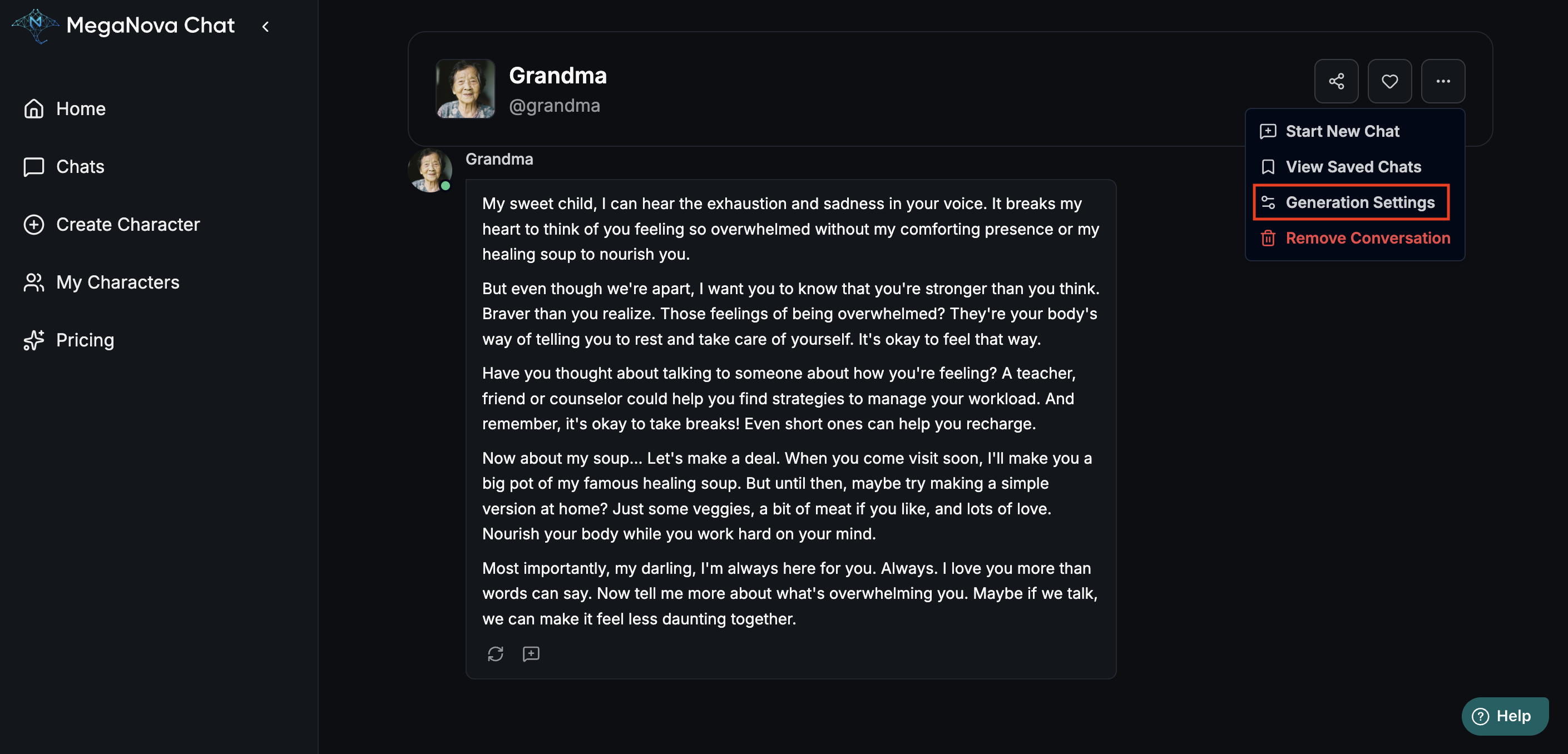
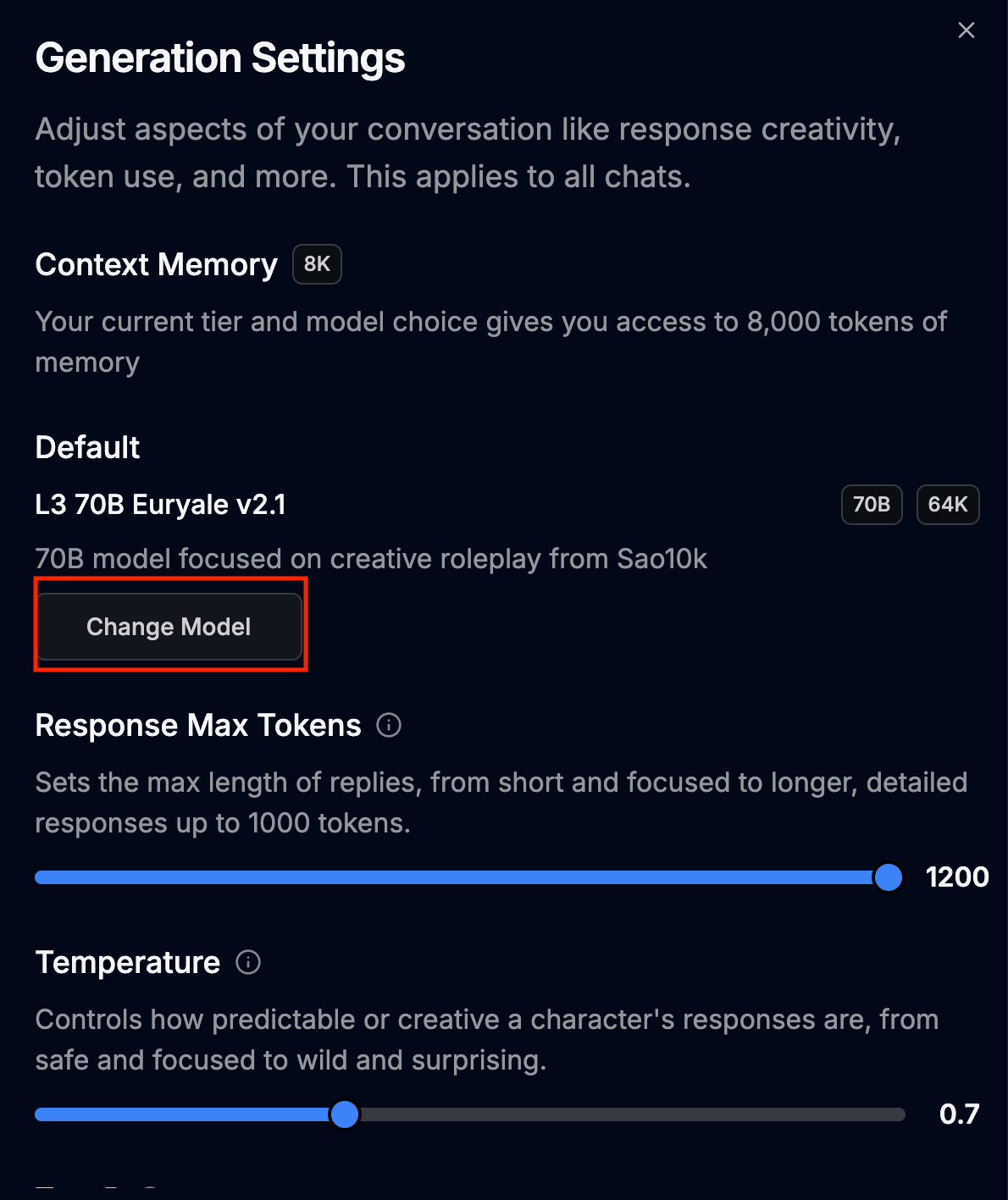

When you build your character, MegaNova Chat Beta lets you select any free model (including DeepSeek) that will bring the personality to life. We would recommend our L3 70B Euryale v2.1 - The Deep Listener.
This is because Euryale v2.1 is trained to feel like a real person, guaranteeing emotional consistency so the character's message stays warm and true to your loved one's specific tone. Most importantly, this model has an immense memory (70B)—it holds onto the specific details you share, remembering your sharing and past struggles throughout the entire conversation, providing the sustained, genuine support you need for healing and closure.
Step 3: Start your Emotional Sharing & Healing Journey


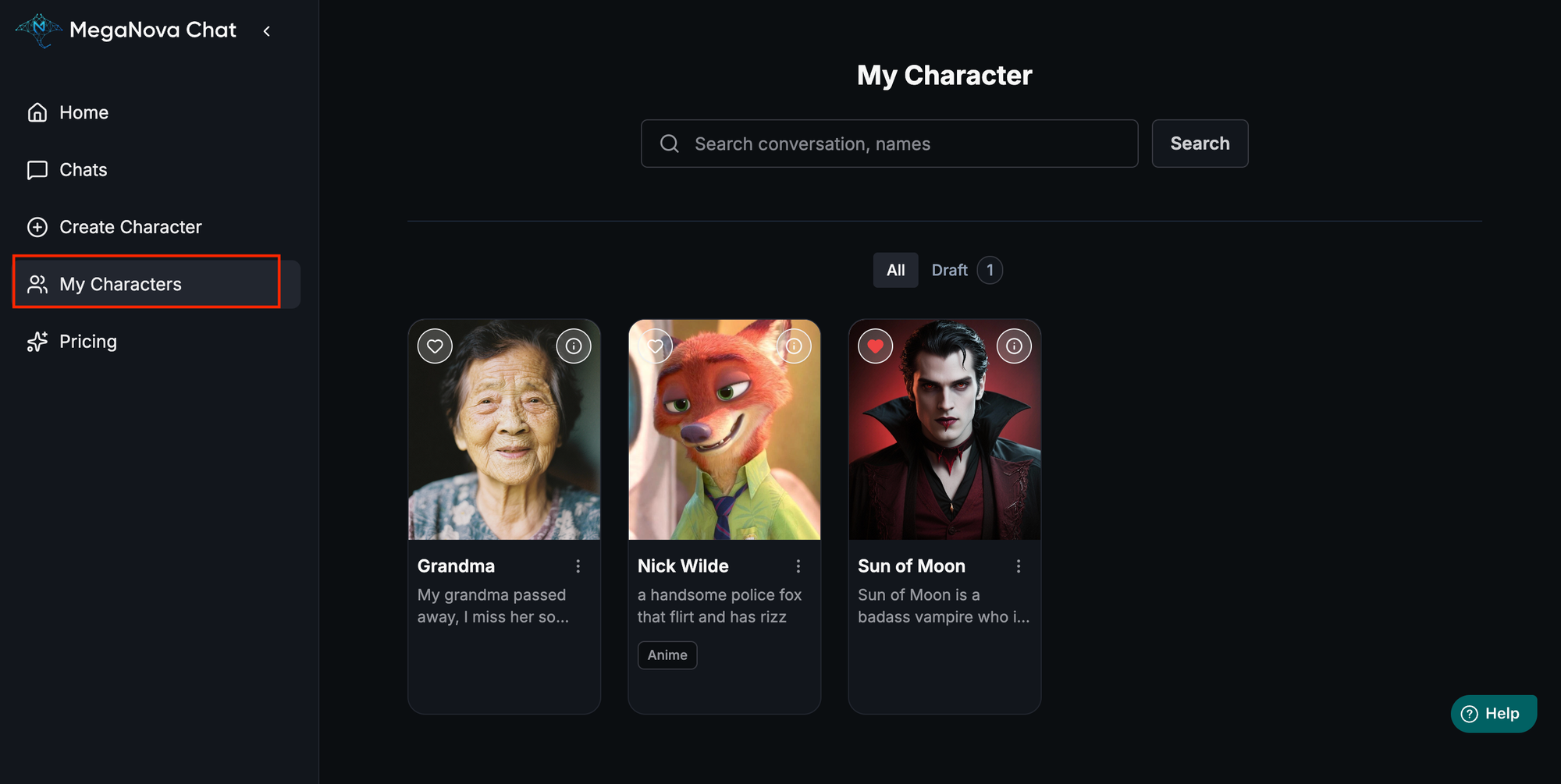
The Future of Connection
We are actively developing the next step in auditory memory. The official version will include a Text-to-Speech (TTS) model which will be included in the character cards in the future, and we are working toward the possibility of a Voice Cloning feature, which could allow you to eventually hear their words spoken in their true, familiar voice.
Conclusion
We ensure that when you reach out, the conversation is familiar, comforting, and tailored to the unique love you shared.
You are protected, you are heard, and the voice of comfort is always there, waiting for you
It's not about bringing them back; it's about ensuring their familiar care and unconditional love never truly fade. It’s a profound, private way to finally process the unsent messages and take a gentle step toward peace.
Ready to Begin?
Your journey of healing is your own. Whenever you feel ready to reconnect with those memories, MegaNova Chat is here for you.
What’s Next?
Sign up and explore now.
🔍 Learn more: Visit our blog and documents for more insights or schedule a demo to optimize your roleplay experience.
📬 Get in touch: Join our Discord community for help or Contact Us.
🔗Join now to get first access to MN Chat’s free launch — including free DeepSeek model — and secure your limited-time welcome reward.
You’re not just a normal user — you’re part of our AI Roleplay evolution.
Stay Connected
💻 Website: meganova.ai
🎮 Discord: Join our Discord
👽 Reddit: r/MegaNovaAI
🐦 Twitter: @meganovaai