How to Release Stress with Fantasy RP in MegaNova Chat
Everyone has their own way of unwinding after a long day. Some people watch shows, others scroll endlessly, and some just want a quiet moment alone.
But for a growing number of users, there’s a new kind of escape that actually helps them relax in a deeper, more creative way: fantasy chat with AI characters.
If you’ve ever wanted to slip into another world—MegaNova Chat lets you do it instantly.
Here’s how fantasy role-play in MegaNova Chat helps you unwind.
Why Fantasy Chat Helps You Relax
Escapism gets a bad reputation sometimes, but the truth is simple: stepping into an imaginative space can help your brain separate from pressure and tension.
Fantasy chat works because it lets you:
- detach from stressful situations
- express emotions indirectly through fictional scenarios
- enjoy a sense of agency and control
- feel immersed in something exciting, comforting, or entirely new
And MegaNova Chat is built specifically to make that shift feel natural and enjoyable.
A Stress-Free Space to Be Yourself
Unlike platforms that limit your creativity or micromanage every interaction, MegaNova Chat gives you real freedom, privacy, and control.
You can vent through a character, jump into a dramatic scene, or escape into a magical universe—without worrying about being judged or misunderstood.
The AI adapts to your mood, not the other way around.
Jump Into Fantasy Worlds Without Limits
Fantasy role-play is all about immersion, and MegaNova Chat is designed for it:
- Long-form storytelling means conversations don’t feel rushed.
- Immersive roleplay tools help you set detailed scenarios.
- Fast, high-performance AI models keep the flow natural.
There are no world limits, no genre restrictions, and no “you can’t say that” roadblocks—just creative freedom with clear community guidelines to keep everything safe.
Create Characters That Match the Escape You Need
One of the biggest reasons MegaNova Chat feels so good for stress relief is how personal it becomes—you get to design the exact character you want to escape with.
The Create Character feature isn’t just a simple form; it’s a full toolkit that lets you shape personalities, moods, worlds, and vibes that fit the emotional comfort you’re looking for.
Here’s how MegaNova makes that customization feel effortless:
Personality That Actually Feels Real
In the Character's Personality section, you can define who the character is at their core—how they think, react, speak, and express emotion.
The more detail you add, the more naturally the character will stay “in voice,” even across long conversations.
Feel free to use our Character Personality Cheat Sheet to level up the experience and save you some time.
Scenarios That Set the Mood Instantly
The Scenario field lets you set the opening scene—basically the mood you want to walk into.
This instantly sets the tone, helping you drop into escape mode without needing to warm up.
Example Dialogue for Consistent Behavior
You can teach your character exactly how to talk. Using short sample conversations, you can show: their tone, emotional range, how they comfort, tease, confront, or joke.
This is one of the most powerful tools for crafting an emotionally supportive or immersive character—especially for stress relief.
The Perfect Avatar for Instant Immersion
MegaNova Chat even helps you create the visual identity of your character:
- Upload your own image, or
- Generate an avatar using styles like Anime, Anime V2, Semi Realistic, and more
You can refine your art with:
- Negative prompts
- Image references
- Seed locking for consistency
Sometimes the right art alone is enough to pull you straight into the world you’re trying to escape to.
Here's a quick guide to help you get started:
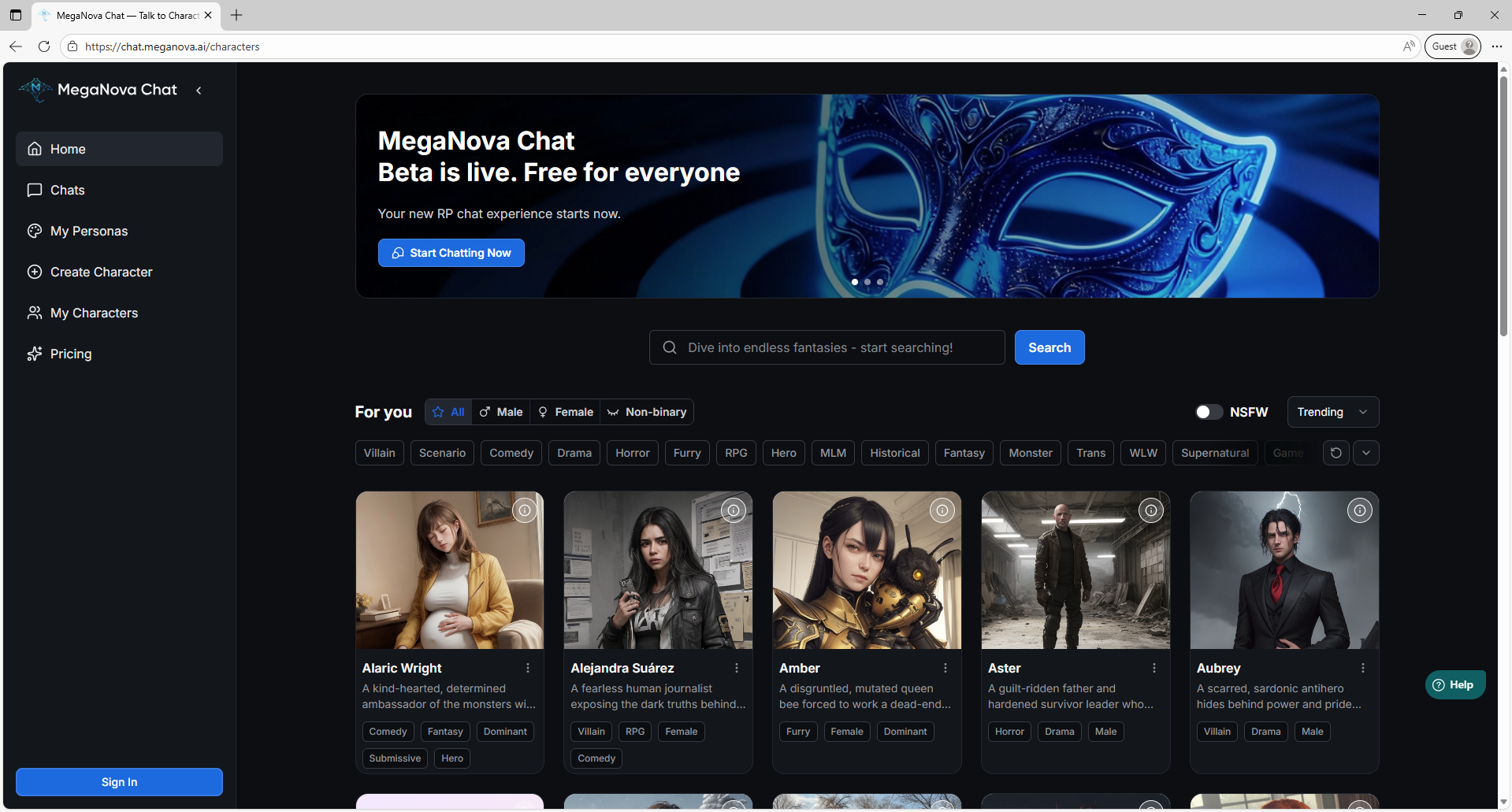
1/ Hop in MegaNova Chat's website
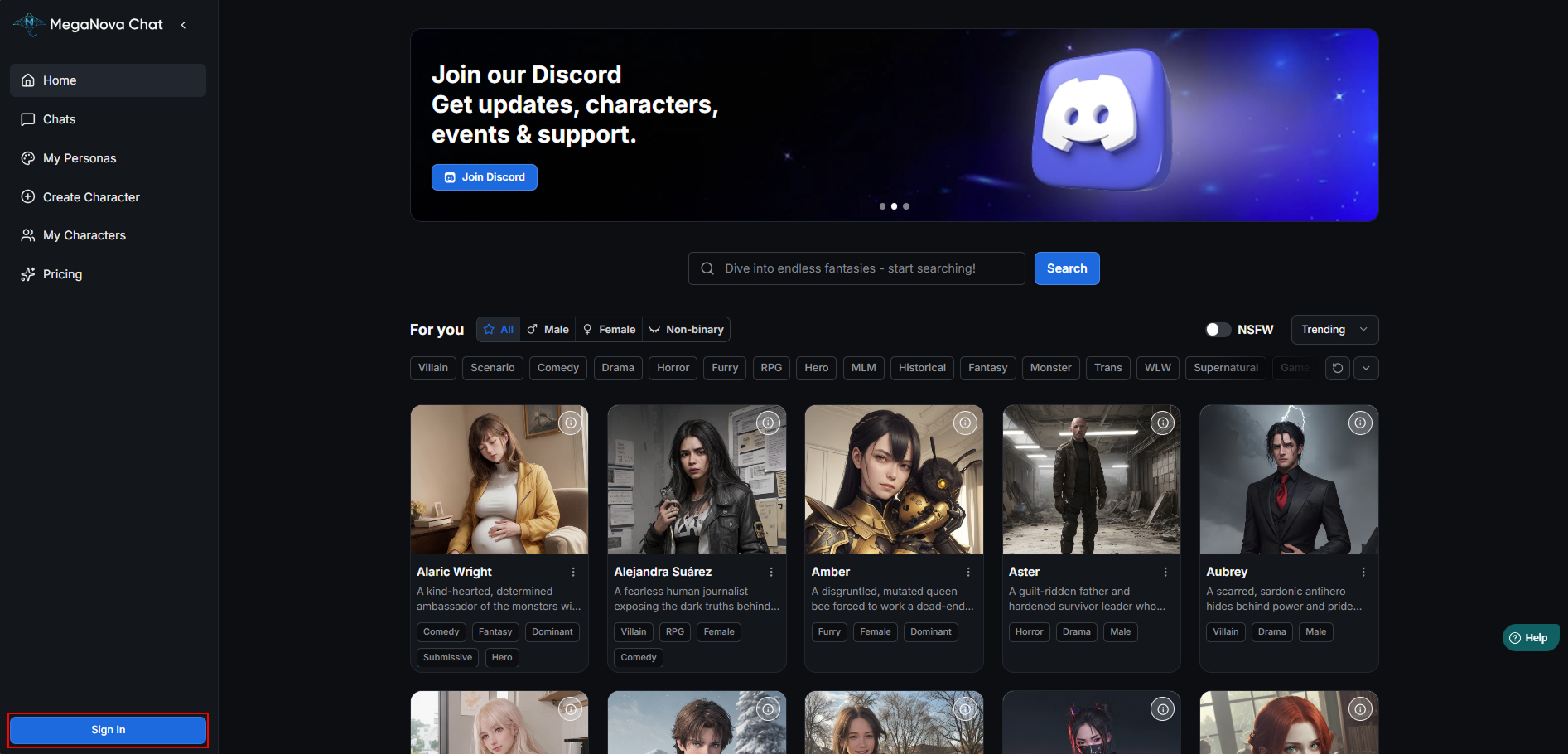
2/ Create a free account (we’re still in beta launch).
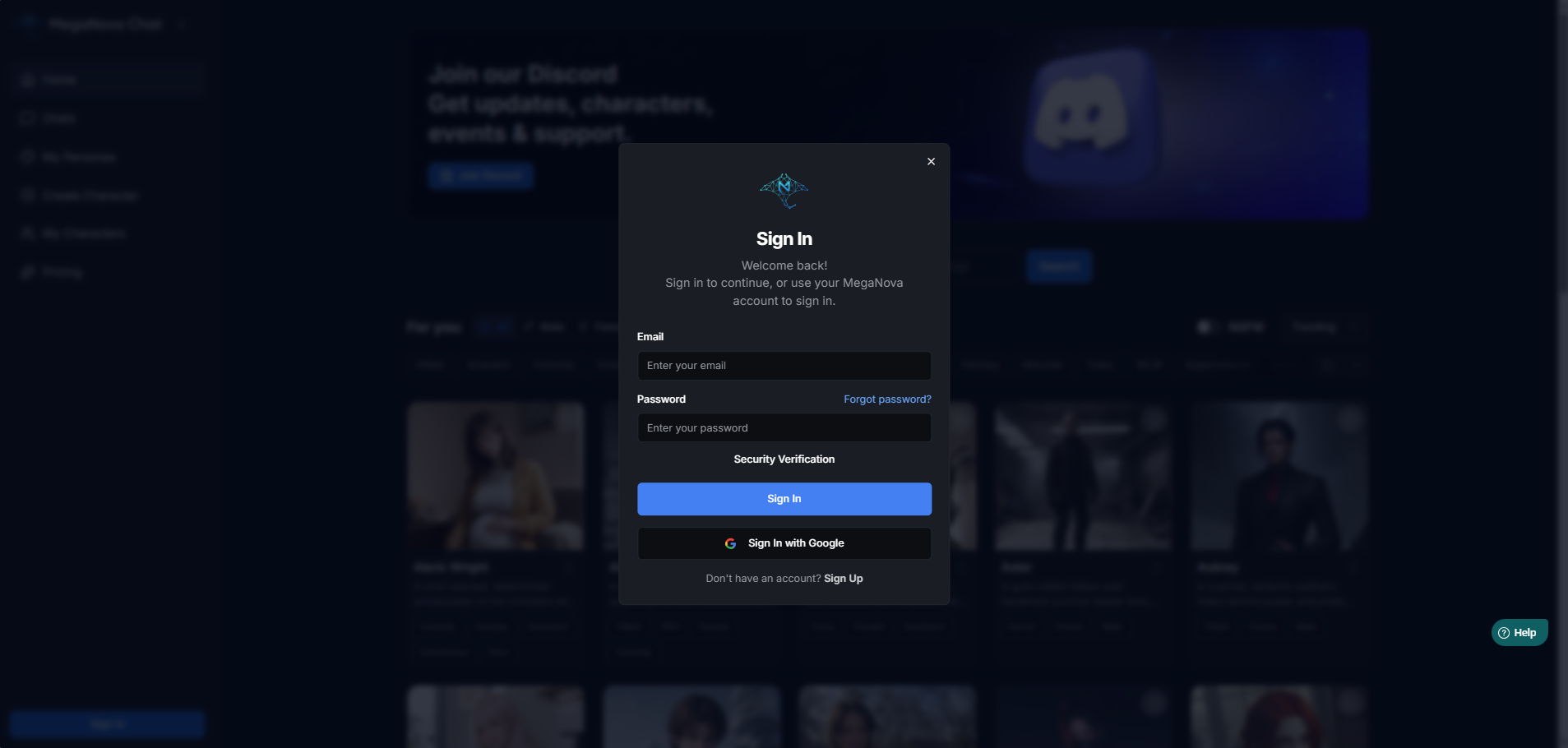
3/ Choose Create Character and Start Building
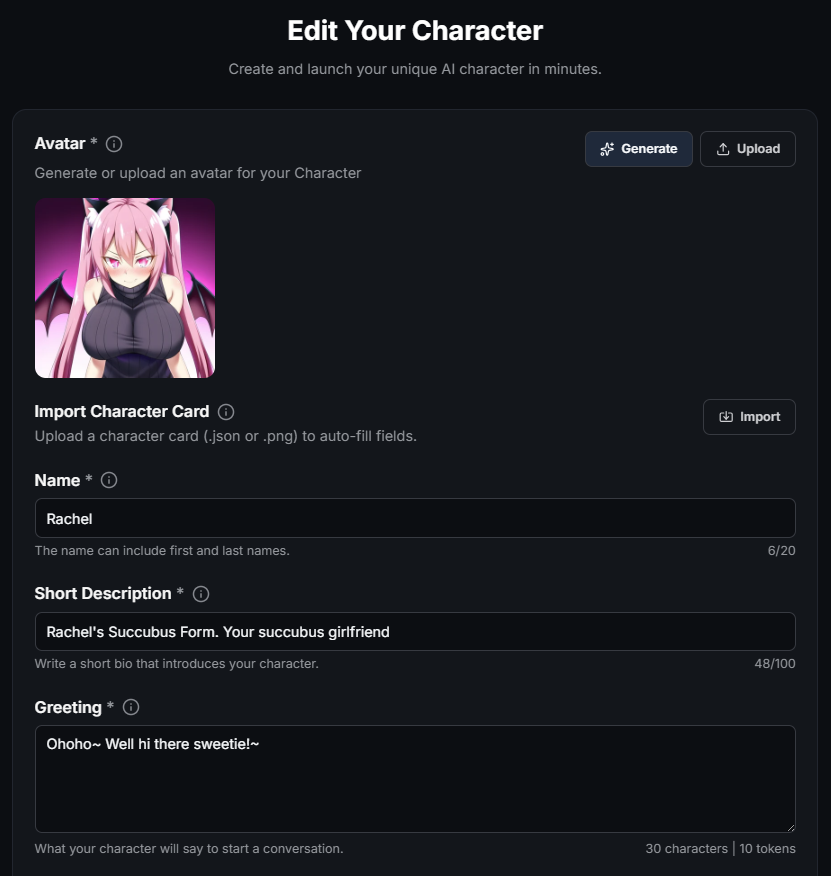
Let start with the basics:
- Avatar: You can create an avatar with MegaNova Chat’s built-in image generator or upload your own. An avatar is required to finish the character creation process.
- Name: Choose a name that fits your character’s personality, purpose, and story.
- Short Description: Keep it clear, concise, and character-defining
- Greeting: Short or long — both work. What matters is clarity and consistency with your character’s personality.
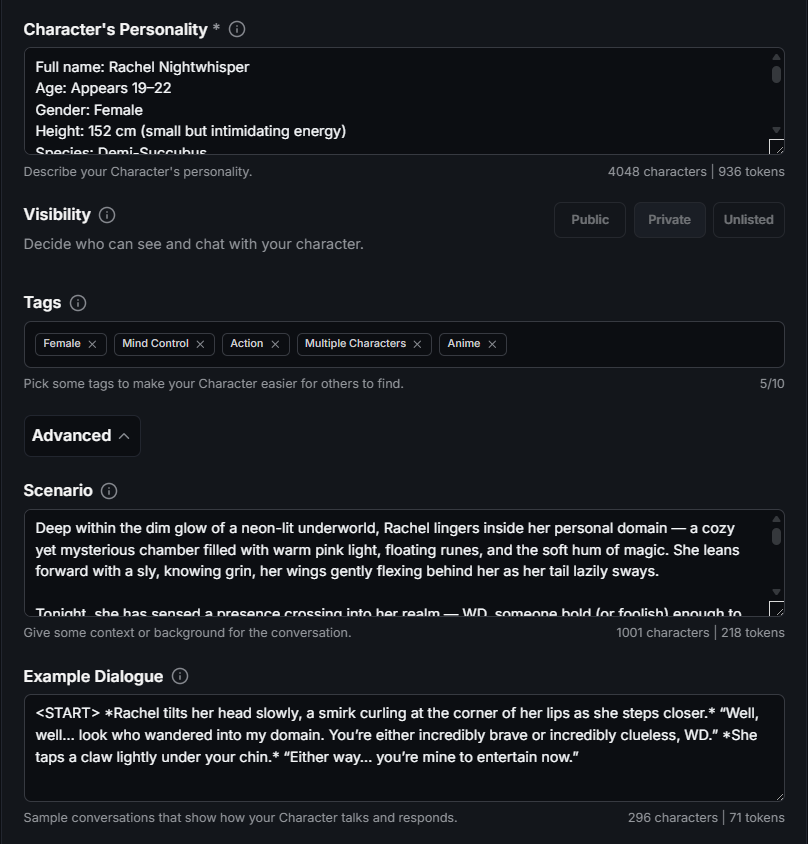
- Character's Personality: Think of this section as the “mind and soul” of your character. The more specific you are, the more reliably the AI will stay “in character.”
Pro tip: Use our Cheat Sheet to bring your AI role-play conversation to another level.
- Scenario: Use the scenario to highlight key details such as the environment, your character’s current emotions, any pending events or conflicts, responsibilities...
- Example Dialogue: Each example should include clear context, not just short one-liners.

Remember to click agree with the Community Guidelines and finish your creation by click on the Create Character button.
4/ Start Chatting
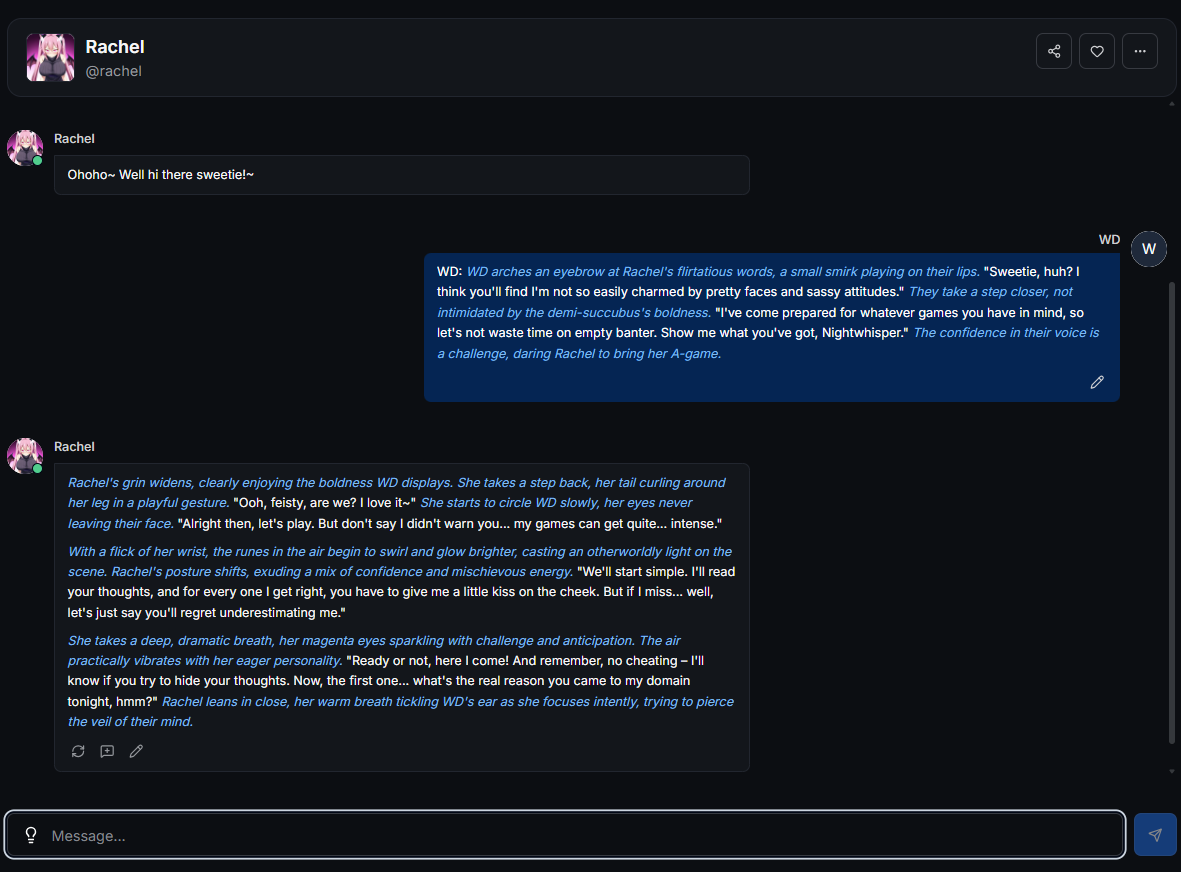
That's it! Now you can freely enjoy your fantasy role-play session and escape all the frustration in life for a while.
Final Thought
Fantasy chat isn’t just play—it’s emotional release, creative expression, and a moment of peace when you need it most.
MegaNova Chat gives you the freedom to create or find the exact escape you want, whether it’s magical, sci-fi, dramatic, or quietly comforting.
If stress has been weighing you down lately, try stepping into a world of your own creation. You might be surprised by how much lighter you feel afterward.
What’s Next?
Sign up and explore now.
🔍 Learn more: Visit our blog and documents for more insights or schedule a demo to optimize your roleplay experience.
📬 Get in touch: Join our Discord community for help or Contact Us.
Stay Connected
💻 Website: meganova.ai
🎮 Discord: Join our Discord
👽 Reddit: r/MegaNovaAI
🐦 Twitter: @meganovaai