How to Manage Your Role-Play Library on MegaNova Chat
Do you ever feel like you are living a dozen different lives at once?
One minute, you are a detective solving a noir mystery. The next, you are a starship captain negotiating peace with aliens. That is the beauty of AI role-play. But as your stories grow, keeping track of them can get messy.
Nobody likes scrolling endlessly to find that one perfect plot twist from three weeks ago.
At MegaNova Chat, we believe your interface should be as smart as the AI you are talking to. We designed our Chats to be your personal command center. It isn’t just a history list—it is a library for your imagination.
Here is how you can use it to keep your stories organized, accessible, and clutter-free.
1. Your Active Story Hub
When you click on the Chats tab, you aren't just seeing a list of names. You are seeing the state of your role-play universe.
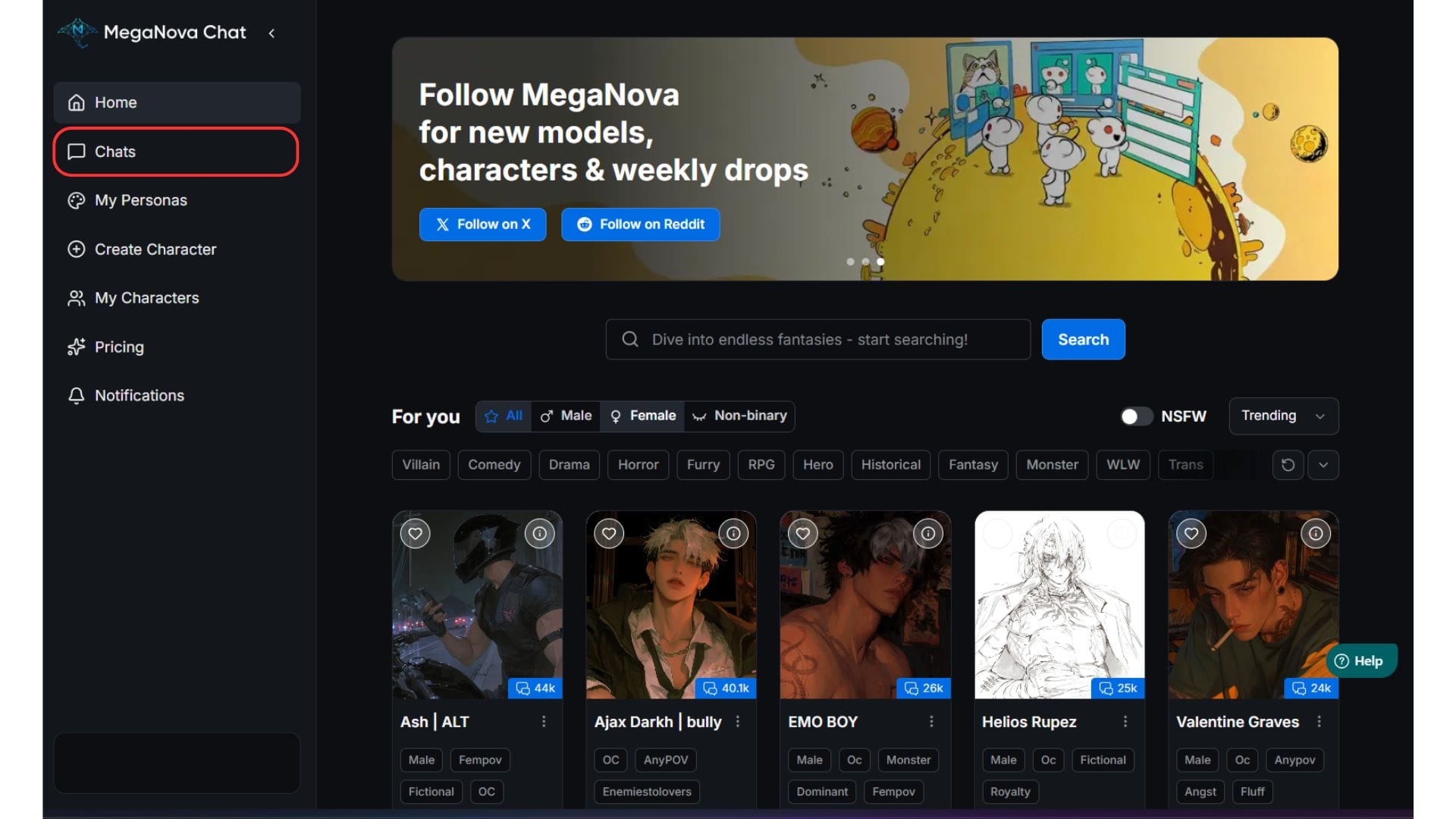
We designed this view to give you "context at a glance." You don't need to open a chat to remember what was happening.
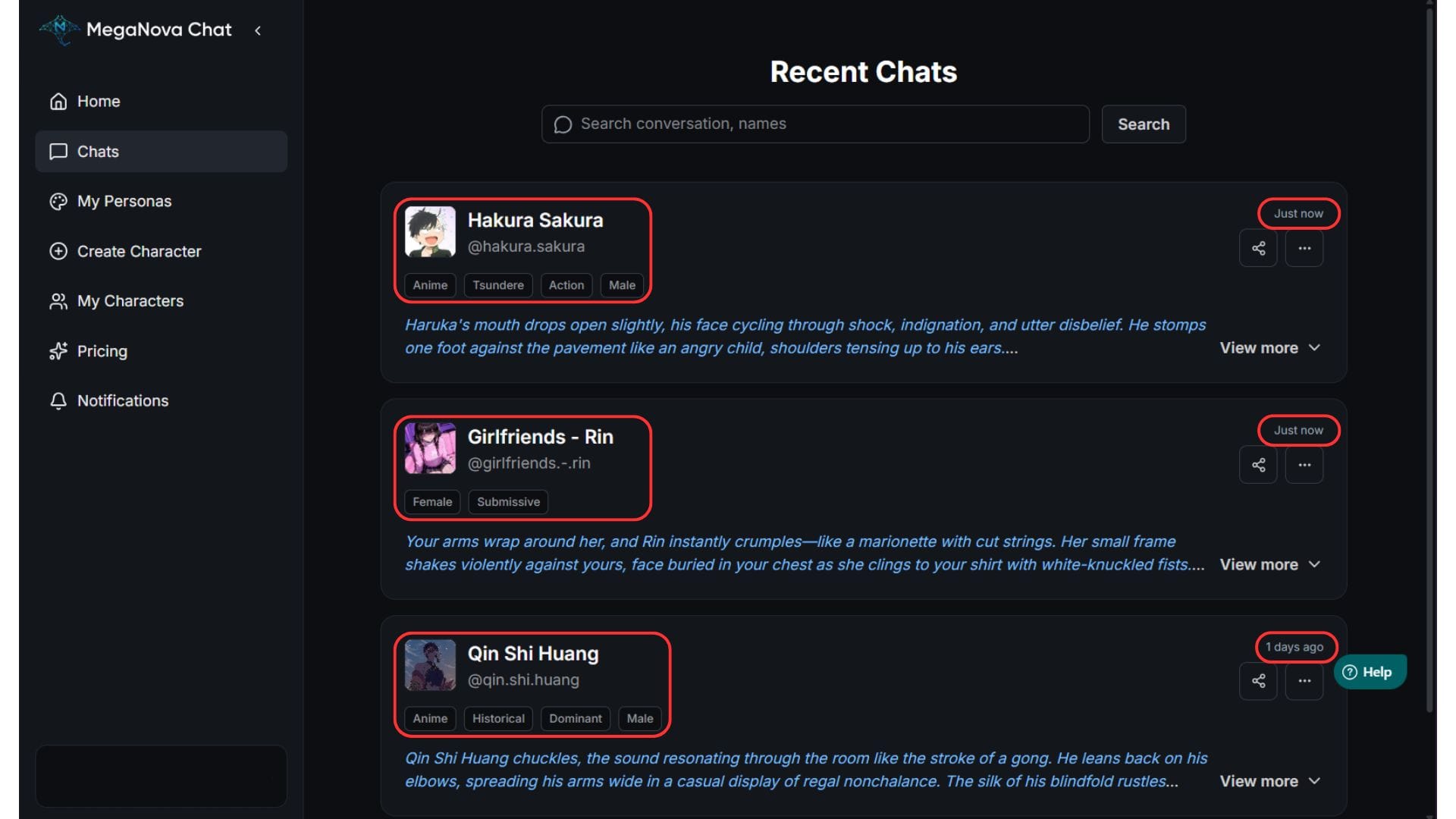
- Visual Memory: You will see the character’s avatar and name right away. This helps distinct visual cues trigger your memory of the plot.
- Tags: see exactly what kind of story it is immediately (e.g., Fantasy, Romance, Sci-Fi).
- Time Tracking: The timestamp (e.g., 2 hours ago or 3 days ago) tells you exactly when you last interacted. This helps you identify which stories are active and which ones are cooling off.
Pro Tip: Use this view to quickly audit your ongoing role-plays. If a story has been inactive for a month, maybe it is time to revive it—or archive it.
2. Jump Back In Without Friction
Have you ever clicked on a chat and had to wait awkwardly for the history to load, only to realize you forgot what the character last said?
We fixed that with the "View More" feature.
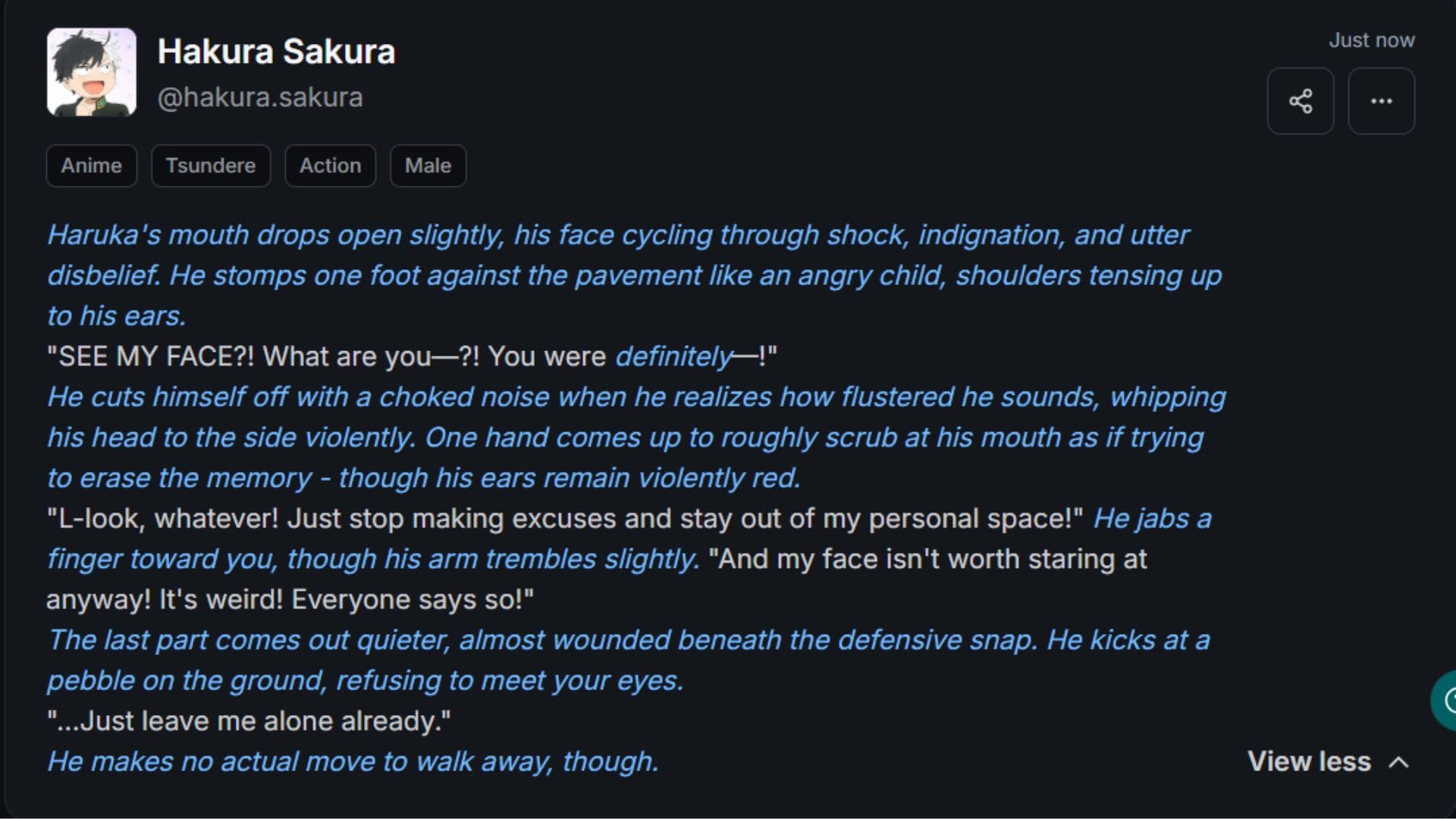
On your dashboard, you can expand a character's entry to see their latest message without fully entering the chat room.
- Peek Before You Leap: Read the last few lines of dialogue instantly.
- Refresh Your Memory: Remind yourself of the current scene—where you are, who is speaking, and what is at stake.
- One-Click Resume: Once you are ready, just click to enter the full chat. You pick up exactly where you left off, with zero friction.
3. Find Any Character Instantly
As you spend more time on MegaNova Chat, you might accumulate dozens (or hundreds!) of conversations. Finding a specific character from last month shouldn't feel like a treasure hunt.
That is why we built a powerful Search Bar right at the top of your Chats tab.
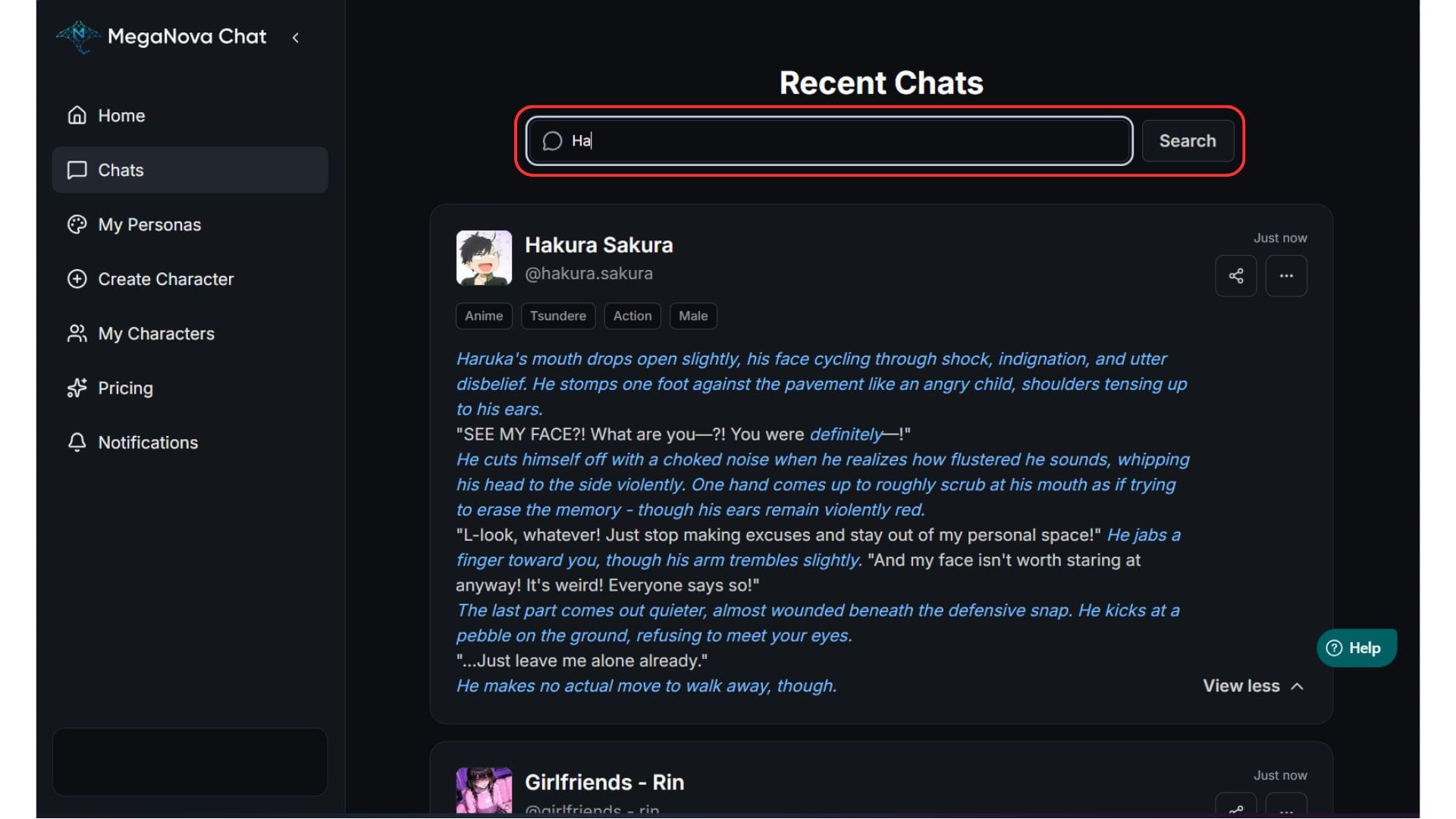
- Search by Name: Type in the character’s name to filter the list instantly.
- Search by Tags: Or you can easily search by tags to filter the role-play type you wanted to go to.
This feature is a lifesaver for power users who juggle multiple storylines. You spend less time searching and more time writing.
4. Master Your Archives
Sometimes, a story reaches its natural conclusion. Other times, you just want to re-read an old favorite without changing anything.
The Options Menu (the "..." icon at the up right corner) gives you total control over your data.
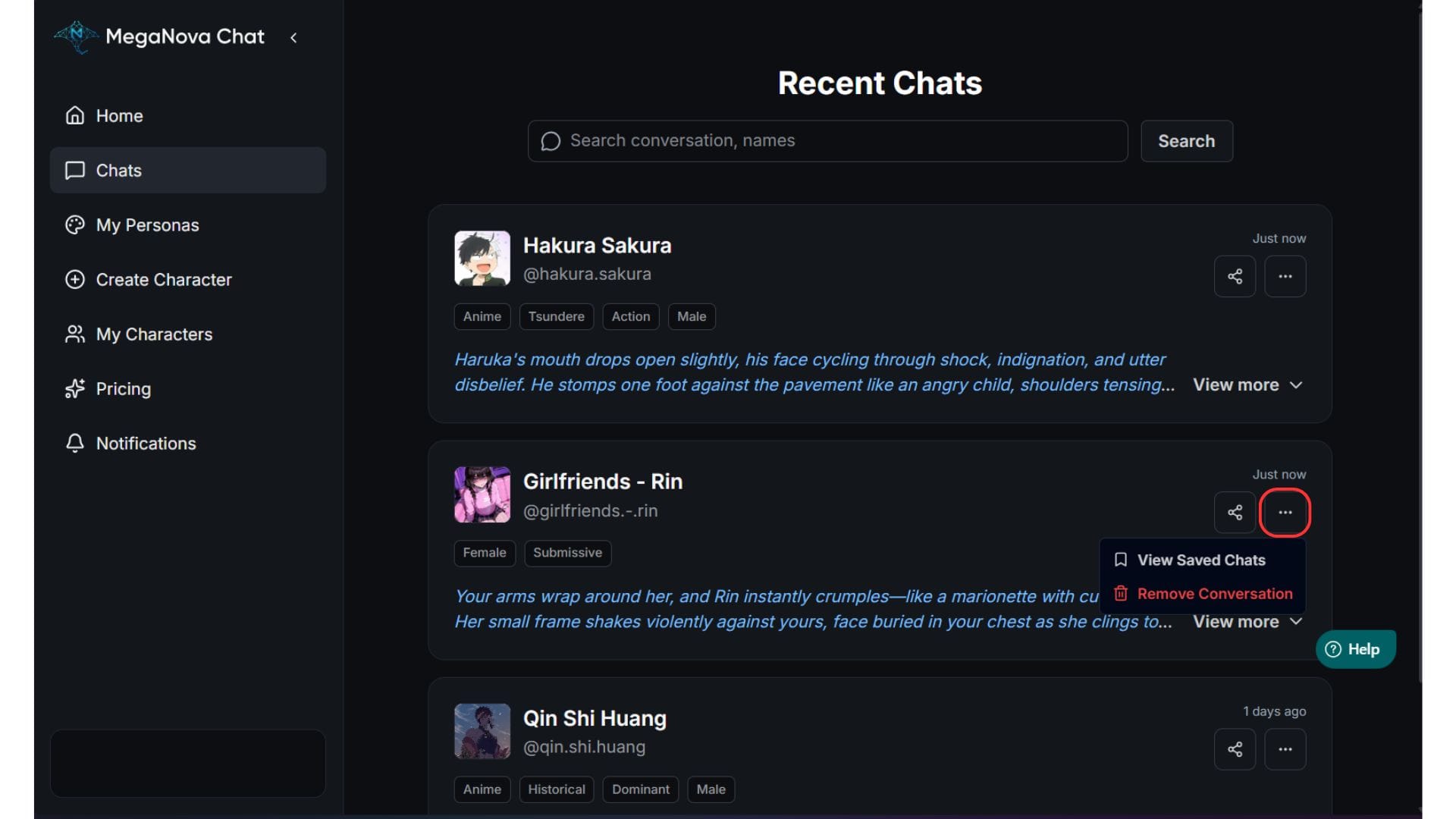
Option A: View Saved Chat (The Multiverse Feature)
Have you ever wondered, "What would happen if I made a different choice?"
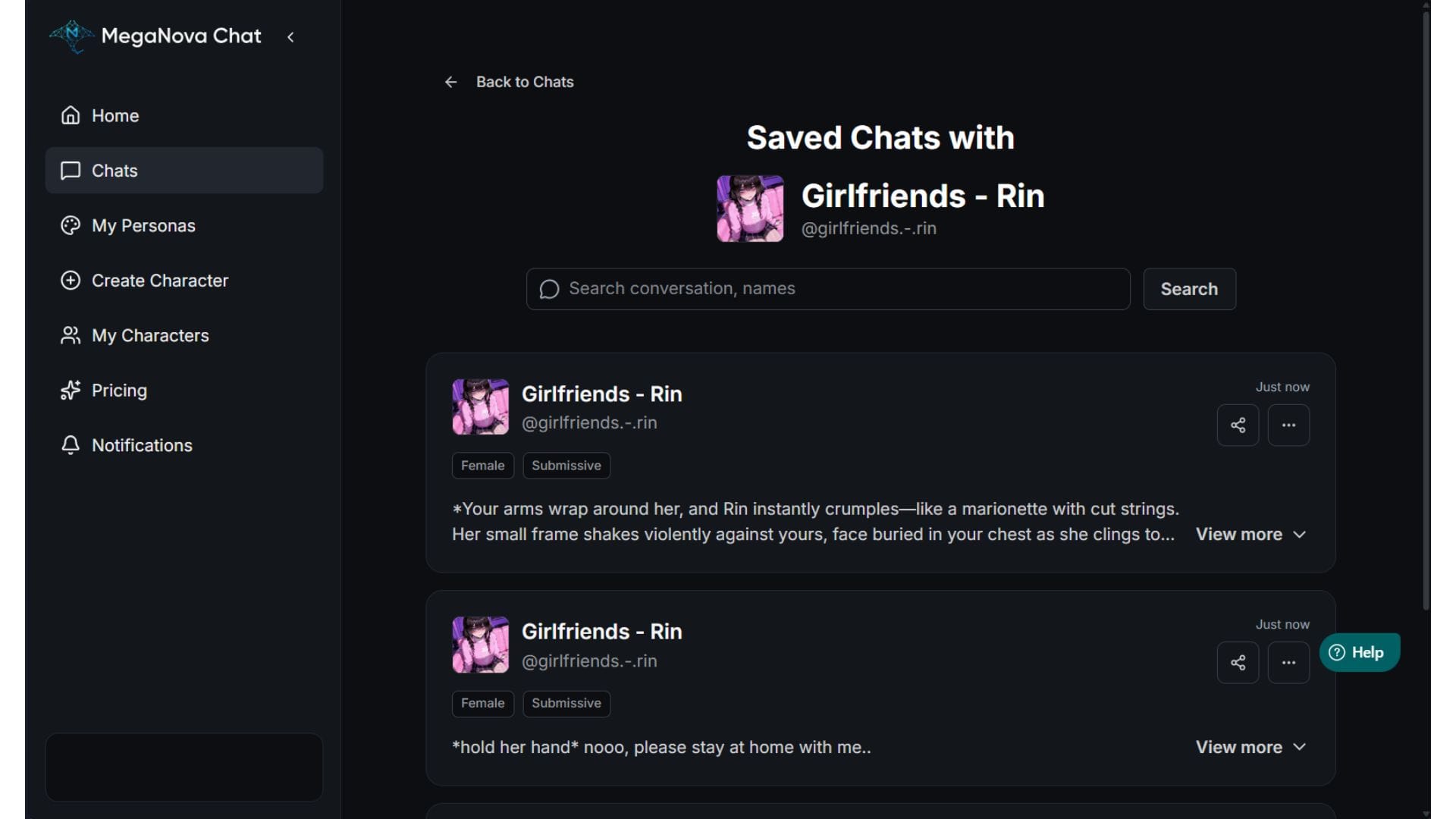
Usually, starting a new chat means deleting the old one. But on MegaNova, we believe in the multiverse.
The View Saved Chat feature tracks every single "run" you have had with a character.
- Start Fresh, Lose Nothing: When you hit "Start New Chat," your current story is automatically saved as a version in your history.
- Switch Timelines: You can browse through your list of past versions and revisit old storylines whenever you want.
- Experiment Freely: Feel free to try a completely different plot, romance, or conflict with the same character. Your original story stays safe in your history.
Option B: Remove Conversation
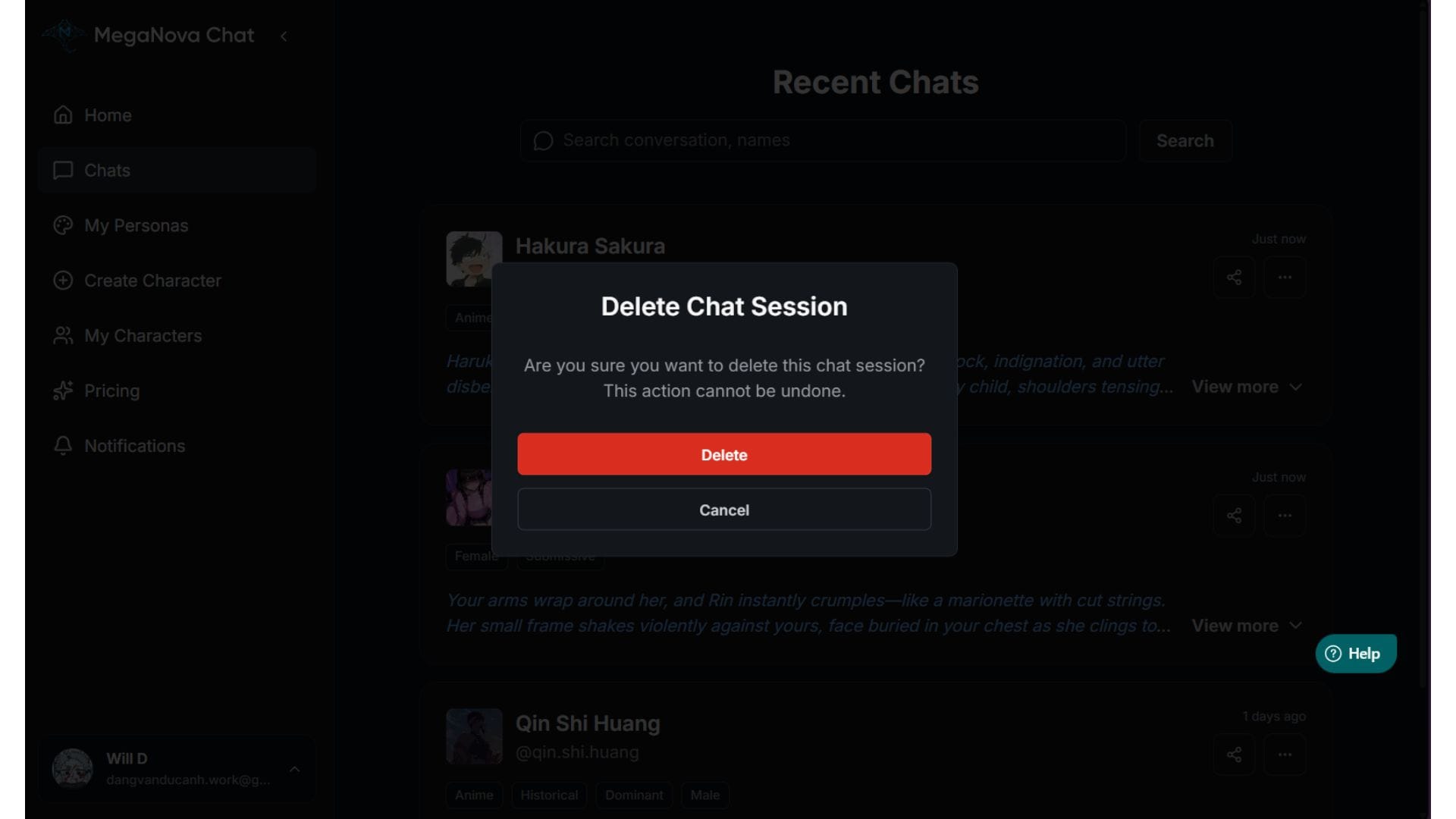
Clutter is the enemy of creativity. If a conversation didn't go the way you wanted, or if you just want to clean up your dashboard, you can delete it.
- Select Remove Conversation.
- Confirm by clicking Delete.
Warning: This is permanent! Once you delete a conversation, it is gone forever. We recommend only doing this for test chats or stories you are 100% sure you don't need anymore.
Summary: Your World, Your Rules
Role-play is an art form, and every artist needs a clean studio.
The MegaNova Chat dashboard is built to stay out of your way. Whether you are searching for an old friend, checking a timestamp, or clearing out the cobwebs, our tools are designed to be fast and intuitive.
Your stories deserve to be organized. Now, they are.
Head to MegaNova Chat and start organize yours.
What’s Next?
Sign up and explore now.
🔍 Learn more: Visit our blog and documents for more insights or schedule a demo to optimize your roleplay experience.
📬 Get in touch: Join our Discord community for help or Contact Us.
Stay Connected
💻 Website: meganova.ai
🎮 Discord: Join our Discord
👽 Reddit: r/MegaNovaAI
🐦 Twitter: @meganovaai