How to Import Trending Janitor AI Characters to MegaNova Chat
Want to bring your favorite JanitorAI characters into MegaNova Chat for smoother, faster, no network error for a more immersive roleplay? This guide shows you exactly how to export any JanitorAI character card and import it into MegaNova Chat in just a few clicks. Whether you're switching platforms or want better customization, performance and free high-quality RP models, this blog guide has you covered.
Step-by-Step Guide
Step 1: Download the Chatbot Manager Tools Extension
To export characters from JanitorAI, install the Chatbot Manager browser extension (Chrome or Firefox).
- Open Microsoft Edge or Safari or Chrome or Firefox.
- Search “Chatbot Manager” in the browser’s extension store.
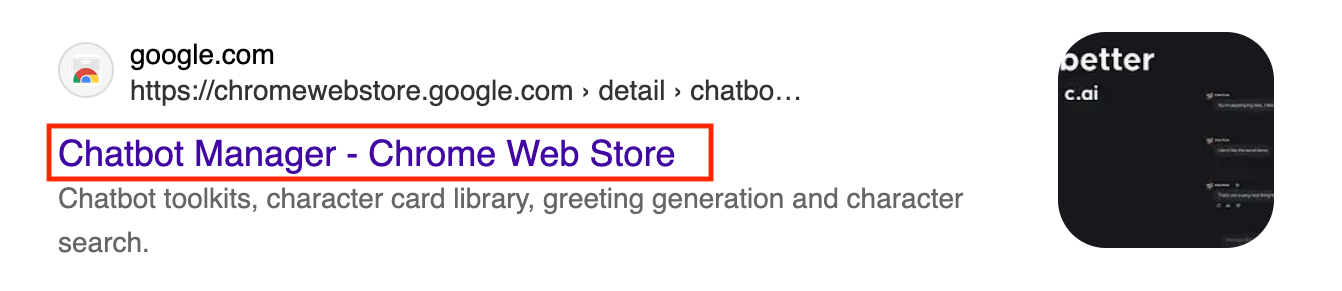
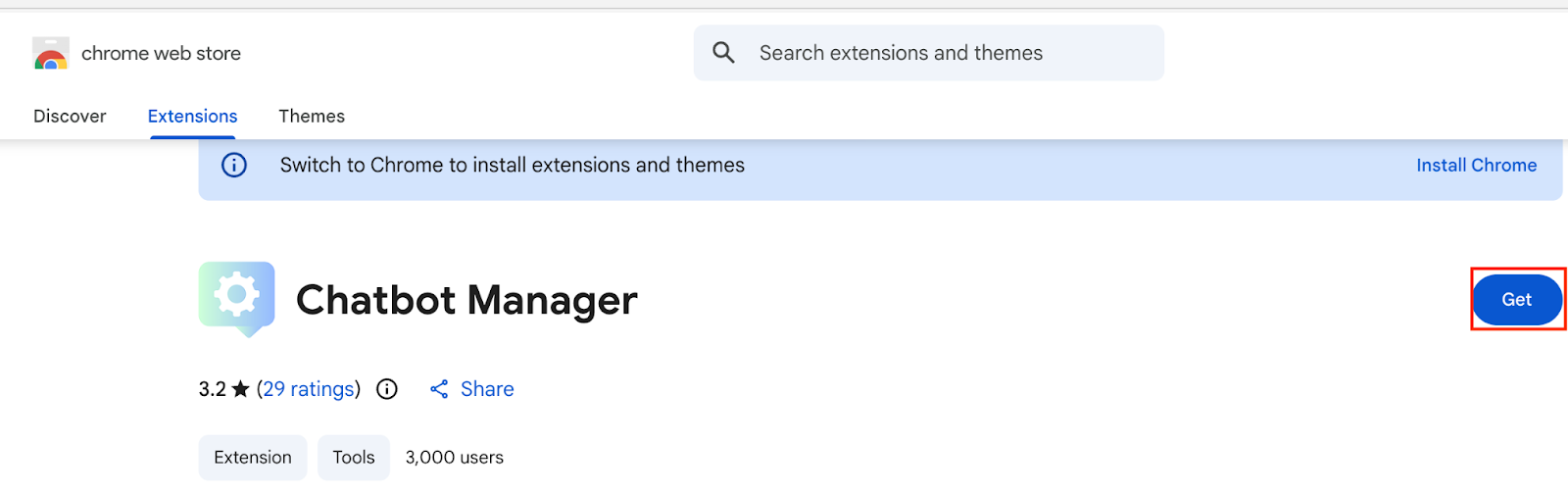
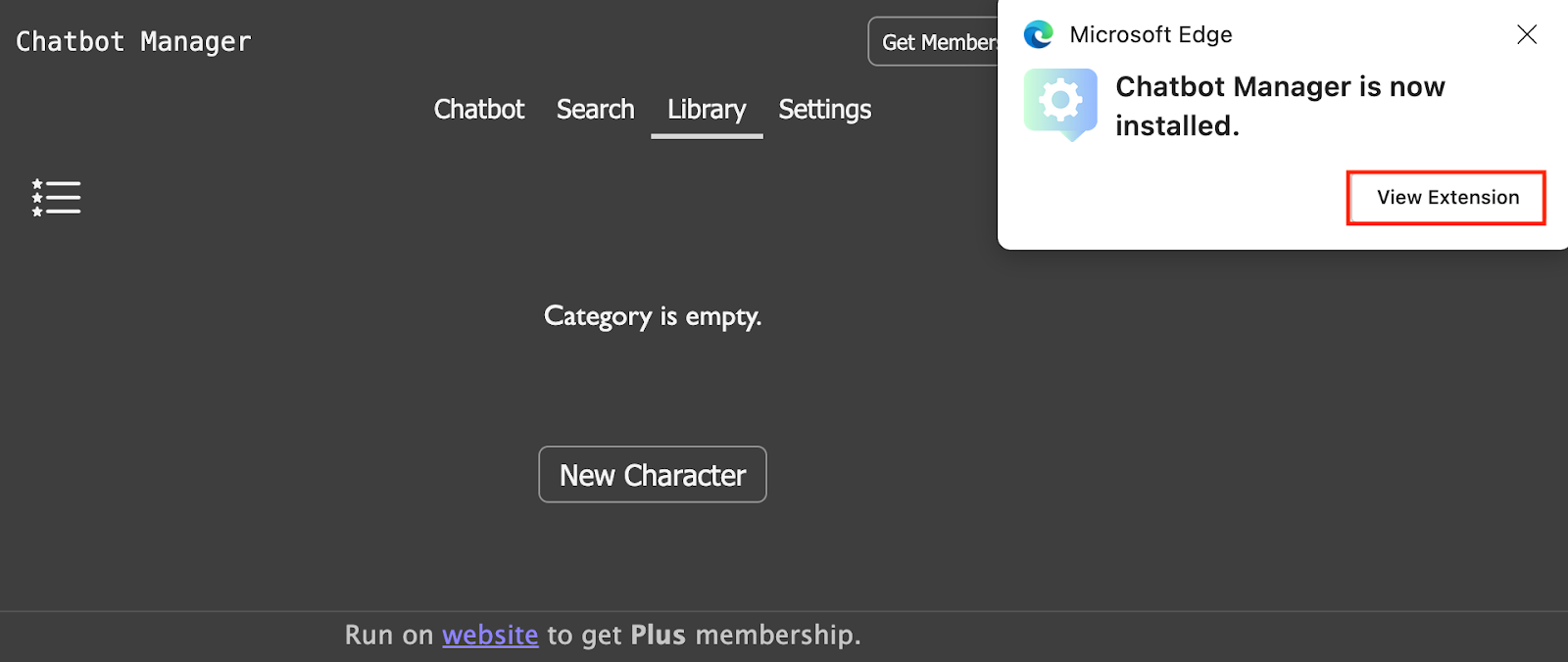
3. Install Chatbot Manager
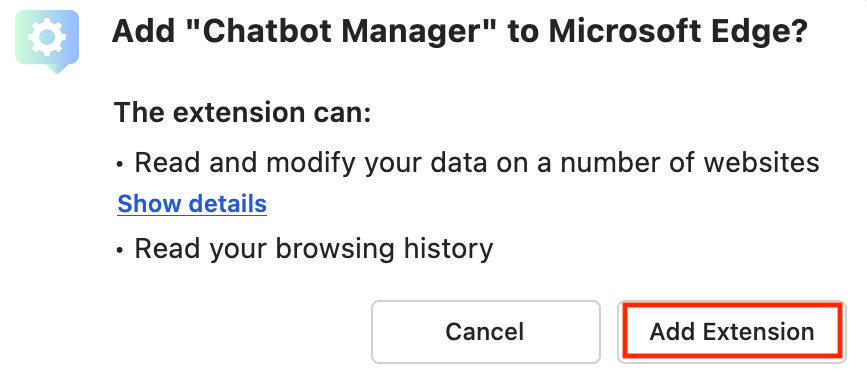
4. Add extension
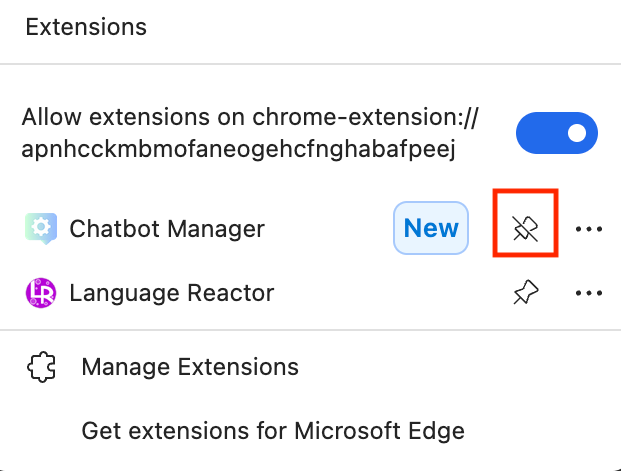
5. View extension and pin the tool
Step 2: Download Your Character Card from JanitorAI
- Go to the JanitorAI website and sign in/up.
- Search for any character that is in public mode that you want to import (some are not downloadable).
- Open the character’s profile.
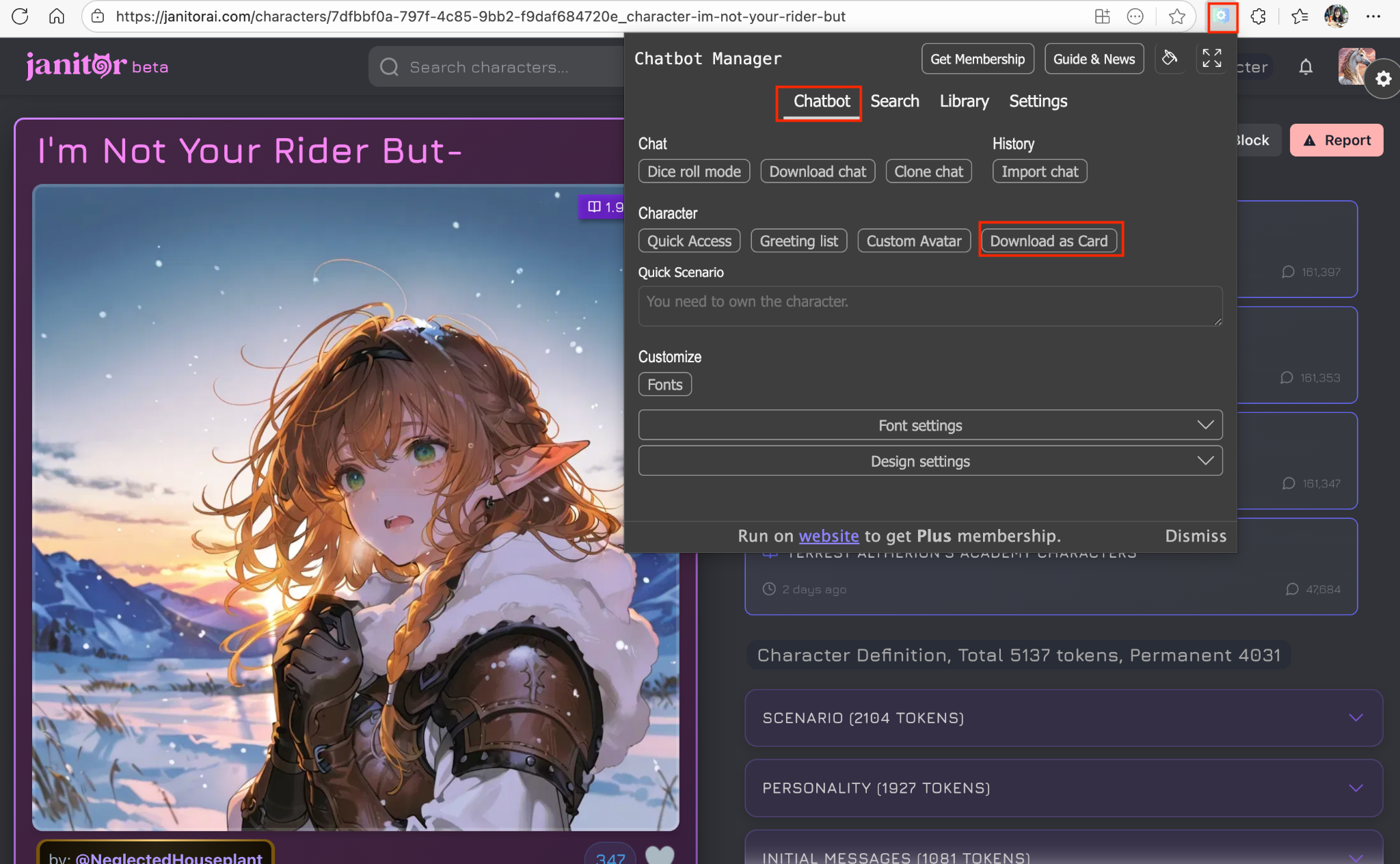
- Click on the Chatbot Manager extension to download the character card
Step 3: Import the Character into MegaNova Chat
- Open MegaNova Chat.
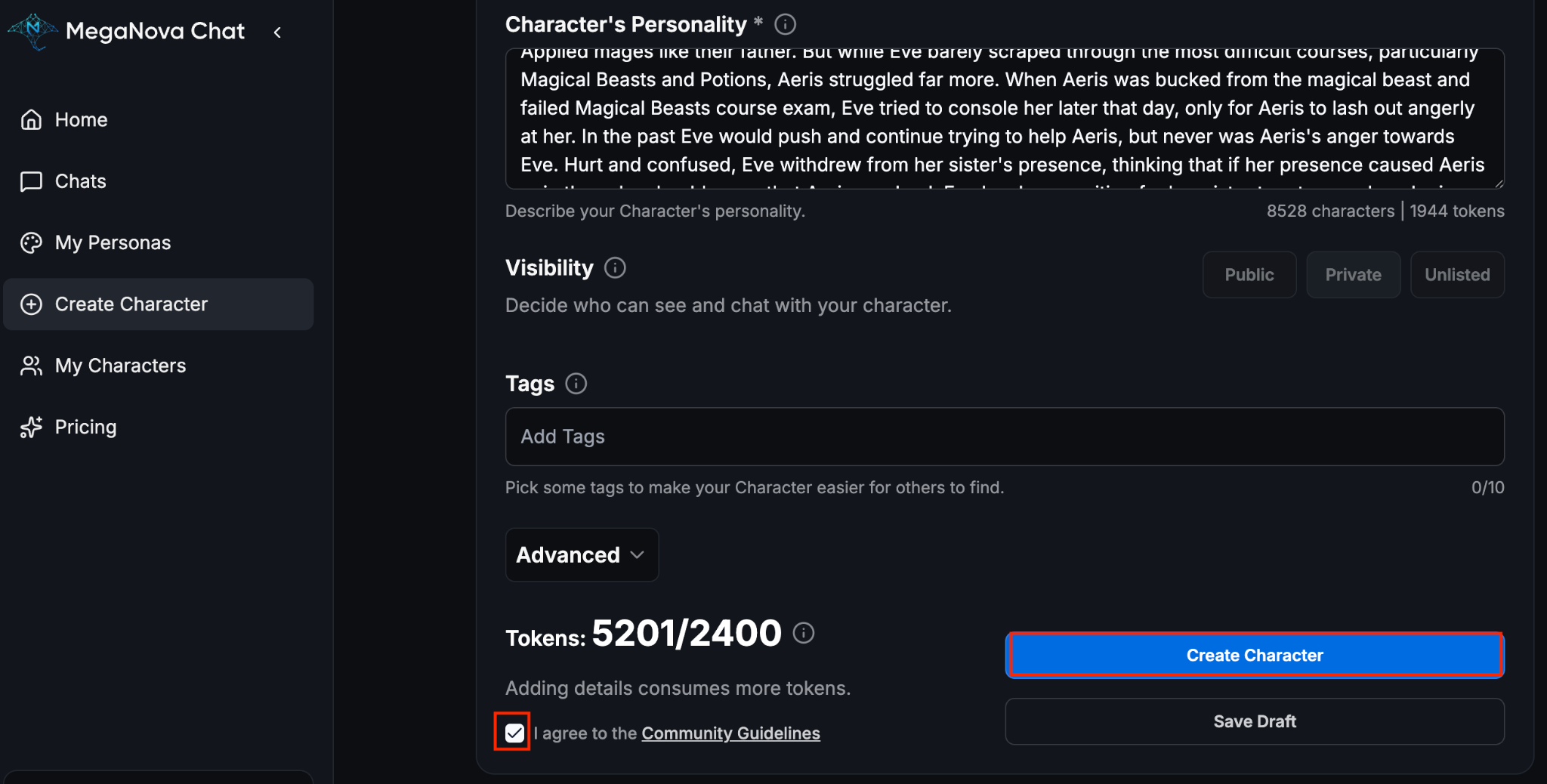
- In the left sidebar, click Create Character, click Import.
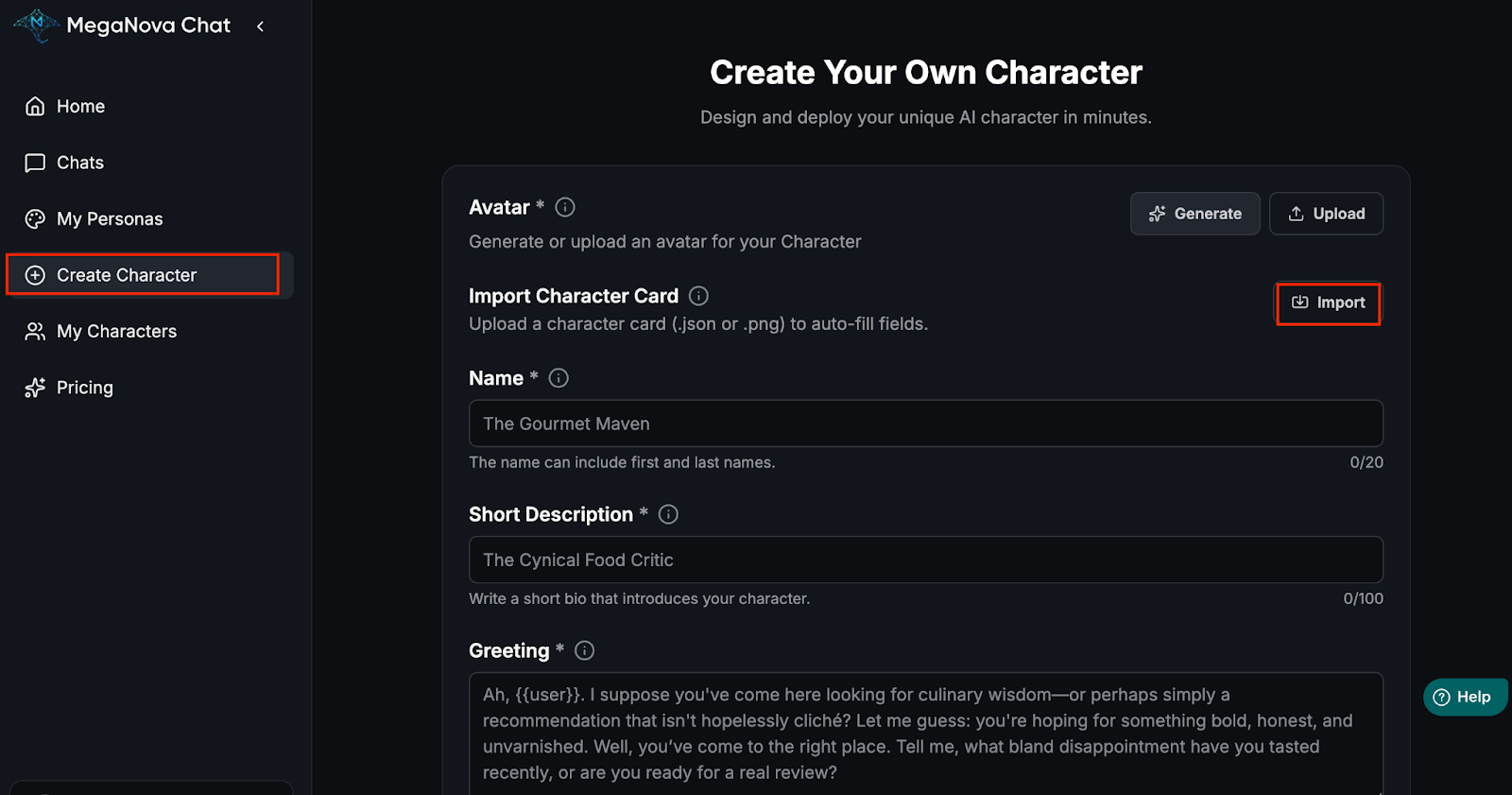
- Upload the file you downloaded from JanitorAI.
MegaNova Chat will automatically fill in most of the character details—name, greeting, description, personality, and more.
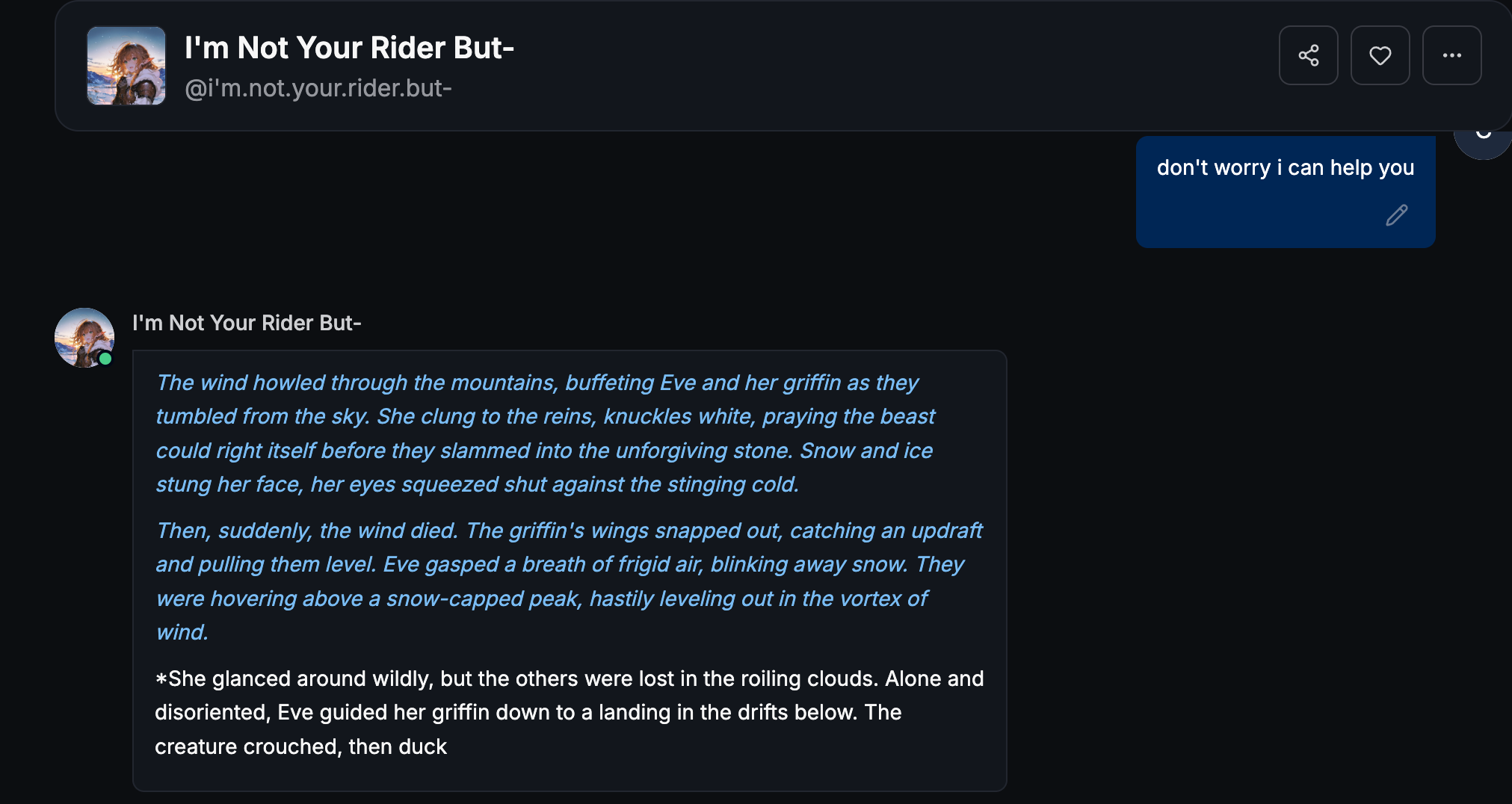
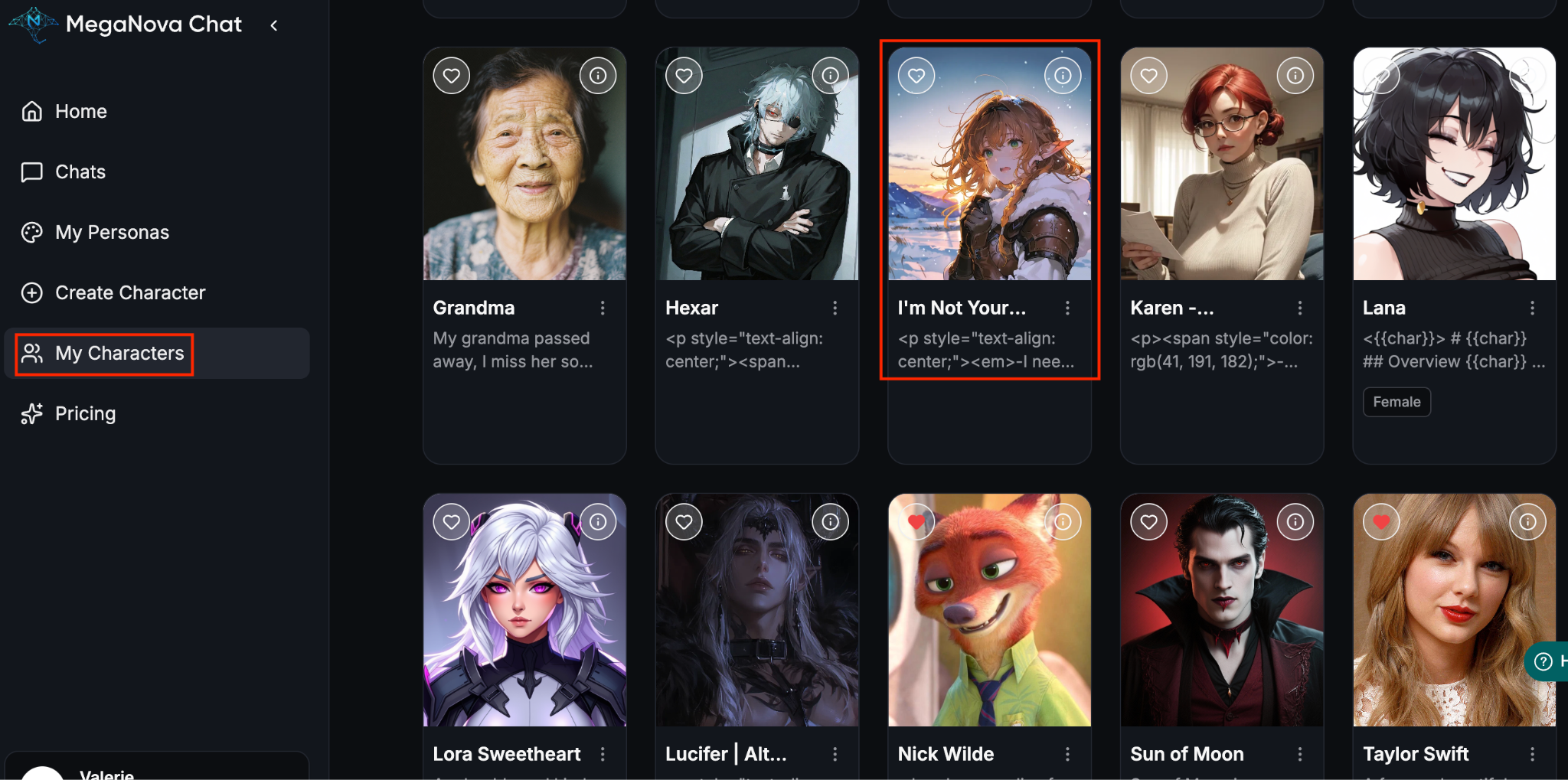
Step 4: Start Chatting
MegaNova Chat Features Coming Soon
Even as a beta, MegaNova Chat has exciting upgrades on the horizon to make roleplay even more immersive:
- Image Model – Bring characters and scenes to life visually.
- Text-to-Speech (Voice) – Hear your characters speak, adding a new layer of realism.
- Conversation Summary – Keep track of long-running stories effortlessly.
- Community Chat Rooms – Interact and collaborate with other roleplayers.
- Lorebooks – Manage world rules, character arcs, and continuity.
- Advanced Bot Tools – More customization options to make characters truly unique.
- Mobile APP Optimization – Smoother, faster, and more stable experience on mobile devices.
Final Thoughts
You’re all set! With your JanitorAI character successfully imported into MegaNova Chat, you can now dive into smoother and quicker RP with more exciting new features arriving soon. Stay tuned—MegaNova Chat is just getting started.
What's Next
Sign up and explore now.
🔍 Learn more: Visit our blog and documents for more insights or schedule a demo to optimize your roleplay experience.
📬 Get in touch: Join our Discord community for help or Contact Us.
🔗Join now to get first access to MN Chat’s free launch — including free DeepSeek model — and secure your limited-time welcome reward.
You’re not just a normal user — you’re part of our AI Roleplay evolution.
Stay Connected
💻 Website: meganova.ai
🎮 Discord: Join our Discord
👽 Reddit: r/MegaNovaAI
🐦 Twitter: @meganovaai