How to Deploy Your First Digital Employee with Nova OS (No Code)
The term "digital employee" used to sound like science fiction. Today, it is a line item on corporate procurement sheets. AI agents that autonomously answer emails, qualify leads, schedule meetings, and file expense reports are no longer experimental prototypes—they are production systems running at companies of every size.
The bottleneck has always been implementation. Historically, deploying an intelligent agent required a team of software engineers, complex API integrations, and continuous maintenance.
Nova OS changes that reality. It provides a robust, no-code platform for deploying AI agents or digital employees complete with defined roles, system permissions, long-term memory, and human escalation rules. If you have ever set up a workflow in Zapier or built a database in Notion, you have all the technical skills required to deploy your first AI agent.
Here is the definitive guide to getting your first digital employee live, from concept to production.
What Exactly Is a Digital Employee?
Before logging into the interface, it is crucial to understand what you are building.
A digital employee in Nova OS is an AI agent assigned to a highly specific business function such as a "Customer Onboarding Specialist" or an "Invoice Processor." It has secure access to the exact tools that role requires (email, CRM, document storage), a defined perimeter of autonomous tasks, and explicit boundaries for when it must hand off work to a human team member.
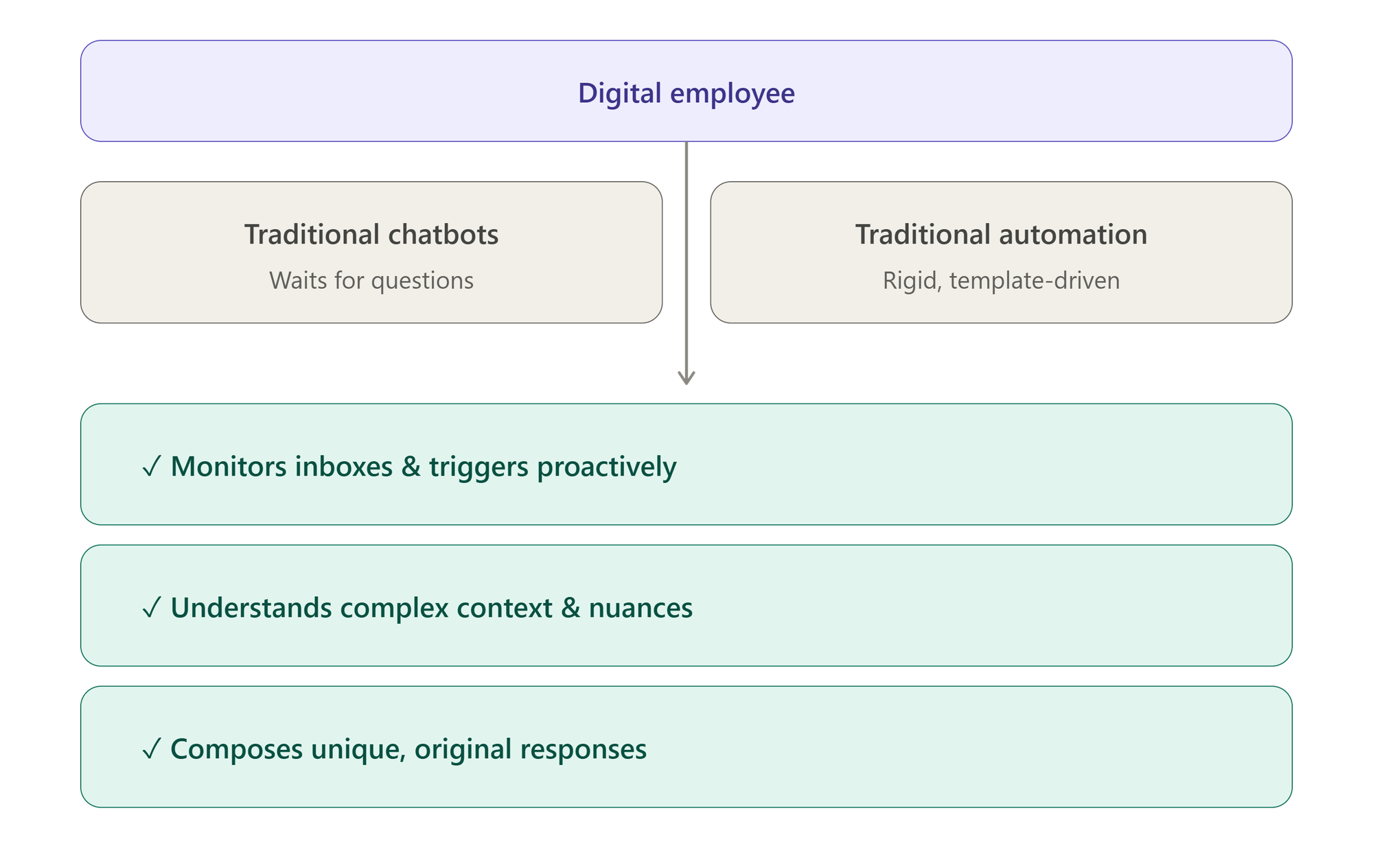
Think of it less like a software script and more like a new human hire with a highly focused, well-documented job description.
Step 1: Define the Role (Before You Touch the Tech)
The most common mistake teams make is opening Nova OS before mapping out the agent's actual job. An AI agent is only as good as its scope. Spend fifteen minutes answering these four questions on paper first:
- What single function does this agent own? Keep the scope as narrow as possible. Assigning an agent to "handle all customer support" will lead to failure. Assigning it to "triage incoming support tickets and resolve the top 10 FAQ categories" will succeed.
- What data and tools does it need? List every system the agent must touch—such as Gmail, HubSpot, Zendesk, or Google Calendar.
- When must it escalate to a human? Define your operational edge cases explicitly. For example: complaints involving refunds over $500, any mention of legal action, or messages written in languages your team does not support.
- How will you measure success? Pick two core metrics before launching, such as first response time, overall resolution rate, or escalation frequency.
Step 2: Build Your Agent in Nova OS
Once your blueprint is ready, log into the dashboard and click New Digital Employee. You will be guided through the Role Builder, which is divided into four primary sections:
1. Identity
Give your agent a name and a professional title. This is not cosmetic; Nova OS uses this identity to shape how the agent introduces itself in emails and chats. "Aria, Onboarding Specialist" builds far more trust than "Support-Agent-04."
2. Capabilities
This section handles your integrations. Nova OS features native, secure connections with tools like Outlook, Salesforce, Slack, and Google Workspace. Toggle on the systems your agent needs. Each connection uses a standard, one-click OAuth login—no coding or API key management required.
3. Instructions
This is your agent’s core operating manual, written entirely in plain language. Describe the job as if you were training a human intern. Be specific about what the agent must do, what it is forbidden from doing, and the exact brand voice it should use. Two to three detailed paragraphs are usually optimal.
4. Escalation Rules
Define the hard boundaries for human intervention. You can trigger an escalation based on specific keywords, customer sentiment scores, ticket urgency, or custom fields from your CRM. Set at least three clear rules before proceeding.
Step 3: Run in Shadow Mode First
Never push a brand-new AI agent directly into live production. Nova OS includes a safety feature called Shadow Mode that acts as a digital staging ground.
When Shadow Mode is active, your agent monitors real-world inputs and generates the exact responses or actions it would take—but it does not actually execute them. Instead, every draft and proposed action lands in a central review queue for your manual approval.
Best Practice: Run your agent in Shadow Mode for at least 48 hours to evaluate three core areas:
- Accuracy: Is the agent pulling the correct data and answering questions factually?
- Tone: Does the output sound natural and align with your brand voice?
- Escalation Gaps: Are there complex situations the agent tried to handle itself that it should have handed off to a human?
Use these insights to refine your Instructions and Escalation Rules. Most agents require two or three minor rounds of Polish before they are fully optimized.
Step 4: Establish Permissions and Go Live
Before activating your agent, navigate to the Permissions tab to establish its operational autonomy. You can adjust these settings at any time:
- Draft Mode (Highly Recommended for Beginners): The agent processes data and writes complete responses, but saves them as drafts. A human team member must review and click "Send."
- Auto-Send: The agent operates completely autonomously, interacting directly with customers or systems without human intervention. Only enable this after your Shadow Mode data proves consistent accuracy.
- Read-Only: The agent monitors logs and analyzes incoming data to generate reports, but is restricted from taking any external action.
Once your permissions match your risk tolerance, click Activate. Your digital employee is officially on the clock.
Step 5: Monitor the First Two Weeks
A live AI agent is an evolving asset, not a set-and-forget piece of software. Monitor the Nova OS analytics dashboard daily for the first two weeks, tracking your pre-defined success metrics.
If your first response time drops significantly but your escalation rate spikes, your agent is likely working quickly but lacks the depth to resolve complex issues. Tighten your instructions or feed the agent more context from your documentation. Nova OS logs every single action, message, and handoff. Use these audit logs to continuously optimize your workflows.
The Bigger Picture
Deploying your first digital employee is a powerful proof of concept. The exponential value, however, occurs when you deploy an entire digital workforce—one agent for vendor billing, one for customer onboarding, and one for internal IT support—all communicating and handing tasks off to one another seamlessly.
For today, focus on automating a single, repetitive bottleneck. The best time to deploy your first digital employee was six months ago. The second best time is today.
Ready to Scale Your Workforce?
Stop letting routine workflows drain your team's creative energy. Let MegaNova AI help you deploy secure, reliable digital employees tailored to your business infrastructure.
Stay Connected
💻 Website: meganova.ai
📖 Docs: docs.meganova.ai
🎮 Discord: Join our Discord
👽 Reddit: r/MegaNovaAI
𝕏 X: @meganovaai