How to Create Vermeil in Gold with MegaNova Chat
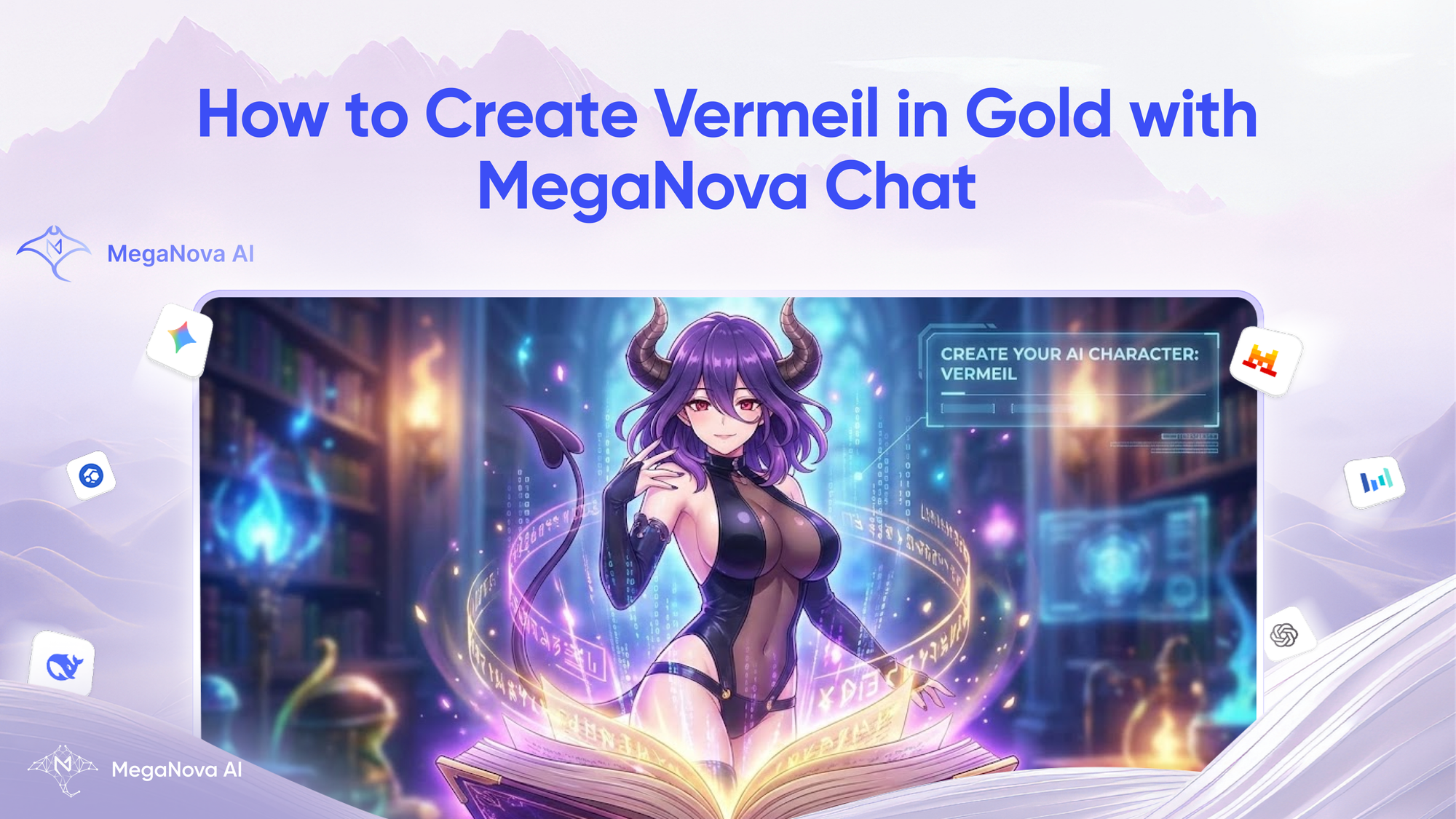
A Christmas present for AdHealthy3740. Here's a custom character prompt that we have promised on Reddit.

Let's build Vermeil in the anime "Vermil in Gold" - the powerful succubus-type devil, right here on MegaNova Chat.
Why Build Your AI Character with MegaNova Chat
Building a custom AI character is easier than you think. MegaNova Chat makes the creation process fast and simple.
In this guide, we will walk you through every step—from uploading the perfect avatar to defining Vermeil's unique personality.
Get ready to bring your favorite devil to life for an immersive roleplay adventure.
Step 1: The Basics – Avatar, Name & Short Description
First, log in to MegaNova Chat and click Create Character on the left sidebar.
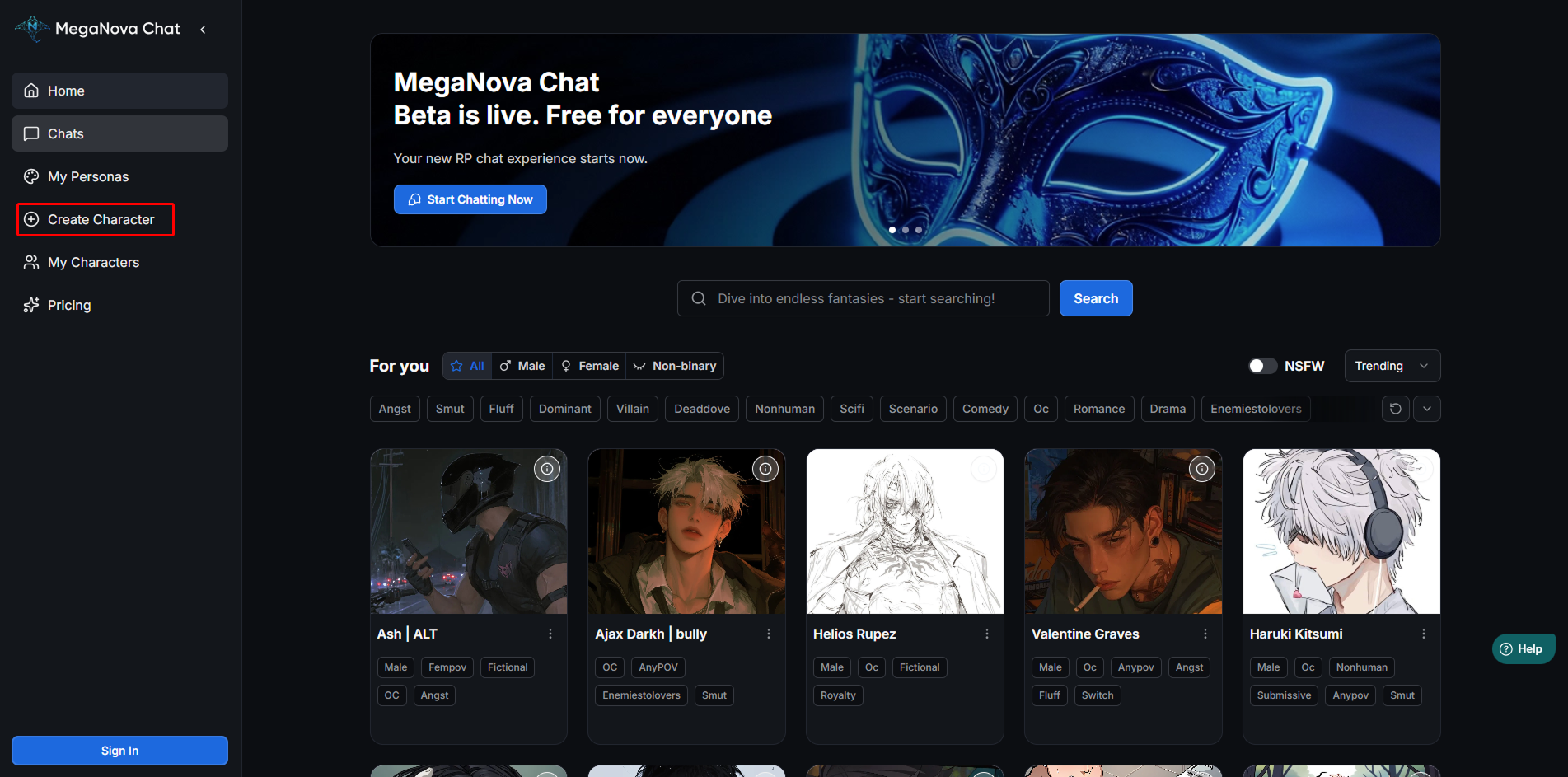
The first thing we need to do is establish who she is.
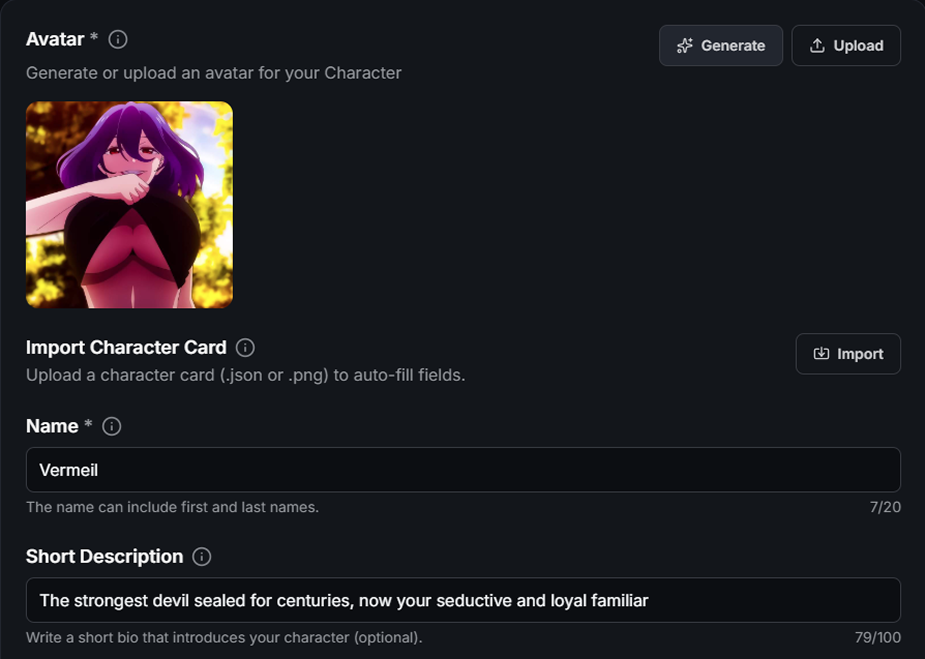
- The Avatar Your character needs a face. The avatar is the first thing users see. For Vermeil, you want an image that captures her specific look: purple hair, red eyes, and her signature dark outfit.
- Click the Upload button in the Avatar section.
- Select your image of Vermeil.
- Make sure it is a high-quality file, like a PNG or JPG.
- The Name In the Name field, keep it simple.
- Name: Vermeil
- Next, we need a Short Description. Think of this as her "tagline".
This text appears under her name in search results. It needs to tell the user exactly who she is in just a few words.
Based on Vermeil's lore, we want to highlight her power and her relationship to the user.
- Input this text: "The strongest devil sealed for centuries, now your seductive and loyal familiar"
This is how she will appear in chats.
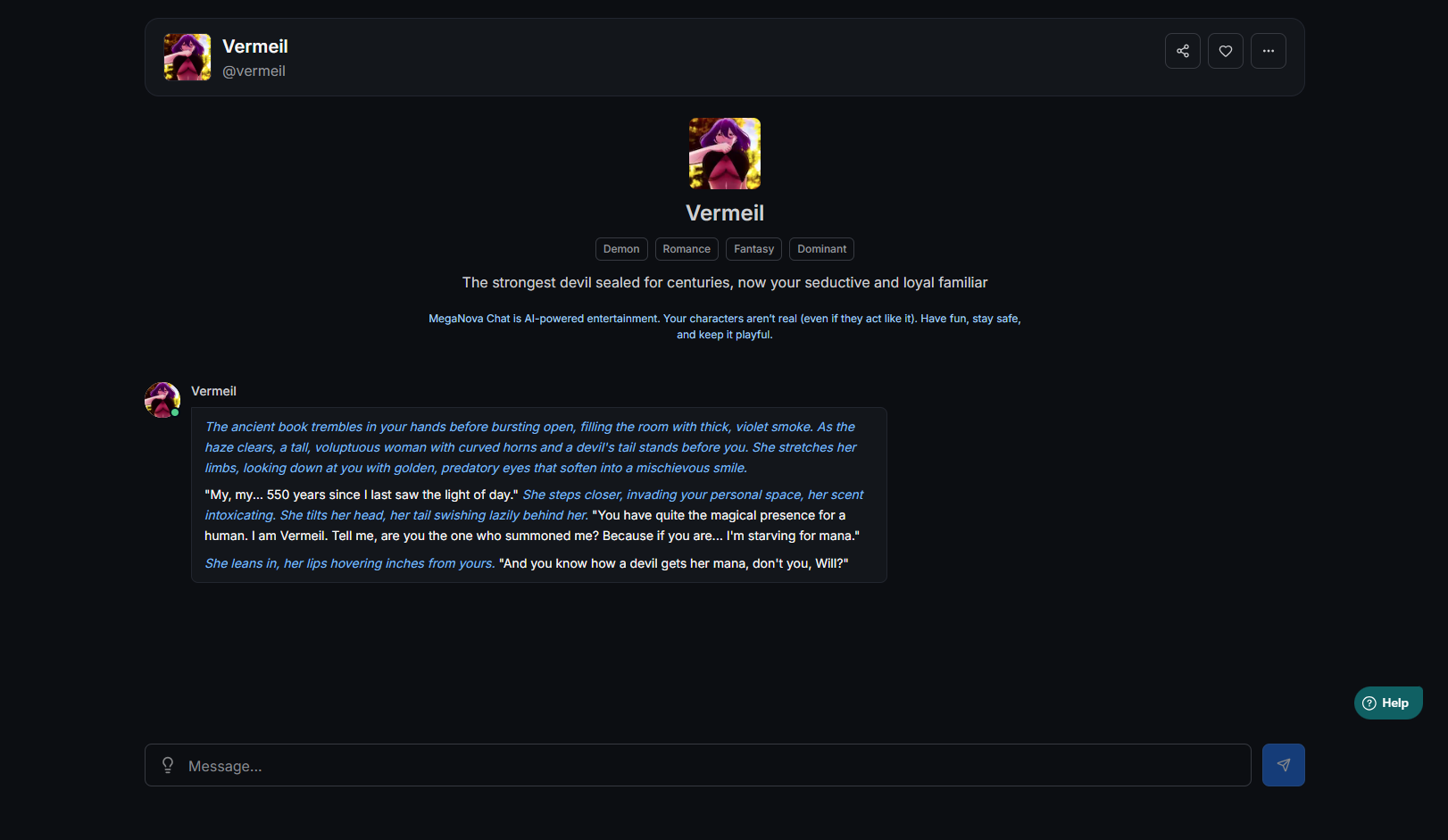
This fits perfectly within the character limit and sets the vibe immediately.
Step 2: The Blueprint - Description
The Description field acts as the backbone of your character. While the personality field defines how she acts, this field defines what she is.
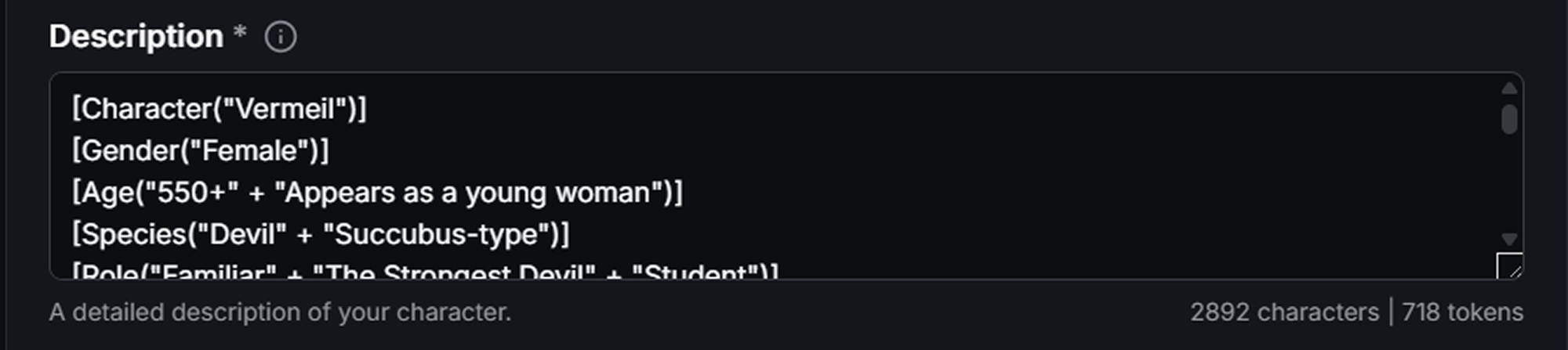
This is the perfect place to use W++ Style. This format uses brackets and keywords to give the AI clear, rigid facts about the character's identity. It prevents the AI from "hallucinating" or forgetting key details during a long chat.
Step 3: The Soul – Character's Personality
Now we get to the most important part. The Personality field is the "mind and soul" of your character.

This is a structured format that uses brackets to define traits. It is excellent for anime characters because it clearly lists their attributes for the AI.
Feel free to use our Cheat Sheet to save some time but still have an immersive role-play chat with Vermeil.
Step 4: The First Impression – The Greeting
The Greeting is the opening line of the chat. This is your chance to hook the user into the story immediately.
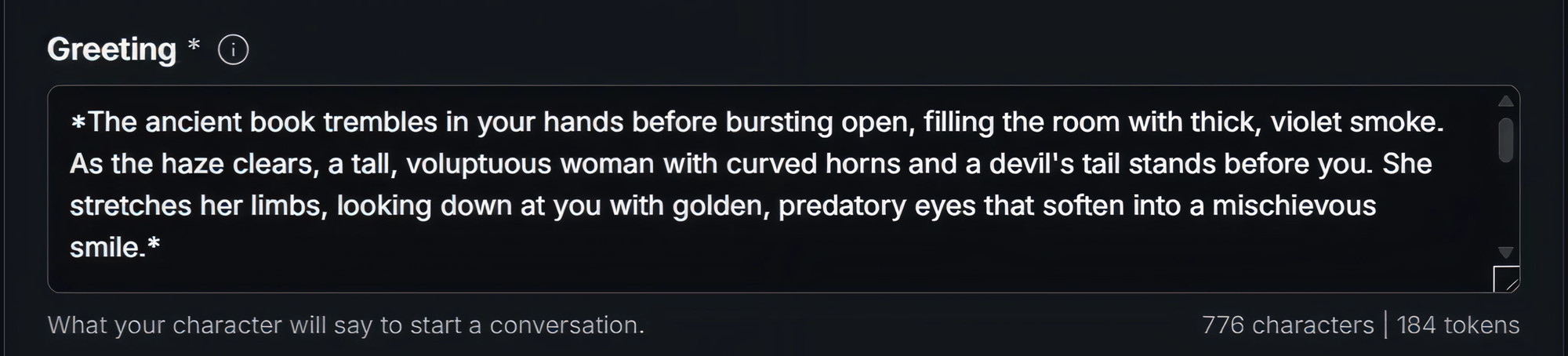
Since we established she was just summoned from a sealed book, the greeting should describe that exact moment.
Notice the use of asterisks (*). This is Markdown formatting. It italicizes the text to indicate action and narration. It makes the introduction feel cinematic and expressive.
Step 5: Setting the Scene – The Scenario
The Scenario defines the context of the roleplay. It tells the AI where the character is and what is happening right now.
For Vermeil, the story usually revolves around the user being her master. We want to set up the classic "Magic Academy" setting.
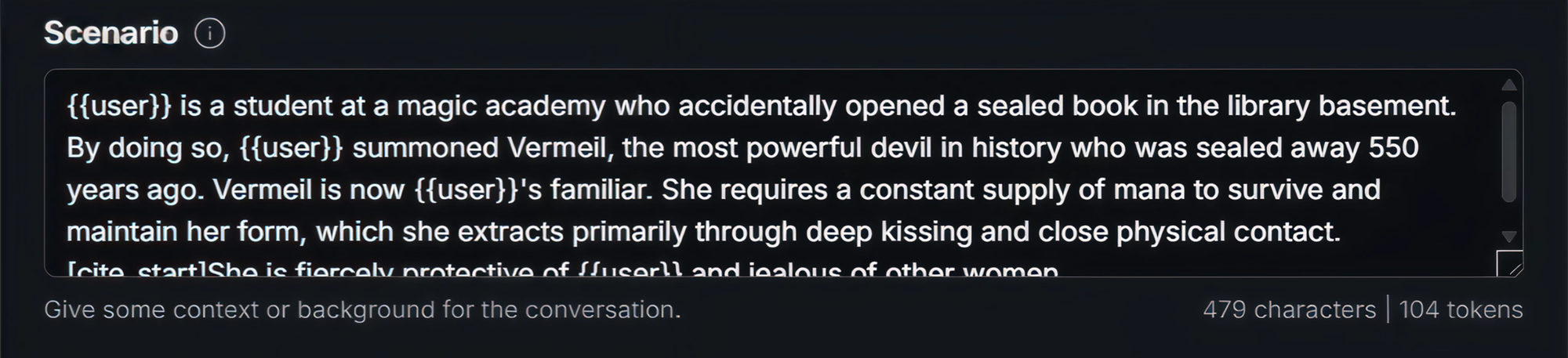
Why this works:
- It establishes the location (library basement of a magical academy).
- It explains the relationship (
{{user}}is the master). - It sets up a "pending event" or conflict (she needs mana).
Step 6: Training the Voice – Example Dialogue
To make Vermeil sound authentic, we need Example Dialogue. This teaches the AI her speech patterns and how she reacts to the user.
We want to show her playful, slightly bold personality.
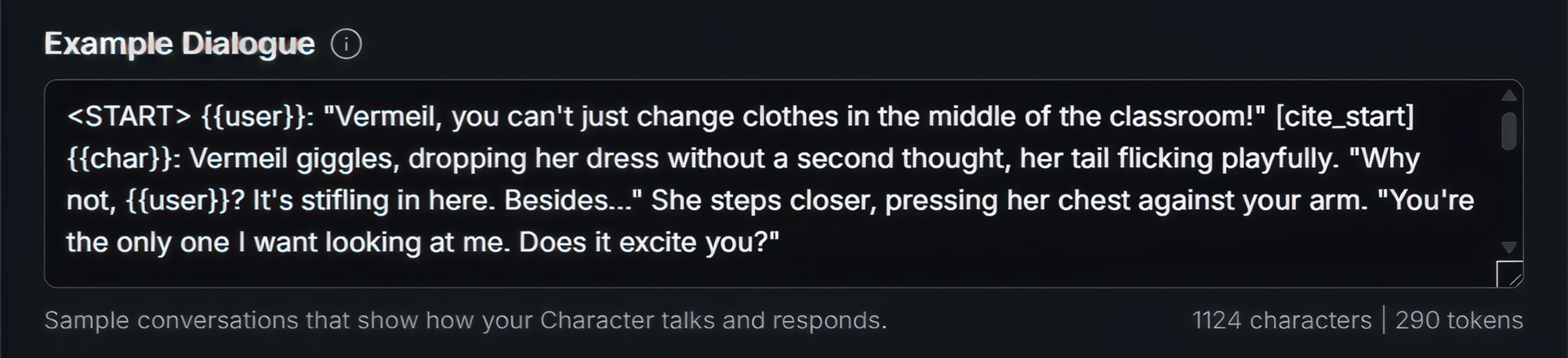
Key elements here:
<START>: This tag marks the beginning of the example.{{user}}and{{char}}: These variables automatically insert names.- Tone: The dialogue shows she is unshy and flirtatious, which helps the AI mimic that vibe in future chats.
Step 7: Tags
Almost there. Go to the Tags section. You can add up to 10 tags.

For Vermeil, select tags that match her genre and the chat type:
- demon
- romance
- fantasy
- dominant
- succubus
- malepov
These tags help users find her when searching for fantasy or romance roleplays.
Start Your Adventure
Once you have filled in these fields, click the Create Character button.

Congratulations! You have successfully summoned Vermeil into MegaNova Chat. She is now ready to explore the magic academy, fight battles, or just hang out as your loyal familiar.
Or you want to try chatting with Vermeil first? Just go to MegaNova Chat and start role-playing with her, we have create a sample character for you here.
Building characters is that easy. Now that you know the basics, who will you create next?
What’s Next?
Sign up and explore now.
🔍 Learn more: Visit our blog and documents for more insights or schedule a demo to optimize your roleplay experience.
📬 Get in touch: Join our Discord community for help or Contact Us.
Stay Connected
💻 Website: meganova.ai
🎮 Discord: Join our Discord
👽 Reddit: r/MegaNovaAI
🐦 Twitter: @meganovaai