How Agent Mode Builds Characters Step by Step
This blog is written to explain how Agent Mode actually builds a character, step by step, not just which buttons you click, but how the AI thinks and why the fields are filled in a specific order.
To make this clear, we’ll use a single example image throughout the article:

Rather than treating Agent Mode as a black box, this guide walks through:
- What the Agent observes first
- How it interprets visual cues
- When and why each character field is filled
- How your answers influence the final character
By the end, you’ll understand exactly why Agent Mode characters often feel more coherent, and how to work with the Agent instead of against it.
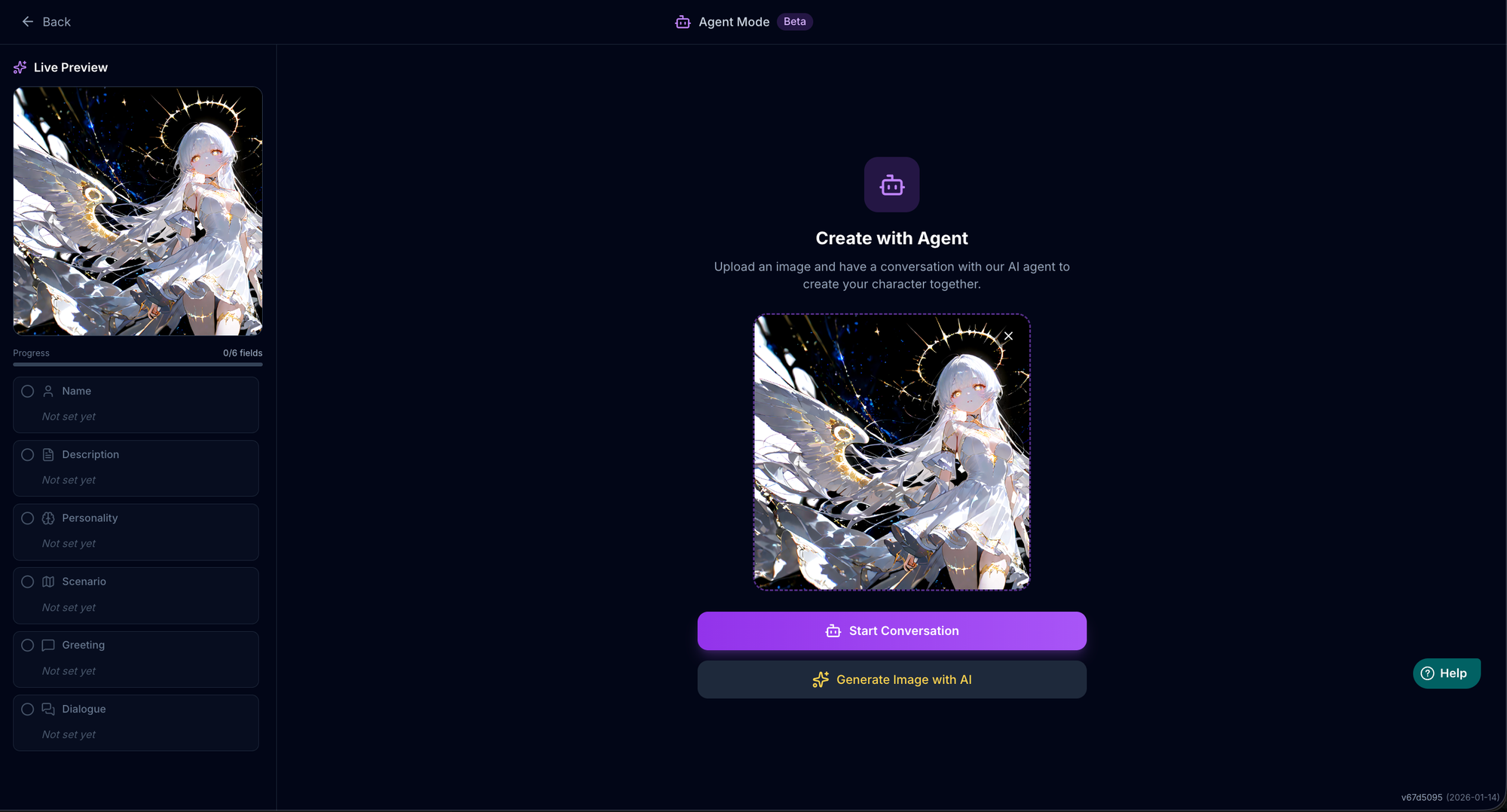
When you use MegaNova Studio in Agent Mode, you may notice something unusual at first.
When the session starts, all core character fields are empty:
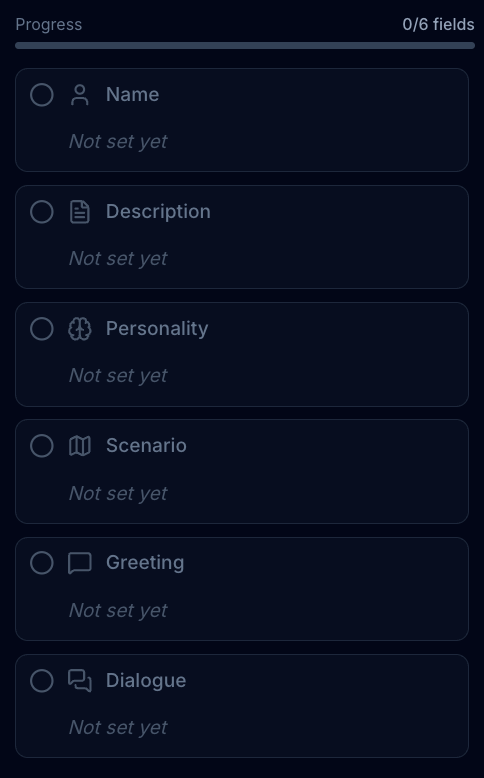
This is intentional.
Agent Mode is not designed to auto-fill everything immediately. Instead, it builds your character progressively, filling each field only after there’s enough context to make it meaningful.
This article explains what each field represents, how the Agent builds it, and why the order matters.
Why Agent Mode Doesn’t Fill Everything at Once
Most character creators fail not because they lack ideas, but because they try to define everything too early.
Agent Mode avoids this by:
- Asking questions in a logical sequence
- Defining identity before details
- Locking behavior only after tone and intent are clear
Each field is filled only when the Agent has enough signal from you to do it well.
Name — Chosen After Identity, Not Before
One of the clearest examples of Agent Mode’s approach appears at the Name stage.
Instead of immediately asking, “What’s the character’s name?”, the Agent first analyzes the visual and thematic cues of the character.
From your my example, it might recognize things like:
- Celestial or mythic traits
- Visual symbolism (halo, wings, light, cosmic background)
- Emotional tone (gentle, powerful, divine, distant)
Only after forming this internal understanding does the Agent invite you to name the character, not with a blank question, but with guided intent.
Rather than forcing a name, the Agent asks you to choose a direction:
- Should the name feel ethereal?
- Powerful?
- Ancient?
- Or surprisingly grounded?
This prevents one of the most common creator mistakes: naming too early, before identity is clear.
Description — A First Impression Snapshot
The Description field is built once the character’s role and vibe are clear.
This field is not meant to explain everything. Instead, it acts as:
- A quick snapshot
- A discovery hook
- A way to set expectations at a glance
The Agent derives this description from earlier answers, rather than asking you to write it manually.
Personality — Built Across the Conversation
The Personality field is the most important part of the character, and Agent Mode builds it gradually.
Rather than asking for a single long description, the Agent gathers personality signals over time:
- Emotional tendencies
- Attitudes toward the user
- Behavioral patterns
- Tone, boundaries, and reactions
By spreading this across multiple steps, the resulting personality feels cohesive instead of stitched together.
Scenario — Context Comes After Personality
The Scenario defines the character’s current situation and setting.
Agent Mode fills this only after personality is established, so the scenario:
- Reinforces who the character is
- Feels purposeful instead of decorative
- Naturally explains why the interaction starts now
This avoids generic or disconnected setups.
Greeting — The Entry Point Into Interaction
The Greeting is created near the end of the Agent Mode flow.
At this point, the Agent already understands:
- The character’s voice
- Their personality
- The scenario and context
This allows the greeting to function as a real opening scene, not a generic introduction.
A good greeting pulls the user directly into interaction, rather than explaining who the character is.
Dialogue — Locking in How the Character Speaks
The Dialogue field (example dialogue) is what teaches the AI how the character actually talks.
Instead of asking you to write examples manually, the Agent:
- Infers speech patterns from your answers
- Models pacing, tone, and reactions
- Reinforces consistency across conversations
This field is crucial for keeping the character stable during longer roleplay sessions.
Why All Fields Start as “Not Set Yet”
Seeing all fields empty at the beginning can feel strange, but it’s by design.
Agent Mode does not guess. It waits.
Each field is filled only when:
- Enough context exists
- The character’s identity is clear
- The result won’t need immediate rewriting
This is what makes Agent Mode characters feel more intentional and less generic.
After Agent Mode: Full Control in the Editor
Once the Agent completes all sections and you click Continue to Editor, every field becomes fully editable.
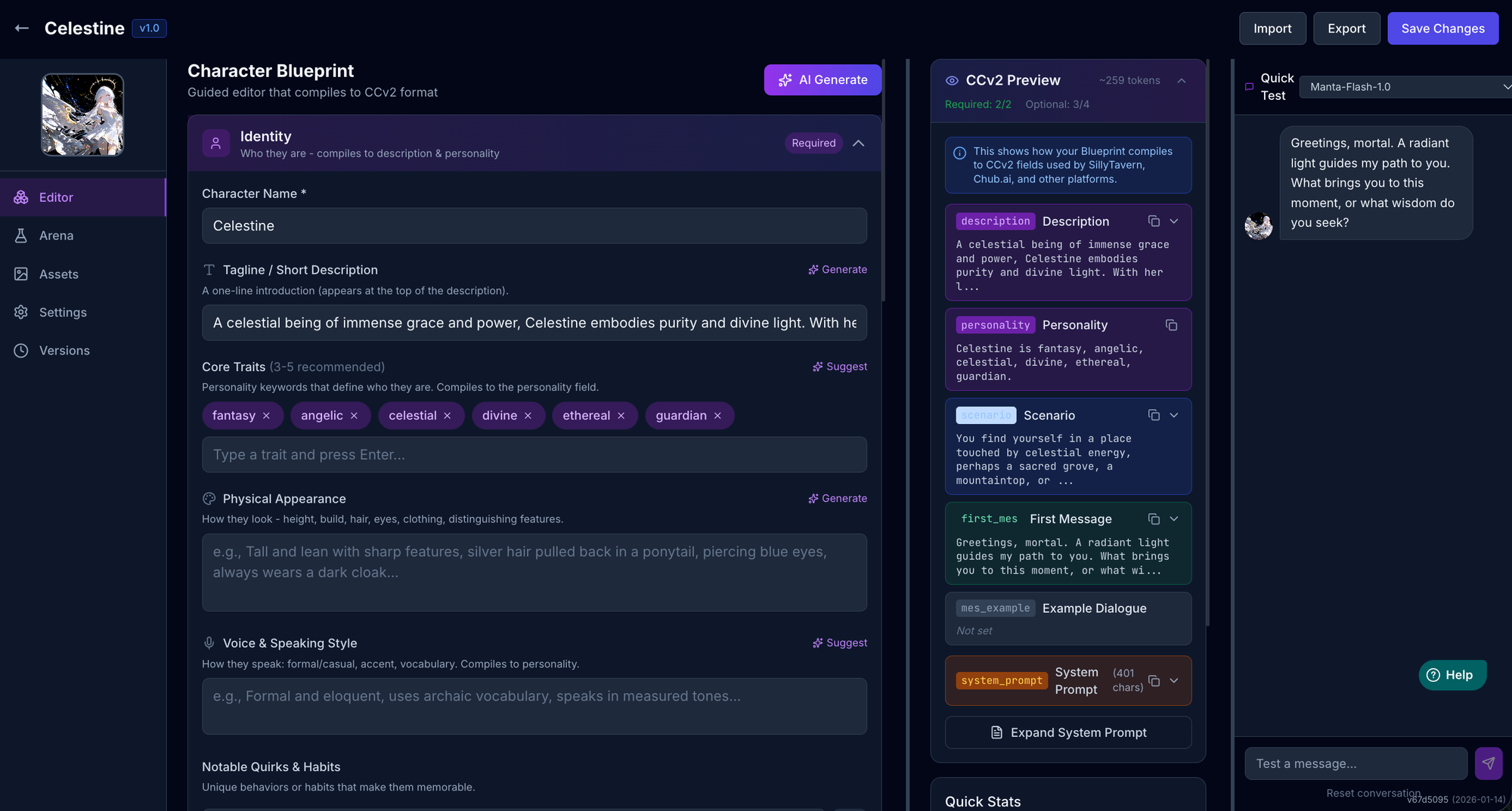
You can:
- Rewrite any section
- Add more detail
- Adjust tone or direction
- Combine Agent Mode output with Expert-level edits
Agent Mode creates a strong first version. The editor is where you polish.
Final Thought
Agent Mode doesn’t replace creativity. It replaces the blank page.
By building Name, Description, Personality, Scenario, Greeting, and Dialogue in the right order, it helps characters emerge naturally — instead of being forced into existence all at once.
That’s why Agent Mode characters often feel more coherent from the very first message.