Getting Started with MegaNova Studio
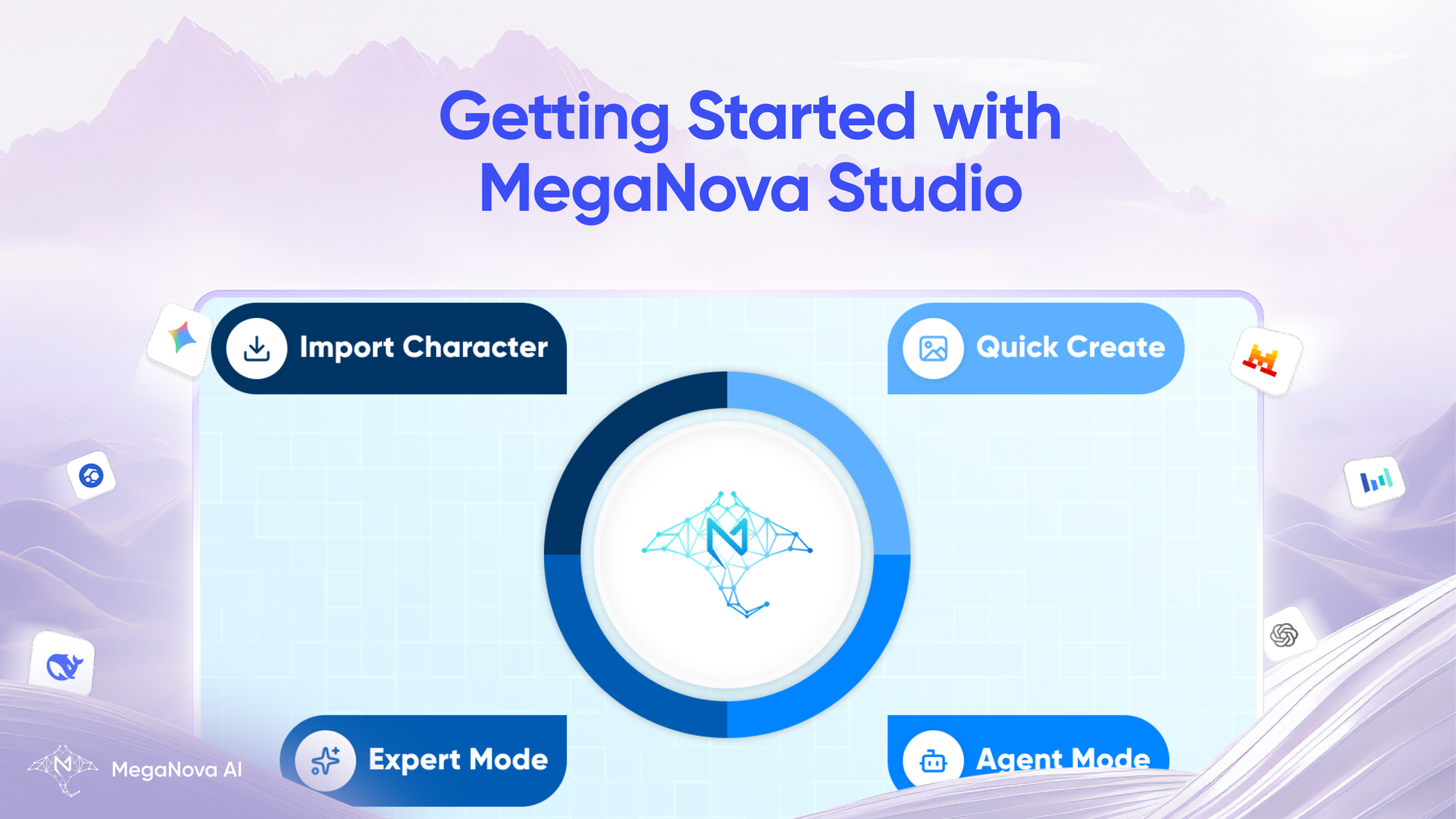
Creating a compelling AI character is rarely just about writing a prompt. It involves personality design, visual identity, consistency, iteration, and often collaboration. Most platforms treat these as disconnected steps, forcing creators to jump between tools, chats, and formats.
MegaNova Studio was built to change that.
MegaNova Studio is a dedicated environment for character creators, a place where creation comes first, and where every workflow is designed to save time while giving creators full control over their characters.
What Is MegaNova Studio?
MegaNova Studio is a platform designed specifically for AI character creation and iteration.
Its core purpose is simple:
Give creators a seamless, time-saving way to create, refine, and manage AI characters from idea to finished persona.
Instead of forcing everyone into a single creation flow, MegaNova Studio offers multiple creation paths, so beginners and advanced creators can work in the way that suits them best.
The Core Philosophy: Create First, Customize Later
Character creators work at different speeds and levels of depth. Some want to start with an image and see what happens. Others want full control over personality, logic, and structure from the start.
MegaNova Studio supports both.
At its core are four creation workflows, each designed for a different style of creator, but all leading to the same result: a fully usable, editable AI character.
The Four Character Creation Workflows
1. Quick Create - From Image to Character in One Step
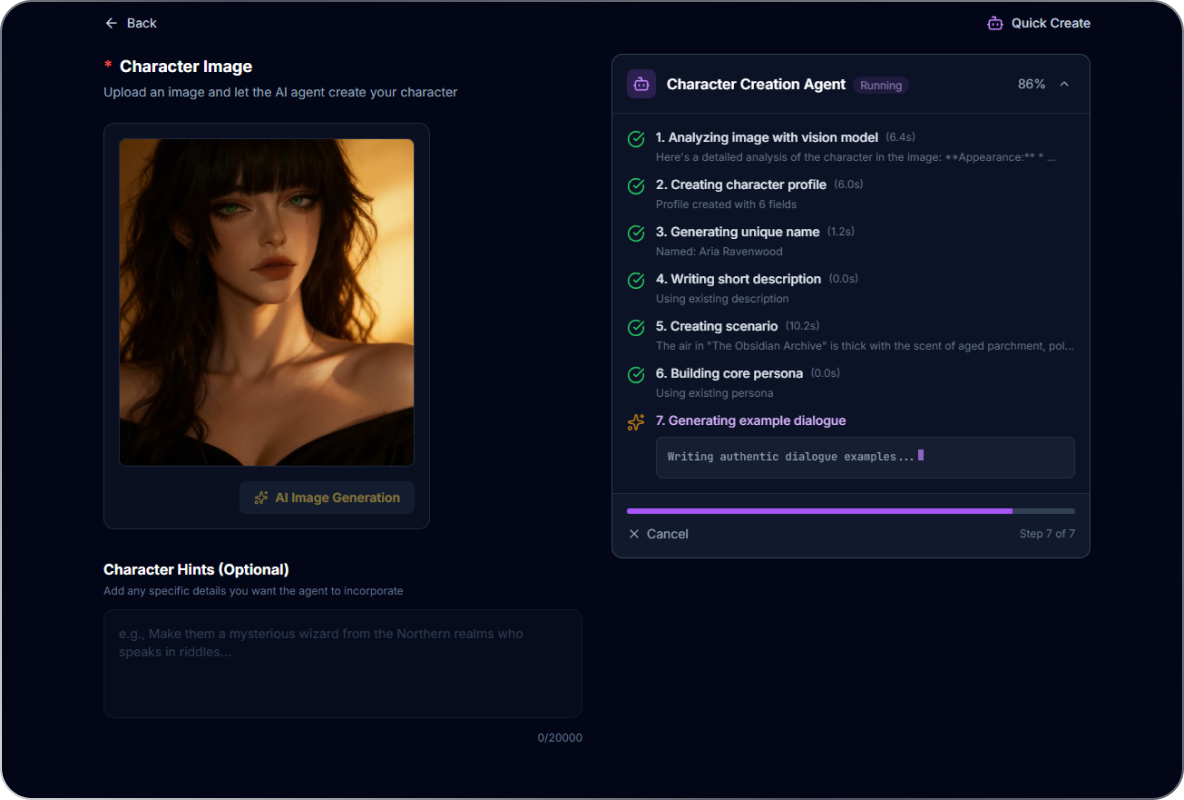
Quick Create is the fastest way to start.
You upload a single image, and MegaNova Studio uses AI to generate a complete character foundation from it, including visual interpretation and an initial persona.
This mode is ideal when:
- You already have character art
- You want instant inspiration
- You prefer to refine later rather than design from scratch
Quick Create lowers the barrier to entry and turns a static image into a living character in minutes.
2. Agent Mode - Create Together With AI
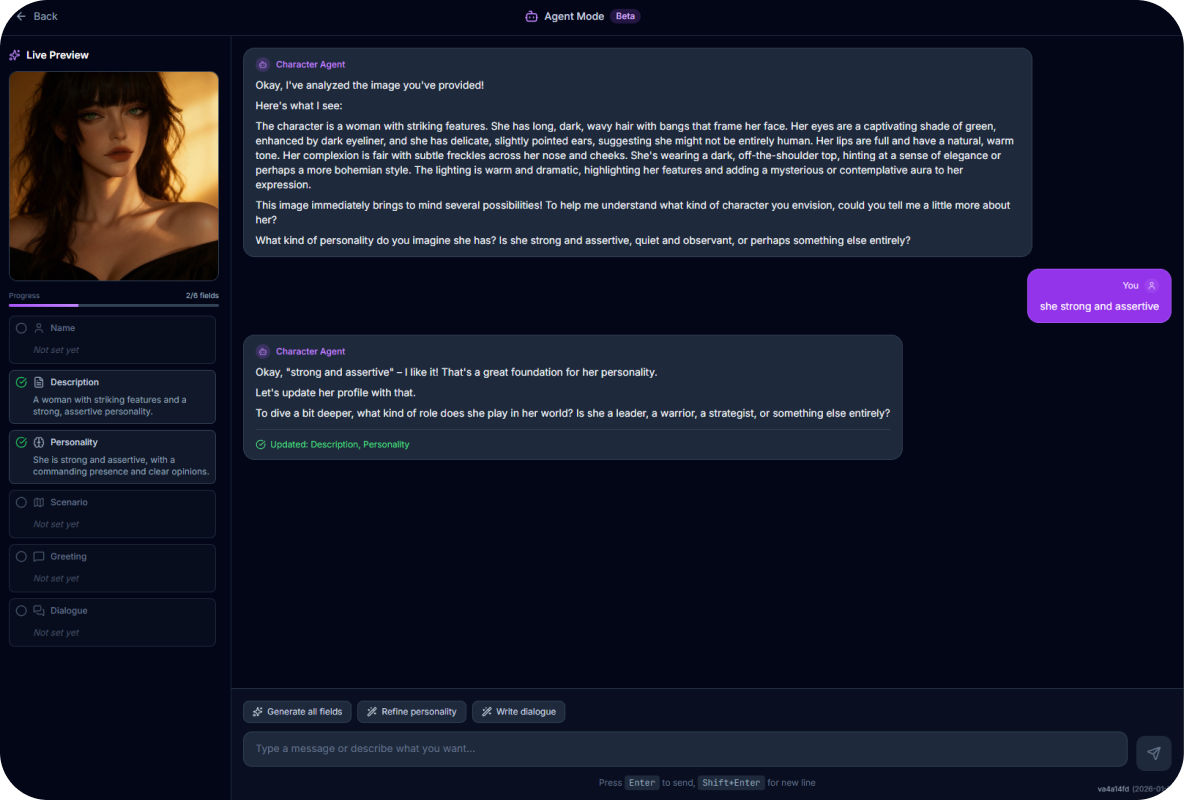
Agent Mode turns character creation into a conversation.
Instead of filling out forms, you chat with an AI agent that asks questions, reacts to your ideas, and helps you shape the character collaboratively. You describe intentions, tone, personality, and story, the AI helps structure and refine them.
This workflow is ideal when:
- You want guidance while creating
- You think better through dialogue
- You want the AI to challenge or refine your ideas
Agent Mode feels less like configuration and more like co-creation.
3. Expert Mode - Full Control for Advanced Creators
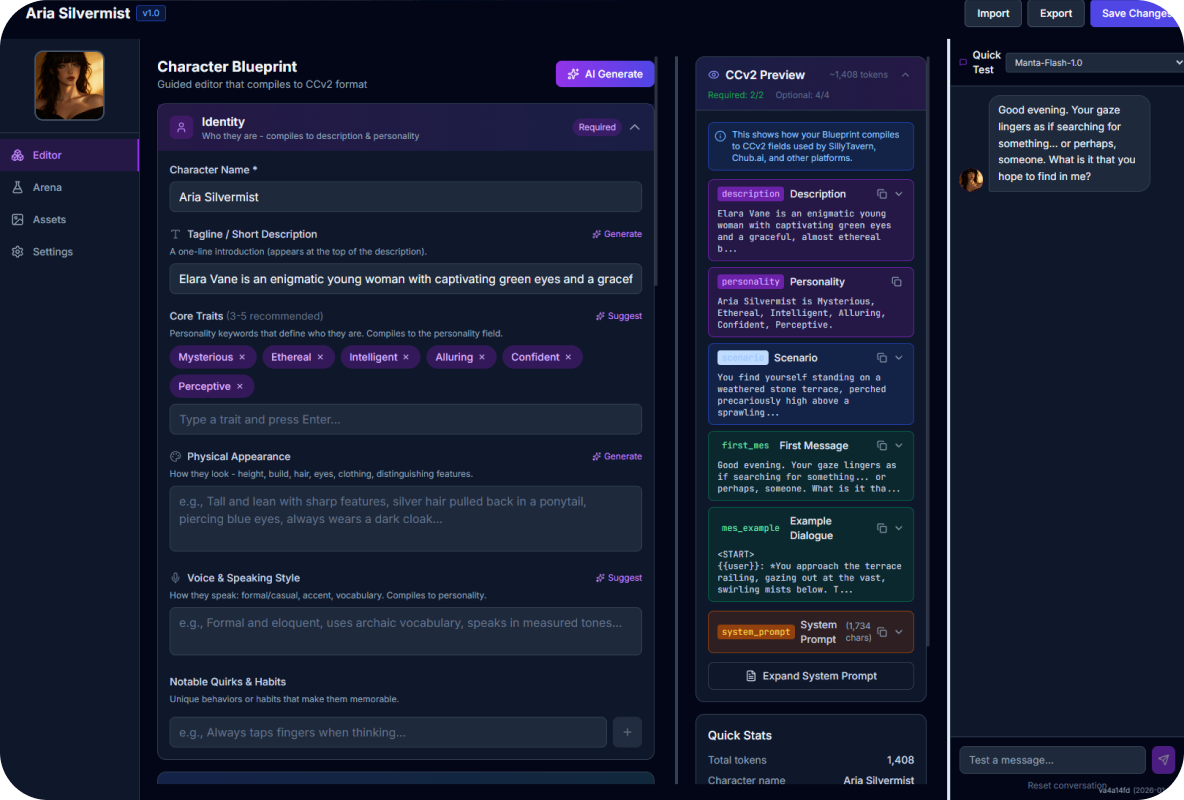
Expert Mode is for creators who want total freedom.
Here, you can deeply customize every aspect of a character:
- Persona and personality logic
- Tone, behavior, and narrative style
- Structure, formatting, and internal rules
There are no guardrails or forced steps, just a powerful editor that lets you shape the character exactly as you envision it.
Expert Mode is ideal for:
- Advanced roleplay creators
- Long-form character consistency
- Complex personas and systems
4. Import Character - Bring Your Existing Work
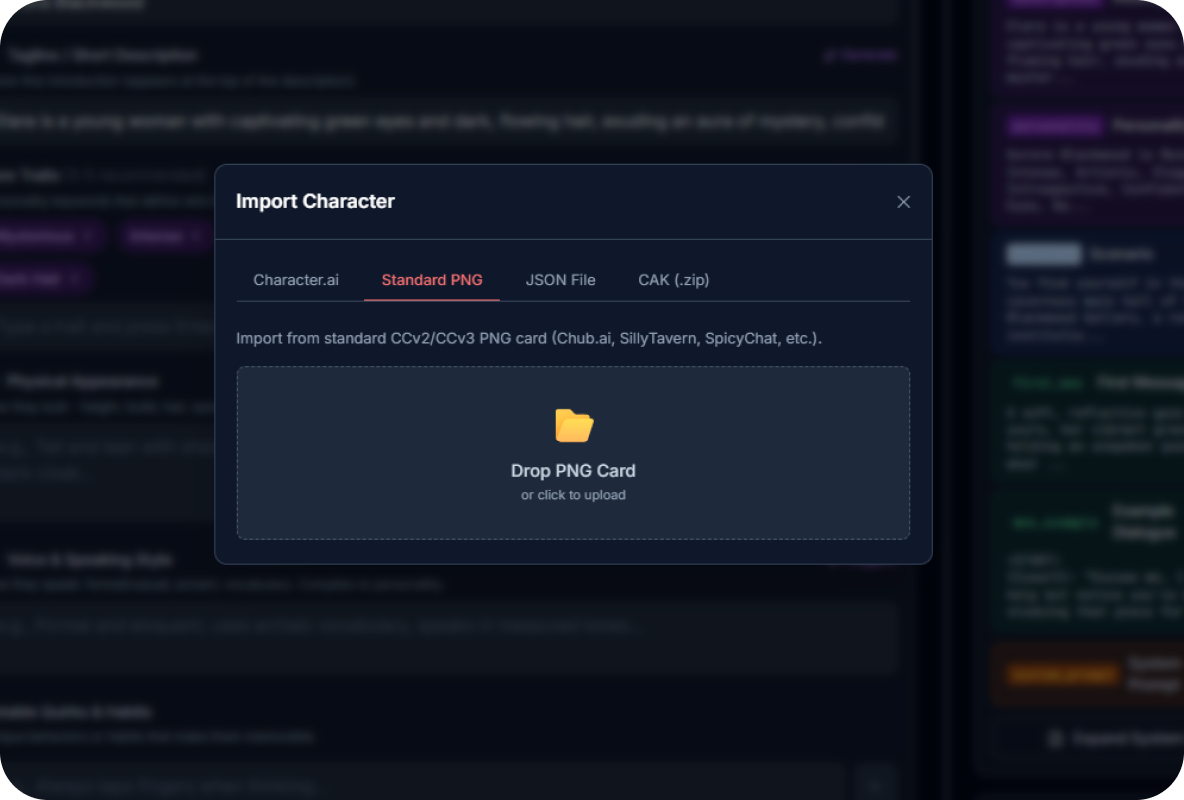
MegaNova Studio doesn’t force you to start over.
With Import Character, you can bring in characters from other platforms using:
- JSON files
- Character Cards (PNG)
Imported characters can then be edited, expanded, and refined inside MegaNova Studio, just like native creations.
This workflow is ideal when:
- You already have a character elsewhere
- You want to migrate without losing work
- You want a better environment to iterate
Understanding the Studio Interface
MegaNova Studio is organized into clear, purpose-driven tabs, each supporting a different part of the creation lifecycle.
Home
Your personal workspace overview.
- Recent Projects: characters you’ve created or edited recently
- Recent Materials: generated images and assets related to your characters
This is your starting point every time you return.
Explore
A discovery space for inspiration.
- Featured AI characters
- Public creations from the community
Explore helps creators learn from others, find inspiration, and understand different design styles.
Chats
Your interaction history.
- Past conversations with characters
- Useful for testing behavior, tone, and consistency
Chats help bridge creation and real usage, making iteration easier.
Favorites
A curated list of characters you like.
This tab lets you quickly return to characters you enjoy, study, or plan to iterate on later.
User Personas
User Personas define who you are when chatting with characters.
Instead of being a fixed “user,” you can create multiple personas with different names, tones, or identities. The default persona is automatically applied to new conversations, but you can switch as needed.
This is especially useful for:
- Roleplay testing
- Multi-perspective storytelling
- Keeping interactions consistent
Built-In AI Tools
Image Generation
MegaNova Studio includes an AI Image tool to generate character visuals directly inside the platform.
This allows creators to:
- Generate avatars and character art
- Maintain visual consistency
- Iterate visuals alongside personality design
No external image tool is required.
Spaces - Collaborative Character Creation
One of the most powerful parts of MegaNova Studio is Spaces.
A Space is a shared, collaborative environment, similar in spirit to tools like CapCut where you can:
- Invite other creators
- Work on the same character or project
- Share materials and ideas
- Build characters together in real time
Spaces are ideal for:
- Creator teams
- Friends co-creating stories
- Community projects
- Feedback-driven iteration
Character creation no longer has to be a solo process.
Why MegaNova Studio Exists
MegaNova Studio was built around a simple belief:
Character creation should be fluid, flexible, and creator-first.
By supporting multiple workflows, built-in tools, and collaborative spaces, MegaNova Studio removes friction and gives creators the freedom to work how they want — whether that means speed, depth, or teamwork.
Conclusion
MegaNova Studio is not just a character editor. It’s a complete creation environment.
From instant image-based creation to deep expert customization, from solo workflows to collaborative Spaces, it’s designed to support the full lifecycle of AI character creation, without forcing creators into a single way of working.
If you care about characters, consistency, and creative control, MegaNova Studio gives you the space to build them properly.