Exporting Characters as SOUL.md
Git-Friendly, Human-Readable Character Definitions
MegaNova Studio now supports exporting and importing characters in SOUL.md format — a human-readable Markdown file with YAML frontmatter that carries your full character definition.
This format is git-friendly, easy to edit by hand, and compatible with OpenClaw workspaces.
If you’ve ever tried version-controlling a JSON file or diffing a binary character card, you already know why this matters.
Why SOUL.md?
Character cards (PNG, JSON, CAK) are great for sharing on platforms like SillyTavern or Chub.ai. But they’re binary or deeply nested, which makes them hard to:
- Review in pull requests
- Track changes in Git
- Edit cleanly in VS Code
- Compare personality revisions over time
SOUL.md solves that.
It’s:
- Human-readable — Markdown with structured headings
- Git-friendly — clean diffs when you edit traits or scenarios
- Round-trip safe — export from MegaNova, edit, and import back without losing metadata
- OpenClaw compatible — works as an agent identity file
Instead of thinking of your character as a “file export,” think of it as a structured identity document.
How to Export
Step 1: Open Your Character
Navigate to any character inside your Space and open it in the editor.
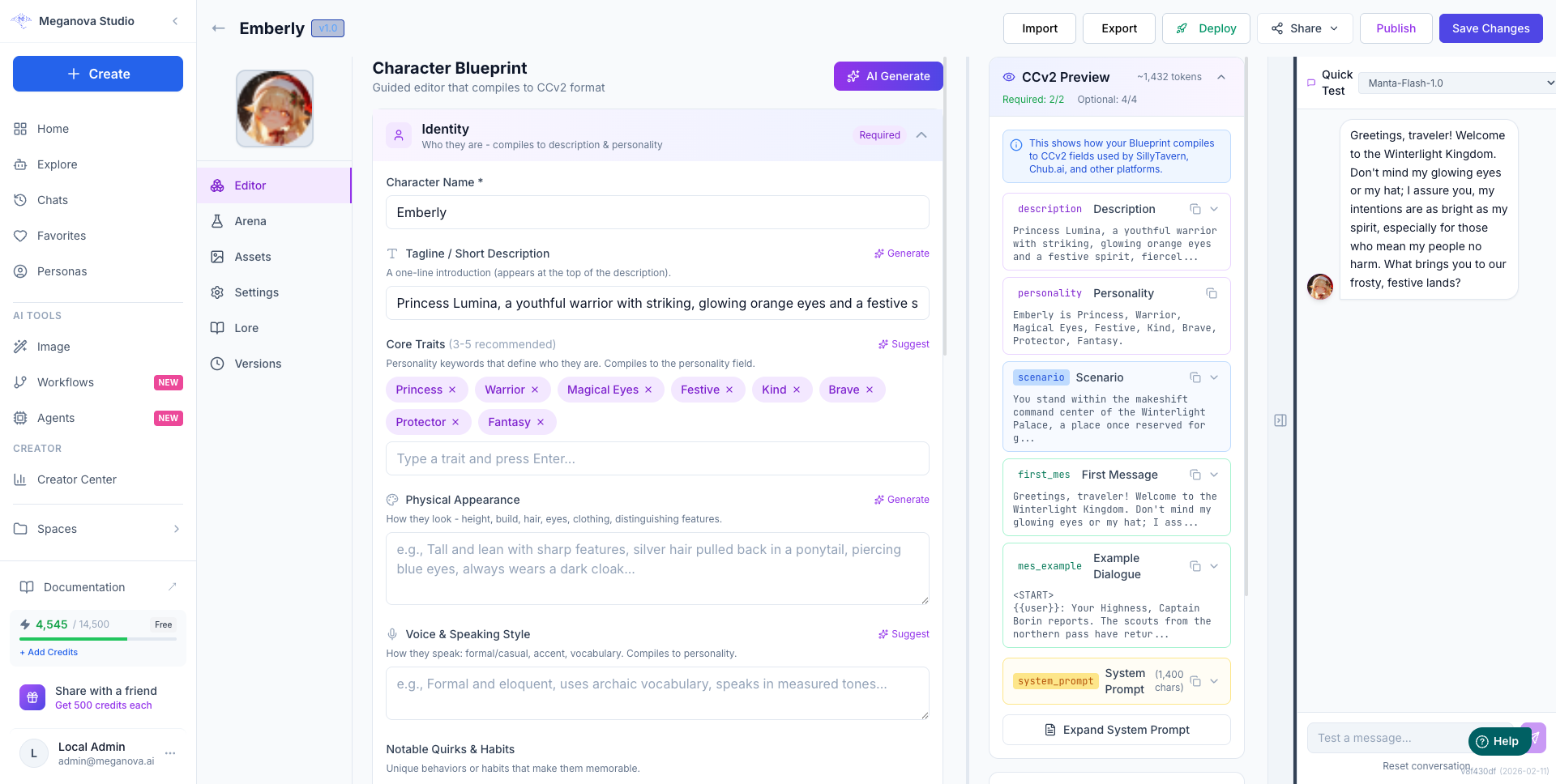
You’ll see the standard Studio layout with identity fields, personality, scenario, and dialogue sections.
Step 2: Click Export → SOUL.md
Click the Export button in the top toolbar.
You’ll see multiple tabs:
- JSON
- CAK (.zip)
- Character Card (PNG)
- API Usage
- Persona Only
- SOUL.md
Select the SOUL.md tab.
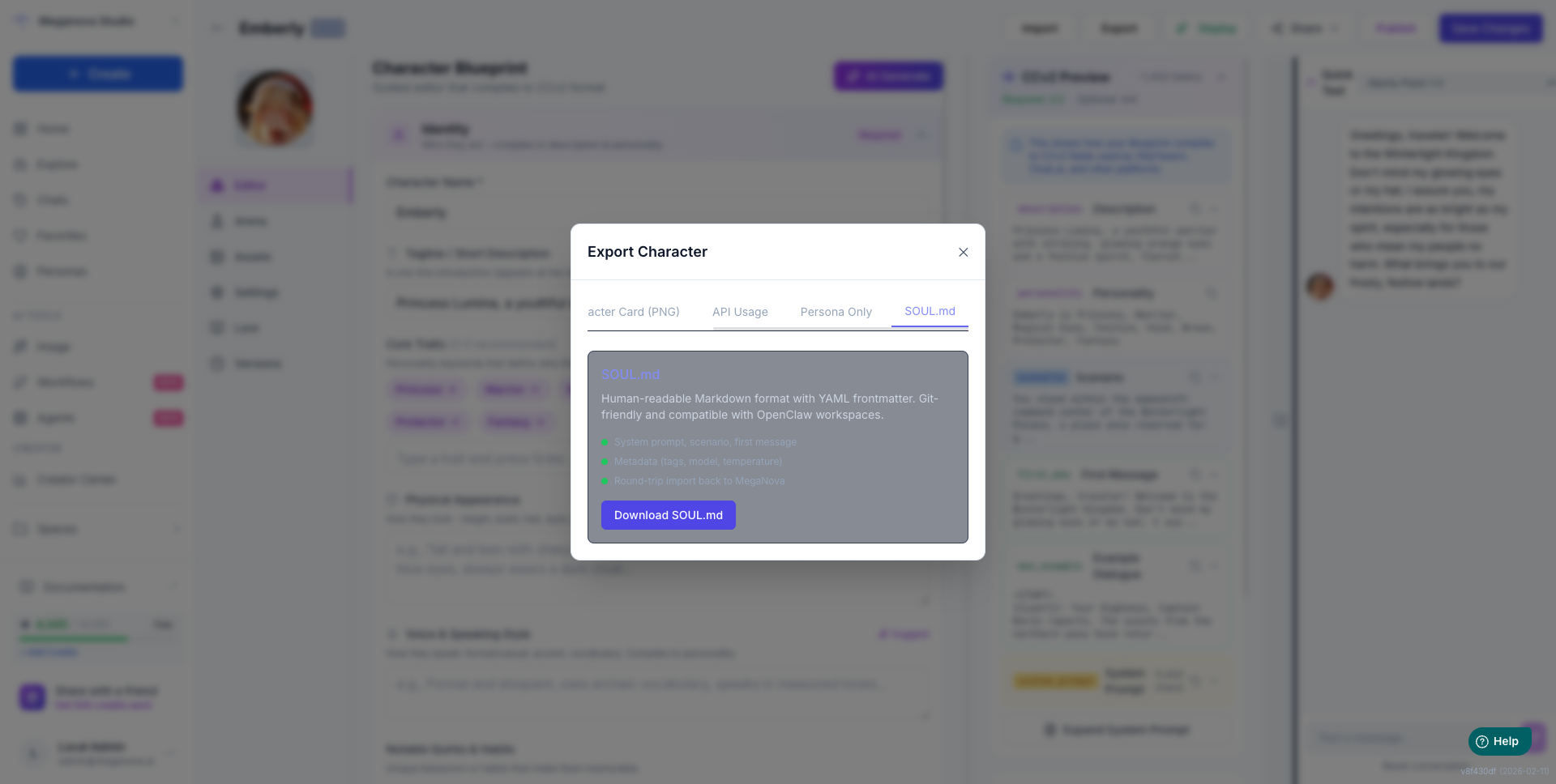
Step 3: Download
Click Download SOUL.md.
You’ll receive a file named after your character, for example:
emberly.soul.mdThat file contains everything needed to reconstruct your character.
What’s Inside a SOUL.md File?
A SOUL.md file has two parts:
- YAML frontmatter
- Markdown body
This structure keeps it readable and machine-parseable at the same time.
YAML Frontmatter (Structured Metadata)
At the top of the file:
---
name: emberly
description: >-
  Princess Lumina, a youthful warrior with striking,
  glowing orange eyes and a festive spirit.
metadata:
  meganova_display_name: Emberly
  meganova_rating: sfw
  meganova_visibility: private
  meganova_tags:
    - Princess
    - Warrior
    - Fantasy
  meganova_model: meganova-ai/manta-flash-1.0
  meganova_temperature: 0.7
  meganova_blueprint: { ... }
---
The metadata.meganova_* fields preserve Studio-specific configuration for round-trip fidelity.
If someone imports this file outside MegaNova, those fields are simply ignored.
Markdown Body (Human-Readable Sections)
Below the frontmatter, you’ll see structured headings:
# System Prompt

Princess Lumina is the young warrior princess of Winterlight...

## Scenario

You stand inside the Winterlight Palace...

## First Message

Greetings, traveler...

## Example Dialogue

{{user}}: Your Highness...
{{char}}: *Emberly looks up...*

## Personality

(Additional personality traits)
Every section is optional.
If your character has no scenario or dialogue examples, those headings won’t appear.
This makes the file clean and minimal.
How to Import
From the Character Editor
Click Import on any character page and drop a .soul.md file.
The parser automatically detects:
- YAML frontmatter
- Headed Markdown sections
No manual mapping required.
[IMAGE HERE: Import modal with .soul.md file dropped and parsed preview visible]
From a Space
Use Import Character in your Space view.
Upload a .soul.md file and Studio will create a new character using the file contents.
Via API
You can import programmatically:
curl -X POST "https://studio-api.meganova.ai/characters/import/soul-md?space_id=YOUR_SPACE_ID" \
  -H "Authorization: Bearer YOUR_TOKEN" \
  -F "file=@emberly.soul.md"
This makes SOUL.md perfect for automation workflows.
OpenClaw Compatibility
In OpenClaw, SOUL.md functions as the agent identity file located at:
~/.openclaw/workspace/SOUL.mdOpenClaw reads the # System Prompt section as the agent’s persona definition.
MegaNova’s SOUL.md format is a superset of this.
|
Feature |
OpenClaw |
MegaNova |
|---|---|---|
|
Free-form personality text |
Yes |
Yes |
|
Boundaries & vibe |
Yes |
Yes |
|
YAML metadata |
Optional |
Full character metadata |
|
Scenario section |
No |
Yes |
|
Example dialogue |
No |
Yes |
|
Tags, model, temperature |
No |
Yes |
If you drop a MegaNova-exported SOUL.md into OpenClaw:
- OpenClaw reads the # System Prompt
- Ignores MegaNova metadata
- The agent embodies the persona immediately
If you import a plain OpenClaw SOUL.md into MegaNova:
- The entire body becomes the system prompt
- You can expand it into structured sections later
Comparison with Other Export Formats
|
Format |
Best For |
Git-Friendly |
Editable |
Round-Trip |
|---|---|---|---|---|
|
JSON |
API backup |
Partial |
Hard |
Yes |
|
CAK (.zip) |
Full archive |
No |
No |
Yes |
|
Character Card (PNG) |
SillyTavern |
No |
No |
Yes |
|
SOUL.md |
Version control, OpenClaw |
Yes |
Yes |
Yes |
|
Persona Only |
Quick copy |
N/A |
Yes |
No |
SOUL.md is the only format designed for developers and creators who treat characters as structured assets.
Practical Tips
- Version control your characters in a characters/ folder
- Every personality tweak shows up as a clean Git diff
- Edit in VS Code with YAML highlighting
- Share changes in pull requests for review
- Batch export using the /export/soul-md endpoint
This turns character design into a maintainable workflow rather than a one-time upload.
Final Thought
SOUL.md changes how characters live outside the platform.
Instead of being trapped in a UI or binary format, your characters become readable, editable, and versionable identity files.
Open any character in MegaNova Studio.
Click Export.
Download SOUL.md.
And treat your characters like real assets.
Stay Connected
💻 Website: meganova.ai
🎮 Discord: Join our Discord
👽 Reddit: r/MegaNovaAI
🐦 Twitter: @meganovaai