Export Your Characters: Integration Guide
Creating a strong AI character only matters if that character can live beyond a single tool.
One of the core principles behind MegaNova Studio is that characters are creative assets, not locked profiles. Exporting is how creators keep ownership, move their work between platforms, and integrate characters into the roleplay apps their audience already uses, including platforms like Janitor AI.
This guide explains how exporting works in MegaNova Studio, what each export option is for, and how to use those exports in real roleplay ecosystems.
Why exporting characters matters
Most creators do not build characters for a single session.
Characters are shared on Reddit and Discord, tested across different roleplay apps, reused in multiple worlds, or refined over time. When export is limited, characters become fragile. When export is flexible, characters become durable.
Exporting turns character creation into a long-term workflow instead of a one-off experiment.
What “export” means in MegaNova Studio
Exporting in MegaNova Studio means packaging everything that defines a character into a format that can be reused elsewhere.
That includes identity, personality, scenario, greeting, example dialogue, visual data, and metadata. Different formats exist because creators have different goals, from quick sharing to deep customization.
MegaNova Studio supports all of them.
Export formats available in MegaNova Studio
JSON
JSON export provides a clear, structured definition of the character.
It includes personality fields, system instructions, scenario, greeting, dialogue examples, tags, and settings. JSON is ideal for advanced users who want to inspect or edit their characters directly, or adapt them for platforms that use structured character definitions.
For Janitor AI users, JSON works well when you want manual control. You can copy or adapt fields into Janitor AI’s character setup and fine-tune behavior as needed.
CAK (.zip)
CAK files bundle the full character configuration into a single compressed archive.
This format is designed for completeness and portability. It keeps all character data together, making it useful for backups, collaboration, or transferring projects between tools before final import.
CAK is not meant for direct upload into roleplay apps, but it is valuable as a source package you can extract from when needed.
Character Card (PNG)
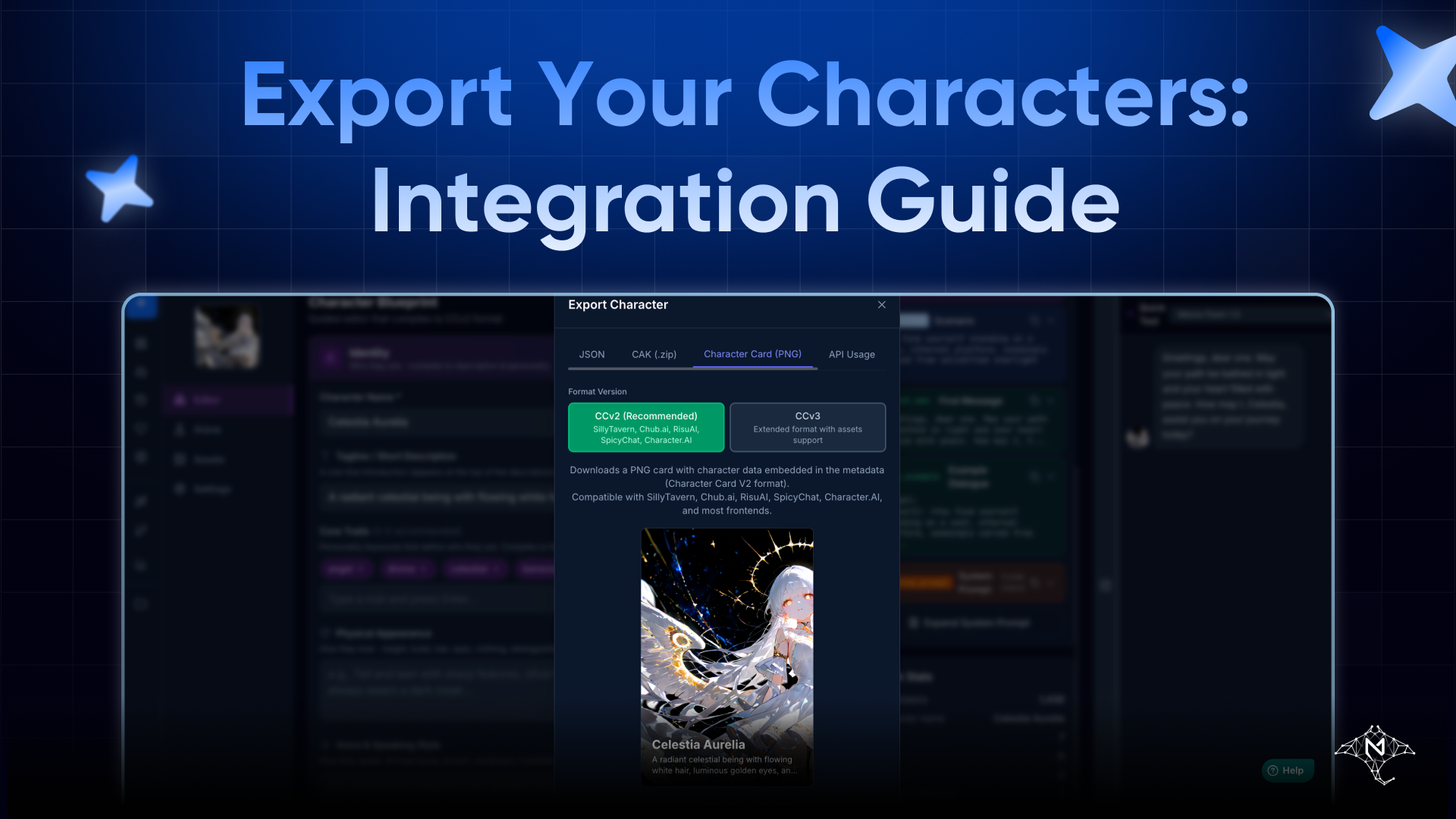
Character Card (PNG) is the most common and creator-friendly export option.
The PNG embeds the character’s data directly into the image file, including avatar, personality, scenario, greeting, and dialogue examples. This format is widely supported by roleplay platforms.
For Janitor AI specifically, this is the fastest path. You can upload the PNG directly, and the character will import with its core behavior intact. No manual formatting is required.
If you plan to share characters publicly or distribute them across communities, PNG character cards are usually the best choice.
API Usage
API Usage export is designed for developers and advanced workflows.
Instead of downloading a file, this option allows characters to be used programmatically through APIs. It is intended for custom applications, automated systems, or tools that need direct access to character definitions.
This option is about integration, not sharing, and is not meant for roleplay app imports.
Persona Only
Persona Only export focuses on behavior rather than presentation.
It exports the character’s personality, voice, and behavioral logic without locking it to a specific avatar or name. This is especially useful for experimentation.
Creators often use Persona Only to:
- test the same personality with different visuals
- reuse a behavior core across multiple characters
- refine voice and tone before final presentation
Persona Only works well when importing into Janitor AI if you want to rebuild or remix characters while keeping a consistent personality foundation.
How to export a character
Exporting in MegaNova Studio is intentionally simple.
Open the character, click Export, choose the format you need, and download or access it immediately. Each export reflects the character’s current state, so changes you make are always included.
There is no extra setup or configuration required.
Choosing the right export for Janitor AI
If your goal is to import into Janitor AI, the choice is straightforward.
Use Character Card (PNG) for the fastest and cleanest import.
Use JSON if you want manual control and customization.
Use Persona Only if you want to reuse or test behavior without committing to a final presentation.
CAK and API Usage are better suited for backups and advanced integrations rather than direct import.
Export reinforces creator ownership
Export exists to protect creators.
Characters built in MegaNova Studio are not trapped inside a closed ecosystem. You decide where they live, how they are shared, and how they evolve. Exporting ensures that your work remains portable even as platforms and tools change.
This matters more as characters gain emotional value and, through systems like Creator Center, economic value as well.
Final thoughts
Exporting is not just a technical feature. It is a statement about ownership and freedom.
MegaNova Studio’s export system is designed to support real creator workflows, from quick PNG imports into Janitor AI to deep customization through JSON and Persona-based iteration.
Create once. Export confidently.
Let your characters live wherever your audience is.