Chibi vs. Anime Style in MegaNova: When Each Works Better
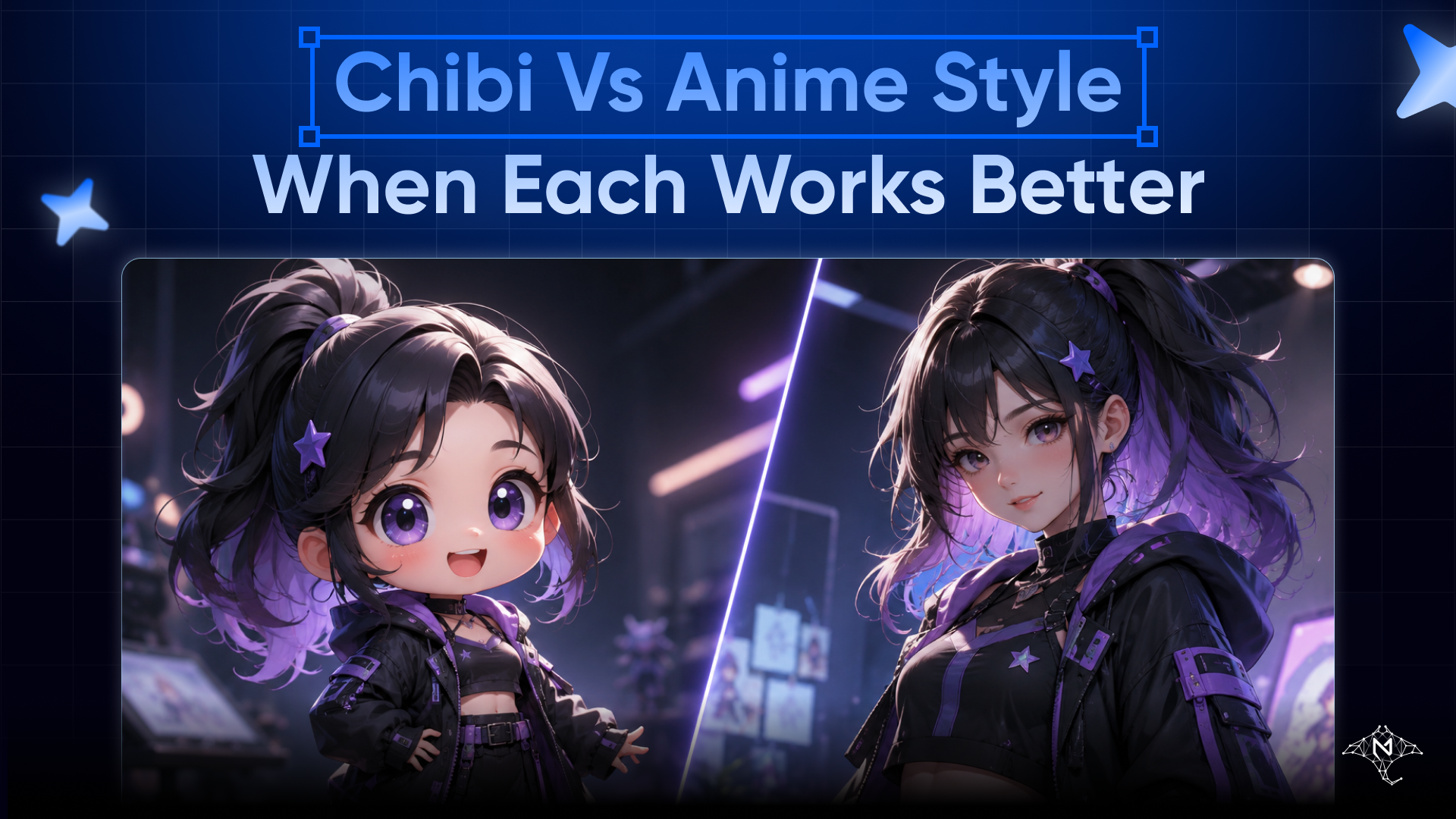
Visualizing your characters is the heartbeat of Character Studio, MegaNova's professional platform for immersive storytelling. Whether you are a casual roleplayer or an advanced creator using the Blueprint Editor, the style you choose in our AI Image Generation tool defines the "soul" of your character interaction.
But when should you select the sleek, high-fidelity look of Classic Anime, and when does the expressive, super-deformed Chibi style take the crown?.
1. Classic Anime: For the Epic & Atmospheric
The Anime style in Character Studio is built for depth and narrative weight. It uses realistic proportions to ground your character in their world, making it the preferred choice for long-form roleplay.
Best Used For:
- Serious Roleplay: Ideal for complex characters like battle-hardened warriors or mysterious wizards.
- Detailed Personas: Best for populating the Blueprint Editor, where physical appearance, age, and style choices need to match a character's deep background.
- Character Cards: Perfect for creating high-quality CCv2/CCv3 cards that represent your character's primary identity for sharing with communities.
Pro-Tip: Use the Expert Mode to fine-tune your character's physical description to match your Anime avatar for total identity reinforcement.
2. Chibi Style: For the Expressive & Comedic
Chibi style simplifies character features—big heads, small bodies—to make emotions pop. While often used for fun, it is a strategic tool for adding personality to your character’s Asset Collections.
Best Used For:
- Asset Collections & Expressions: Chibi is excellent for creating a variety of multimodal assets, such as "happy" or "shocked" emotes, within the character’s internal format.
- Casual Banter: Lowers the narrative tension for "slice-of-life" chats or lighthearted scenarios.
- Meta-Commentary: A visual shorthand for when you need to step out of the heavy lore of a Lorebook and interact with the character directly.
Comparison: The Creator’s Cheat Sheet
| Feature | Classic Anime | Chibi Style |
| Visual Goal | Story & Atmosphere | Expression & Charm |
| Creation Mode | Blueprint / Expert | Quick Create |
| Immersion Level | High (Epic RP) | Medium (Casual/Fun) |
| Best For | Combat, Drama, Romance | Emotes, Comedy, Banter |
| Card Standard | Primary Card Art | Asset / Expression Gallery |
How to Switch Styles in Character Studio
You don't have to be a prompt expert to toggle between these looks. You can use the Quick Create wizard or the AI Tools menu to experiment in seconds.
- Select Your Model: Choose from the Seedream family (4.5, 4.0, or 3) for the highest quality portrait orientation.
- Pick Your Style: Simply select Anime or Chibi from the style dropdown to apply distinct prompt styling automatically.
- Define the Outfit: Whether it's Fantasy Armor or a School Uniform, our system ensures the character's clothing remains consistent across styles.
- Save to Workspace: Once generated, save your new look to your Space (workspace) to keep your project themes organized.
Conclusion: Setting the Right Tone
Choosing between Anime and Chibi is about what story you want to tell. Use Anime for the "legend" in your Lorebook, and use Chibi for the "moments" in your daily chats.
Ready to bring your characters to life? Start with Quick Create and build your first character in under 5 minutes.
🔍 Learn more: Visit our blog and documents for more insights or schedule a demo to optimize your roleplay experience.
📬 Get in touch: Join our Discord community for help or Contact Us.
Stay Connected
💻 Website: meganova.ai
🎮 Discord: Join our Discord
👽 Reddit: r/MegaNovaAI
🐦 Twitter: @meganovaai