AI Mock Interview Practice: Chat With Elon Musk to Ace Your Job Interview
Struggling to prepare for upcoming nerve-wracking interviews? Whether it’s your dream company or any competitive role in any industry, practicing in advance can make all the difference.
MegaNova Chat turns interview prep into a realistic, interactive experience — face experienced AI employers in various industries like Elon Musk, and refine your answers without fear of judgment. From technical questions to curveball scenarios, MegaNova Chat helps you boost confidence, sharpen dialogue, and highlight your transferable skills — all from the comfort of your screen.
Why AI Roleplay Works for Interview Prep
Practicing with an AI interviewer lets you:
- Boost Confidence: Prepare answers in advance and practice freely without fear of judgment.
- Refine Dialogue: Develop a professional tone, clarity, and concise responses.
- Test Scenarios: Simulate technical, behavioral, or unexpected “curveball” questions.
- Receive Instant Constructive Feedback: High-IQ AI interviewers provide insights, critical thinking prompts, and tailored suggestions — similar to AI-assisted interview rounds used by top companies. This guidance can increase your chances of landing the job.
- Build Persuasive Answers: Learn how to frame your experiences and skills to fit different roles effectively.
- Test Multiple Reply Strategies before the real interview.
With 4 simple steps setup, MegaNova Chat helps you practice positioning yourself as a strong, adaptable, and confident candidate.
Step-by-Step Guide: Interview Practice with MegaNova Chat
Step 1: Create Your Candidate Persona
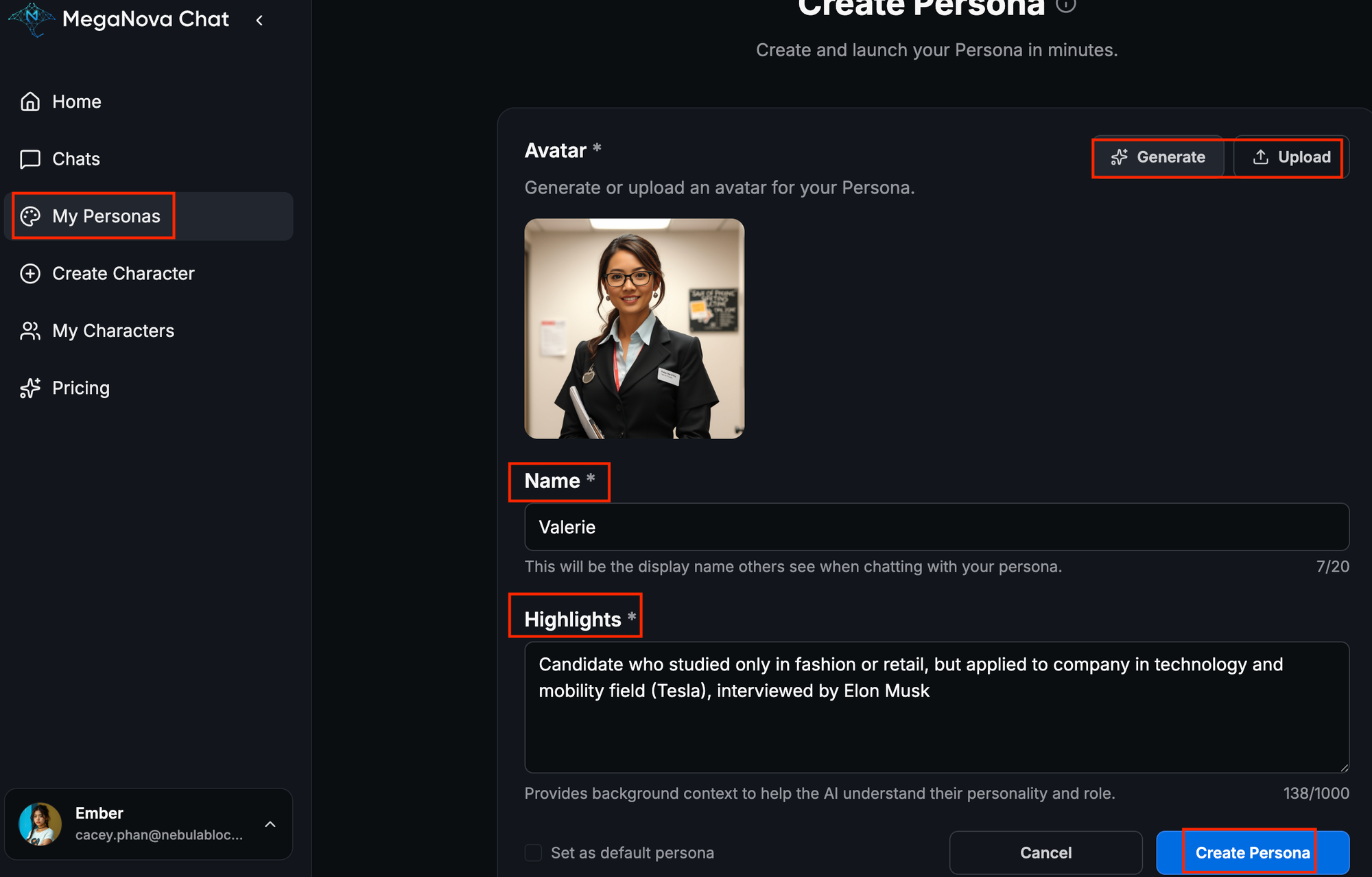
- Go to My Personas → Create Persona.
- Upload an avatar or Generate a temporary one to visualize yourself in the interview.
- Input your Name, Highlights (your previous experience or academic background and career goals (optional)).
- Click Create Persona and set it as default.
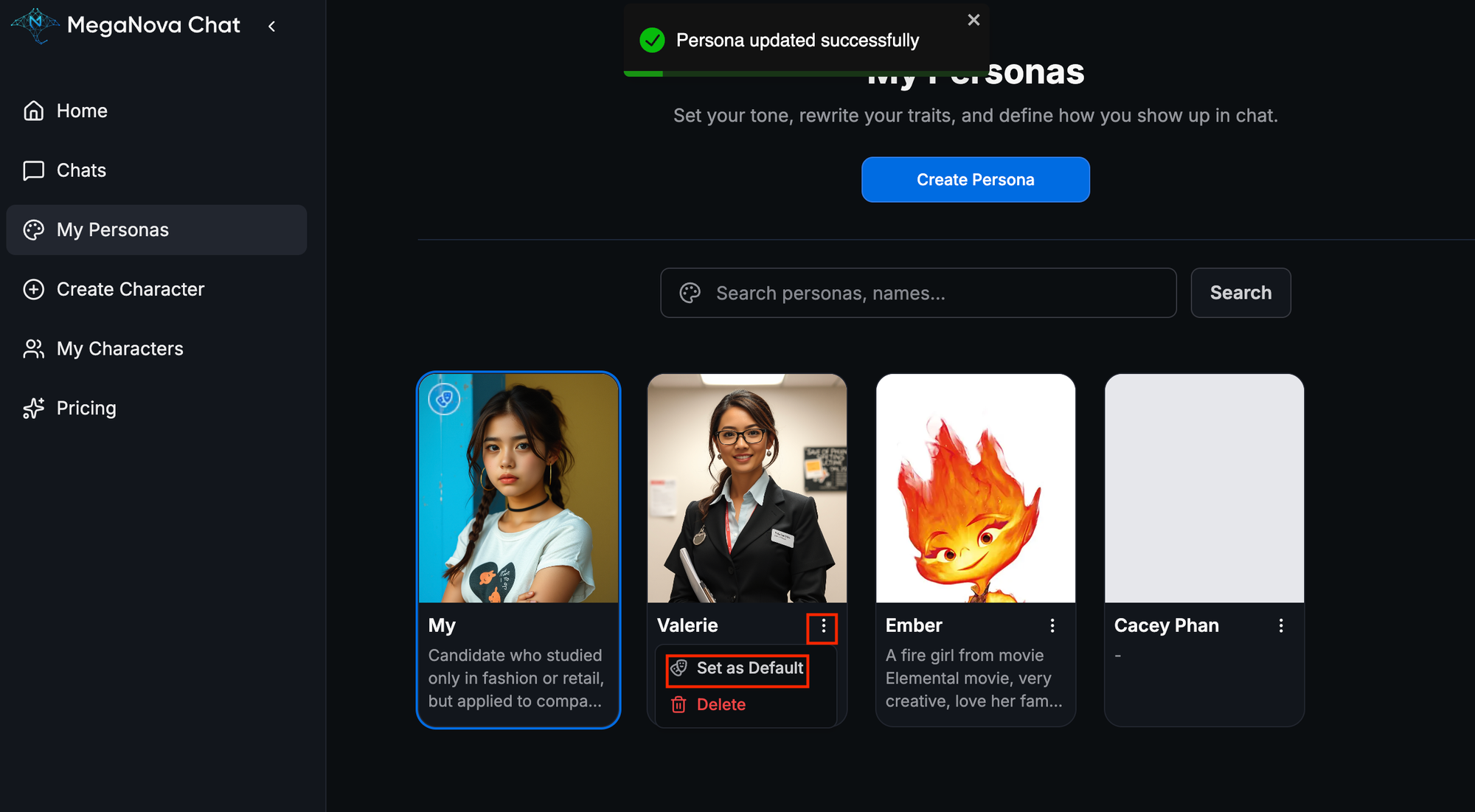
Set this persona as your candidate's default profile
Step 2: Create the Interviewer Character
- Go to Create Character → Upload Avatar of employer/company's logo.
- Name the character: Example "Elon Musk"
- Short description: Example "CEO of Tesla and SpaceX”
- Greeting: “Nice to meet you, {{user}}, we're excited to have you today.”
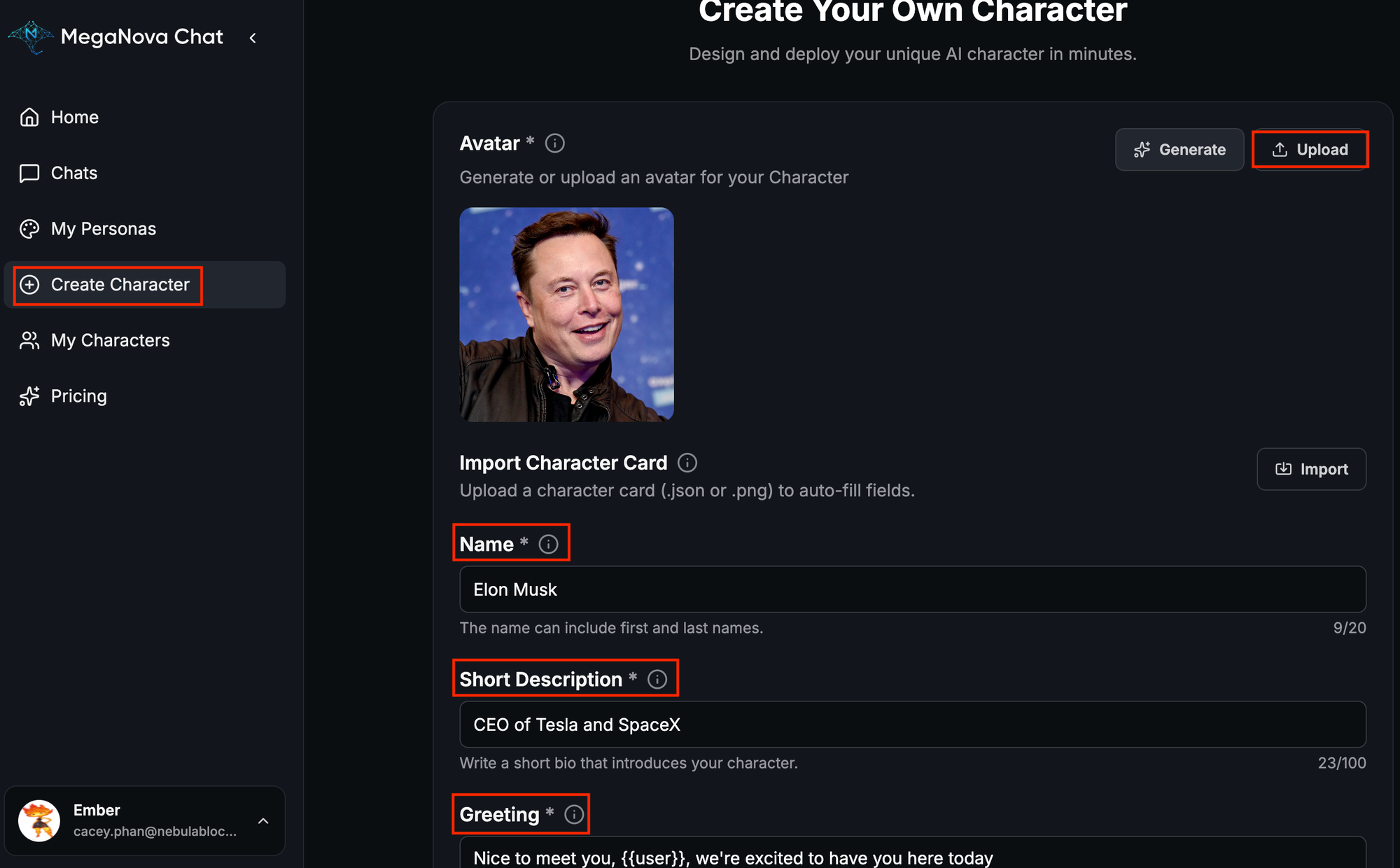
This AI character will simulate a real Tesla interview with Elon Musk, including follow-up questions and reactions to your answers.
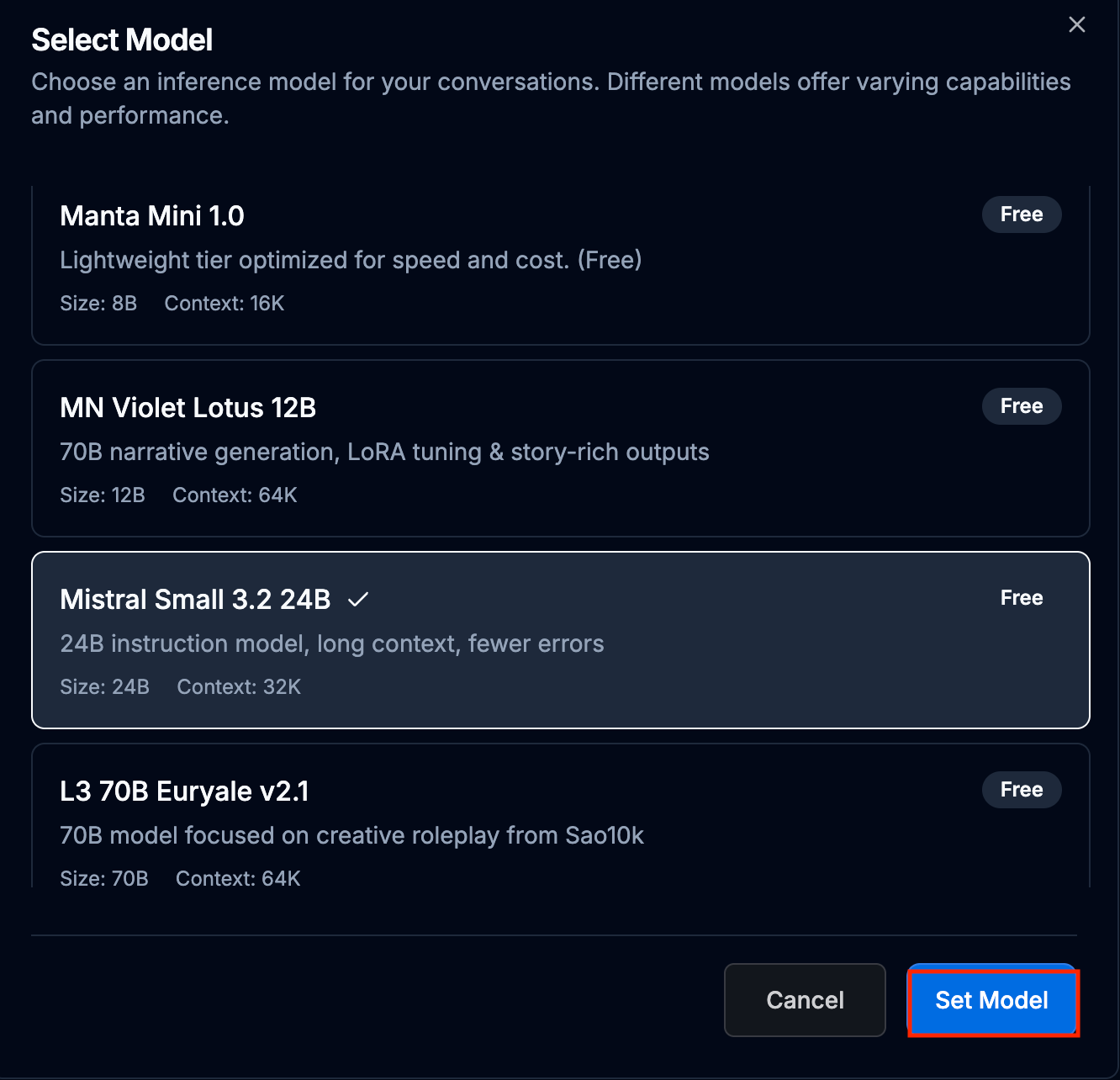
Step 3: Select Model and Start Practicing
We recommended Mistral Small 3.2 models for interview practice as it provides realistic insights for professional natural interview practice.

Step 4: Build Your Interview Library
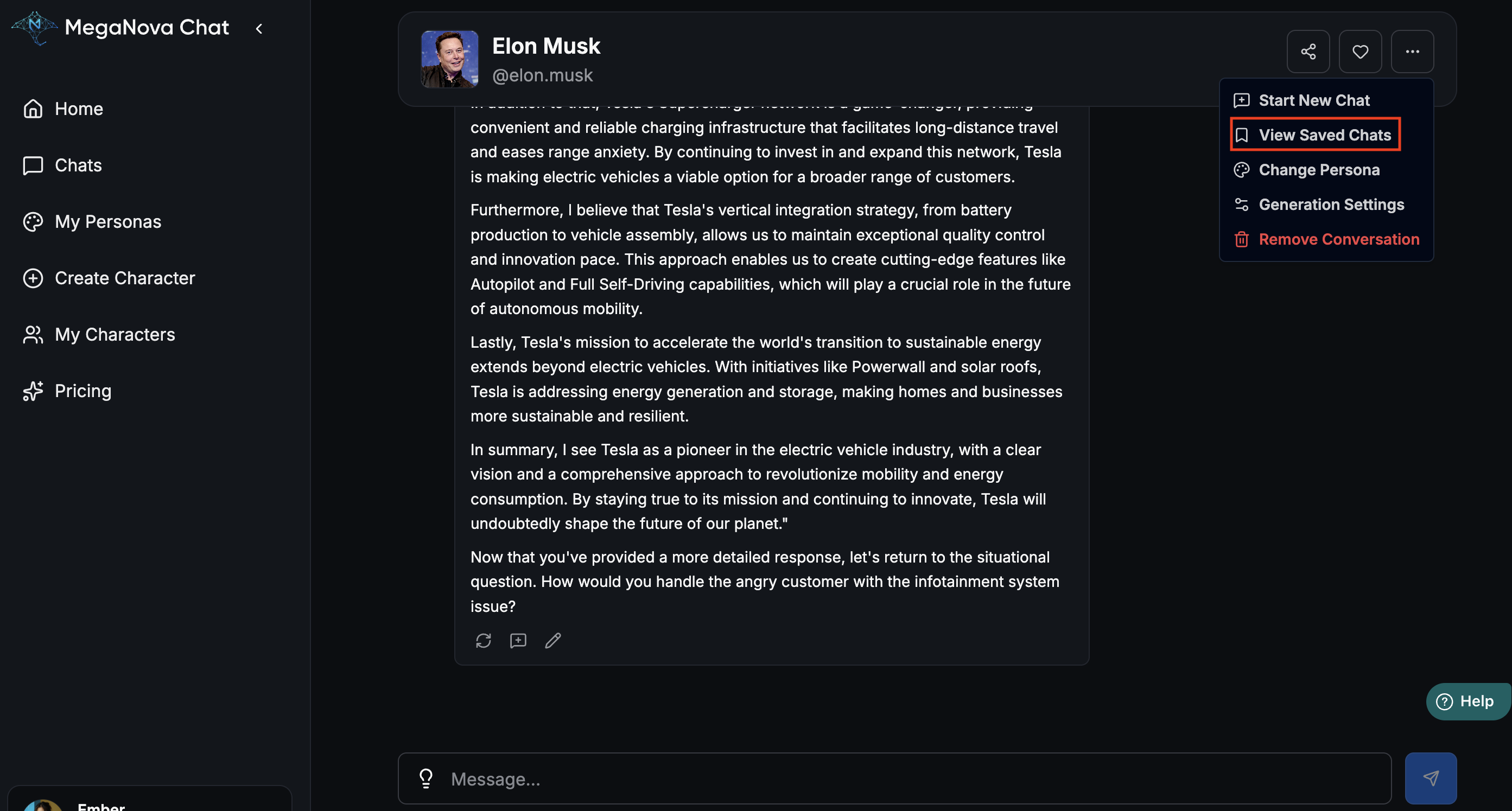
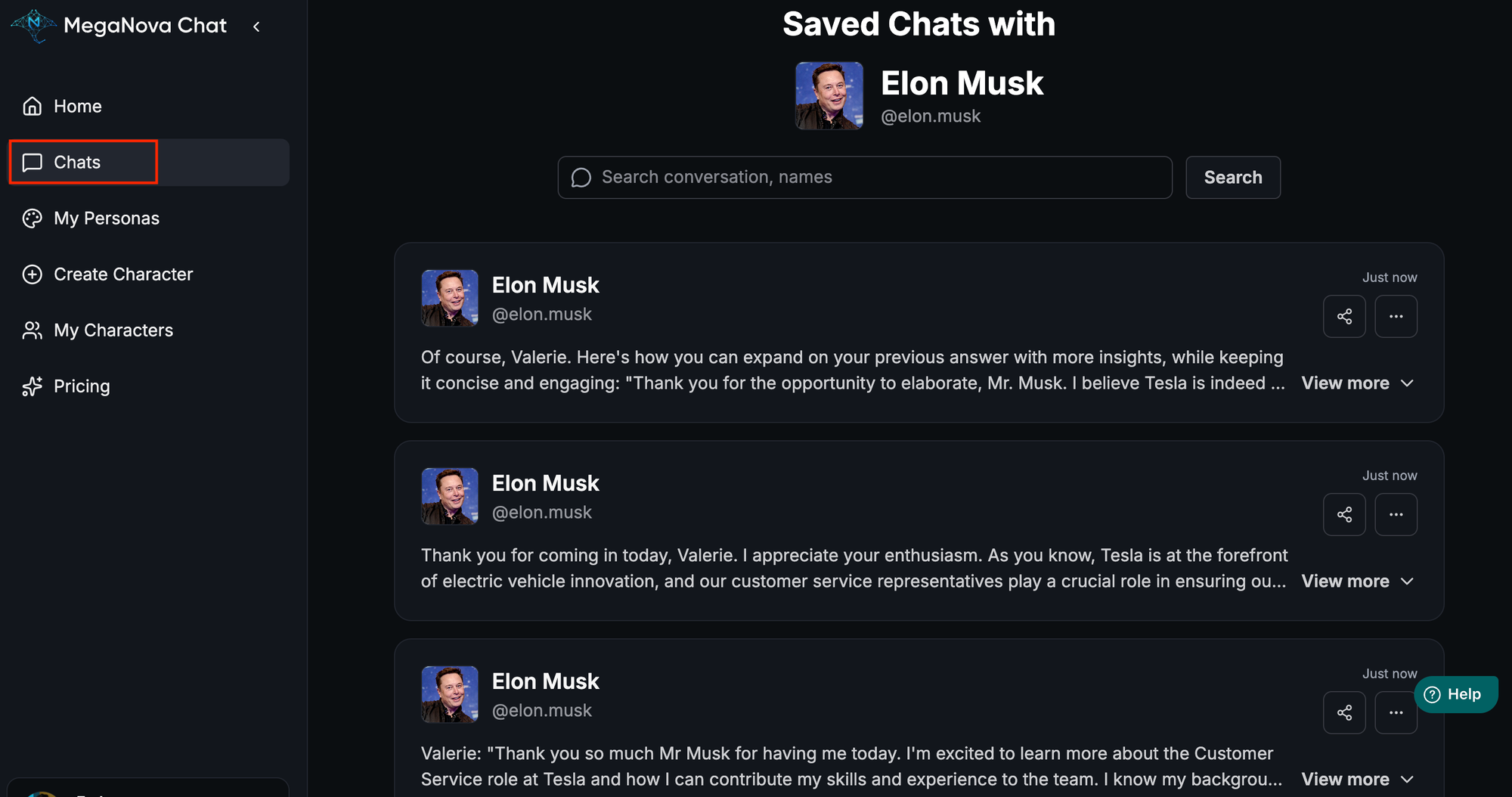
Reread your mock interview transcripts in View Saved Chats.
Try variations, such as:
- Different positions at your dream company: Introduce yourself in different role in your first greeting line.
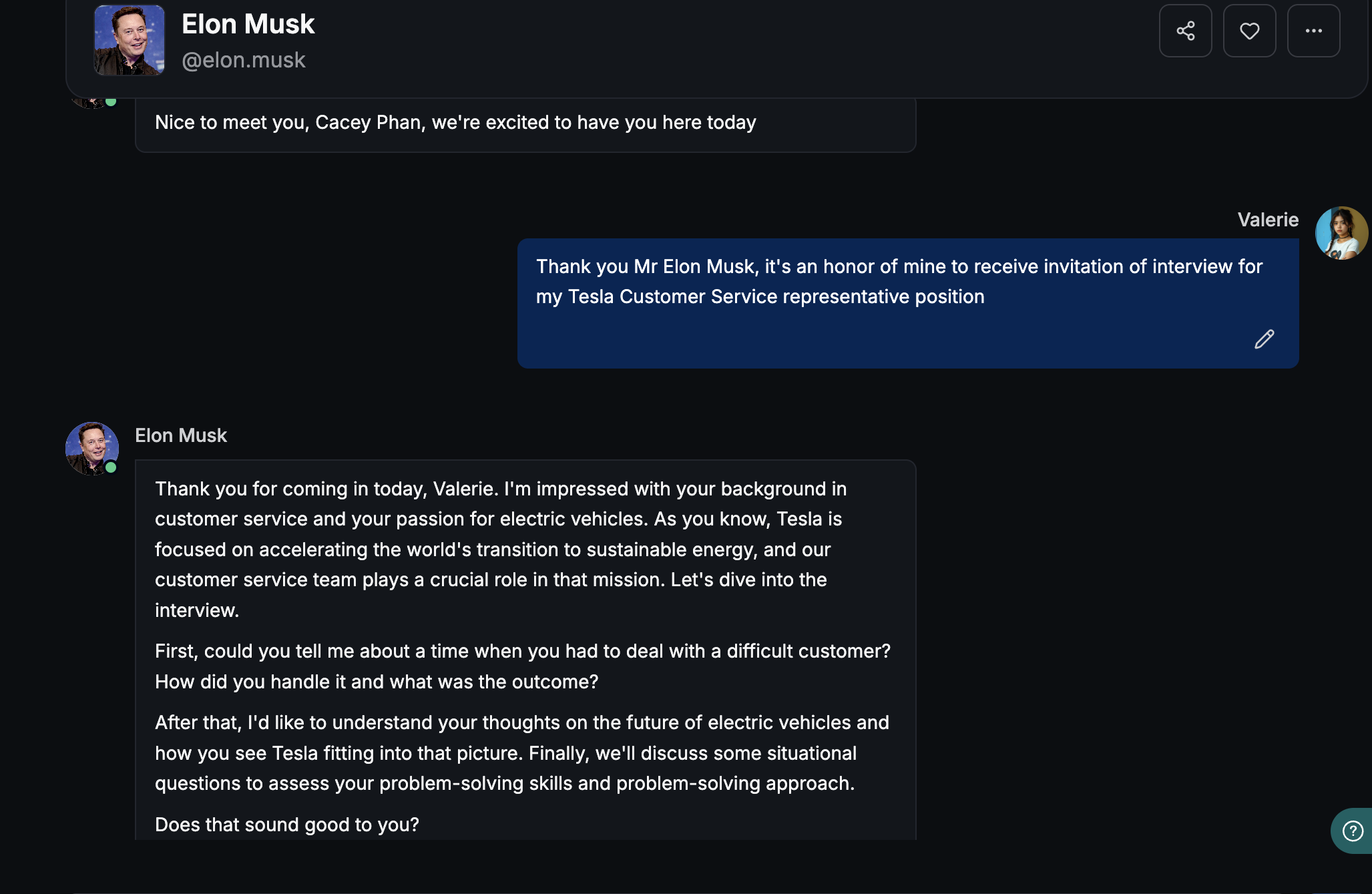
- Different companies: Create a new “virtual employer” character card to simulate another company.

Over time, you’ll build a comprehensive interview library — a personal resource of standardized answers, role-specific practice, and an AI specialist available whenever you need it.
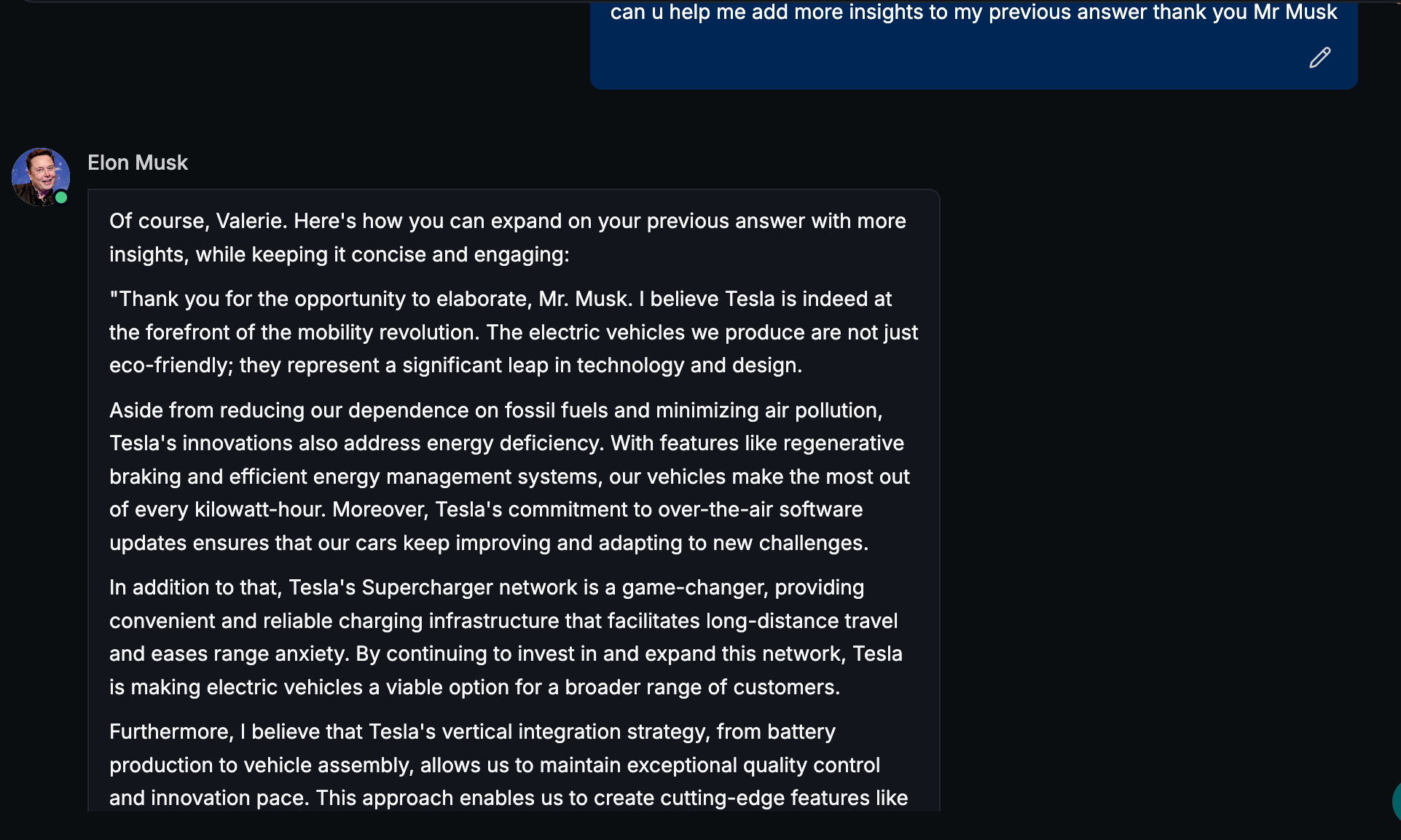
Tips: Use those sessions to identify areas for improvement and ask your “virtual interviewer” to provide constructive feedback
Conclusion
With MegaNova Chat, interview prep is no longer stressful guesswork. Save transcripts, test multiple strategies, and build a personal interview library that evolves with your career goals. Step into virtual interviews anytime, practice your responses, and gain instant AI feedback — positioning yourself as a confident, adaptable, and prepared candidate.
Start practicing today and turn your dream job interviews into opportunities you’re ready to ace.
What's Next
Sign up and explore now.
🔍 Learn more: Visit our blog and documents for more insights or schedule a demo to optimize your roleplay experience.
📬 Get in touch: Join our Discord community for help or Contact Us.
🔗Join now to get first access to MN Chat’s free launch — including free DeepSeek model — and secure your limited-time welcome reward.
You’re not just a normal user — you’re part of our AI Roleplay evolution.
Stay Connected
💻 Website: meganova.ai
🎮 Discord: Join our Discord
👽 Reddit: r/MegaNovaAI
🐦 Twitter: @meganovaai